Claim Applet
Employees submit out-of-pocket expense claims here and supervisors approve them; finance review and payment happen afterwards in the Claim Cycle applet. A claimant is matched to an employee record by login e-mail, and without that link the applet refuses to load their claims.
Your job, and the screen for it
| The job | Screen or tab | Read |
|---|---|---|
| Submit an expense claim — press Save in each line before closing it, because Submit deletes lines left unsaved | My Claim › create, Claim Lines (Main tab), Save, then Submit | Where a line can vanish — TEMP, DRAFT and Submit |
| Approve or reject your staff’s claim lines | Pending Approvals, Approve or Reject with remarks | Lifecycle and effects |
| Free a line that never reaches an approver — fix the approval setting first; there is no retry button, so withdraw it and raise it again on a new claim | My Claim, select the line, Withdraw | Troubleshooting |
| Decide who approves a claim — set a default approver, which Submit does not check for | Settings › Claim Approval Settings (levels, quorum, Default Approver), Settings › Branches › Approval Designation | Master-data settings that drive behaviour |
| Give employees an allowance to claim against — an approved claim reduces it only when Display Entitlement Balance is set | Settings › Claim Accounts, Claim Entitlements, Auto Top-up Template › Event › Run, or Upload Employee Entitlement | Master-data settings that drive behaviour |
| Set up claimants and the route to finance | Employee records whose login e-mail matches (Employee Applet); Settings › Claim Cut-Off Logic per company, with Auto-add approved claims to active cycle on or the cut-off and cycle clocks scheduled by hand; the e-mail clocks created by hand in the Scheduler Applet | Before you can use it |
Overview
The Claim Applet is where employees submit out-of-pocket expense claims and where their supervisors approve or reject them. A claim is a header (title, claimant, cost-centre branch) with one or more claim lines; each line names a claim item (the expense type), an amount, dates, receipts and — depending on the item — an engagement, an event, a travel destination or a professional body. The applet also owns all the master data that drives the process: claim items and categories, claim accounts and entitlements (annual or monthly allowances per employee), approval settings, cut-off logic, travel-allowance rates and notification e-mail templates.
The applet stops at supervisor approval. Finance review, sampling, on-hold handling and the bank / payment-voucher reports happen in the Claim Cycle Applet, which picks up approved lines month by month. The module was built for an audit, assurance and tax practice, which is why a claim line can be charged to an engagement (a client job) and re-billed.
Where it fits
| Direction | Applet / data | Why it matters |
|---|---|---|
| Upstream | Employee Applet | A claimant is resolved from the login e-mail to an employee record. Without the link the applet refuses to load claims (Cannot find your email … from Employee Applet). Job titles, designations and branch links drive approver lookup. |
| Upstream | Organisation Applet | Companies and branches. The Branches settings screen in this applet is a view of those branches with claim-specific tabs (employee ranking, approval designation). |
| Upstream | Chart of Account Applet | Expense and billing GL codes selected on each claim item. They are carried on the line for reporting; this applet posts no journal. |
| Upstream | Forex Applet | Foreign-currency claim lines name a forex data source when Show Forex Data source is on. |
| Upstream | Calendar (company holiday events) | Cut-off dates are computed in working days, skipping company holiday events. |
| Downstream | Claim Cycle Applet | Approved lines (PENDING_DOC_REVIEW) are swept into the month’s claim cycle for finance review, on-hold, sampling and the Bank / PV Details / Cross-Billing reports. |
| Side | AWS Textract (OCR) | Claim items flagged Required Supporting Document Using OCR Attachment send the receipt to Textract’s expense analysis; the extracted fields feed the risk-score check. Unrelated to the OCR Cash Bill Applet, which is a membership feature. |
Module: Claims Management.
Screens and menus
Sidebar:
| Group | Menu item | What it shows |
|---|---|---|
| Claimant | My Claim | The signed-in employee’s own claims. Grid/list toggle, status summary cards, dashboard window from personal settings. |
| Claimant | Line Reports | Every claim line of the claimant, one row per expense, with approval-sequence and history sub-views. |
| Claimant | Engagement Report | Chargeable lines grouped by engagement (client job). |
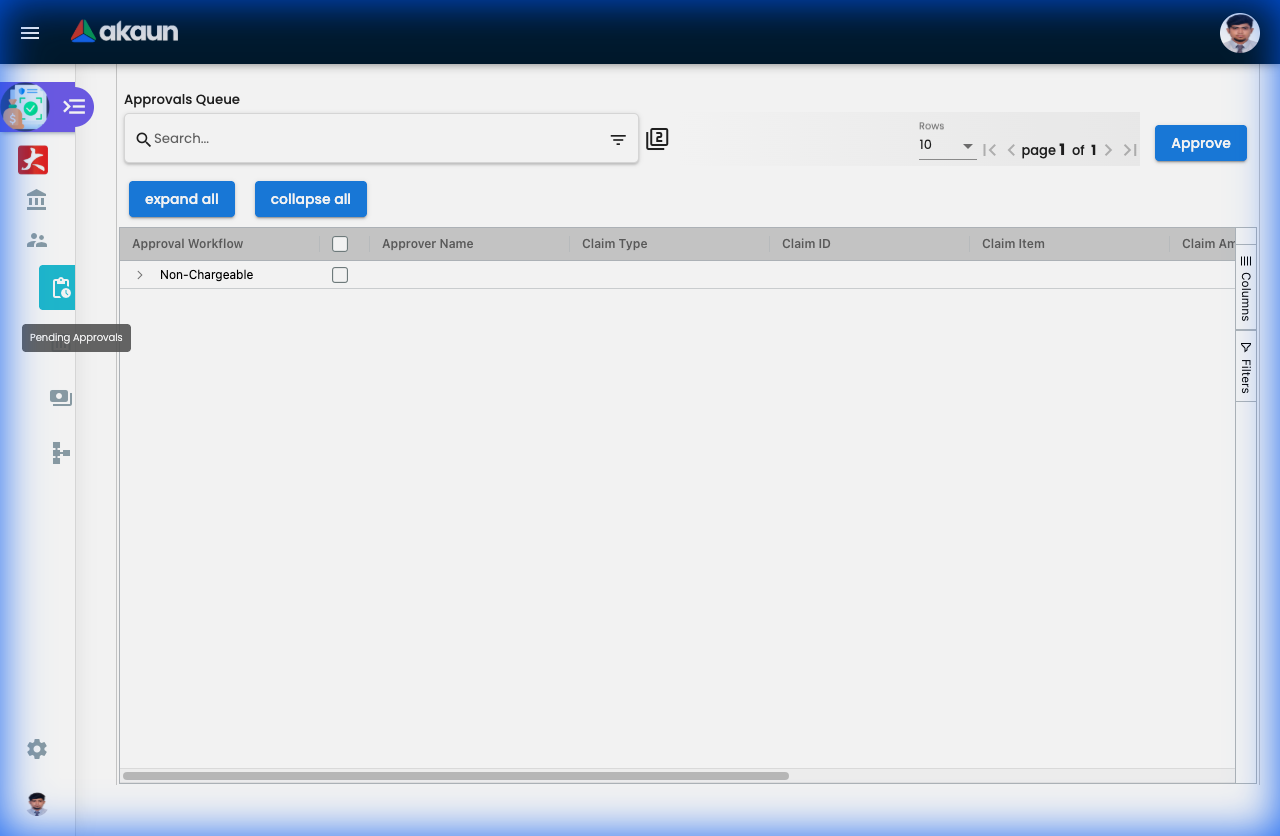
| Supervisor | Pending Approvals | Lines waiting for the signed-in approver, with Approve / Reject (remarks dialog), duplicate-receipt view and related-line listings. |
| Supervisor | Staff Reports | Claims of the approver’s staff. |
| Supervisor | Non-Reimbursable Report | Lines ticked Non-Reimbursable (company already paid; auto-approved, never routed for approval). |
| Supervisor | Professional Study Scheme Report | Professional-study claims with validity dates and forfeiture. |
My Claim → create / edit. Main Details (Claim ID, Claim Title, Claim Status, Employee Name / Code, Branch (Cost Center)) and Claim Lines. A line opens with tabs Main, Approval Sequence and History; the Main tab changes shape with the claim item (engagement fields, event picker, professional-body fields, travel location / mileage / meal deductions, receipt date and number, attachments, OCR-scanned values). Buttons: Save, Submit, Resubmit (after finance on-hold), Export. Split actions divide a line across branches (chargeable and non-chargeable split components). The line editor comes in two builds — single access and multiple access — and the listing opens whichever matches the claimant’s company access; they save the same way.
Settings → System Configuration: Application Settings, Claim Accounts, Claim Entitlements, Claim Entitlement Auto Top-up Template / Events / Run, Claim Item Category, Claim Items, Professional Body, Subscriptions and Memberships, Travel Allowance, Claim Cut-Off Logic, Claim Approval Settings, Claim Approval Delegation Period Settings, Branches (shown as Job Groups when relabelled), Email Template, Upload Employee Entitlement, Printable Format Settings. Shared screens: Webhook, Feature Visibility, Permission Wizard / Set / User / Team / Role, Applet Log (audit trail). A Default Selection screen exists but has no menu entry (see Applet settings).
Personalization: Default Selection (personal), Favourite Claims, Sidebar.
Configuration
Before you can use it
| Prerequisite | Where | Why |
|---|---|---|
| Every claimant and approver is an employee whose primary login e-mail matches the employee record | Employee Applet | The applet refuses to load claims for a login whose e-mail matches no employee (Cannot find your email: … from Employee Applet). Branch designations are how non-chargeable approvers are found. |
| Companies and branches exist; each branch that raises claims has an approval setting | Organisation Applet, then Settings → Branches | The approval-sequence builder looks up approvers by branch and designation; a missing designation stops submission (Your designation: %s is yet to be configured for branch: %s). |
| Expense GL codes and PNS/SERVICE financial items for expense and billing | Chart of Account Applet | Selected on each claim item; the expense item is meant for the purchase side and the billing item for chargeable re-billing. |
| At least one Claim Approval Setting per workflow type you use, complete with level, quorum and default approver | Settings → Claim Approval Settings | Submission is rejected with Approval level & quorum are yet to be configured …. A missing default approver is not caught at submission: when nobody holds the approval designation, Submit succeeds, building the approval sequence fails (PROCESSOR_FAIL_CANNOT_GET_DEFAULT_APPROVER_GUID_NULL_OR_EMPTY) and the line never reaches an approver. |
| For HR-benefit items: a Claim Account, an Entitlement, employee links (or an entitlement upload) and the HR approval levels on the account | Settings → Claim Accounts / Claim Entitlements / Upload Employee Entitlement | Claimant is not entitled to claim %s and HR/TIM are not fully configured for ClaimAccount … are submission errors. |
| A Claim Cut-Off Logic row per company | Settings → Claim Cut-Off Logic | Without it no claim cycle is ever created, so approved lines never reach finance review — and the Auto-add toggle (below) has nothing to read. |
| Company holiday events (optional) | Calendar events of the company | Working-day arithmetic for approval / extension cut-offs excludes them. |
Applet settings
How settings and permissions work in general is explained once at Settings and permissions; this section only says what is particular to this applet.
Settings live in four places, none of them the shared inline settings gear:
- Application Settings — the applet’s own Field Settings screen, saved tenant-wide.
- Default Selection — master defaults for branch, location and company (
DEFAULT_BRANCH,DEFAULT_LOCATION,DEFAULT_COMPANY); reachable only by URL because the menu entry is switched off. Choosing a branch fills the company and the branch’s main location; read as the initial cost-centre branch on new claims. - Personalization → Default Selection — per-user settings, merged over the master settings at runtime.
- Master-data screens (Claim Items, Accounts, Entitlements, Approval Settings, Cut-Off Logic, …) — this is where almost all real behaviour is configured; see the next sub-section.
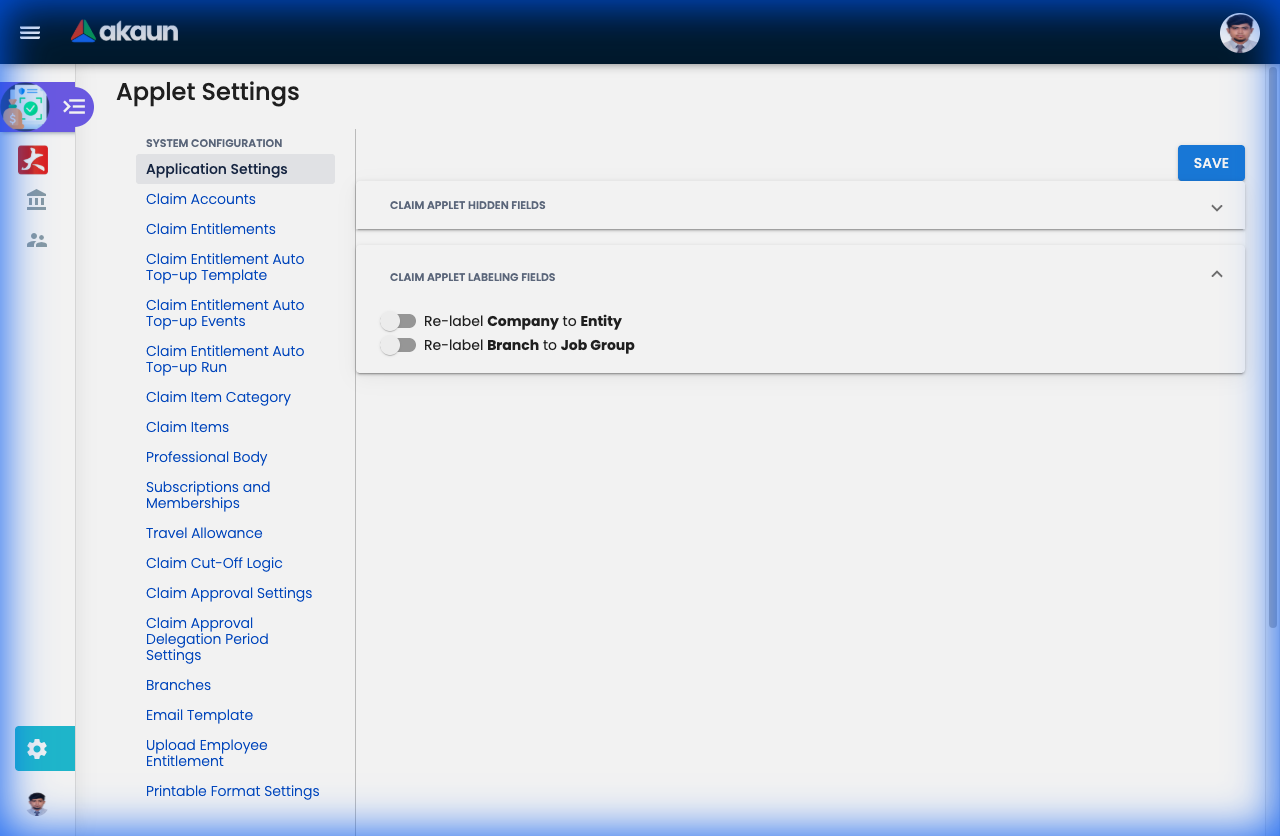
Application Settings is eleven slide toggles. Five of them hide something you can see the moment you flip them — the Claim Category picker on the line editor (HIDE_CLAIM_CATEGORY), the grid / list toggle on My Claim and Line Reports (HIDE_TOGGLE_BUTTON), the Employee Ranking tab under Settings → Branches, the billing company / financial item / GL / markup fields on Claim Item create and edit, and the Claim Approval Delegation Period Settings menu entry (HIDE_CLAIM_APPROVAL_DELEGATION_PERIOD — delegations already recorded still apply when approvals are processed; only the screen goes). One replaces the word Company with Entity across the applet (RELABEL_COMPANY_TO_ENTITY). The rows below are the toggles whose effect is not on the screen in front of you:
| Setting | What it controls | Default | Effect when changed |
|---|---|---|---|
SHOW_FOREX_DATA_SOURCE | The forex data-source selector on claim-line edit (single and multiple access) and on line-report edit. | true — the only toggle that defaults on | Off: a foreign-currency line has nowhere to pick a rate source, and the Get Currency Live Rate button has nothing to read. |
| Manual Entitlement Adjustment | Adjust Amount / End Date on the employee links and entitlements under Claim Accounts and Claim Entitlements. | false | On: HR can hand-adjust an employee’s balance and validity; each adjustment is posted as an account transaction line, so it shows in the account history. |
| Add Employee | The add-employee action on the Employees tab of Claim Accounts and Claim Entitlements. | false | Off: employees reach an entitlement only through an Auto Top-up run or the entitlement upload. |
RELABEL_BRANCH_TO_JOB_GROUP | Replaces Branch with Job Group in forms and renames the Branches menu. | false | The menu rename is skipped when the delegation-period hide toggle (above) is also on — the two are checked one-or-the-other — so the menu keeps saying Branches while every form says Job Group. |
On the screen and doing nothing
Enable Audit Trail is rendered and saved, and read by nothing in this applet; the Applet Log screen works regardless of the toggle. The same key name is a live control in the claim-cycle, engagement and events applets — each reads its own settings, not this one.
Personalization → Default Selection (per user). DEFAULT_BRANCH / DEFAULT_LOCATION / DEFAULT_COMPANY override the master defaults on claim create. DASHBOARD_DURATION_TYPE (WITHIN_THE_PAST_NUMBER_OF_MONTHS, the default, or NO_DATE_RANGE) and DASHBOARD_DURATION (months, default 3; required unless the type is no-range) set the window of the My Claim and Line Reports dashboards, and the window is on Created Date — the listing has no transaction-date column. DEFAULT_ORIENTATION (HORIZONTAL / VERTICAL) and DEFAULT_TOGGLE_COLUMN (SINGLE / DOUBLE) are layout preferences for the report and settings containers and the edit panels; they change nothing but the layout.
A key read at runtime without a control in this applet: VERTICAL_ORIENTATION (read alongside DEFAULT_ORIENTATION). PRINTABLE has no toggle on the settings screens, and it matters more than it looks: the Export button on the line editor is disabled unless the key is set, and the key is written in one place: ticking a format in the Default Selection column of Settings → Printable Format Settings saves that format as PRINTABLE. Until someone ticks one, Export on a claim line, and on the claim header, is greyed out for every user. The remaining keys in the applet’s settings model (the SST and WHT enable flags, HIDE_UNIT_PRICE_*, custom-status keys, the gen-doc listing switch, …) are copied from the document-applet template and are neither rendered nor read.
Master-data settings that drive behaviour
Claim Items (unique on code + expense company) are where the process is really configured. The form takes name, code, category, the approval workflow and its approval setting, the payment processing option, a claim account (for entitlement items), the expense company / financial item / GL code, and on a Chargeable item (approval workflow ENGAGEMENT_PIC) the billing company / financial item / GL code / markup ratio — Hide Claim Item Billing Fields hides both financial items, the billing GL code and the markup ratio, and leaves the billing company and the expense GL code on the form — a claimable period in days, a threshold and its unit (KM / DAYS), and a row of Required … switches: supporting document (normal attachment or OCR attachment), vendor / receipt date / receipt number, follow-up programme and guests, subscription and membership type, professional body, travel allowance, mileage claim, location tracking, internal employees, and Custom Validity Date By HR. The GL codes and financial items are copied onto every line for reporting; this applet posts no journal. The fields that decide behaviour:
| Field | What actually happens |
|---|---|
| Approval Workflow | The drop-down offers exactly three choices: Chargeable — approvers come from the engagement’s role links, and the line editor blocks Save with “The Approval is not set for the selected engagement” when the engagement has none; Non-Chargeable – Entitlement — a claim account becomes mandatory and every submission is balance-checked; Non-Chargeable — approvers are found by designation in a branch, see Which branch approves below. Three further workflow kinds (ad-hoc employee, event, project) exist in the platform but cannot be chosen on this screen; an event-workflow item written through the API produces lines that nothing routes, so they stay PENDING_APPROVAL with no approval sequence and no error. |
| Payment Processing Option | Defaults to FINANCE_PAYMENT: the line goes to finance review in a claim cycle. SALARY_PAYMENT makes the line APPROVED at the last supervisor approval: it skips finance review and never appears in a cycle’s Inbox. Final approval attaches it to a cycle only when its expense company already has a cycle for the month of the final approval and the approval falls on or before that cycle’s approval cut-off end, or the line is on hold until a later date; with Auto-add approved claims to active cycle on in the company’s cut-off logic, a line that missed that joins the current month’s open cycle instead (see Approve / reject under Lifecycle). Otherwise it stays in no cycle for good: the cut-off sweep and the roll-forward when a cycle closes move only lines waiting for finance review. An attached line shows on that cycle’s Payroll Payment tab; an unattached one shows only in the Claim Cycle applet’s Payroll Payment Report run with Claim Cycle left empty, which lists every Salary Payment line still approved, pending or on hold, from every month, with its submission date but no approval date or cycle column. If you pay claims through payroll, switch Auto-add on so every approved line lands in a cycle; it applies to Finance Payment lines too, putting a late approval into the current month’s open cycle rather than leaving it for the next sweep. |
| Required Supporting Document Using OCR Attachment | Ticking it auto-ticks the vendor / receipt-date / receipt-number requirement. On the line, Save stays disabled until an image is attached, the receipt fields are pre-filled from Textract, and — the part nobody expects — it is the only switch that turns on the claimable-period check: the period is tested only on lines that carry an OCR document and a receipt date. |
| Claimable Period (Days) | Not the span of the cost-incurred dates. The test is today − receipt date + 1 > period, at submission, on OCR lines only, and it is skipped for non-reimbursable lines, for lines duplicated from a rejected one and for resubmissions. A receipt dated 40 days ago on a 30-day item fails today whatever the cost-incurred dates say. |
| Required Internal Employees | Shows the attendee picker. The server’s own check is by item name, not by this switch: an item named Staff Refreshment or Entertainment cannot be submitted without attendees whatever the switch says, and any other name is never checked server-side. |
| Threshold, UOM | KM: amount = mileage × threshold; DAYS: the line stores total travel days instead of mileage. Hidden for entitlement items. |
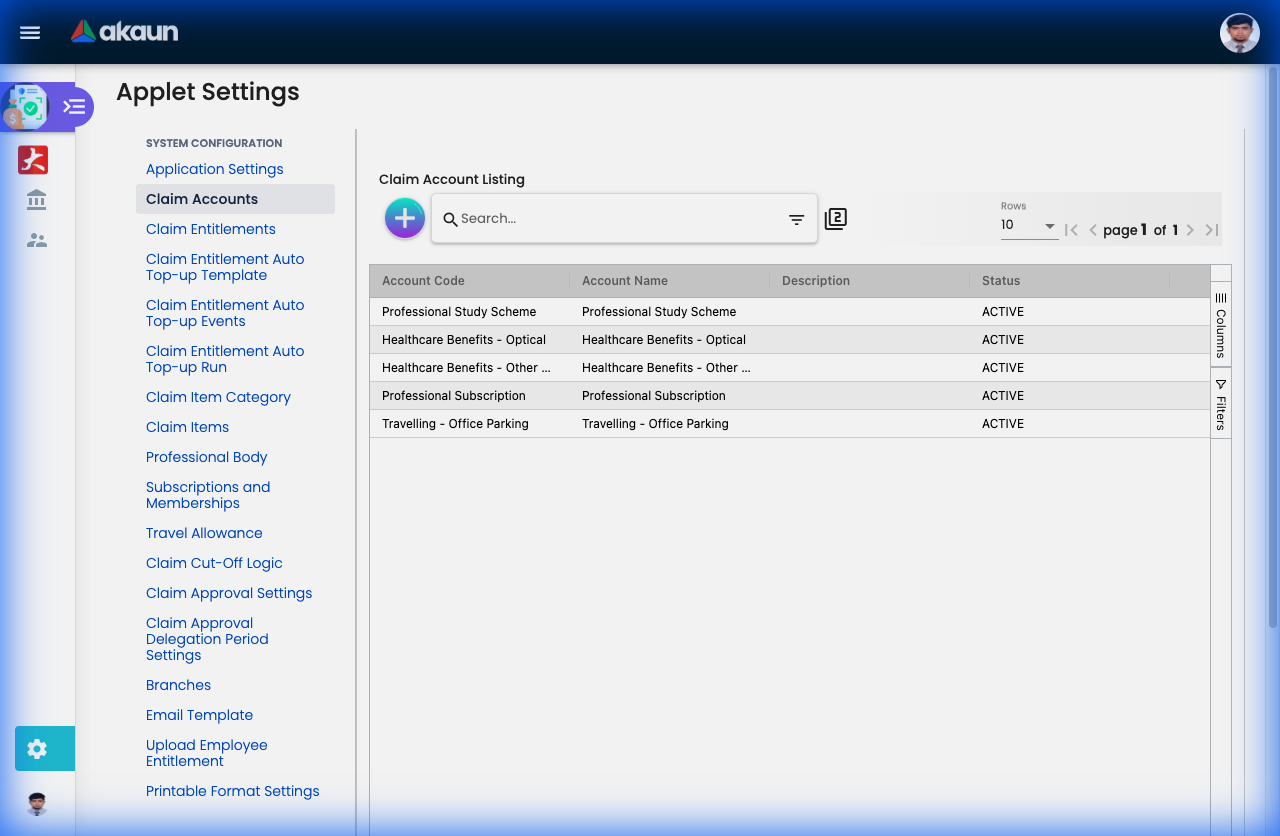
Claim Accounts / Entitlements / Auto Top-up. A claim account (code, name, currency, Display Entitlement Balance) is a pool. Entitlements define the top-up (amount, whether it recurs and on what rule, calculation By Amount / By Quantity, validity periods, No limit, Prorate for new joiners). Employees are linked per entitlement (with balance); Account Conversion lets a main account draw on a convertible account when short. HR Claim Approval on the account lists the HR approvers per level. Auto top-up is a three-step chain: Template (entitlement + company / job-role filters) → Event (code, recurring, start / end) → Run (start / end; Employee Top-up tab with Draft and Top-up sub-tabs) which posts TOPUP transaction lines. The balance a submission is checked against is the available balance minus lines already pending approval, so two claims submitted the same afternoon cannot both pass on one balance; the message is "%s claim amount of RM%s exceeds your claim balance of RM%s." with the net figure.
Claim Approval Settings: Name, Code, Approval Workflow, Default Approver (employee), Branch, Engagement Role, and per level: Approval Level, Approval Type (ANY_TO_APPROVE / ALL_TO_APPROVE), No of Approvers (quorum), Engagement Role to Approve. The number of required levels is validated against what is actually configured.
Which branch approves a non-chargeable line. The approval branch is the line’s cost-centre branch, not the claim header’s — a claim can carry lines charged to different branches and each is routed to its own. The designation looked up in that branch is the claimant’s job title if a branch designation of that name exists there, otherwise the literal Staff, which is why a branch with no Staff designation stops every junior employee’s submission. One override exists in the platform: an overriding rule (keyed by claimant or by expense branch, optionally per company) that routes the line to the claimant’s default branch instead. No screen in this applet, or in any other, creates such a rule; it is API-only.
Claim Cut-Off Logic (one per company): finance cut-off (LAST_DAY_OF_THE_MONTH or SPECIFIC_DAY_OF_THE_MONTH + day), supervisor approval cut-off (HOW_MANY_DAYS_BEFORE_FINANCE_CUTOFF_DATE + count, or a specific day), extension window (HOW_MANY_DAYS_AFTER_FINANCE_CUTOFF_DATE + count, or a specific day), finance last-review date, and — a September 2026 addition — an Immediate Ingest panel with the toggle Auto-add approved claims to active cycle. When it is on, the moment a line gets its last supervisor approval it is attached to the company’s current-month OPEN cycle, in the company’s own timezone, creating the cycle if there is none, and bypassing the approval cut-off date. The toggle only matters for a line that found no cycle at final approval: whether it is on or off, final approval first attaches the line to its company’s cycle for the month of the final approval when that cycle already exists and the approval falls on or before the cycle’s approval cut-off end (or inside the line’s on-hold window). Only a line that finds no such cycle goes to the current month’s OPEN cycle (toggle on) or waits for the scheduled claim-cycle sweep (toggle off) — see Lifecycle. A line that already has a cycle is never moved.
Claim Approval Delegation Period: Main Employee, Delegated Employee, start / end dates. Applied when approvals are processed: the sequence row is marked as a delegated approval with the delegating approver’s name.
Branches: Main Details (Name, Code, Approval Setting, Description) plus Employees, Employee Ranking and Approval Designation tabs (designation → employees with approval level). This is where non-chargeable approvers are resolved.
Travel Allowance: Destination, Claim Item, Breakfast / Lunch / Dinner / Inconvenience, Total Amount. A travel line stores which meals were included and deducts them from the per diem.
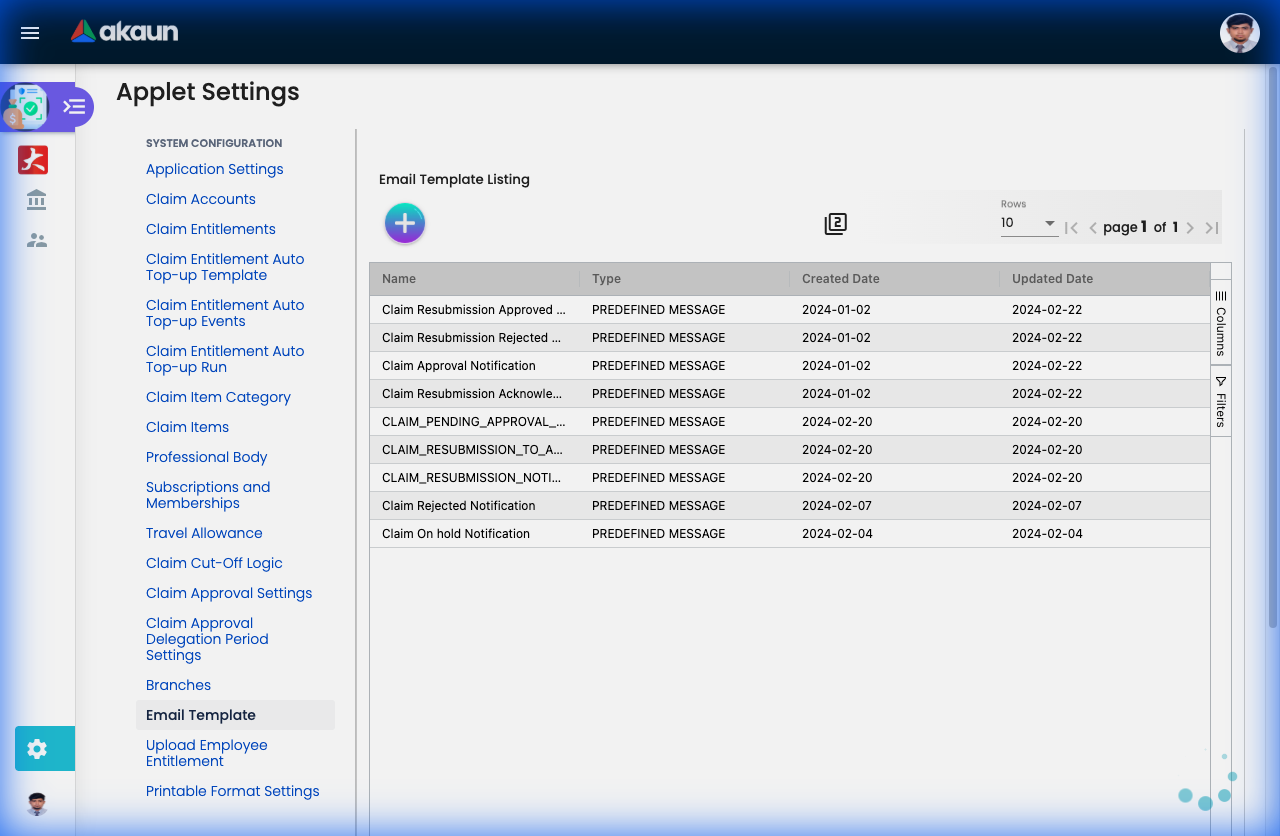
Email Template: Name, Type, start / expiry, Line tab (template code, message type / status, body) and Placeholders. The notification jobs look for the template codes CLAIM_PENDING_APPROVAL_NOTIFICATION, CLAIM_PENDING_APPROVAL_DAILY_REMINDER_TO_APPROVER_NOTIFICATION and CLAIM_REVIEW_NOTIFICATION.
Before you write a template, find out whether anything will ever send it. The daily 09:00 clock that sends the approval notification (the CLAIM_EMAIL_NOTIFICATION_FOR_APPROVAL_PROCESSOR job, cron 0 9 * * *) is not installed when you save a template and is not part of the platform’s default tenant schedule. The cut-off job is meant to install it, on every run, whenever it is missing — but the schedule row it builds has no code, the scheduler refuses a row without one, and the failure is discarded, so it tries and fails again on every run. The review notification (CLAIM_EMAIL_NOTIFICATION_FOR_REVIEW_PROCESSOR, daily at 01:00 UTC) has an installer that nothing calls. So every claim clock that exists anywhere was put there by hand.
So unless your tenant’s administrator has created the rows, every template on this screen is inert: correct, saved, and never sent. Ask them to confirm CLAIM_CYCLE_CUTOFF_DATE_PROCESSOR and CLAIM_EMAIL_NOTIFICATION_FOR_APPROVAL_PROCESSOR are on the job schedule (Scheduler Applet), with the code filled in, before you promise anyone an e-mail. The cut-off job also creates the monthly claim cycle header; with Auto-add on, final approval creates its own cycle header, so cycles are not entirely dependent on it, but the notifications are.
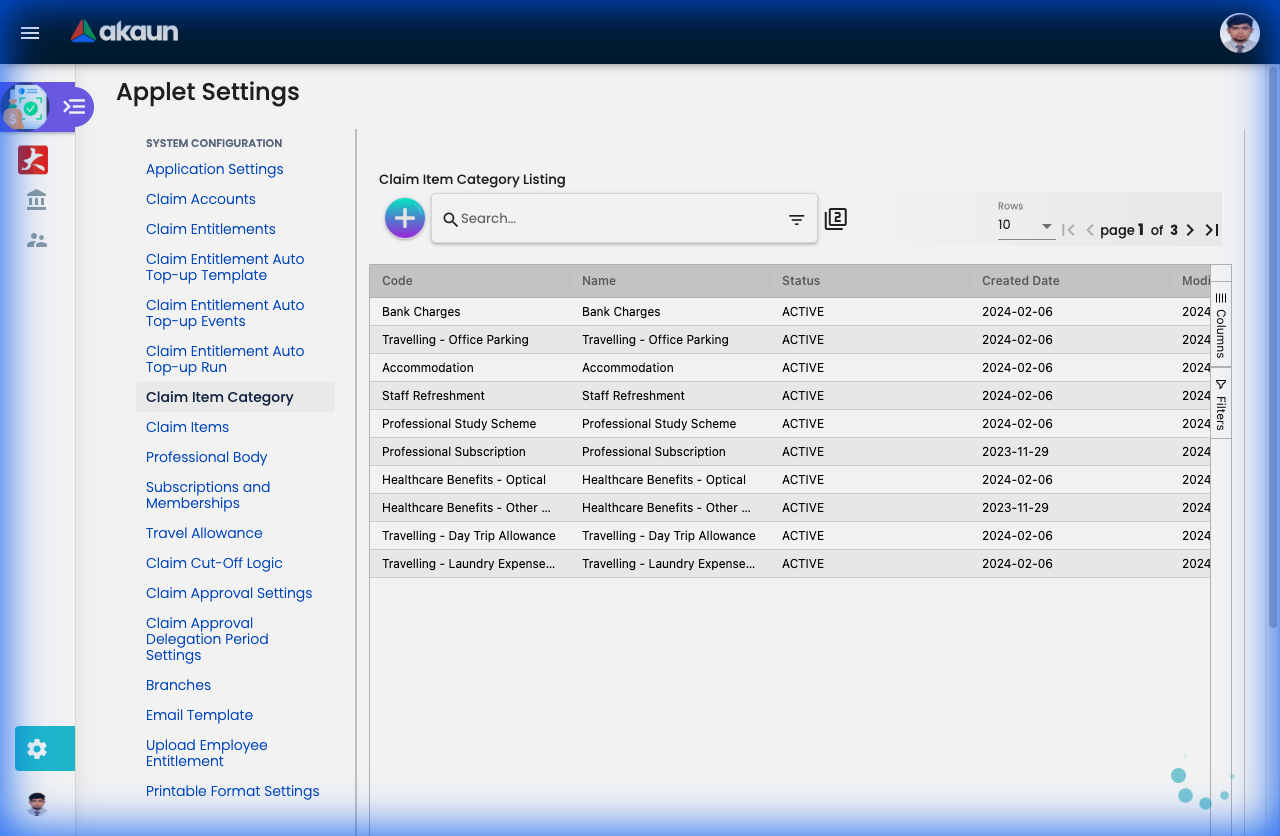
Claim Item Category, Professional Body (name, code, country), Subscriptions and Memberships (name, code, type), Upload Employee Entitlement (file import with Checking tab and delimiter), Printable Format Settings (format code / name).
Document behaviour settings
No status-flow, posting or e-Invoice toggles exist: the claim is not a generic financial document. Behaviour is fixed by the claim item (payment processing option, required fields), the approval setting and the cut-off logic described above. Printables are limited to the Printable Format Settings list and the Export action (which needs PRINTABLE, above).
Who can change what
- Client-side permissions: none are defined for this applet, the applet reads none, and the client-side permission screen is switched off.
- Server-side (API) permissions are what the Permission Wizard assigns:
API_TNT_DM_ERP_AAT_CLAIM_ITEM_HDR_{OWNER,ADMIN,MEMBER,CREATE,UPDATE,DELETE,READ},API_TNT_DM_ERP_AAT_CLAIM_ITEM_TRAVEL_ALLOWANCE_*,API_TNT_DM_ERP_AAT_CLAIM_PERSONAL_FILTER_SUBSCRIPTION_EVENT_*, and on the HR sideHR_CLAIM_ACCOUNT_ENTITLEMENT_APPROVAL_SETTING_*. - Role separation is by which side of the service a screen talks to, not by toggle: the claimant screens use the claimant’s own-record services (Submit checks that every line’s claimant is the caller’s own employee record), while supervisor and settings screens use the back-office services. Whether a user sees the Supervisor group is a matter of the shared Feature Visibility screen and the permission sets granted.
Fields
Claim (header) — Main Details
The header is a title, the claimant (resolved from the login e-mail, not chosen), a status, a cost-centre branch and a Claim ID. The Claim ID is assigned by Submit, not by Create, so a draft has none. The Branch (Cost Center) must be chosen before the Add line button enables, and it defaults from Default Selection — but it is not the branch that routes approvals: each line carries its own cost-centre branch, chosen on the line, and that one is read by the approval logic and copied onto the approval sequence. The header’s transaction date is stamped with the moment you pressed Create, has no control, and no screen in this applet shows it — the listings and dashboards work on Created Date.
Save on the header loads the stored claim, overwrites exactly four fields — branch, company, title, claimant — and sends it back without touching any line. Nothing is blanked and nothing else is rewritten.
Claim line — Main
A line takes a claim category and item, a description, cost-incurred start and end dates (both default to today), the approval workflow (copied from the item, but shown as a radio group you can change on the line), a Non-Reimbursable tick, the amount before and after tax with the tax amount, a currency and — when the item asks for them — an engagement with its financial year end and billing branch, an event, a professional body / subscription / membership number and type / validity dates, follow-up programme / nature of guest / external party / internal attendees, travel location / mileage or days / meal deductions, vendor / receipt date / receipt number, attachments and OCR-scanned values, and a foreign-currency block (foreign amounts, rate, forex source). The line editor Save rebuilds the stored line from the form field by field — so clearing a field clears it, and there is no shape here that silently keeps an old value. The fields that carry a consequence:
| Field | What actually happens |
|---|---|
| Non-Reimbursable | On Submit the line goes straight to APPROVED with its final-approval date set to now and is never routed; it is also exempt from the claimable-period check. It still lands in the month’s cycle for finance to see. |
| Amount (incl. tax) | A line with no amount, or 0.00, saves without complaint, and then Submit refuses the whole claim: “Unable to update or submit claim line with 0.00 amount. Claim Line description: …”. Only the submission checks the amount, so fix the line before you press Submit. |
| Receipt Date | Required on every entitlement line and on any line with an OCR receipt; it is the date the claimable-period and membership-validity checks read — the cost-incurred dates are not. |
| Cost Incurred Start / End | Stored on the line and printed; no server check reads them (the period check reads the receipt date). |
| Engagement (chargeable lines) | Sets the line’s cost-centre branch to the engagement’s billing branch. If the engagement has no role links the editor shows “The Approval is not set for the selected engagement” and disables Save — a client-side gate; the server would refuse the submission later with the approval-setting message. |
| Attachment (OCR items) | Save is disabled until an image is attached. Reused attachments are flagged after submission by the risk-score check, not blocked. |
| Approval Workflow (radio on the line) | Locked, with the category, item and non-reimbursable tick, once the claim is SUBMITTED, CLOSED, APPROVED or WITHDREW. |
Claim line — Approval Sequence / History
Read-only: one row per approval level with approver, delegated-approver flag, action (MASS_APPROVE, INDIVIDUAL_APPROVE, MASS_REJECT, INDIVIDUAL_REJECT) and remarks; and the line’s approval history.
Where a line can vanish — TEMP, DRAFT and Submit
Add line does not open an empty form. It first creates a line on the server with status TEMP (toast “A Temporary claim line is created”) and then opens the editor on it. Save in the editor writes the form and sets the line to DRAFT. Closing the editor without pressing Save also writes the form — the editor autosaves on close when the line is still TEMP — but leaves the status at TEMP. The difference is invisible in the line list and decisive on Submit: Submit deletes every TEMP line of the claim before submitting and refuses only when all lines are TEMP (“All claim lines are TEMP. There is no DRAFT claim line for submission.”). A line you filled in and closed is therefore gone the moment the claim is submitted, with a success toast. If nothing is submitted, the CLAIM_SCHEDULER_TO_AUTO_PURGE_TEMPS_PROCESSOR job — where a tenant has scheduled it — deletes TEMP headers and lines created more than 30 days ago.
Submit itself loads the stored claim, patches the four header fields and sends the server’s own copy of the lines — an edit sitting unsaved in an open line panel is not part of what is submitted.
Lifecycle and effects
Statuses. Header: TEMP, DRAFT, SUBMITTED, APPROVED (all lines approved), CLOSED (all lines rejected or withdrawn). Line: TEMP, DRAFT, PENDING_APPROVAL, APPROVED, REJECTED, WITHDREW, RESUBMITTED, PENDING_DOC_REVIEW, REVIEWED, ON_HOLD, plus failure states FAIL_TO_SUBMIT, FAIL_TO_WITHDRAW, FAIL_TO_RESUBMIT, FAIL_TO_PUT_ON_HOLD. Processing states, shown as the line’s processing status: INSERTED_TO_QUEUE, PROCESSOR_SUCCEED, PROCESSOR_FAIL, PROCESSOR_FAIL_CLAIM_APPROVAL_SETTING_NOT_FOUND, PROCESSOR_FAIL_CANNOT_CREATE_APPROVAL_SEQUENCE, PROCESSOR_FAIL_APPROVAL_SEQUENCE_IS_EMPTY, POSTED, FAILED_TO_POST.
Submit is one button, and it does its work inside the request. The claimant’s screen and the back-office screen run the same submission: header → SUBMITTED and a Claim ID is issued; every line → PENDING_APPROVAL, except Non-Reimbursable lines → APPROVED, and one hard-coded job title whose lines go straight to PENDING_DOC_REVIEW. The checks then run — the balance check, the per-line checks (OCR attachment, claimable period, receipt date, membership validity, entitlement, approval setting, designation, approver count) and the general checks (zero amount, attendees by item name); any failure returns the message you see and nothing is written. On success each pending line is processed there and then, before the response comes back: the approval sequence is built with the workflow’s logic, history is recorded, the approval-request and risk-score steps run the same way, and the first approvers’ e-mail is attempted. What you see when the toast appears is already the finished sequence, or a line whose processing status says why not.
The queue behind it is a safety net that nothing sweeps. A line is left waiting only when the in-request run failed. Nothing drains that queue on its own — the helper job that exists “to process stuck events” is never triggered — and the repair a support person actually has is the retry call, which re-queues a line only when its claim status is one of the four FAIL_TO_* values — that is, when the line could not be queued at all — again inside the request. There is no button for it. A line that was queued and whose run then failed (a processing status beginning PROCESSOR_FAIL) keeps the claim status pending approval, so the retry fetches it and skips it; its queue event was consumed when it ran, so the manual queue drain finds nothing either. The way back is the claimant’s: withdraw the line and raise it again.
Approve / reject (one call for a mass approve): each approval advances the level; delegation periods substitute the approver and record the delegation. When the last level approves: SALARY_PAYMENT items → APPROVED; everything else → PENDING_DOC_REVIEW. At the same moment — but only for a line on the claim-account (entitlement) workflow, and only when the claimant’s balance for that claim account has Display Entitlement Balance set — a UTILIZE transaction line (negative amount) is posted to the claimant’s claim account, with a CONVERSION line on the convertible account if the main account is short, and the account balance is updated. On any other line, or with Display Entitlement Balance off, final approval leaves the balance untouched, so an entitlement tracked without that tick is never reduced by an approved claim. The final approval also attaches the line to its company’s cycle for the final-approval month if that cycle already exists and the approval is on or before its approval cut-off end (or inside the line’s on-hold window), whatever the toggle says. A line that finds no such cycle is attached to the current month’s OPEN cycle at once if the company’s cut-off row has Auto-add approved claims to active cycle on; otherwise the scheduled claim-cycle sweep (CLAIM_CYCLE_PROCESSOR), when it runs, picks up PENDING_DOC_REVIEW lines whose final-approval date is on or before the cycle’s approval cut-off end (and that were not withdrawn). Neither the sweep nor the roll-forward when a cycle closes takes an APPROVED line, so a SALARY_PAYMENT line that final approval did not attach is never attached later. Reject → REJECTED with the remarks; the claimant can clone it, and the clone is exempt from the claimable-period check.
Withdraw / resubmit / on-hold: Withdraw → WITHDREW; every approval-sequence row is marked withdrawn and removed, and the line’s pending approval requests are deleted. Finance on-hold in the cycle → ON_HOLD, which deletes the previous submission’s sequence rows. Resubmit acts only on lines that are on hold or carry an on-hold date, sets RESUBMITTED and the resubmission date, re-runs the per-line checks but not the balance check, and counts the resubmission. Finance acceptance → REVIEWED, then APPROVED and ready to pay at the final review level. The header status is recomputed after every line change.
Posting proof block. Not a generic financial document: no journal, no stock. The header carries posting-status and link fields for a sales order, sales invoice, purchase invoice and payment voucher; nothing sets them, and their only use is as listing filters, so they are always empty. Money leaves through the Claim Cycle Applet’s Bank Report, PV Details Report and salary-payment CSV export, not through an automatic payment voucher. What VOID reverses: there is no VOID; withdrawal and rejection leave the UTILIZE line untouched only if approval never completed — an approved-then-on-hold line has already reduced the balance.
The processors this page names
Every claim job either runs inside the action that needs it or is a clock a tenant has to create by hand; none is in the schedule a tenant is given to start with. Whether each is available to schedule, scheduled, and when it runs:
| Processor | Can be scheduled | Scheduled by default | Runs when |
|---|---|---|---|
CLAIM_DOC_LINE_PRIMARY_PROCESSOR | No | — | Inside Submit / Withdraw / Resubmit / On-hold. |
CLAIM_DOCUMENT_APPROVAL_SEQUENCE_PROCESSOR | Yes | Never | Inside the submission, once the sequence is built. |
CLAIM_DOC_APPROVED_APPROVAL_REQUEST_PROCESSOR | Yes | Never | Inside Approve / Reject. |
CLAIM_ACCOUNT_PROCESS_TXN_LINE_UPDATE_CTRL_ACC_AND_BALANCE_PROCESSOR | Yes | Never | Inside final approval, per UTILIZE / CONVERSION line. |
CLAIM_DOC_LINE_RISK_SCORE_CALCULATION_PROCESSOR | No — it does not appear in the Scheduler applet’s picker | — | Inside the submission; it flags a line whose attachment was re-uploaded or whose receipt date, amount or receipt number differ from the OCR values. |
CLAIM_DOCUMENT_LINE_PRIMARY_HELPER_PROCESSOR and the two other *_HELPER_PROCESSORs | Yes | Never | Meant “to process stuck events”; nothing triggers them, so a line that could not be queued stays stuck until the retry call, and a line whose run failed stays stuck until the claimant withdraws it and raises it again. |
CLAIM_CYCLE_CUTOFF_DATE_PROCESSOR | Yes | By hand only | Creates the month’s cycle header per cut-off row, then tries and fails to create the approval e-mail clock (above). |
CLAIM_CYCLE_PROCESSOR | Yes | By hand only (the schedule names a company) | Sweeps into the cycle the PENDING_DOC_REVIEW lines that final approval did not attach (no cycle existed yet) when Auto-add is off. |
CLAIM_EMAIL_NOTIFICATION_FOR_APPROVAL_PROCESSOR / …_FOR_REVIEW_PROCESSOR | Yes | By hand only | Daily reminder / review notification; see Email Template. |
CLAIM_SCHEDULER_TO_AUTO_PURGE_TEMPS_PROCESSOR | Yes | By hand only | Deletes TEMP headers and lines created more than 30 days ago. |
CLAIM_ACCOUNT_CTRL_ACC_EXPIRY_PROCESSOR | Yes | By hand only | Posts EXPIRY lines when an entitlement’s validity lapses. |
What the table means in practice: the claim module does its work inside the request that triggered it, so nothing waiting in a queue is the normal state rather than a sign nothing has run — and every scheduled behaviour on the list is one somebody has to switch on first.
Related applets
- Claim Cycle Applet — consumes
PENDING_DOC_REVIEWlines; finance review, on-hold, sampling, reports. Its Reviewer Setting decides who may accept lines and close a cycle. - Employee Applet — claimants, approvers, designations, job titles and the e-mail link that the applet keys on.
- Organisation Applet — companies and branches; the Branches settings screen here adds ranking and designation tabs to them.
- Chart of Account Applet — expense / billing GL codes on claim items (carried for reporting only).
- Forex Applet — rate source for foreign-currency lines.
- OCR Cash Bill Applet — a different OCR (membership cash bills); listed to avoid confusion with the claim-receipt OCR, which is Textract-based inside this applet.
Troubleshooting
| Symptom (message shown in the UI) | Cause | Fix |
|---|---|---|
Cannot find your email: … from Employee Applet. Please contact respective Managers … when opening My Claim | The login’s primary e-mail has no employee record. | Add or correct the employee’s e-mail in the Employee Applet. |
| A line you filled in is missing after Submit, and Submit said success | You closed the line panel without pressing Save, so it stayed TEMP; Submit deletes TEMP lines before submitting. | Re-add the line on a new claim (the submitted one is locked). Press Save in the panel before closing it. |
All claim lines are TEMP. There is no DRAFT claim line for submission. | Every line was closed without Save. | Open each line and press Save, then Submit. |
Unable to update or submit claim line with 0.00 amount … | Amount incl. tax is empty or zero. | Enter the amount; use Populate The Claim Amounts if the receipt was scanned. |
Maximum claimable period of claim item: … is N days. But total claim period days is M | The receipt date is more than N days before today, on a line with an OCR receipt. The cost-incurred dates are not what is measured. | Submit sooner, correct the receipt date if it was mis-read by OCR, or raise the item’s period. Non-reimbursable lines and resubmissions are exempt. |
Approval Setting is yet to be configured for Engagement Role: …, Branch: … / Approval level & quorum are yet to be configured … on Submit | The claim item’s approval setting has no level / quorum rows for that role or branch. | Settings → Claim Approval Settings: add the level, type and quorum. |
Approver for designation: … under branch: … is yet to be configured / Total N approver required … Currently M approver | The non-chargeable lookup found no (or too few) employees with that designation in the line’s cost-centre branch. The designation is the claimant’s job title, or Staff if the branch has no designation of that name. | Settings → Branches → Approval Designation: link the approvers; create a Staff designation for branches that will receive junior employees’ claims. |
| No message: Submit succeeds, but the line never reaches an approver | Nobody holds the approval designation (typically a top-level claimant with no one above), and the approval setting has no default approver. Building the approval sequence fails (the server first records PROCESSOR_FAIL_CANNOT_GET_DEFAULT_APPROVER_GUID_NULL_OR_EMPTY, then the generic Cannot process Ad-hoc Claim Logic failure). | Set Default Approver on the approval setting before a top-level claimant submits. A line that already failed is handled as in the PROCESSOR_FAIL_* row below. |
HR/TIM are not fully configured. Total required approval levels is N, but only M approval level configured. / HR person to approve your claim is yet to be configured. | Claim-account workflow; the account has fewer HR approval levels than the setting requires, or no HR approver at all. | Settings → Claim Accounts → HR Claim Approval. |
Claimant is not entitled to claim … / … claim amount of RM… exceeds your claim balance of RM… | No entitlement employee link, or the balance net of lines already pending approval is insufficient. | Link the employee to the entitlement (Employees tab, Auto Top-up run or Upload Employee Entitlement); wait for the pending claims to be decided; with Manual Entitlement Adjustment on, adjust the balance. |
Receipt date: … is not within validity date range (…) | Professional-subscription claim outside the membership validity. | Correct the validity dates on the line. |
Internal Employees information are not provided for Claim Lines: … | The item is named Staff Refreshment or Entertainment and no attendees were listed — the item’s Required Internal Employees switch is not what triggers this. | Add attendees on the line. |
Your Professional Study Scheme claim was forfeited on: … | HR set a validity end (custom validity by HR) that has passed. | Review the entitlement employee link. |
A line’s processing status shows PROCESSOR_FAIL_* or stays INSERTED_TO_QUEUE and it never reaches an approver | The in-request run could not build the sequence (setting deleted after submit, empty role list, or an event-workflow item written through the API, which nothing routes). Nothing sweeps the queue. | Fix the setting, then withdraw the line (from My Claim, select it and Withdraw — allowed while no reviewer has touched it) and raise it again on a new claim. The support-side retry does not reach it: it re-queues only lines whose claim status is one of the four FAIL_TO_* values, and this line is still pending approval; Resubmit reaches only lines finance put on hold. Whether the withdrawn line can be re-submitted on the same claim was not established — a new claim always can be. |
| Approved lines never appear in a claim cycle | No Claim Cut-Off Logic row for the company; or Auto-add is off and CLAIM_CYCLE_PROCESSOR is not scheduled; or the final-approval date is after the approval cut-off end date. | Create the cut-off row and either switch Auto-add approved claims to active cycle on or schedule the cycle processor; a late line is picked up by the next month’s cycle or on cycle close. |
| Templates saved, approvers never e-mailed | No schedule row with code CLAIM_EMAIL_NOTIFICATION_FOR_APPROVAL_PROCESSOR; the cut-off job’s attempt to create it fails validation every run. | Create the row by hand in the Scheduler Applet, code and name both set, cron 0 9 * * *. |
| Export on a claim line is greyed out for everyone | The button needs the PRINTABLE key, which is written only when a format is ticked in the Default Selection column of Settings → Printable Format Settings. | Tick a default format there. The header’s Export needs the same key, so it is greyed out too until you do. |
| Claim Approval Delegation Period Settings missing from the menu | The hide toggle in Application Settings is on. | Application Settings. |
| Menu says Job Groups but forms still say Branch (or the reverse) | The relabel toggle combined with the delegation-period hide toggle — the two are checked one-or-the-other, so the rename is skipped. | Turn off the hide toggle, or accept the mixed label. |
| Enable Audit Trail toggle changes nothing | The key is saved but never read in this applet. | Use Settings → Applet Log directly. |
| Foreign-currency line has no rate source picker | SHOW_FOREX_DATA_SOURCE saved as false. | Application Settings. |