Seller Applet
The seller’s side of the marketplace: a login linked to a merchant entity picks that seller and works on its marketplace products, its per-store stock balances and the seller orders allocated to it from the tenant’s sales orders, alongside the purchase invoices and payment vouchers that settle with it. A seller order is a marketplace record — no journal, no stock movement, no open balance — and nothing links it to a purchase invoice. Seller orders appear only when scheduled runs find exactly one seller for a sales-order line, and the Save, Final and Delete buttons on a seller order do nothing in this build, so treat that listing as read-only.
Overview
The Seller Applet is the seller-side workspace of BigLedger’s marketplace module. A tenant user who has been linked to one or more merchant entities picks a seller in the sidebar and then works on that seller’s marketplace product catalogue, the seller’s per-store stock balances, the seller orders that the tenant allocated to the seller out of its own sales orders, and the purchase invoices and payment vouchers the tenant uses to settle with the seller. The marketplace owner’s side of the same process (the queue of sales-order lines waiting for a seller) lives in a Seller Admin build that is not installable from the Applet Store, and the sales orders themselves come from the Internal Sales Order applet or a marketplace / storefront sync.
The applet is registered as “Seller Applet” (type TNT-ADMIN). It is a template clone of the generic document applets: several menus and buttons are present in the user interface but not wired up in the current build. Where that is the case this page says so.
Where it fits
| Direction | Applet / process | Why |
|---|---|---|
| Upstream | Merchant Applet | The seller is a merchant entity. Only the merchants the current login has been linked to appear in the sidebar. |
| Upstream | Internal Sales Order | Sales-order lines are copied into a seller allocation queue; allocated lines become seller orders that this applet lists. |
| Upstream | Pricebook | The Product › Pricing tab links a marketplace item to a pricing scheme flagged for the marketplace; the automatic allocation uses that link to find the seller for a sales-order line. |
| Upstream | Doc Item Maintenance | The tenant’s financial item that a marketplace item is meant to represent; required for allocation and for the Pages tab. |
| Upstream | Organisation, Cashbook | Company Knock Off Configuration for the purchase invoice’s KO For tab; cashbook settlement methods for the payment voucher’s Payment tab. |
| Same documents | Internal Purchase Invoice, Internal Payment Voucher | The Purchase Invoice and Payment Voucher menus open ordinary purchase invoices and payment vouchers — the same documents those applets show. |
| Counterpart | Marketplace-owner side (a Seller Admin build) | Its SO Processing Queue lists the sales-order lines waiting for a seller. It does not allocate them: the queue line’s Seller Account & Allocation tab is empty, so allocation is automatic only, and only where one seller qualifies. That build is not in the applet registry, so the Applet Store does not list it; its page is unpublished until it is registered. |
| Downstream | EcomSync / CP Commerce Admin | The seller stock balances entered here feed the EcomSync stock calculation in its seller-stock mode. |
Screens and menus
Sidebar:
| Menu | What it shows |
|---|---|
| Seller Account › Select User toggle | The merchant entities the login is linked to; picking one scopes the Product and Seller Order menus. |
| Seller Account | “List of Account User” — the login links of the selected seller (User Email, Rank, Status, Modified Date), with Login Create / Login Edit side panels. The Edit Seller Account button does nothing. There is no seller create form in this applet. |
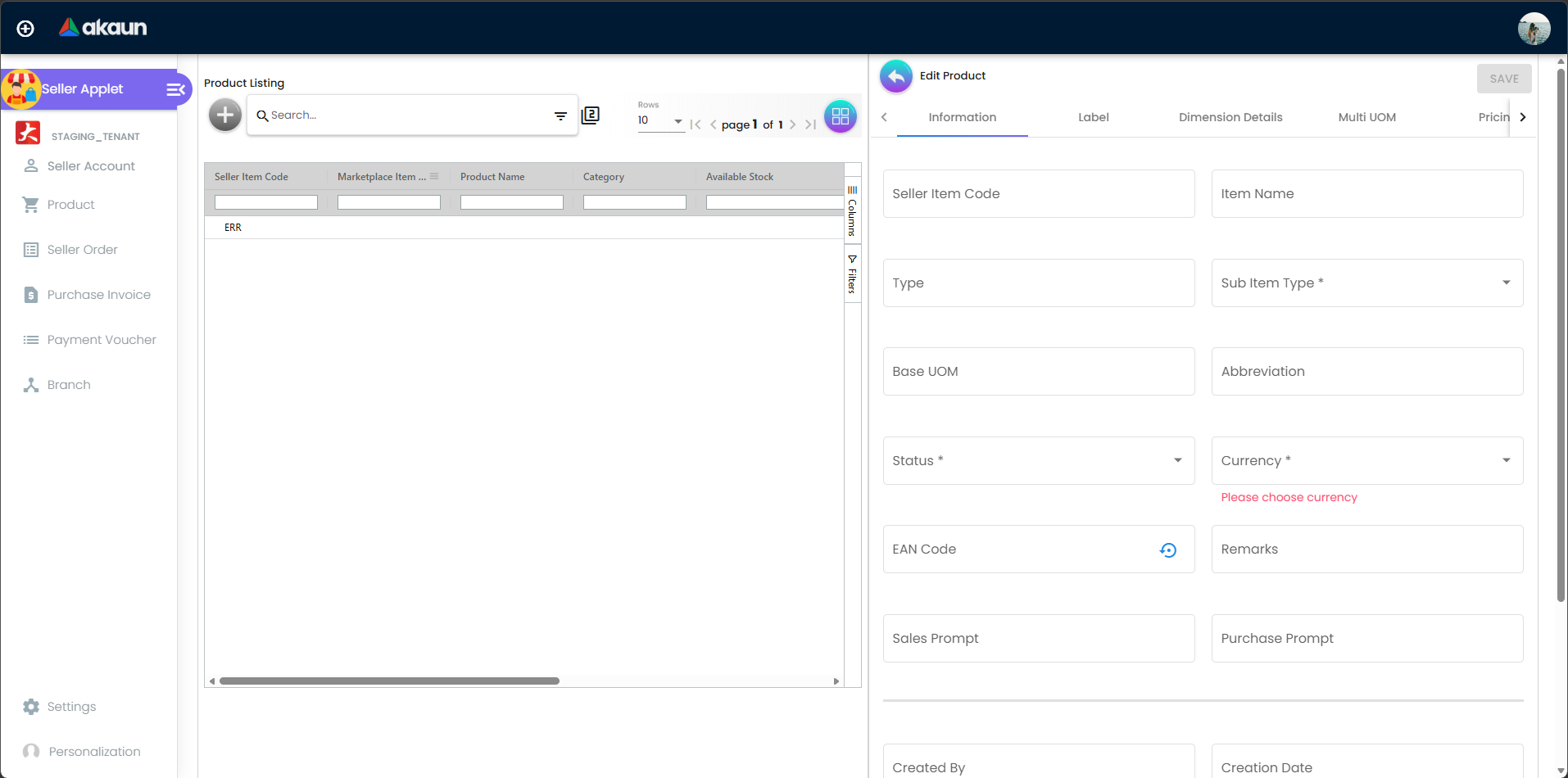
| Product | The seller’s marketplace items with an Edit Product panel: Information, Label, Dimension Details, Multi UOM, Pricing, Manage Image, Pages, Reviews, Attribute Set, Attribute Link, Stock Availability tabs. |
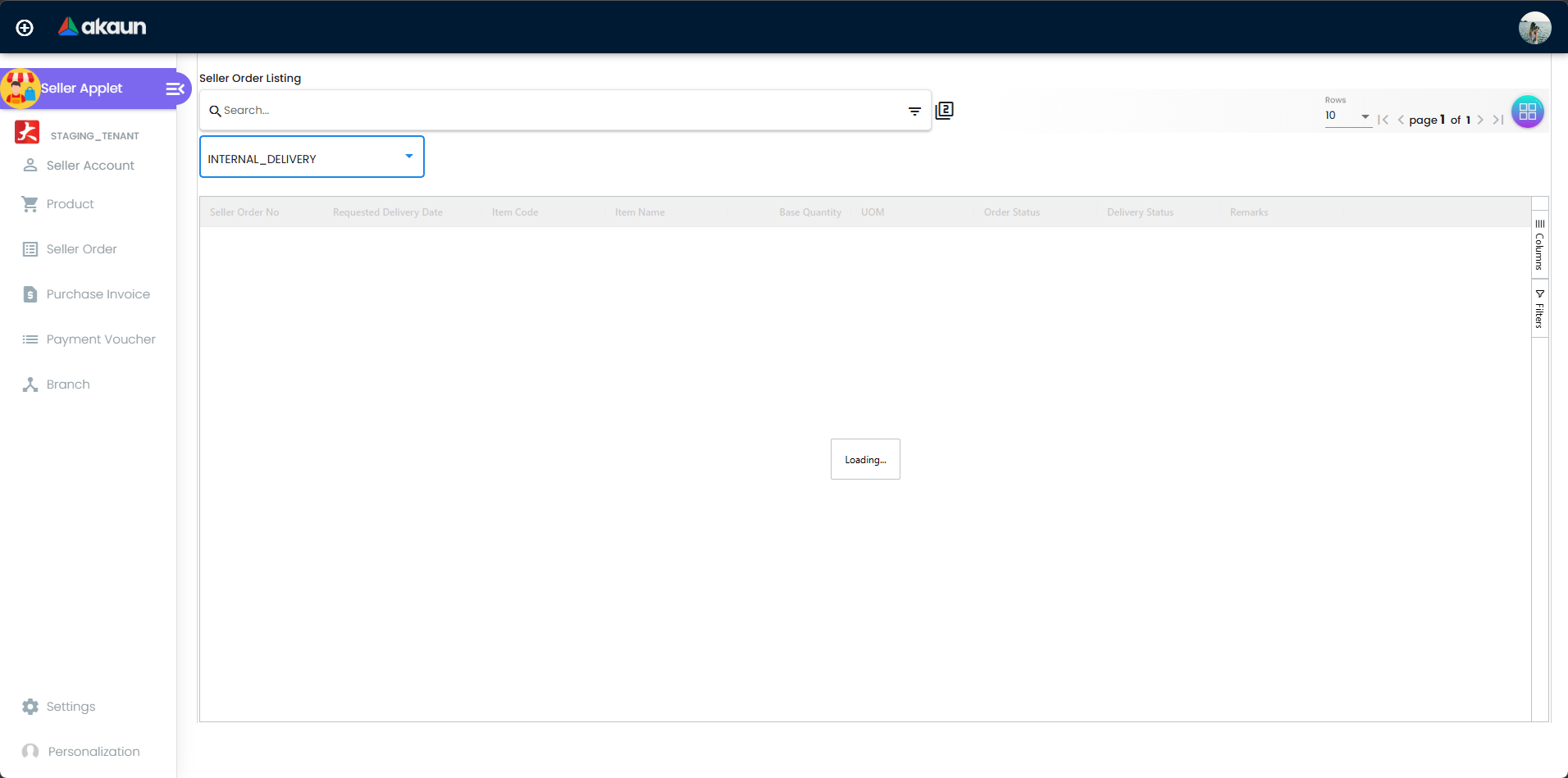
| Seller Order | Seller orders for the selected seller, grouped by document number, with an Edit Seller Order panel (Main Details, Account, Line Item, Export, Event). |
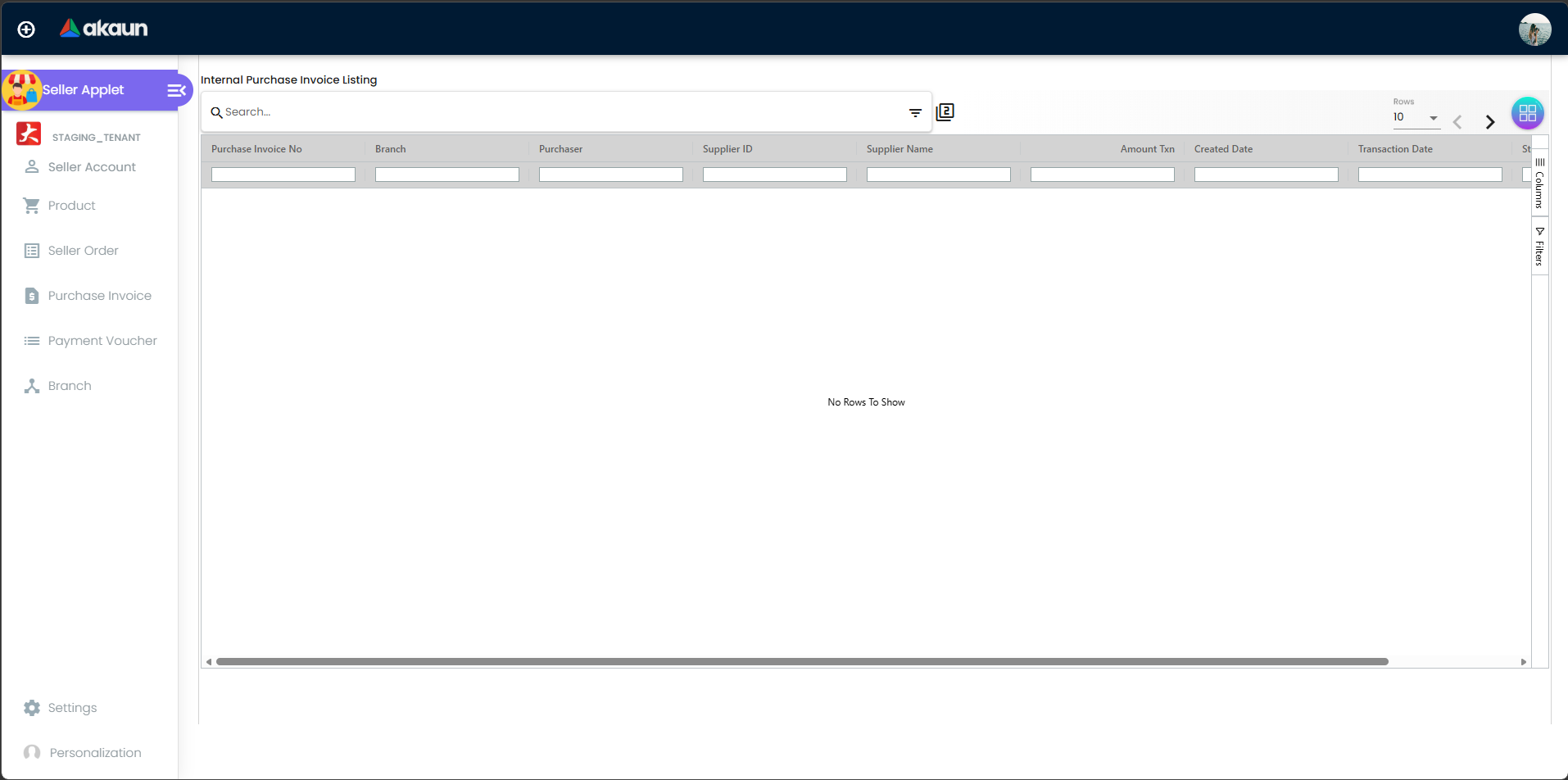
| Purchase Invoice | “Internal Purchase Invoice Listing” with the standard Create / Edit generic-document panels. |
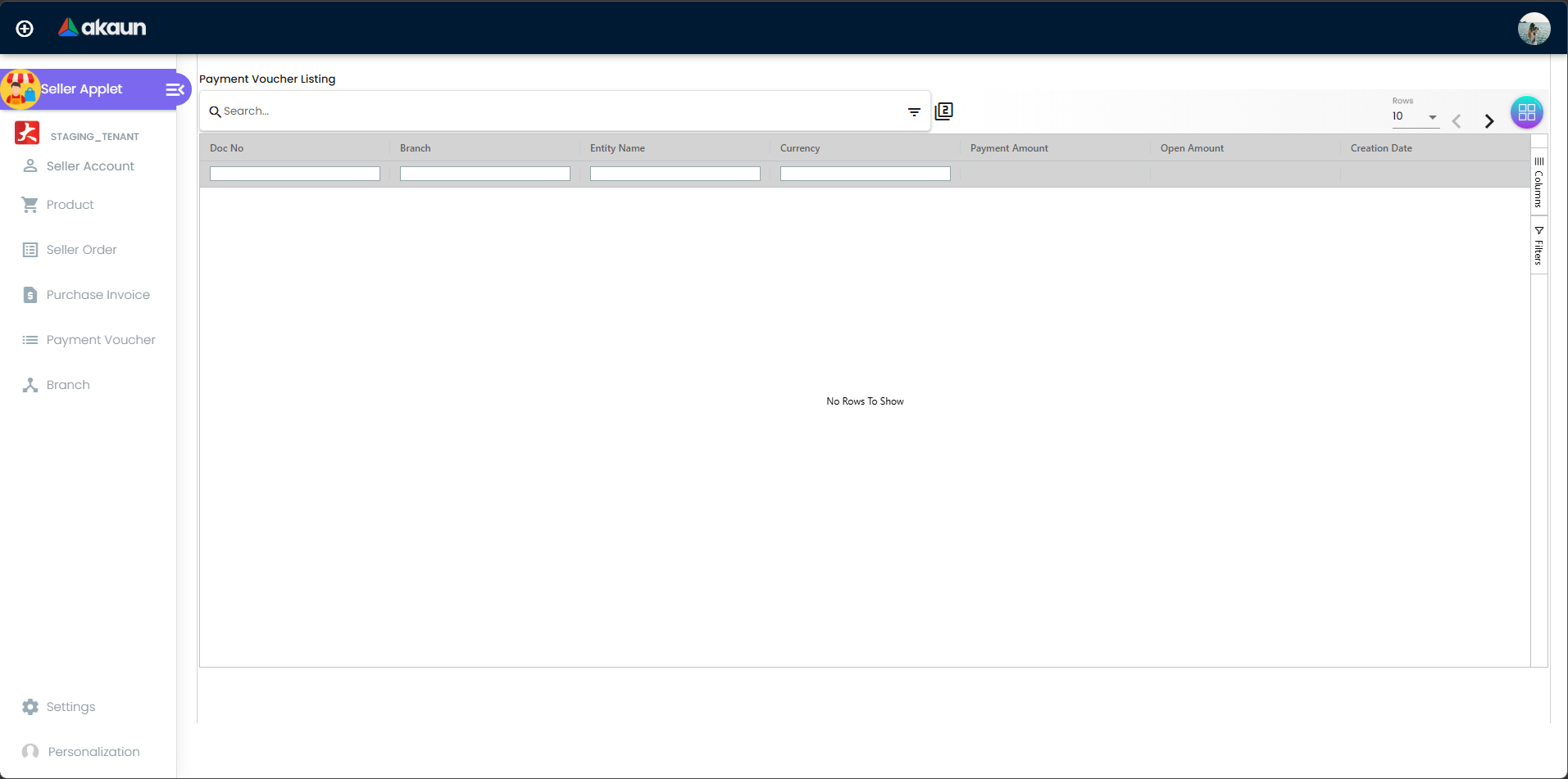
| Payment Voucher | Internal payment vouchers with Create / Edit panels. |
| Branch | The tenant’s branch master, not the seller’s stores. |
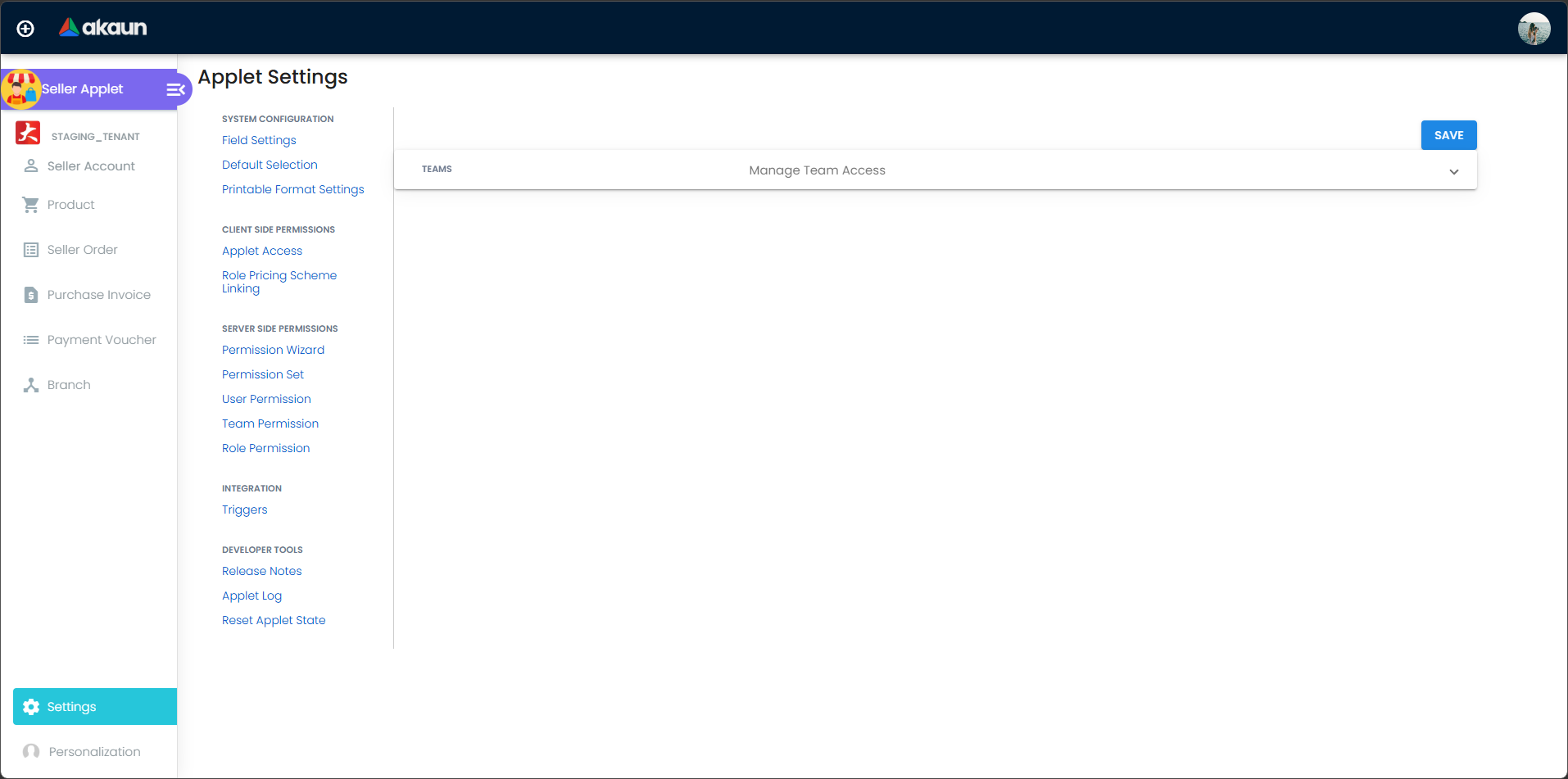
Settings: Field Settings, Default Selection, Printable Format Settings; the shell adds Applet Access, Role Pricing Scheme Linking, the server-side permission screens, Triggers and the developer tools. Personalization: Default Selection, Sidebar.
Configuration
Before you can use it
| Prerequisite | Where | Why |
|---|---|---|
| A merchant entity per seller, and a login link for every user who works for that seller | Merchant Applet (entity of type MERCHANT, with login links) | The Select User toggle is built from the merchants the login is linked to. A login with no link sees an empty toggle and every seller-scoped screen refuses to load (“Please select account in left menu”). Further links can be added from this applet’s Seller Account menu once one exists. |
| Seller stores | Entity branches of the merchant, created in the Merchant applet | Every Stock Availability row must name a store; the store drop-down lists the seller’s entity branches. |
| A marketplace pricing scheme | Pricebook — a pricing scheme with the marketplace flag switched on, owned by the seller entity | The Pricing tab lists only such schemes, and the automatic allocation finds the seller for a sales-order line by following the item’s pricing-scheme link back to the scheme’s owner. |
| Financial item behind each marketplace item | Doc Item Maintenance | Allocation matches the marketplace item to the sales-order line through its financial item. No screen in this applet sets the financial item link — it must be set by the Seller Admin side or by support. |
| Server-side permissions | Permission Set / User Permission screens of this applet | Seller-order screens need API_TNT_DM_MKP_SELLER_ORDER_READ; the Pricing tab needs API_TNT_DM_MKP_PRICING_SCHEME_LINK_*; the purchase invoice screens need TNT_API_DOC_INTERNAL_PURCHASE_INVOICE_READ/CREATE/UPDATE_TGT_GUID. The product, stock, label, attribute and event screens need no permission but require the login to be linked to the seller — otherwise the call is refused (HTTP 401). |
| Knock-off configuration, settlement methods, printable formats | Organisation › Company › Knock Off Configuration; Cashbook settlement methods; a .jrxml under Settings › Printable Format Settings | PI › KO For pulls the company’s knock-off flow for purchase invoices; PV › Payment adds settlement-method lines; the Export tabs need a printable format. |
Applet settings
Where settings live in the current build:
- Settings › Field Settings is an applet-local screen, not the shared one. Its eight slide toggles (Unit Discount, SST/VAT/GST, WHT, Blanket Order, Segment, G/L Dimension, Profit Center, Project) are not bound to anything and SAVE does nothing — it saves nothing.
- Settings › Default Selection and Personalization › Default Selection are not wired to a settings container: changing Branch or Location throws an error and SAVE saves nothing. They cannot persist
DEFAULT_BRANCH/DEFAULT_LOCATION. - Settings › Printable Format Settings is the only screen that writes this applet’s settings: ticking Default Selection on a format stores it as
PRINTABLE. The listing offers only formats of the payment-voucher type. - Master settings are tenant-wide; a user’s personal Default Selection (where it can be saved) overrides the master
DEFAULT_BRANCH/DEFAULT_LOCATION.
Settings are tenant-wide and can be changed by anyone who can open Settings (no permission check on the settings screens).
| Setting | What it controls | Default | Effect when changed |
|---|---|---|---|
PRINTABLE | The printable format preselected in the Export tab of Seller Order, Purchase Invoice and Payment Voucher. | None — no format preselected; the ticked row in Printable Format Settings sets it. | One applet-wide value serves all three export dialogs, although the settings listing only shows payment-voucher formats. The Seller Order export prints with the purchase-order print layout. |
Keys read at runtime without a control in this applet. These are declared and consumed, but no screen here can set them; they take effect only if support writes them into the applet’s settings:
DEFAULT_BRANCH,DEFAULT_LOCATION— seed the branch/location of a new purchase invoice, payment voucher and the Seller Order › Main Details form.HIDE_COSTING_DETAILS— hides the Costing Details tab of PI / PV line items.HIDE_PERMIT_NO,HIDE_TRACKING_ID— PI Main Details.- The 21 line-field keys of the PI and PV line-item forms (
HIDE_UNIT_PRICE_STD_PRICING_SCHEME,HIDE_UNIT_PRICE_STD_EXCL_TAX,HIDE_UNIT_PRICE_STD_INCL_TAX,HIDE_UNIT_DISCOUNT,HIDE_QTY_BASE,HIDE_QTY_UOM,HIDE_UOM_TO_BASE_RATIO,HIDE_UNIT_PRICE_STD_UOM_EXCL_TAX,HIDE_UNIT_PRICE_STD_UOM_INCL_TAX,HIDE_UNIT_DISCOUNT_UOM_EXCL_TAX,HIDE_UNIT_PRICE_NET_UOM_EXCL_TAX,HIDE_UNIT_PRICE_TXN_UOM_INCL_TAX,HIDE_UNIT_PRICE_NET_EXCL_TAX,HIDE_AMOUNT_STD_EXCL_TAX,HIDE_DISCOUNT_AMOUNT_EXCL_TAX,HIDE_AMOUNT_NET_EXCL_TAX,HIDE_TAX_CONFIG_SELECTION,HIDE_WHT_CONFIG_SELECTION,HIDE_UNIT_PRICE_TXN,HIDE_LAST_PURCHASE_PRICE,HIDE_AMOUNT_TXN); a hidden field reappears for a user who holds the matchingSHOW_*permission. HIDE_SERVER_DOC_1..3,HIDE_CLIENT_DOC_TYPE,HIDE_CLIENT_DOC_1..5— PV listing columns. The PV listing has one number column, Doc No (the tenant number):HIDE_SERVER_DOC_1hides it from everybody, with no permission that brings it back, andHIDE_SERVER_DOC_2/_3change nothing there.ENABLE_CUSTOM_STATUS_LINE_1..5,NAME_CUSTOM_STATUS_LINE_1..5— extra columns on the Seller Order listing.salesManLabels— the sales-agent label filter on the PI and Seller Order Main Details forms.HIDE_FINAL_BUTTON— declared but has no effect in this build.
Document behaviour settings
No exposed control. The purchase invoice and payment voucher behave exactly as in their own applets; the seller order has no posting behaviour (see Lifecycle).
Settings in other applets that control this applet
| Setting | Where it is set | Effect here |
|---|---|---|
| Login link (rank, status) between a user and a merchant entity | Merchant Applet (or this applet’s Seller Account menu, once a first link exists) | Decides which sellers appear in the Select User toggle and which seller-scoped screens will load. |
| A pricing scheme’s marketplace flag and its owner entity | Pricebook | Only such schemes are offered on the Pricing tab; the seller-order auto-allocation resolves the seller through the scheme’s owner. |
| Company Knock Off Configuration rows for the purchase invoice | Organisation › Company | Which source documents the PI › KO For tab can pull. |
| Settlement methods | Cashbook | The choices in the PV › Payment tab. (The applet also carries a built-in settlement-type list — Bank Transfer … Membership Point Currency — in four copies; the one screen that shows it is the supplier’s Payment Config form, where it fills the Bank Identifier Code select under the wrong name.) |
| EcomSync item stock mode seller stock balance | EcomSync item store configuration | In that mode EcomSync reads this applet’s seller stock balances. |
Feature visibility / permissions
The registry seeds no client-side permission codes for this applet, so none of the codes the screens check can be granted from the Applet Access screen:
SHOW_INTERCOMPANY_PI_SCREEN— renders the PI › Create › Search tab (build a PI from a FINAL intercompany sales invoice).SHOW_FINAL_BUTTON,SHOW_DOCUMENT_DELETE_BUTTON— PI / PV edit buttons.SHOW_DOC_NO_TENANT,SHOW_DOC_NO_COMPANY,SHOW_DOC_NO_BRANCH,SHOW_CLIENT_DOC_TYPE,SHOW_CLIENT_DOC_1..5— Seller Order › Main Details.- The
SHOW_*partner of every line-fieldHIDE_*key above. INTERNAL_PAYMENT_VOUCHER_DISPLAY_PRICING— PV line listing.
Server-side gates that do apply: the login must be linked to the seller for every product, image, label, attribute, stock-balance, seller-order event and seller-order print call; API_TNT_DM_MKP_SELLER_ORDER_{READ,CREATE,UPDATE,DELETE,OWNER,ADMIN,MEMBER}, API_TNT_DM_MKP_PRICING_SCHEME_LINK_* and API_TNT_DM_MKP_ENTITY_BRANCH_STOCK_BALANCE_* on the back-office screens; TNT_API_DOC_INTERNAL_PURCHASE_INVOICE_READ/CREATE/UPDATE_TGT_GUID on the PI screens.
Fields
Seller Account › Login Create / Login Edit
| Field | Meaning | Required | Notes / validation |
|---|---|---|---|
| User email | Login principal to link to the selected seller | Yes | Must be a valid e-mail address, max 255. Verify Email first: an unknown address offers Send Invite, which invites the person and adds them to the tenant. Add stays disabled until the address is verified. Read-only on edit. |
| Rank | Role of the user within the seller | Yes | OWNER, ADMIN, MANAGER, MEMBER (default), GUEST, VISITOR, ANNONYMOUS. |
| Status | Link status | Yes | ACTIVE (default) / INACTIVE. The Delete action on edit fails before saving. |
Product › Information and Dimension Details
Pressing + on the listing immediately creates a TEMP item whose code is a random GUID; the Create Product form that follows (Seller Code, Seller Name, Description, Status) fails on save and its values are discarded. Rename the TEMP item on the Edit panel.
Type is free text, stored as the item’s transaction type; Sub Item Type is one of 18 fixed options and the form insists on one; Status is TEMP, ACTIVE or INACTIVE. All three are saved as chosen. The rows below are the ones where the screen and the saved item part company.
| Field | Saved | What the screen does not tell you |
|---|---|---|
| Seller Item Code | Yes | No uniqueness check — two items can carry the same code. |
| Base UOM | Yes | Free text, checked against no unit list — and it becomes the first unit offered by the Pricing tab’s UOM picker, so a typo here turns into a pricing unit. |
| Currency | No | The form will not save without one, but the save reads a form control that does not exist, so no currency is sent. Whether a currency the item already had survives the save is not established. |
| Abbreviation, EAN Code, Remarks, Sales Prompt, Purchase Prompt | No | These boxes are not connected to the form: what you type is thrown away on SAVE, and the generate button beside EAN Code does nothing. |
| Height / Length / Width / Weight (Dimension Details) | Yes | Sent with the main SAVE. Read, not run: the Information tab picks the four values up only after a Dimension Details box changes, so a save that never touched that tab appears to send them empty and blank the stored dimensions. Check one dimensioned item after a save before relying on them. |
There is no field for the financial item, pre-order, require-delivery or require-production flags — the product record can hold them but nothing in the applet exposes or writes them. Delete is a soft delete of the item, its lines, extensions and images.
Product › other tabs
| Tab | Writes | Required | Notes |
|---|---|---|---|
| Label | Label links on the item | Label | Works; a duplicate label is refused on screen. |
| Pricing | Pricing-scheme links: pricing scheme, purchase unit / min / max price incl. and excl. tax, tax and WHT codes, UOM | Pricing scheme | Works; needs API_TNT_DM_MKP_PRICING_SCHEME_LINK_*. Only schemes with the marketplace flag are listed. |
| Stock Availability | Seller stock balances: Store, Quantity Balance | Store | Create works; Edit and Delete do nothing. The quantity is typed by hand and a negative value is accepted. |
| Reviews | Item reviews (title, default value, rating config, status) and review votes | Title, default value, rating config, status | Works, but the review is filed against the marketplace item rather than the financial item. |
| Multi UOM, Manage Image, Attribute Set, Attribute Link | — | — | Read-only in practice: their create / update / delete buttons do nothing (Manage Image’s Public checkbox is never persisted). |
| Pages | Item posts, looked up by the financial item | Title, sort order | Throws on every item created from this applet because the financial item link is never set. |
Seller Order › Edit Seller Order
Tabs: Main Details (document numbers, branch, location, date, remarks, permit no, tracking id, client key/value), Account (entity, billing and shipping address), Line Item (a grid over generic-document lines with a Delivery toggle), Export, Event. All three tabs bind to a generic-document draft, not to the seller order itself; SAVE, FINAL and Delete do nothing. Export prints the seller order. Event lists seller-order events — the filter by order is switched off, so it shows every event in the tenant.
Branch
The Create form asks for Branch Code, Branch Name, Description and Status (ACTIVE / INACTIVE), and saves code, description and status into the tenant’s branch master — not a store of the seller. The name you type is not carried through, so the branch is created without one. The listing’s “Address” column shows the company instead. The Edit panel shows only audit fields and its save blanks code, description and status. Create and maintain branches in the Organisation applet.
Purchase Invoice and Payment Voucher
The forms are the standard generic-document forms; see the field tables on Internal Purchase Invoice and Internal Payment Voucher. Differences in this build:
- PI: Create works. On the Edit panel the FINAL, SAVE and DISCARD buttons do nothing; there is no batch FINAL / DISCARD on the listing. The listing is not filtered by the selected seller.
- PV: Create posts nothing. Edit › SAVE and FINAL (toast “Posting Successfully”) work; there is no VOID button. Payment lines come from the cashbook settlement methods; Contra links the voucher to any open document, including a PI.
Lifecycle and effects
Seller order
The seller order is a marketplace record, not a finance document. It has no journal, no stock movement and no open (outstanding) balance.
Posting summary: document type Seller Order · amount sign positive · quantity sign positive · Dr/Cr equation: none · GL precedence: none · stock processor: none · VOID: none — the only removal is a delete.
How a seller order comes to exist (three scheduled runs; none is scheduled for you out of the box — ask support whether they are scheduled on your tenant):
- The sales-order queue run — every sales order (internal or storefront) that has not yet been queued is marked, and one allocation-queue entry is created per line.
- The allocation run — for every queued line, the seller is found by following the sales-order line’s item → the marketplace item that represents it → its marketplace pricing-scheme link → the scheme’s owner. Only when exactly one seller matches does it create a provisional seller-order line (quantity = ordered − already allocated, purchase price = the seller’s price from the link) and close the queue entry. Items with several candidate sellers stay in the queue. The backend accepts a per-seller allocation through its API (permission
API_TNT_DM_MKP_SELLER_ORDER_CREATE), but no screen sends one — the Seller Admin build’s Seller Account & Allocation tab is empty — so such a line waits until somebody allocates it through the API, or until the item’s links leave one eligible seller and the next run picks it up. In both paths the line amount is set to the quantity, not price × quantity. - The seller-order creation run (or the marketplace owner’s create order from provisional lines action) — each provisional line becomes one seller order with one line (seller, customer, the originating sales order, amounts carried from the provisional line), and the provisional line is marked finished. One provisional line = one seller order; nothing groups lines per seller.
Status: the record status is the generic ACTIVE / INACTIVE / DELETED. Order Status and Delivery Status are never written for seller orders by any part of the product — the fulfilment statuses in the listing stay empty. Seller-order events are audit rows (event code, date, user, device, description) that only create, edit and delete actions produce.
Marketplace item and stock balance
- Item: created
TEMP, thenACTIVE/INACTIVEfrom the Edit panel; delete is a soft delete. Server checks: a linked inventory item must exist; the client key + source + value combination must be unique among non-deleted items; a company, cashbook or label named on the item must exist. The financial-item link is not validated. - Stock balance: the quantity is whatever the seller typed. EcomSync’s seller-stock mode works out available = balance − open sales-order quantity per row and is meant to roll the totals up onto the EcomSync item, but the roll-up discards its result, so the EcomSync totals stay 0.
Purchase invoice and payment voucher
Posted by the generic-document engine exactly as documented on Internal Purchase Invoice (amount sign negative, quantity sign positive — stock in; Dr Purchase + Input Tax / Cr Creditor) and Internal Payment Voucher. Nothing links a PI or PV to a seller order — no part of the product creates a PI from a seller order.
Related applets
- Merchant Applet — creates the seller entity and the first login links this applet depends on.
- Marketplace-owner side — a Seller Admin build holds the sales-order line queue (SO Processing Queue) but cannot allocate a line by hand, and it is not installable; no reference page until it is registered.
- Internal Sales Order — source of every seller order.
- Pricebook — marketplace pricing schemes; the automatic allocation resolves the seller through them.
- Doc Item Maintenance — the financial item behind a marketplace item.
- Internal Purchase Invoice, Internal Payment Voucher — the settlement documents; use those applets to FINAL a PI or to create a PV.
- Cashbook, Organisation — settlement methods and knock-off configuration.
- CP Commerce Admin — storefront orders that enter the allocation queue alongside internal sales orders.
Troubleshooting
| Symptom | Cause | Fix |
|---|---|---|
| Toast “Please select account in left menu”; Product / Seller Order listings stay empty | No seller chosen in the Select User toggle, or the toggle is empty because the login is not linked to any merchant entity. | Link the user to the merchant entity in the Merchant applet (or have an existing seller user add the login under Seller Account), reload, pick the seller. |
| Pressing + on Product shows “Error456” and a new item with a long random code appears | The listing’s + creates a TEMP item immediately; the Create form’s second save fails. | Ignore the toast, open the TEMP item and set its code, name and status on the Edit panel. |
| Product › Pages tab: “Cannot read properties of null (reading ’toString’)” | The tab looks up posts by the financial item, which this applet never sets. | Have the financial item link set on the Seller Admin side or by support; until then use Doc Item Maintenance for item pages. |
| Currency, EAN code, remarks or prompts on a product are not saved | Those inputs are not carried through on save. | Known build defect; there is no workaround in this applet. |
| Seller Order › SAVE / FINAL / Delete do nothing; Delivery Type has no effect; search returns empty rows | The buttons and the selector are not wired up; the advanced search queries the pick-pack queue instead of seller orders. | Use the listing as read-only. Filter with the column filters, not the search bar. |
| Seller orders never appear although the sales order is FINAL | Allocation is automatic only when exactly one seller’s marketplace pricing scheme is linked to the item’s financial item; the three scheduled runs must be running; a line with more than one eligible seller is never allocated by them, and no screen allocates it by hand. | Confirm the financial-item link and the pricing-scheme link; ask support whether the allocation runs are scheduled on your tenant and whether the line is still waiting in the queue. If the item has more than one seller, the line can only be allocated through the API. |
| Seller order amounts equal the quantity | The amount is set to the quantity when the provisional line is built. | Known defect; the seller’s price is still on the unit-price fields. |
| Order Status / Delivery Status columns are always blank | Nothing writes those statuses for seller orders. | Expected in the current build. |
| Event tab lists events of other orders | The filter by order is switched off. | Expected; filter by the Seller Order No column. |
| PI Edit › FINAL / SAVE / DISCARD do nothing | The buttons are not wired up. | Finalise or edit the invoice in the Internal Purchase Invoice applet — it is the same document. |
| PV › Create posts nothing | The create action is not wired up. | Create the voucher in the Internal Payment Voucher applet, then edit / FINAL it here if needed. |
| Branch created without a name; Branch edit saves blanks | Branch Name is not carried through; the edit form has no editable controls. | Maintain branches in the Organisation applet. |
| Settings › Default Selection throws when a branch is chosen; defaults never stick | The screen is not wired to a settings container. | Support writes DEFAULT_BRANCH / DEFAULT_LOCATION into the applet’s settings; the personal override cannot be set either. |
| Stock Availability edit / delete have no effect; EcomSync seller stock totals stay 0 | Edit and delete are not wired up; the EcomSync roll-up discards its result. | Delete and re-create the balance row; treat EcomSync seller totals as unreliable. |
Backend error ending …COMPOSITE_CLIENT_KEY_AND_CLIENT_SOURCE_AND_CLIENT_VALUE_ALREADY_EXISTS | Another non-deleted item or seller order carries the same client key / source / value. | Change the client value or reuse the existing record. |
| HTTP 401 on a product, label, stock or event call | The login is not linked to the seller the record belongs to. | Add the login link for that seller. |
| Marketplace sales orders stop arriving, so nothing enters the allocation queue | The marketplace connection’s credentials expired, so polling stopped. | Not a Seller Applet setting — ask support to check the EcomSync credential refresh job and the marketplace connection’s remarks. |
Related documentation
- E-Commerce module — where the marketplace and storefront applets sit.
- Merchant Applet — seller entities and login links.
- Internal Purchase Invoice and Internal Payment Voucher — full field and posting reference for the settlement documents.