Budgetary Applet
Set up budget control: budget items classified through category groups and categories, a profit centre that owns the budget, and a votebook whose fiscal year creates one register per item per month; virements and adjustments move allocation, and finalised invoices that carry budget details consume it. Only the two invoices consume a register when they go FINAL; the ordering document that shows the same budget fields never moves one. None of it moves at all unless the budget posting jobs are wired for your tenant — on no screen you can open — so FINAL can change a status while no register moves.
Overview
The Budgetary Applet is where a tenant administrator sets up budget control: what money is budgeted for (budget items, classified through category groups and categories), who owns the budget (a profit centre), and the votebook that groups a set of items for a fiscal year. Opening a fiscal year on a votebook creates one budget register per item per month. Virements move allocation between registers, adjustments raise or lower a register, and finalised purchase and sales invoices that carry budget details consume it. The Budget Report shows allocated, utilised and balance per register.
It is a tenant-admin applet. The day-to-day consumers of budget are the document applets: Purchase Order, Purchase Invoice and Sales Invoice (Internal) show budget fields on their lines when their own Show Budget (SHOW_BUDGET) setting is on. Only the two invoices actually consume a register when they go FINAL.
Where it fits
| Direction | Applet / component | Relationship |
|---|---|---|
| Upstream (master data) | Organisation | Company, branch and user context; profit centres are a shared master that this applet creates and other applets read |
| Upstream (platform) | BigLedger platform — not on any screen you can open | The budget posting runs only when your tenant’s background jobs are wired for it (see Configuration). Nothing in the product displays or edits that wiring; the Scheduler applet picker is the nearest thing, and it lists the processors your tenant has, not what they are wired to |
| Downstream (consumes budget) | Purchase Invoice (Internal), Sales Invoice (Internal) | Line-level budget fields or budget sub-lines; at FINAL a register transaction line is written and Amount Utilized moves |
| Downstream (carries budget fields only) | Purchase Order (Internal) | Shows the same budget fields and sub-line editor, but purchase orders are ignored by the budget posting — a PO never moves a register |
| Reporting | this applet, Report menu | Budget Report (per register) and Budget Register Txn Line Report (per transaction) |
Screens and menus
Menu (left sidebar): Votebook · Virement · Adjustment · Profit Center · Categories · Category Groups · Items · Report, plus Settings and Personalization.
| Menu | Screens |
|---|---|
| Votebook | Listing (Name, Code, Status, Creation Date, Modified Date) → Create (tab Details) → Edit (tabs Details, Item, Fiscal Year; a Budget tab exists in the template but is switched off). Item tab: listing with delete, and Add with two sub-tabs — Details (tick existing items) and Create Item. Fiscal Year tab: listing with delete, Create, Edit (Main, Period) |
| Virement | Listing → Create (tabs Details, Lines) → Edit (tabs Details, Lines, Attachments) with UPDATE and FINAL buttons |
| Adjustment | Same layout as Virement; lines carry an Adjustment Type (Adjust In / Adjust Out) |
| Profit Center | Listing → Create / Edit (tab Details) |
| Categories | Listing → Create (tab Main) → Edit (tabs Main, Manage Image, Items Listing — the items tab lets you create, edit and list budget items that use this category) |
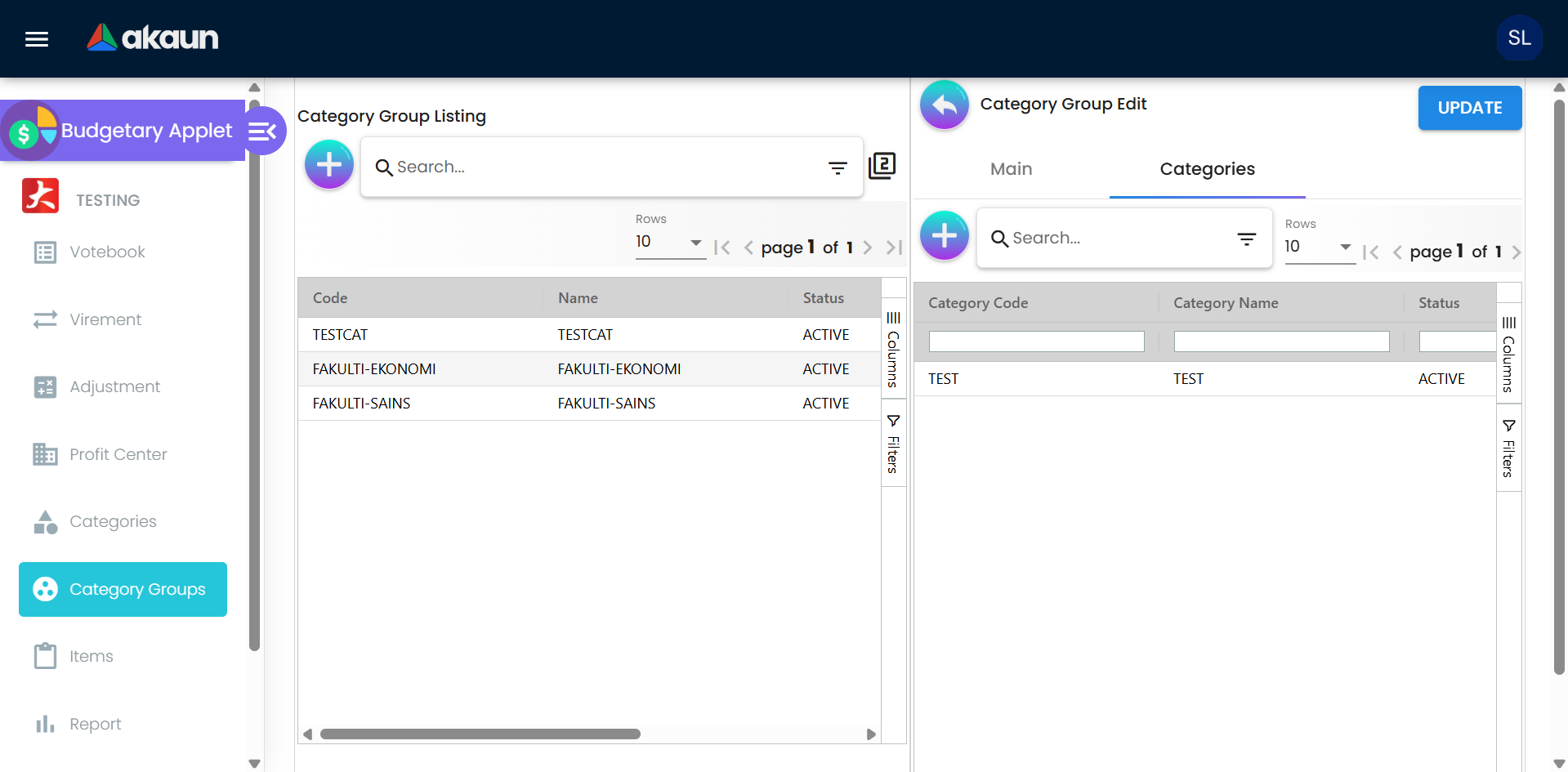
| Category Groups | Listing → Create (tab Main) → Edit (tabs Main, Categories) |
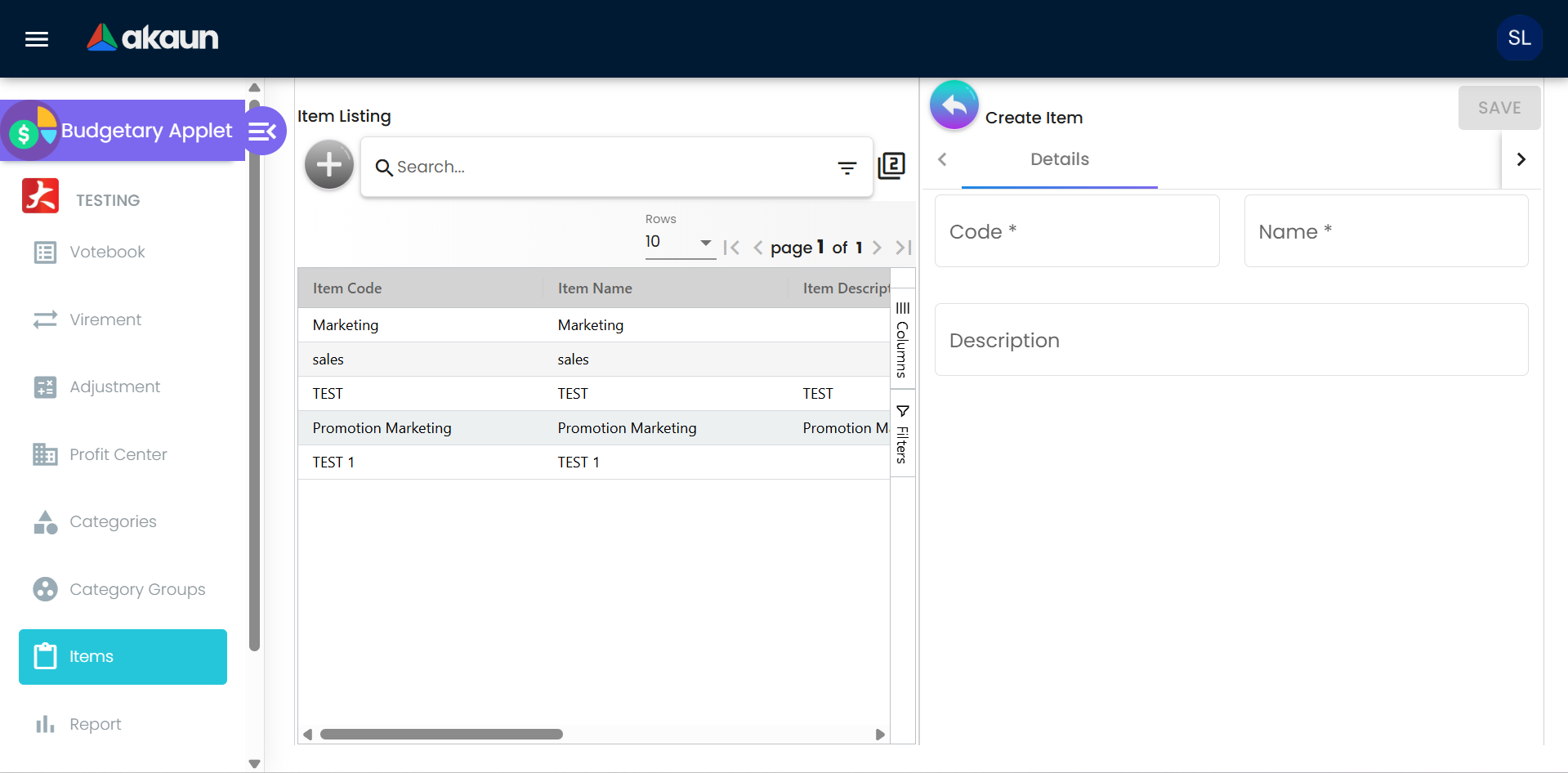
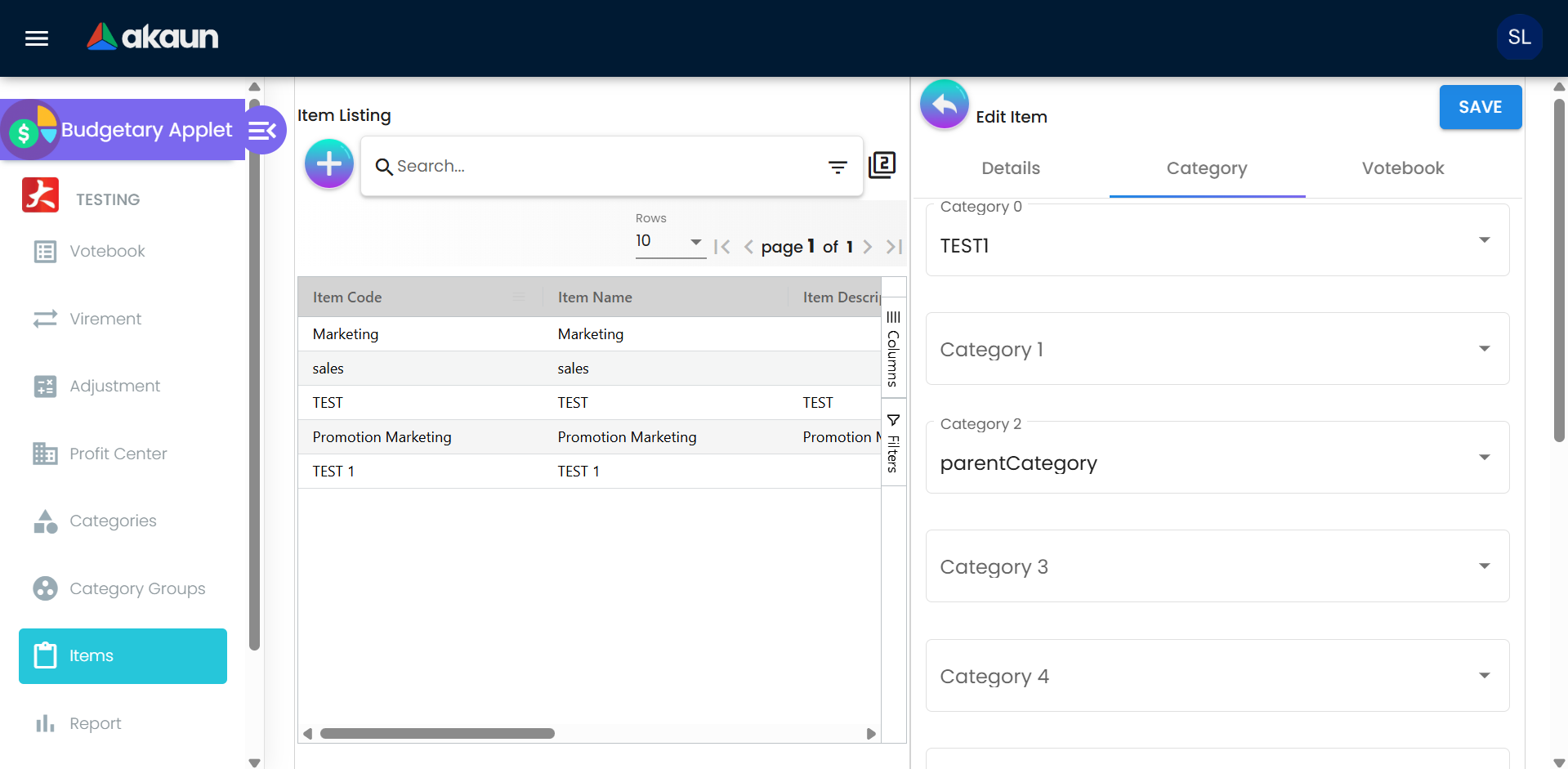
| Items | Listing (Item Code, Item Name, Item Description, Status, Creation Date, Modified Date) → Create (tab Details) → Edit (tabs Details, Category, Votebook) |
| Report | Tab Budget Report (one row per register, with a utilisation chart button and export) and tab Budget Register Txn Line Report (one row per transaction line, with a create form for manual lines) |
| Settings | System Configuration: Field Settings, Default Selection. Server Side Permissions: Permission Wizard, Permission Set, User Permission, Role Permission. Developer Tools: Release Notes, Audit Trail (applet log) |
| Personalization | Default Selection, Sidebar |
The virement and adjustment listings look like ordinary grids and are not: for every row on the page the screen looks up the fiscal year, fiscal period, votebook and the creator’s name separately before the row can be drawn. That is why those two listings are slower than the others, and why a failed name lookup puts a code where a name should be.
Configuration
Before you can use it
| Prerequisite | Where | Why |
|---|---|---|
| The budget posting jobs wired for your tenant | Ask BigLedger — the wiring is tenant configuration on no screen you can open | Finalising a virement or adjustment, and finalising an invoice that carries budget details, each hand off to a background job that only runs if your tenant is wired for it. Without the wiring, FINAL changes the posting status but no register moves. The wiring has two halves: BigLedger’s platform links each posting step to its budget-line job, and your tenant needs one trigger configuration record that switches that link on. The second half is the one that is usually missing, so ask for “the budget posting trigger configuration on my tenant” by name. What to send is how you ask |
Show Budget (SHOW_BUDGET) on each document applet that should carry budget | Application Settings of Purchase Order / Purchase Invoice / Sales Invoice (Internal) | Gates the Budget Votebook / Fiscal Period / Item / Register fields and the Budget Sub Line tab on the line form |
| Server-side permissions | this applet, Settings → Permission Wizard / Permission Set | Every action is permission-checked (see Feature visibility) |
| A profit centre per budget owner | this applet, Profit Center menu | Optional on the votebook; copied onto every register created for that votebook |
Applet settings
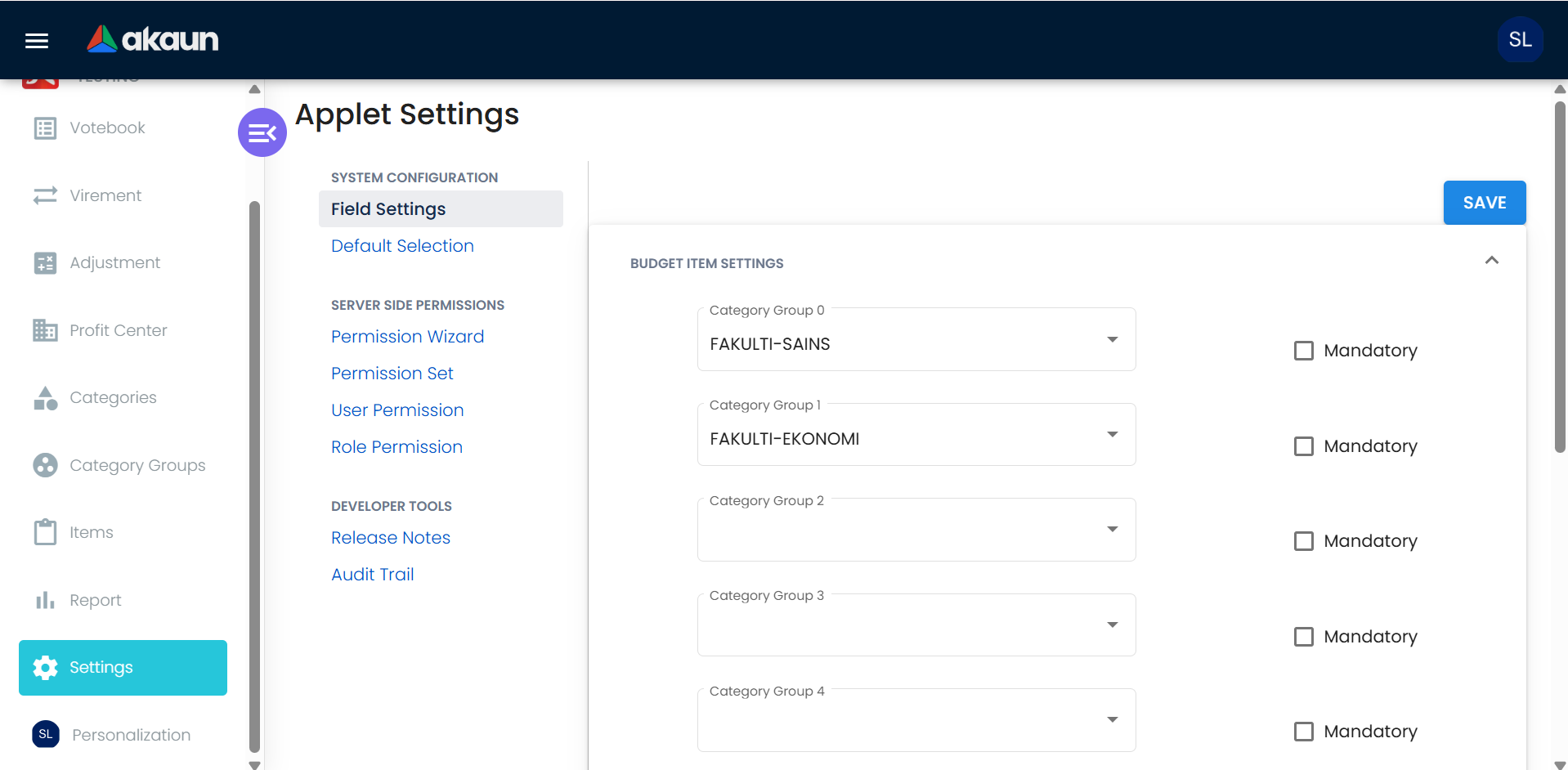
Where they live. The one real settings screen is Field Settings → Budget Item Settings. Any user who can open the applet’s Settings menu can change it; there is no client-side permission check in the applet.
| Setting | What it controls | Default | Effect when changed |
|---|---|---|---|
| Category Group 0 … Category Group 10 | Which category group feeds the Category n dropdown on a budget item’s Category tab. A category’s Items Listing tab also reads the list to work out which slot a category belongs to | Empty. The form always shows 11 slots | A slot with a group lists only that group’s categories; a slot without a group lists every category. The slot number is a position in the saved list, and empty slots are dropped when you save — see the caution below |
| Mandatory | Intended to make the slot compulsory | Off | No effect on saving an item. The tick is stored and shown again by this settings screen, but nothing that saves an item reads it. Items save with empty slots regardless |
Screens that look like settings but store nothing:
- Settings → Default Selection (Default Branch, Default Location, and an unlabelled text box): choosing a value fails and SAVE writes nothing.
- Personalization → Default Selection: same; SAVE does nothing.
- General Settings (a Default GL Code box): the route exists and the menu entry is switched off. Nothing in this applet or in the platform reads what it saves. The Organisation and Chart of Account applets each read a Default GL Code of their own, but those are their own settings, not this one. Budgetary posts no journals, so there is no GL code for it to use.
Document behaviour settings
No exposed control. The virement and adjustment status flow, numbering (from the running-number generator), attachments and register posting are fixed; there are no printables, approval toggles or e-Invoice flags.
Feature visibility / permissions
- Client-side: the applet defines no client-side permissions or hide settings. Every menu item is visible to every user who can open the applet.
- Server-side: each action checks a tenant permission of the form
API_TNT_BUDGET_<OBJECT>_<ACTION>with<OBJECT>∈ VOTEBOOK, LINE, VOTEBOOK_ITEM_LINK, FISCAL_YEAR, REGISTER, GENERIC_DOCUMENT (virement and adjustment), CATEGORY, CATEGORY_GRP and<ACTION>∈ CREATE, READ, UPDATE, DELETE, ADMIN, OWNER. Posting a virement or adjustment to FINAL needsAPI_TNT_BUDGET_GENERIC_DOCUMENT_UPDATE; creating registers needsAPI_TNT_BUDGET_REGISTER_CREATE. Assign them through Settings → Permission Wizard / Permission Set; the permission target picker offers Company, Branch, Profit Center, Segment, Project, Dimension and Set of Books.
Fields
Every form in this applet is built the same way — an identifying code and name, an optional description, a status, and on the two documents a header scope above a line grid. The listings show you what was captured. What follows is only the fields that behave in a way the form does not show.
Master data
Votebook (Details) takes Votebook Code, Votebook Name, Description, Profit Center and Status. Two of the five do something the screen does not admit. Status is written Active on create and forced back to Active on every update, so the control is decoration — there is no way to retire a votebook from this screen. Profit Center is the only choice that travels: it is copied onto every register the votebook’s fiscal years create, and each register then keeps the profit centre it was born with, so changing it on the votebook afterwards re-points nothing that already exists. A blank Description is stored as a single space, not as empty.
Votebook → Item (Add) has two sub-tabs that look alike and do different amounts of work. The difference is invisible on the screen and shows up later, as an item with no registers to allocate against — see Troubleshooting.
| Sub-tab | What it creates | What it does not create |
|---|---|---|
| Details — tick existing items | The item link, and the registers for every fiscal year already on the votebook | — |
| Create Item — Code, Name, Description | The item and the link | No registers. The item is linked but has nothing to allocate against until a new fiscal year is created |
Votebook → Fiscal Year (Create) takes Name, Code, Start and End, all four required. Name and Code
are not labels only — they are concatenated into the name and code of every register the year
generates, so a year coded FY26 produces registers named <item> FY26 <month>, and no screen you
can reach renames them afterwards — the applet’s Edit Budget form has Register Code and Register
Name fields, but nothing opens it — so only an update of the register through the API can. End must not precede Start. Periods are always monthly — one per
calendar month, named and coded MMMM YYYY. There is no quarterly, weekly or custom frequency.
Item (Items menu) takes Code, Name and Description on Details, then eleven Category slots on Category and a Votebook tab whose Add does exactly what ticking the item on the votebook side does. The eleven slots are positional, not named: slot n stores the chosen category and its code in position n on the item, and which categories each slot offers comes from Field Settings — see Applet settings for what happens when you move a group between slots.
Category takes a Category Group (required), a code, a name, a description, and on edit a Manage Image tab for attachments. Category Group takes a code, a name, a Type and a Status. Two controls on these two forms are rendered and then thrown away:
| Control | Where | What happens |
|---|---|---|
| Search Filter and parent category | Category create | Shown, accepted, never saved |
Type (CP_COM, DOC_ITEM) | Category Group create | Shown, accepted, never saved |
Profit Center
Profit centres are not a budgeting-only idea — they are a shared master that other applets read, and this is the only screen that creates one. The form takes a code, a name, a description and fifteen free reference fields (Ref 1–5 Code / Name / Description). The fifteen are plain text with no lookup and no validation: nothing resolves them against a master, and no report in this applet groups or filters on them.
Within budgeting, a profit centre is what a budget belongs to. It is chosen on the votebook, copied onto every register that votebook’s fiscal years create, and it is one of the four things the Budget Report groups by.
Virement and adjustment
Both documents take the same header — Votebook, Fiscal Year, Fiscal Period, Budget Register, Issue Date, Reference #, Tracking ID, Remarks, Description — and the same line grid, with an Adjustment Type added on the adjustment. None of the header controls is validated, so a document can be saved as a draft with almost nothing on it. What is worth knowing sits in six places:
| Field | What it decides |
|---|---|
| Header — Budget Register | Becomes Budget Register From on every line, and the line’s copy is disabled. To move money out of two different registers you need two documents |
| Adjustment header — Fiscal Period | Not on the screen (the control is switched off), so an adjustment is scoped by year only and the period comes from each line |
| Line — Balance (virement) | The from register’s current balance, shown read-only for information. It is not a limit |
| Line — Amount To Transfer / To Adjust | May exceed the balance shown beside it. Neither the form nor the server compares the two, and a register’s balance is allowed to go negative |
| Line — Amount Allocated (adjustment) | Recomputed in the browser as you type — allocation plus the amount for Adjust In, minus it for Adjust Out. It is a preview of the result, not the stored allocation |
| Line — Adjustment Type | Adjust In (default) or Adjust Out. This, and not the sign of the amount, decides the direction — the amount is always entered positive |
Manual budget register transaction line
Report → Budget Register Txn Line Report → create takes Budget Votebook, Budget Fiscal Year, Budget Fiscal Period, Budget Item, Amount, an optional Transaction Date and an optional Source Document. Fiscal Period is enabled only once a Fiscal Year is chosen; the Source Document dialog searches financial documents by document number. Amount is the only validated field on the form — positive, at most two decimals — so a negative correction cannot be keyed here at all.
The saved line is typed Manual and carries no register — the form never asks for the register, only for the four things that would identify one. See Manual transaction lines for what that costs.
Lifecycle and effects
Master data
Votebooks, items, categories, category groups and profit centres are plain Active / Inactive masters. The server checks required fields and references only; there are no status transitions.
The six jobs, and what is true of each
Nothing in this applet posts anything synchronously. Every register that exists was made by a background job, and every figure on the Budget Report was moved by one. Six jobs are involved, none of them is a scheduled job, and two of them run only if your tenant has been wired for them.
The Scheduler’s processor list shows a seventh budget job, for clearing out temporary votebooks. You can leave it alone: nothing in the product creates a temporary votebook, so a run finds nothing to do.
| Job | How it is started | What has to be true for it to run |
|---|---|---|
| Register creation | Queued directly when a fiscal year is created | Nothing else. It runs on its own |
| Register deletion | Queued directly when an item is removed from a votebook | Nothing else |
| Register update | Queued every time a register transaction line is written | Nothing else. This is the only thing that moves a register’s amounts |
| Budget document posting | Queued by FINAL on a virement or adjustment | Nothing else — but it only fans out, so on its own it does nothing visible |
| Budget document lines | Runs after budget document posting, if wired | Tenant wiring that the product does not seed |
| Invoice budget lines | Runs after a financial document’s posting, if wired | The same, on the invoice side |
None of the six is a scheduled job, and none should be: they are all queued in response to something a person did. So there is no overnight run to wait for and nothing to schedule — but equally, nothing re-drives a budget job that did not fire. If the two wirings are missing, FINAL changes a status, says nothing, and the Budget Report never moves; no screen shows it, because nothing was queued to fail.
Whether a given tenant has the two wirings in place cannot be read from the screens at all, which is why the first thing to check when a budget figure does not move is the wiring and not the document.
Registers are created by jobs, not by a form
- Creating a fiscal year queues the register-creation job. The applet saves the year and its monthly periods in one request, and it is that request that queues the job. An integration that creates the year through the plain fiscal-year endpoint gets the year and no registers; use the fiscal-year-with-periods endpoint the applet uses. For every item linked to the votebook it builds one register template — code
"<item code> <fiscal year code>", currency MYR (fixed), all amounts 0, profit centre copied from the votebook — and expands it into one register per fiscal period (code and name get the period code/name appended). If the fiscal year has no votebook, the job returns silently and no register is made. - The duplicate check ignores the period, so it is all-or-nothing. The job tests for an existing register once per period, but it tests by votebook + fiscal year + item only. If even one register already exists for that combination, none of the twelve is created, and nothing on screen says so. Adding a thirteenth period to a year that already has registers therefore gets no register, and neither does a re-request after a partial failure.
- Linking an existing item to a votebook creates the link and then requests registers once per fiscal year already on the votebook — the same expansion. The Create Item path creates the item and the link only.
- Removing an item from a votebook deletes the link and queues the register-deletion job. That job marks the item’s registers deleted, for every fiscal year at once. There is no year filter and no check on whether a register has allocation or usage on it, and no confirmation names how many registers will go. The registers vanish from the Budget Report, which excludes deleted ones; the register transaction lines behind them survive and still show in the Txn Line Report. A failure is logged and otherwise silent.
Virement and adjustment
Both are budget documents typed Virement or Adjustment. A document has two separate fields that are easy to confuse: its record status, which is Active from creation, and its posting status, which the applet leaves empty until you press FINAL. “Draft” on these screens means “posting status not yet set”; the applet never writes the word DRAFT into the posting status. The number comes from the running-number generator. The document can be updated until it is FINAL; the edit screen then disables the header selectors and the line list stops offering add/edit.
FINAL sets the posting status. Three cases are rejected: FINAL when already FINAL (Budget Document has already been posted to FINAL), VOID when already VOID, and VOID when the posting status is DRAFT (Draft Budget Document cannot be posted to VOID). That last refusal never applies to a document made in this applet, because the applet leaves the posting status empty rather than writing DRAFT. So a VOID sent by API against a document you never finalised is accepted: its posting status becomes VOID and nothing is queued. Anything else is saved too — the server accepts whatever posting status arrives — and only FINAL queues the posting job. There is no VOID button in the applet; a VOID sent by API changes the posting status and nothing else. If an integration should not be able to void an unfinished document, it has to check the posting status itself before it sends VOID.
Saving a draft rewrites who created it. Updating a draft sets the creator on the header and on every line to whoever is saving now. Editing someone else’s draft therefore makes it yours in the data, and the listing’s Created By column follows.
A line’s transaction date is the day you added it, not the period it is for. When you add a line, the screen stamps it with your computer’s date and time, and at FINAL the register transaction line takes that date. A virement keyed today to move last month’s allocation therefore shows today’s date in the Txn Line Report, while the register it moved is still last month’s. Filter that report by fiscal period, not by date, when you want to see what moved a given month.
Posting proof block:
| Item | Value |
|---|---|
| Server document type | Virement / Adjustment |
| Amount signum | Per line: the from register gets −amount — except an adjustment typed Adjust In, which gets +amount; the to register (virement only) gets +amount |
| Quantity signum | None — budget lines carry amounts only |
| Dr/Cr equation | None — no journal is posted; the applet never touches the ledger |
| GL precedence | Not applicable (the Default GL Code setting is unused) |
| Stock processor | None |
| Register update | For a virement, adjustment or transfer line, Latest Amount Allocated moves by the amount and the balance is recomputed as latest allocated − utilised; for an opening line, initial, latest and balance are all set to the amount; for any other line type (manual, invoice lines) Amount Utilized moves by the amount and the balance is recomputed. The document is flagged posted for budget as soon as its register transaction lines are written, before any register has moved |
| What VOID reverses | Nothing. Only FINAL queues a job; the register transaction lines and register amounts written at FINAL stay as they are |
The branch is chosen by a line type the client supplies, and nothing checks it. A budget document line’s type is optional, has no default, and is filled by nothing on the server. The two values the register update recognises as allocation — Virement and Adjustment — are written by the two add-line screens and nowhere else, and the comparison is exact. So a line posted through the API without a type — or with one in a different case — falls to the catch-all branch and is booked as usage against Amount Utilized instead of as allocation, under a successful FINAL. Nothing rejects it and nothing reports it; the only symptom is a register whose Amount Utilized moved when you moved allocation.
Two of the four branches have no producer at all. Nothing in the product writes an opening or transfer line, so the initial allocation of a register is an Adjust In on a fresh register (all amounts 0), and the opening branch — the one that would set Initial Amount Allocated — is never reached. That is why Initial Amount Allocated has nothing of its own to show. The old “Budget” tab that would have entered an initial amount directly is switched off on the votebook screen.
Consumption by invoices
The invoice budget job runs after a financial document’s posting when it is wired. It acts only on Sales Invoice (Internal) and Purchase Invoice (Internal) documents. For each line that names a budget register, or that has budget sub-lines, it writes one register transaction line per line (the line’s amount) or per sub-line (the sub-line’s budget amount, against the sub-line’s register), with the line type copied from the document line — so the register update treats it as usage (Amount Utilized). On success the invoice is flagged posted for budget; on failure the job reports Failed to create budget txn lines.
A sub-line can be saved without a register, and the job does not fill one in. The shared Budget Sub Line editor does not require you to pick the register; it saves the sub-line with the register blank. At FINAL the invoice budget job copies the register exactly as saved. It does not work one out from the votebook, fiscal period and item on the sub-line, although those identify it. The register update then cannot find a register for that sub-line, and it stops there (see the caution under Virement and adjustment), so that sub-line and every line after it in the invoice move nothing (read from the code, not tried). Pick the register on every sub-line, and after the first FINAL check the invoice’s lines in the Txn Line Report against the Budget Report.
There is no budget check on the server. Budget sub-lines are checked for completeness only; the shared Budget Sub Line editor colours the amount cell and shows the tooltip Amount exceeds register balance by … when the amount is more than the register’s balance, but still saves. A register’s balance can go negative.
An invoice line always consumes, whatever it says. The line type copied onto the register transaction line is the document line’s, and a financial document line’s type is filled from the item’s transaction class or defaults to a sales-and-purchase type. Neither of the values that occur matches an allocation branch, and a blank does not either, so consumption is reached in every case. A credit note does not give budget back — the job acts on the two invoice types only, so a purchase credit note, a return and a cancellation are all invisible to the register.
Manual transaction lines
The Report screen’s create form saves a transaction line typed Manual with no register on it. The line is stored and the register update is queued, which cannot find a register and fails with Budget Register Does not exist. The line therefore appears in the Txn Line Report, but no register figure moves.
Deleting a transaction line does not give the money back. Deleting a line removes it and returns; unlike creating one it does not queue the register update, and nothing recomputes a register from its lines. So a deleted line leaves Amount Utilized, Latest Amount Allocated and the balance permanently overstated, and the Txn Line Report no longer shows what caused it.
Budget Report
Reads the registers and groups by votebook, profit centre, register and item. Columns: Initial Amount Allocated, Latest Amount Allocated, Amount Reserved, Amount Utilized, Utilization % (= utilised ÷ latest allocated), and a pinned totals row.
Three of those columns are worth knowing about before you plan around them.
| Column | What it actually shows |
|---|---|
| Initial Amount Allocated | The same figure as Latest — both columns are bound to the latest allocation. Nothing populates an initial figure, because only the unreachable opening branch would set it |
| Amount Reserved | Always zero. Nothing in the product ever writes a reservation amount onto a register, and the separate budget reservation records are never totalled into it, so the two halves of the idea are not connected |
| Category 1 … Category 10 | Ten columns, hidden by default, and never populated. The report rows carry only item, votebook and profit-centre names. Unhide them and you get ten blank columns. Note also that there is no column for the first slot (slot 0) at all |
The screen also does its joining in the browser: it fetches up to 100,000 registers in one call and then looks up each distinct budget item, votebook and profit centre separately before it can draw a row. On a chart of any size that is hundreds of requests for one report, and it is why the report is slow to first paint rather than slow to scroll.
What it will not do
- It will not stop a spend. There is no check in the posting path at any point. Budget is recorded after the fact, and the only warning a user ever sees is a tooltip on the sub-line editor that does not block Save.
- It will not reverse anything. VOID on a virement or adjustment changes a status and moves no figure; there is no undo for budgets, and deleting a transaction line leaves the register where it was.
- It will not record commitment. A purchase order carries all the budget fields and the budget posting skips purchase orders, so nothing is consumed until the invoice.
- It will not approve anything. There is no approval step on a budget register; nothing that creates, reads or posts a register consults an approval state. An approval family for budget registers does exist on the server, but no applet or screen uses it and the step that would act on a completed approval does nothing. Treat approval as not available, and do not build a control around it.
- It will not budget in another currency. Every register is created in MYR, fixed, and no screen offers a choice.
- It will not budget by anything but a month. Fiscal periods are generated one per calendar month with no alternative.
Related applets
- Purchase Invoice (Internal) — with Show Budget on, each line can name a votebook / period / item / register or split across registers in the Budget Sub Line tab; FINAL consumes the register(s).
- Sales Invoice (Internal) — same mechanism on the revenue side.
- Purchase Order (Internal) — carries the same budget fields for information; the budget posting skips purchase orders, so commitment is not recorded here.
- Scheduler — its Select Processor picker is the only screen that shows which job processors your tenant holds at all. The wiring that makes FINAL move the registers is on no screen, and there is no job-failure screen anywhere in the product — a budget job that fails tells nobody.
- Organisation — company, branch and user context shared by every applet.
Troubleshooting
| Symptom | Cause | Fix |
|---|---|---|
| FINAL on a virement or adjustment succeeds, but the Budget Report does not change | The budget posting is not wired for your tenant, or the register update stopped (Budget Register Does not exist) because a line’s register was deleted or never chosen | You cannot see the queue or the failure — neither is on a screen. Confirm the registers exist for the votebook / year / period / item first, because that is the half you can check; if they do and the report still does not move, the wiring is the remaining cause and it is ours — what to send |
| A purchase invoice went FINAL but the register’s Amount Utilized did not move | Show Budget was off when the line was entered (no register on the line), or the invoice budget job is not wired for your tenant, or the document is a purchase order (never consumed) | Turn on Show Budget in the invoice applet, re-enter the budget fields, ask about the wiring |
| A new item created from the votebook’s Create Item tab has no registers, and the register dropdowns stay empty for it | The create path creates the item and the link only; registers are requested only when an existing item is ticked on the Details tab | Remove the item from the votebook and add it again from the Details tab, or create fiscal years after linking items |
Virement lines could not be updated after items were added: EXCEPTION_INCONSISTENT_DATA … BUDGET_GENERIC_DOCUMENT_LINE_OBJECT_CREATED_DATE_IS_NULL | Lines were created without their status, revision and created date (fixed July 2026) | Deploy the current build; re-create the affected virement |
| Category Add / Create button does nothing after uploading an image; Create button inert on the Category screen; Add on Item → Votebook crashes | UI bugs fixed July 2026 | Deploy the current build |
| Permission Wizard / Permission Set menus show an error | A missing route and a request that never resolved (fixed July 2026) | Deploy the current build |
| Budget Document has already been posted to FINAL | FINAL clicked twice, or the document was finalised in another session | Refresh the listing |
| Draft Budget Document cannot be posted to VOID | A VOID was sent by API against a document whose posting status is DRAFT — written by an integration, never by this applet. A VOID against a document made in the applet and never finalised is accepted instead | Delete the draft instead |
| An invoice or virement moved some of its registers and not the others | The register update stops at the first line whose register is missing, and the lines after it are never applied; the document is already flagged posted for budget | Compare the document’s lines in the Txn Line Report with the Budget Report, then Adjust In / Adjust Out the registers that did not move. Before FINAL, make sure every line and budget sub-line names a register |
| A virement moved more than the source register had; balance is negative | Neither Amount To Transfer nor the server checks the balance | Post an Adjust In on the source register, or a reverse virement |
| Initial Amount Allocated and Latest Amount Allocated are always identical | Both columns show the latest allocation | Use the Txn Line Report to see the history; no fix in the UI |
| Manual transaction line shows in the Txn Line Report but the register did not change | A manual line carries no register, so the register update fails | Use an Adjust In / Adjust Out instead |
| Category Type, Search Filter or parent category is not kept | The form shows the controls but does not save them | None; these are informational only |
| Default Selection (Settings or Personalization) does not save | The screen is not wired to the applet’s settings | None; the applet has no default branch or location |
| Unsure how categories relate to items | An item has eleven fixed slots, one category per slot, each slot bound to a category group in Field Settings — not a many-to-many link | Design category groups so that each reporting dimension is one slot |
| A new fiscal period was added to an existing fiscal year and got no register | The duplicate check ignores the period, so the job creates nothing once any register exists for that votebook, year and item | Plan the year’s periods before the first register is made; otherwise ask support to create the missing register |
| Removing one item from a votebook wiped that item’s budget history in the report | The deletion job marks every register for that votebook and item deleted across all fiscal years, with no year filter and no check for allocation or usage | Nothing in the UI restores them; the register transaction lines survive and can still be read in the Txn Line Report |
| A virement or adjustment posted, but the amount landed in Amount Utilized instead of Latest Amount Allocated | The line’s type was not exactly Virement or Adjustment. Only the two add-line screens write those values; nothing fills or validates the type, so an API-posted line without one takes the usage branch | Re-post the line from the applet, and correct the register with an Adjust In / Adjust Out |
| A budget register transaction line was deleted and the register’s figures did not change | Deleting a line does not queue the register update and nothing recomputes a register from its lines | Post an Adjust In / Adjust Out for the difference |
| The Created By column on the virement or adjustment listing shows a code instead of a name | The listing looks up each row’s creator separately and shows an error code when that lookup fails | The document is unaffected; the creator’s profile could not be read |
| The person shown as creator of a draft changed | Saving a draft rewrites the creator on the header and every line to whoever saved last | None; use the audit trail in Settings → Developer Tools |
| Amount Reserved is zero on every row | Nothing ever writes a reservation amount onto a register | Hide the column |
| The Category 1 … 10 columns on the Budget Report are blank | The report’s rows never carry category codes | Read categories from the item, or from the Items listing |
Related documentation
- Financial Accounting module — where budgetary control sits in the module map.
- Purchase Invoice (Internal) and Sales Invoice (Internal) — the documents that consume budget.