Receipt Voucher (Internal)
Watch this as a presentation — 1 on this page, slides with narration.
Record money a customer pays you and apply it to what they owe. Finalising posts the cashbook line you later match against the bank statement, plus the debtor journal. A receipt finalised without a contra stays as an unapplied customer credit until you contra it, and a wrong settlement is corrected on Settlement Adjustment rather than by voiding.
Overview
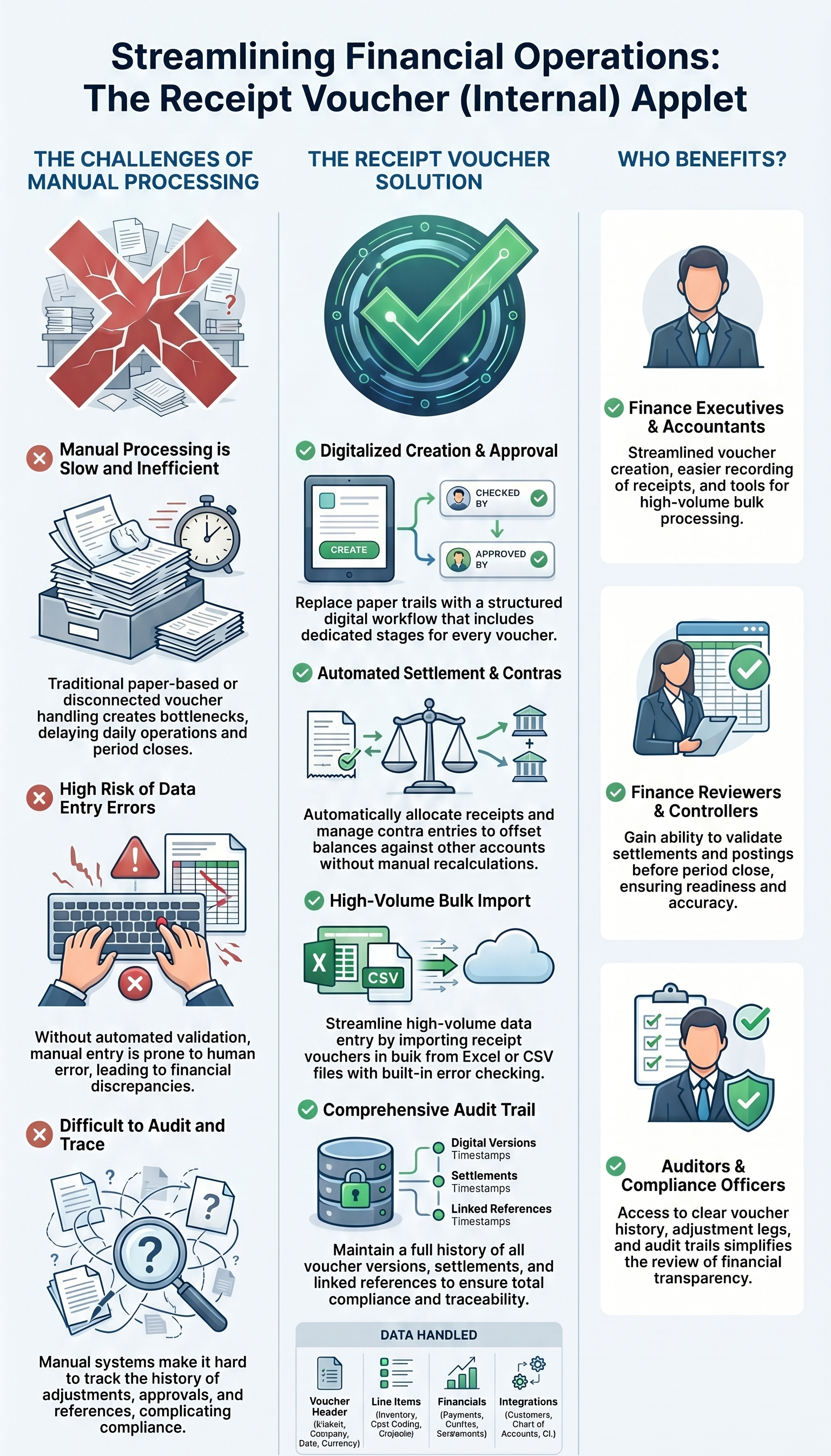
The Receipt Voucher (Internal) applet records money coming in from a customer — cash, cheque, bank transfer, card or any other settlement method — and applies it to the customer’s open documents by contra. An accounts-receivable clerk creates the voucher, adds one or more settlement lines, contra-links the sales invoices being paid, and finalises it. FINAL posts the cashbook transaction (which then appears in Bank Reconciliation) and the debtor journal. The applet also carries optional Revenue and Expense lines for receipts that are not against an invoice, and post-finalisation adjustment screens so a wrong settlement can be corrected without voiding.
Video walkthrough
Where it fits
| Direction | Document / applet | Relationship |
|---|---|---|
| Upstream | Sales Invoice (Internal), Sales Debit Note (Internal) | Open customer documents the receipt is contra’d against |
| Upstream | Sales Credit Note (Internal) | Reduces what the customer owes before the receipt is applied |
| Master data | Customer Maintenance | Customer entity and its AR type |
| Master data | Cashbook Applet | Every settlement method is an item linked to a cashbook; the cashbook’s GL code is the debit side |
| Downstream | Bank Reconciliation | Cashbook lines created by FINAL are matched to bank statements |
| Downstream | Ledger And Journal | The journal FINAL creates |
| Downstream | Debtor Report, Statement of Account | Ageing and statements reflect contra’d receipts |
| Mirror | Payment Voucher (Internal) | The same document for money going out to suppliers |
Modules: Financial Accounting and Sales.
Which routes write a receipt voucher, and which do not
Four routes write a Receipt Voucher (Internal). (Internal) marks the back-office voucher your finance staff key, as opposed to one a shopper or a portal reaches.
- Keyed in this applet — the normal case, finalised with the FINAL button.
- Imported from a file — rows marked FINAL in the file skip the FINAL button’s checks (Import Receipt Voucher).
- A bill paid online through BigLedger’s billing applet, on the ERP payment route. When the gateway confirms the payment, a background job writes the receipt voucher, finalises it and contras it against the bill that was paid. It writes one voucher per gateway reference, so a repeated confirmation does not write a second.
- The other side of an intercompany payment. A payment voucher one group company raises to another can create the receipt voucher in the receiving company (Intercompany).
Two routes take money from customers and do not write a receipt voucher:
- A storefront checkout. The gateway’s confirmation turns the cart into a FINAL sales order and writes the payment onto that order as a settlement line; the cashbook job posts it to the settlement method’s cashbook. How that payment is then meant to meet the invoice raised from the order is an open question with BigLedger, so do not look for a receipt voucher to apply, and do not key one for the same money.
- A cash bill at the till. The bill settles itself: its goods must equal its settlement lines plus any contra before it can be finalised, and its own settlement lines write the cashbook lines. A receipt voucher keyed for a cash bill would bank the same money twice.
A marketplace payout is a third case: the accounts clerk books it here by hand (see Related applets).
Screens and menus
| Menu item | Route | What it is |
|---|---|---|
| Internal RCT Voucher | internal-receipt-voucher | Listing and the create/edit form |
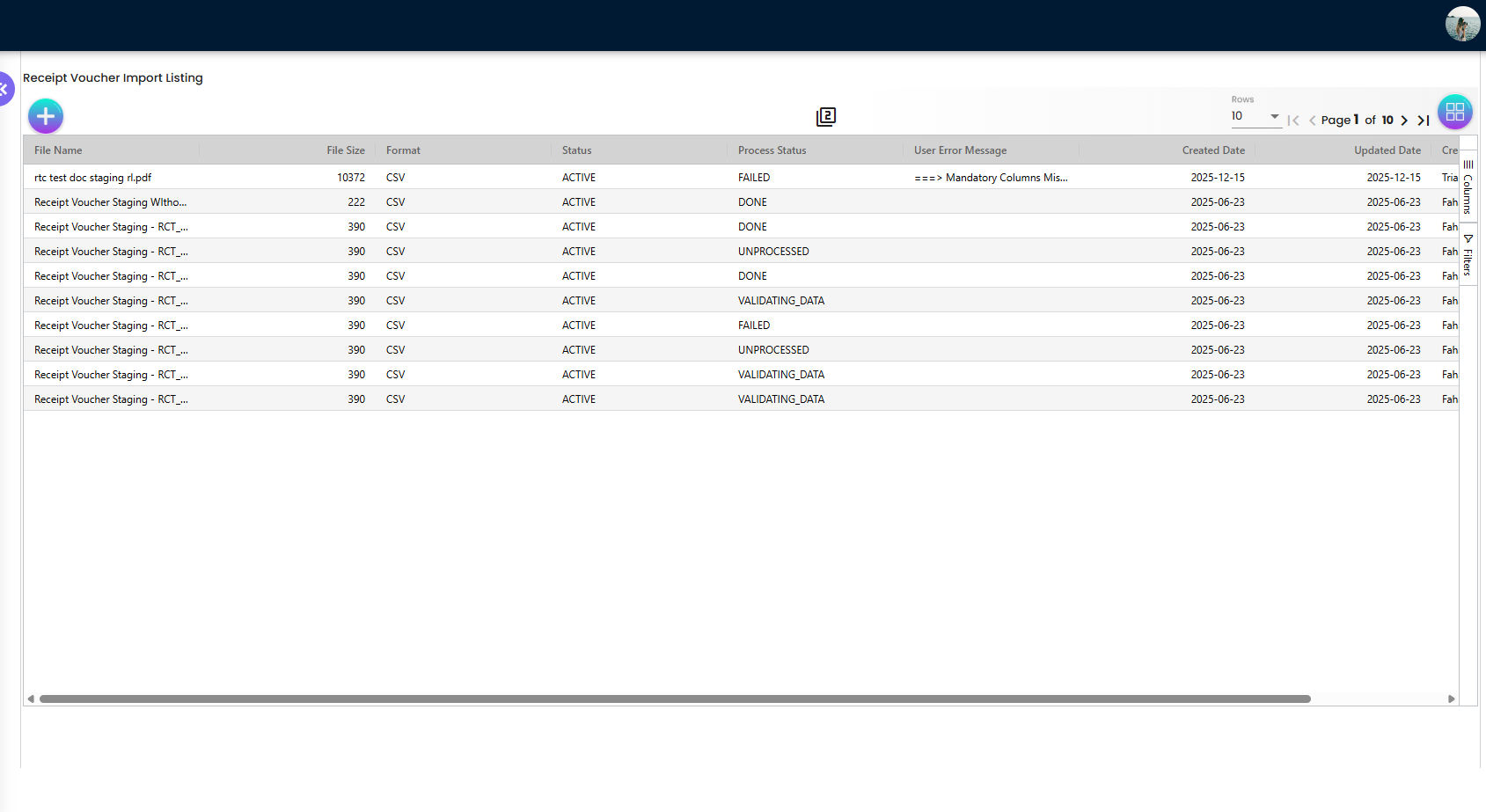
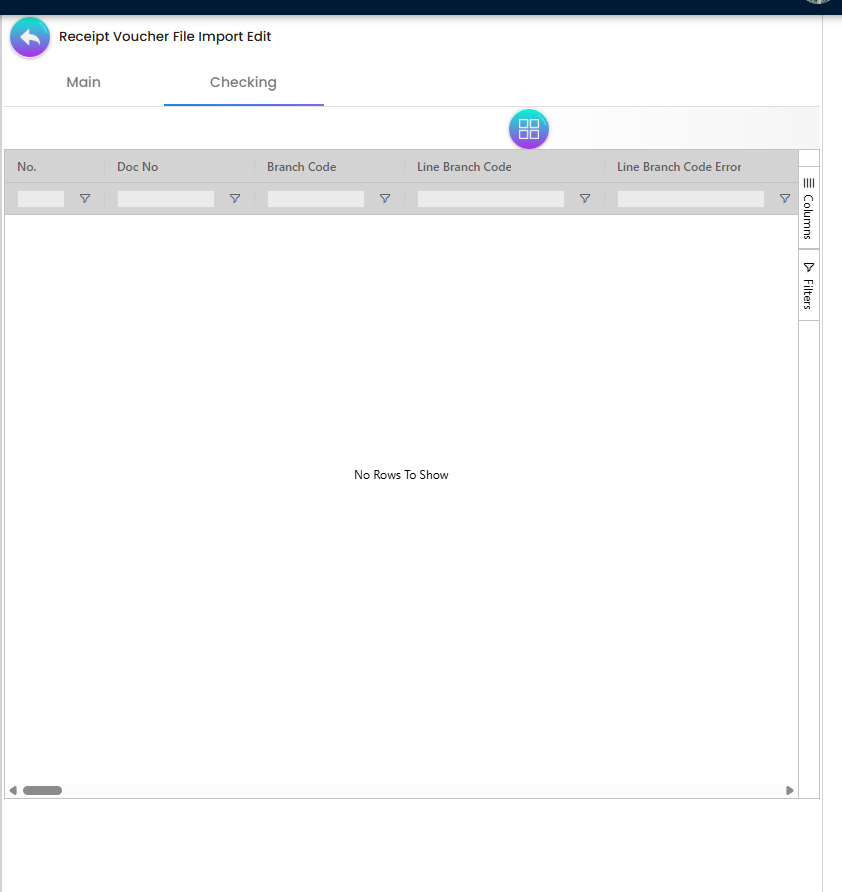
| Import Receipt Voucher | receipt-voucher-import | Bulk upload with a Checking tab for row errors |
| Settlement Adjustment | settlement-adjustment | Post-FINAL corrections to settlement lines |
| Audit Trail | audit-trail | Change history (hidden by HIDE_AUDIT_TRAIL_MENU) |
Creating a voucher
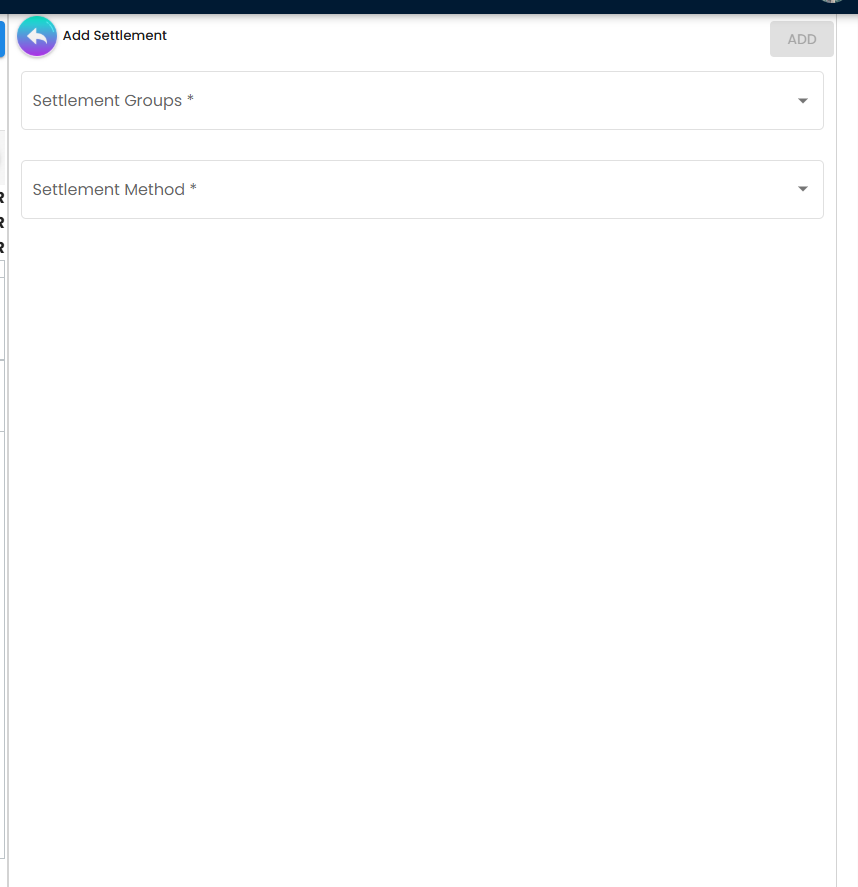
There is no separate create form. + on the listing saves an empty temporary voucher at once and opens the edit form on it, with every tab below — Contra included — available before anything is filled in. The voucher stops being temporary by itself once its required header fields are filled (see Lifecycle); until then SAVE does nothing useful.
There is no Posting tab on this applet and no Delivery Details tab. TraceDocument, below, is what does that job here — and it does it better, because it shows the rows that were written rather than a status word about them.
Edit form tabs
Default order (changeable under Settings > Default Selection > Details Tab Ordering):
| Tab | Purpose | Hidden by |
|---|---|---|
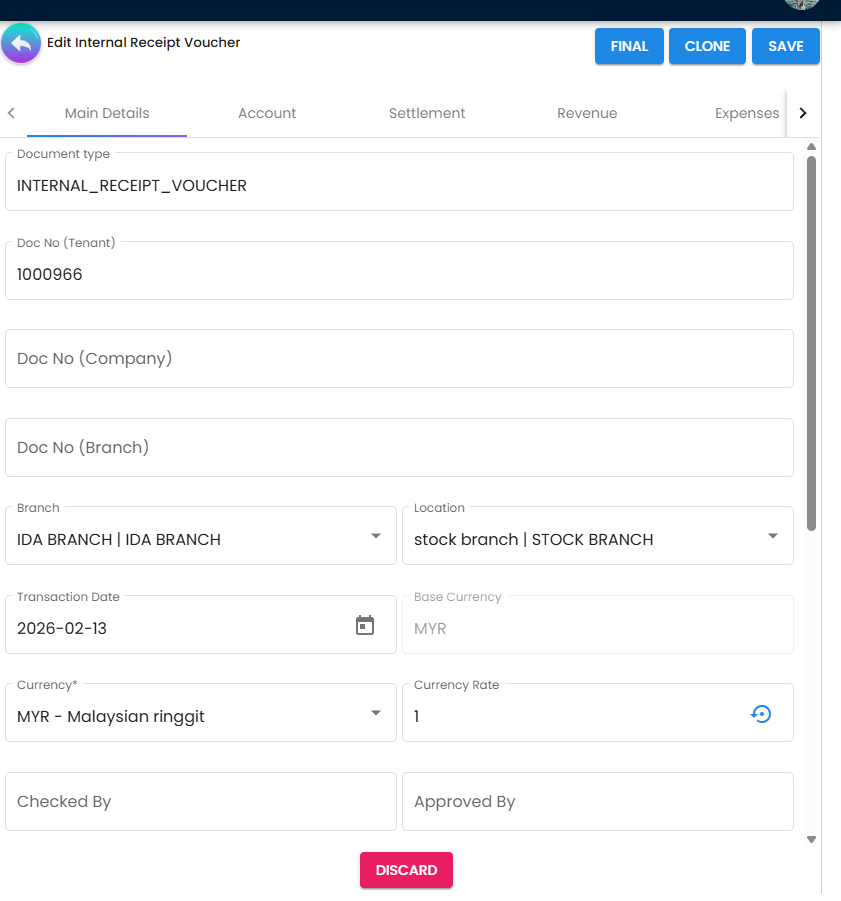
| Main Details | Branch, location, dates, currency, references, Checked By / Approved By. The header locks once the voucher is FINAL, VOID or DISCARDED — sign-offs included, so name the checker and approver before you finalise, not after | — |
| Account | Customer (Entity Details, Bill To, Payee) | HIDE_PAYEE_TAB for the Payee sub-tab |
| Revenue | Income lines for receipts not tied to an invoice (item, qty, price, tax) | HIDE_REVENUE_TAB |
| Expenses | Deductions taken from the receipt (bank charges, etc.). See What FINAL does for where they post — not on a purchase-side account | HIDE_EXPENSES_TAB |
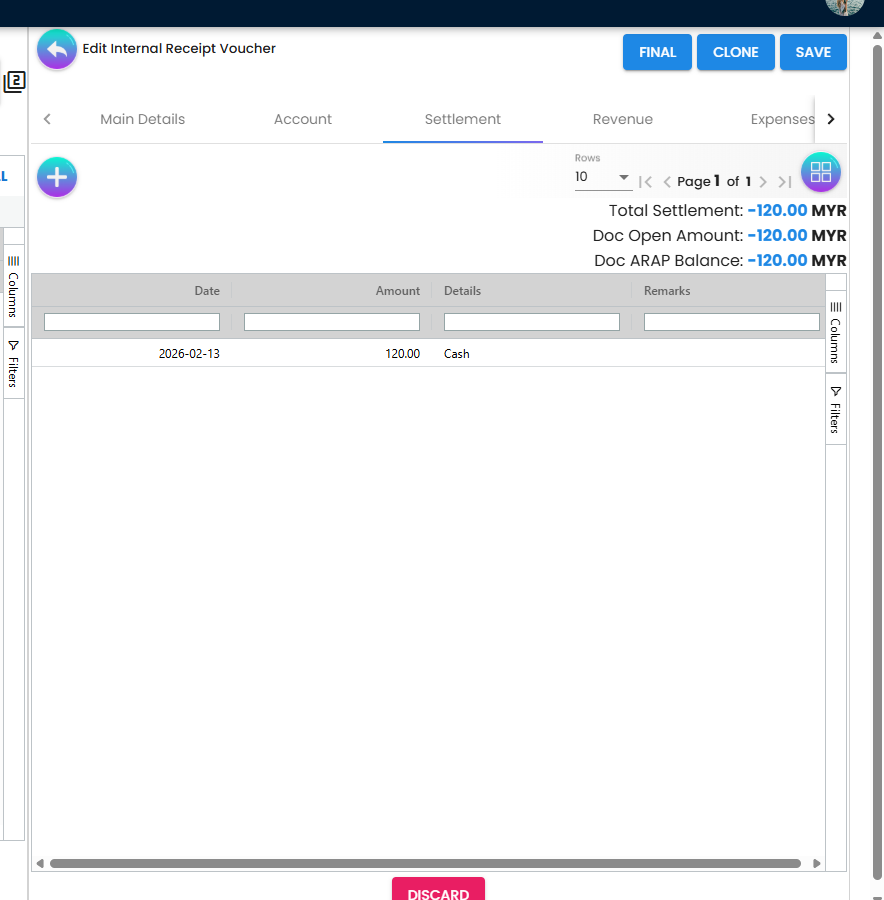
| Settlement | The money received: settlement method, amount, date, reference | HIDE_SETTLEMENT_TAB |
| Payment Adjustment | Post-FINAL correction of settlement lines. Shown only on a FINAL voucher, and only when the tenant has switched on post-FINAL settlement editing in the applet settings and you hold SHOW_EDIT_SETTLEMENT_FINAL — both are needed | No hide setting applies: the tab’s hide key is read and ignored, and the settings screen offers no switch for it here |
| ARAP | Product & Services, Settlement, Contra, Outstanding (read-only) | HIDE_MAIN_ARAP_TAB |
| Department Hdr | Dimension, Profit Centre, Project, Segment | HIDE_DEPARTMENT_HDR_TAB |
| TraceDocument | The postings FINAL actually produced, as five grids — Journal Txn, Cashbook Txn, Points Txn, Tax Txn, Inv Txn. This applet has no Posting tab; this is the tab that answers the same question. An empty grid is the symptom of a failed job; it does not say why | HIDE_TRACE_DOCUMENT_TAB |
| Contra | Apply the receipt to the customer’s open documents | HIDE_MAIN_CONTRA_TAB |
| Doc Link | Link other documents | HIDE_DOC_LINK_TAB |
| Export | Print with a printable format | HIDE_EXPORT_TAB |
| Attachments | Upload scans of cheques or remittance advice | HIDE_ATTACHMENT_TAB |
Top action buttons
| Button | Enabled when |
|---|---|
| SAVE | Header valid (Please complete the required fields before saving.); you hold update permission |
| FINAL | Record status ACTIVE, posting status DRAFT, at least one settlement line, not locked; HIDE_GENDOC_FINAL_BUTTON off or user has SHOW_GENDOC_FINAL_BUTTON. The settlement-line rule is the screen’s (see below). Revenue lines with invalid serial numbers do not disable it |
| VOID | Posting status FINAL; HIDE_GENDOC_VOID_BUTTON off or SHOW_GENDOC_VOID_BUTTON |
| CLONE | Any. The settings screen offers no switch to hide it on this applet |
Any, unless HIDE_PRINT_BUTTON |
The edit form’s action bar is FINAL, CLONE, VOID and SAVE. DISCARD is on the listing, for the ticked vouchers (HIDE_GENDOC_DISCARD_BUTTON off or SHOW_GENDOC_DISCARD_BUTTON). On a foreign-currency voucher’s base-currency copy — the second record FINAL creates, see What FINAL does — the whole action bar is hidden.
The rule that FINAL needs a settlement line is enforced by this screen, at the point of choice: the edit form hides FINAL without one, and the listing’s FINAL refuses the ticked vouchers that have none (Unable to post the document to FINAL … Invalid payment.). The server does not repeat it, so a receipt finalised through the API with no settlement line is accepted — no cashbook line follows, and TraceDocument’s Cashbook Txn grid stays empty. An integration that writes receipts should refuse that case itself.
Import Receipt Voucher
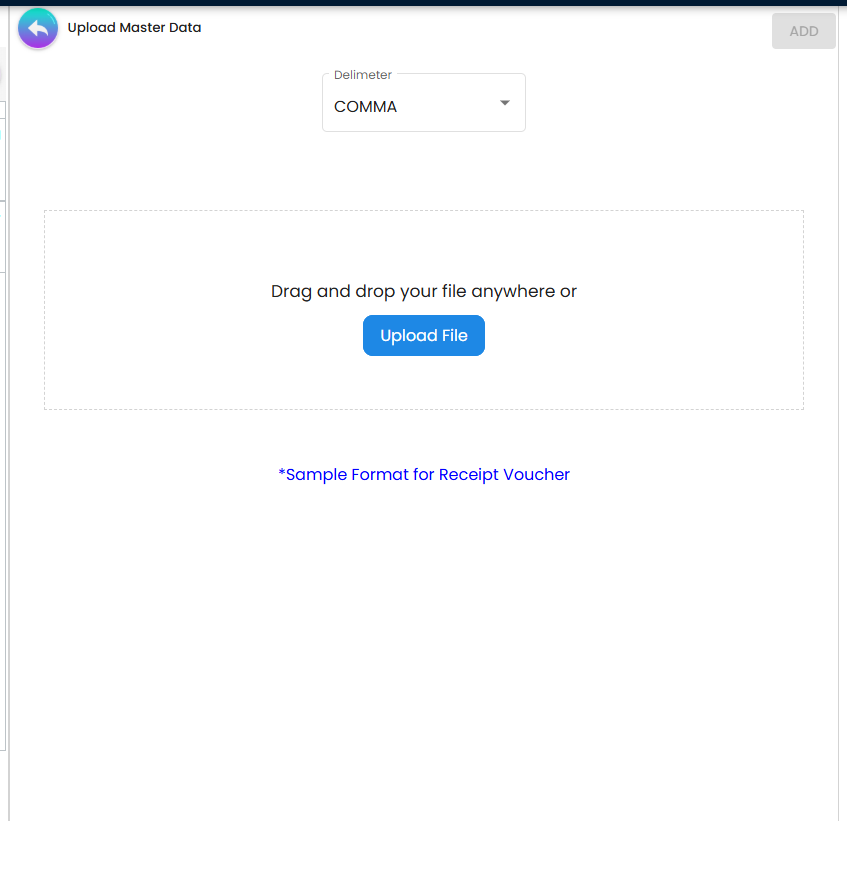
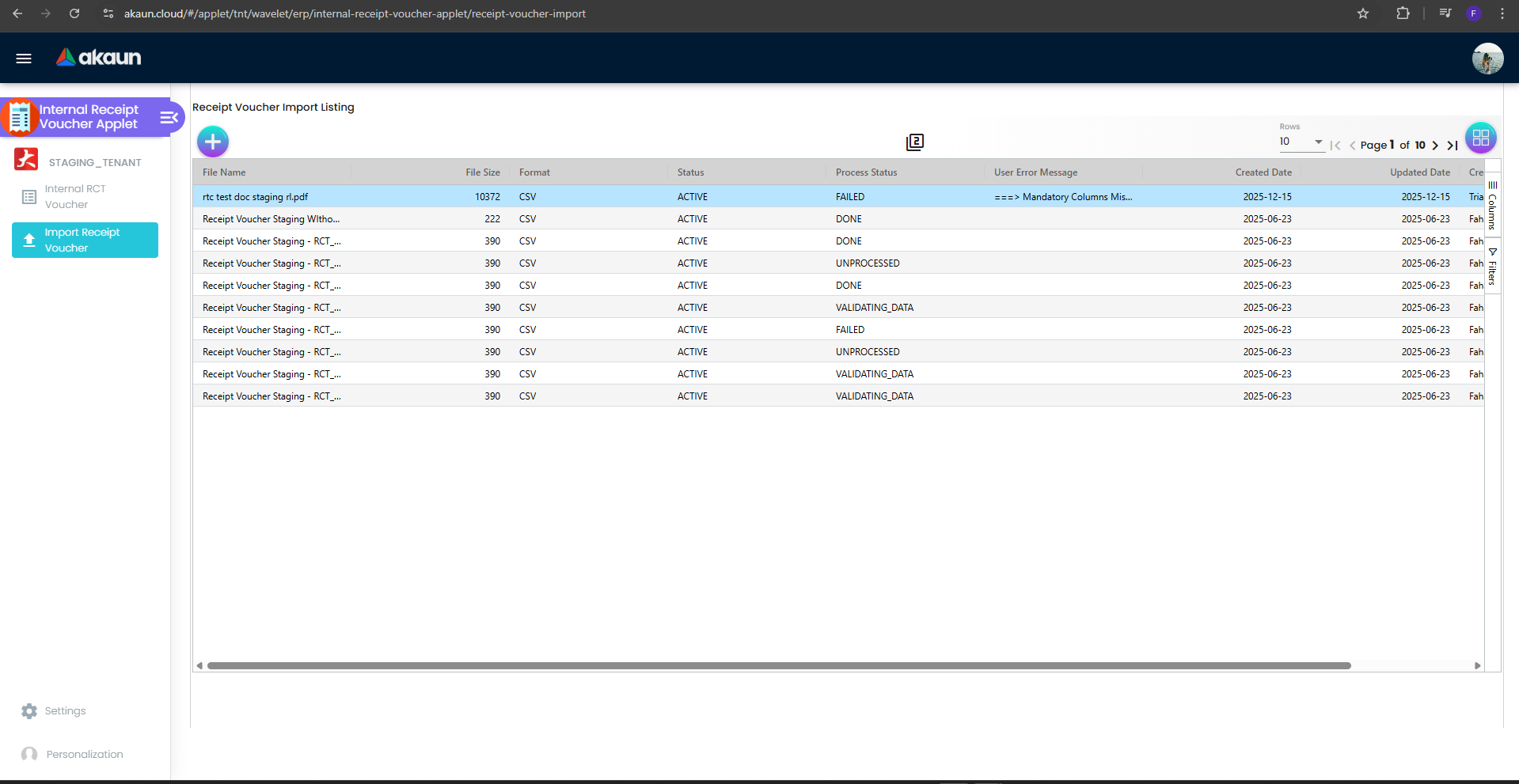
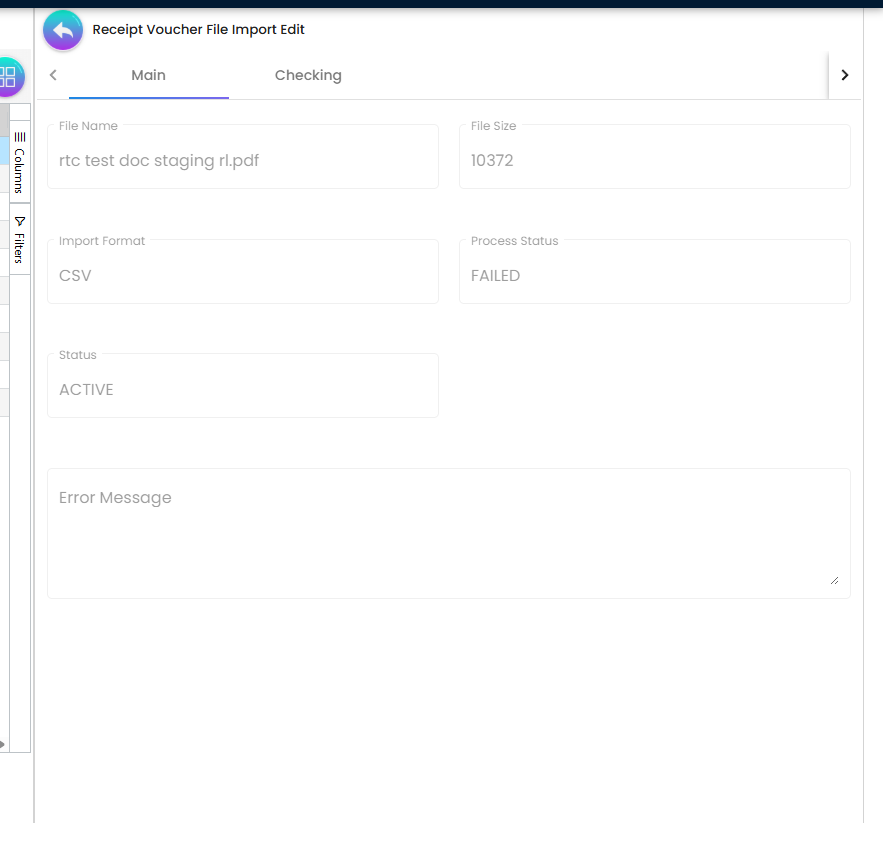
Upload a CSV/Excel file, review the Checking tab for row-level errors, fix or re-upload, then process. The menu is removed by HIDE_IMPORT_RECEIPT_VOUCHER_MENU.
The file’s Posting Status column decides what each voucher becomes, and it is all-or-nothing per file: if any row fails, every voucher the file created is deleted and the file is marked FAILED — but a contra the file had already written for those vouchers is not removed with them, so check the invoices the file was paying before you re-upload.
A row marked FINAL is stored FINAL as it is inserted — it does not go through the FINAL button’s path. Today the import then queues the postings directly, so three things the FINAL button does are skipped:
- No finalised date is recorded on the voucher.
- No exchange-rate refusal. The file’s Base Rate column is kept only as a note on the voucher and the base currency is never set, so a foreign-currency row is not treated as foreign currency: there is no base-currency copy, and the journal posts the document-currency figures as if they were ringgit. A USD 1,000 receipt posts RM 1,000.
- A validation that refuses the voucher at this point leaves it FINAL with nothing queued — no journal, no cashbook line.
How to spot it: open an imported voucher’s TraceDocument tab. An empty Journal Txn or Cashbook Txn grid is the third case; journal amounts equal to the foreign-currency face value are the second. Before importing foreign-currency receipts in bulk, import one row and read its journal; a DRAFT import still carries no base currency, so check the header’s Currency Rate before you finalise it on the screen.
Configuration
Before you can use it
| Prerequisite | Where | Why |
|---|---|---|
| Company, branch, location | Organisation Applet | Branch, Location and Transaction Date are the three required header fields |
| Payer entity with an AR/AP type | Customer Maintenance | The payer may be a customer, supplier, merchant or employee. Its journal line uses DEBTOR for AR_TRADE, DEBTOR_NON_TRADE for AR_OTHER and MERCHANT_RECEIVABLE for AR_MERCHANT; a supplier refunding you posts to CREDITOR (AP_TRADE) or CREDITOR_NON_TRADE (AP_OTHER), and an employee repaying an advance to EMPLOYEE_OTHER_PAYABLE (AP_EMPLOYEE). The type set for this company on the entity is read before the entity’s general one. A payer with no type gets no line, and the journal fails as unbalanced |
| Cashbook per bank / till, with a GL code | Cashbook Applet | Not checked at FINAL. The cashbook and journal postings run after the status change and fail with MISSING_CASHBOOK: STL_MTHD [code] if the settlement method’s item has no cashbook, or MISSING_GL_CODE: STL_MTHD [code] if the cashbook has no GL code — the voucher stays FINAL with no cashbook line and no journal. Since October 2026, where the cashbook watchdog clock is scheduled on your tenant, it retries such a voucher about every 15 minutes; it retries, it does not attach the cashbook. Once the mapping is fixed, in Financial Report › Error Checking › Trace Document press Resolve on both Missing Journal and Missing Cashbook. Each repairs only its own half. For many vouchers, Ledger And Journal’s Missing Journal and the Data Fix applet’s Cashbook › Missing Cashbook tab do the same by date range (set both dates; they open on today) |
| Settlement methods assigned to the branch | Settings > Branch Settings > Default Settlement Method | The Settlement tab only lists methods assigned to the voucher’s branch |
| Company default GL codes | Chart of Account Applet | DEBTOR (or DEBTOR_NON_TRADE), and for revenue/expense lines SALES and OUTPUT_TAX; SETTLEMENT_CHARGES if the settlement method carries a charge; FOREX_GAIN / FOREX_LOSS for the separate journal a foreign-currency contra writes. A sales-discount default is never read by this document — line discounts are already netted into the line amount |
| Document numbering | Organisation Applet | Doc No (Company / Branch) are generated at save |
| Printable format | Settings > Printable Format Settings and Branch Settings | Needed for PRINT |
| Permissions | Settings > Permission Set / User / Team / Role Permission | Server-side TNT_API_DOC_INTERNAL_RECEIPT_VOUCHER_READ/CREATE/UPDATE/DELETE_TGT_GUID, targeted by branch — a user who lacks read for a branch will not see that branch’s vouchers or the branch in the dropdown |
Applet settings
Settings (gear icon) → System Configuration: Application Settings (the shared Field Configuration
screen), Default Selection, Branch Settings, Printable Format Settings, Email Template,
Custom Resource Bundle Configuration, Custom Field Placement, Webhook, Feature Visibility, the
permission screens, Release Notes and Applet Log. Personalization holds your own Default Selection and
sidebar. 184 keys reach this applet and 91 of them begin HIDE_ — one switch per field, column, tab
or button, visible the moment you save. The five below change what the applet will let you do; three of
them decide a figure the customer’s ledger then lives with, and one — the settlement date — changes far
less than its name says.
How settings are stored and who they apply to.
| Setting | What changes | Default when never saved | Advisory or hard |
|---|---|---|---|
Let a receipt be allocated to more than it is worthALLOW_EXCEED_CONTRA | Lets a receipt be allocated to more than it is worth. With it off, ticking an invoice whose outstanding balance is larger than the receipt’s remaining amount caps the contra at that remaining amount, and Add is greyed out once the selected total passes the receipt’s open amount. With it on, the full invoice balance is proposed and the Add button is never disabled — so a RM 5,000 receipt can knock off RM 8,000 of invoices, and the customer’s ledger then shows three thousand ringgit paid by nobody | Off, and the cap applies | Advisory — a greyed-out button in the browser. Nothing on the server refuses the over-allocation |
Let each settlement line carry its own dateENABLE_EDIT_SETTLEMENT_DATE | Makes the date on a settlement line editable on the screen — and that is all. With it off, the applet copies the header date onto every line, and again each time the header date changes. With it on you can type a different date, but every save replaces each line’s date with the voucher’s date on the server, and the cashbook entry always takes the voucher’s date in any case. Bank reconciliation therefore always matches on the voucher date: cash that reached the bank on the 3rd, on a voucher dated the 1st, sits on the 1st in the cashbook whatever the line says. Date the voucher on the day the money arrived; split receipts that arrived on different days into separate vouchers | Off — line dates follow the header | Has no effect on what is posted |
Let staff type over the standard unit priceENABLE_EDITING_UNIT_PRICE_STD | Makes Unit Price (Std) editable on a revenue or expense line, which is the basis of Std Amount and of the discount the line reports. Turning it on is the usual choice on a voucher where staff key the figure themselves; leaving it off keeps Std Amount and the reported discount derived rather than typed | Read-only | Advisory — the control is disabled in the browser |
Warn when a reference has been used beforeENABLE_DUPLICATE_REFERENCE_CHECK | Watches the Reference field and shows a red Duplicate Reference RCT … line under it when another receipt voucher already carries that reference. Two things it does not do: it does not stop the save, and it does not filter by customer — it matches on the reference text and document type only, so a cheque number reused by a different customer is reported as a duplicate | Off — no check runs and no query is made | Advisory — a message under a field |
Lock the exchange rate on the headerCANNOT_EDIT_CURRENCY_RATE | Disables the Currency Rate on the header, so the rate that arrives with the currency is the rate the receipt posts at. It decides the base-currency value of the receipt and therefore the foreign-exchange gain or loss recognised against the invoice it settles. There is no per-user exception registered for this applet | Editable | Advisory — the field is disabled in the browser |
Two things to know before you change anything on this screen. First, the name in italics under each setting is the applet’s internal key. It is there so you can match what you are looking at to what support asks you about; it is not a stable name and it can be renamed, replaced or dropped when the applet is updated, so do not build a script or an integration around one. Second, a setting can be switched back but it cannot be returned to never saved: the first time anybody saves this screen, every toggle on it is written into your tenant’s settings at whatever it was showing, and the applet stops falling back to its own built-in default. The Default when never saved column above is what you give up at that moment — worth reading before the first save rather than after. Checked against the product on 17 September 2026.
On the screen and doing nothing
These keys are saved with the settings but nothing reads them — most never appear on a screen at all:
- The four Department enable keys (dimension, profit centre, project, segment) — declared in the
model with a form control on the shared screen but no toggle rendered anywhere, and read by nothing
here or in the backend. The panel’s
MANDATORY_*partners are the controls you can see, and they do work, which is the confusing part: you can make a dimension compulsory on a line and you cannot turn it on. - Filter by today’s transactions — declared in the model with no control on any screen, read by nothing. (In the Deposit applet it is read and still has no effect.)
- Validity date required — declared in the model with no control on any screen and no reader; the Validity Date field is never made required by it. Earlier versions of this page listed it as a working requirement, then as rendered; it is neither.
- Default company — saved by Default Selection when you pick a Default Branch and never read by a screen; the company comes from the branch you pick, not from this key.
- Allow contra above the document’s open amount — has a switch on the settings screen, but only an unreachable contra form reads it. The contra dialog you actually use follows Let a receipt be allocated to more than it is worth, above.
- Hide the FINAL button (the short form, not the
HIDE_GENDOC_FINAL_BUTTONsetting the button table names) — has a switch and no reader. - Show the document delete button — read by the edit form and then drives nothing: there is no Delete button on a receipt voucher. Use DISCARD on the listing.
Branch Settings is a different screen and it does matter. Per branch it holds Rounding Five Cent, Item Category Filter, Menu List, Pricing Scheme, Printable Format, and Default Settlement Method — which decides the settlement methods offered on the Settlement tab at that branch and which of them is pre-selected. In the current build these rows are shared with the POS General applet’s branch settings, so changing them here changes the till as well.
Document behaviour settings
| Behaviour | Controlled by |
|---|---|
| Which settlement methods and default per branch | Branch Settings > Default Settlement Method |
| Contra larger than the open receipt amount | ALLOW_EXCEED_CONTRA (otherwise the dialog blocks it) |
| Contra date | CONTRA_DATE_SAME_AS_DOC_DATE_TXN, EDIT_CONTRA_TXN_DATE |
| Post-FINAL settlement correction | Payment Adjustment tab / Settlement Adjustment menu. Needs both the post-FINAL settlement editing setting on and the SHOW_EDIT_SETTLEMENT_FINAL permission; with either missing the menu entry is removed and the tab never shows. This gate is the screen’s. The adjustment line’s own date switch has no control on this applet’s settings screen |
| Post-FINAL revenue / expense correction | None. Revenue and Expense lines lock at FINAL and the applet has no revenue or expense adjustment screen. SHOW_REVENUE_TAB / SHOW_EXPENSES_TAB only show the tabs. Correct a wrong revenue or expense line by voiding the voucher and re-entering it |
| Email on FINAL | Email Template settings; SEND_EMAIL_TO_FINAL_GEN_DOCS_ONLY |
| Field labels | Custom Resource Bundle Configuration |
Approval workflow: not configurable in this applet beyond the Checked By / Approved By fields, which are informational.
Who can change what
Server-side. TNT_API_DOC_INTERNAL_RECEIPT_VOUCHER_{CREATE,READ,UPDATE,DELETE}_TGT_GUID. These are
the only permissions that can return a 403.
Client-side permissions for this applet: 19. Sixteen are the SHOW_* partner of a HIDE_* setting — the
action buttons, the Revenue and Expenses tabs, the Trace Document tab, the document-number and client-
reference fields. The three that do something else:
SHOW_EDIT_SETTLEMENT_FINAL— opens Payment Adjustment on a finalised voucher, which is how a settlement line is corrected after the cashbook has already been posted — but only where the post-FINAL settlement editing setting is also on. The most consequential code on the applet.SHOW_DELETE_CONTRA— removes an allocation that has already been applied to an invoice, restoring that invoice’s outstanding balance.SHOW_TRACE_DOCUMENT_TAB— the trail from the receipt back to what it settled.
Listed as a permission and doing nothing. ENABLE_EDIT_SETTLEMENT_DATE also appears in the permission list for this applet
and it is a setting, not a permission — the applet reads it only from the applet settings, never from
what a role has been granted. Granting it to a role changes nothing; the behaviour is in the table above, and it is
tenant-wide. Earlier versions of this page listed it here as a per-user grant.
Fields
Main Details
| Field | Meaning | Required | Notes |
|---|---|---|---|
| Branch, Location | Receiving branch and location | Yes | Only branches the user has read permission for are listed |
| Transaction Date | Receipt date — and the date of every settlement line and cashbook entry | Yes | Changing it rewrites every settlement line’s date to match, and every save does the same on the server whatever the line shows (see Settings). It is the date bank reconciliation matches on. Locked at FINAL |
| Document type, Doc No (Company), Doc No (Branch) | System numbers | Generated | A short-code prefix is shown when configured |
| Client Document type, Client Doc 1–5 No | Client-side references | No | Shown only on an opened voucher, and read-only there — you cannot type them on this form |
| Reference | Customer’s remittance or cheque reference | No (MANDATORY not available; use ENABLE_DUPLICATE_REFERENCE_CHECK) | |
| Currency, Base Currency, Rate | Transaction currency | Yes | The currency rate cannot be ZERO or negative. |
| Sales Agent | Employee credited with the receipt | Per MANDATORY_MAIN_DETAILS_SALES_AGENT | |
| Checked By, Approved By | Sign-off employees | No | Informational. The voucher keeps the name as it was when picked, so a later rename of the employee does not change it; locked at FINAL |
| Remarks | Free text; becomes the journal description | No |
Settlement line
Settlement Method (from the branch’s assigned methods), Settlement Type, Amount, Date, Reference, Remarks, Cheque No, Cheque Date, Card Type, Voucher No, Points and Cash-back fields for loyalty settlements, and Month / Year / Settlement Group filters in the picker.
Revenue and Expense lines
Item code and name, quantity, UOM, unit price (inclusive of tax), tax, transaction amount, and department codes (segment, dimension, profit centre, project). Revenue lines post like sales lines. An Expense line is a deduction the customer took — it reduces what was banked against what the customer is credited with, and it posts as a debit on the sales side, not to an expense or purchase account, unless the item is a GL-code item that carries its own GL code. See the journal table under What FINAL does.
Contra
A search dialog over the customer’s open documents (filterable by document type) with the amount to apply. The total contra cannot exceed the receipt’s open amount unless ALLOW_EXCEED_CONTRA is on.
Lifecycle and effects
| Posting status | Meaning |
|---|---|
DRAFT | Saved; nothing posted. + creates the voucher with record status TEMP; it converts to ACTIVE automatically once Branch and Account are filled. |
FINAL | Cashbook and journal posted; settlement lines locked (Payment Adjustment for corrections) |
VOID | Reversed |
What FINAL does:
- Changes the posting status to FINAL and queues the postings that follow. Only the FINAL-time validations can stop this step — a locked fiscal period, a second FINAL, and a foreign-currency voucher with no exchange rate (Generic Document exchange rate is required before posting to FINAL); nothing about cashbooks or GL codes is checked here. A foreign-currency voucher is also given a finalised base-currency copy, which is what posts; its edit form has no action buttons. An imported voucher marked FINAL in the file skips this step — see Import Receipt Voucher.
- The cashbook posting (FINAL documents only) creates one cashbook transaction line per settlement line in the cashbook behind that settlement method. These are the lines Bank Reconciliation matches. A settlement line whose method has no cashbook fails this job with
MISSING_CASHBOOK: STL_MTHD [code]; the voucher stays FINAL with no cashbook line. Once a cashbook is named on the method, the line is posted by the watchdog clock where your tenant schedules it (since October 2026), otherwise by Resolve on Trace Document. Settlement lines that add up to zero write no cashbook line at all, and the voucher is still marked as posted to the cashbook. - The journal posting posts the journal; a cashbook without a GL code fails it with
MISSING_GL_CODE: STL_MTHD [code]Two places show you that it failed, and neither is a Posting tab — this applet has none. The voucher’s own TraceDocument tab shows an empty Journal Txn grid, which is the symptom; Financial Report › Error Checking › Trace Document gives the reason and a Resolve button:
| Journal line | Dr | Cr | GL code from |
|---|---|---|---|
| Each settlement line | Amount received (less settlement charges) | The GL code linked to the settlement method for this company, else the GL code of the method’s cashbook (a sub-ledger is created if missing) | |
| Settlement charges | Charge | Company default SETTLEMENT_CHARGES | |
| Revenue lines | Net amount | Line GL → item SALES link → company default SALES; tax Cr OUTPUT_TAX | |
| Expense lines | Net amount | The same chain as revenue: a GL-code item’s own GL → item SALES link → company default SALES; tax Dr OUTPUT_TAX | |
| Payer — the balancing line | The balance: settlement + expenses − revenue; no line when that is nil | By the payer’s AR/AP type, read when the job runs: DEBTOR (trade), DEBTOR_NON_TRADE (other), MERCHANT_RECEIVABLE (merchant); a supplier or employee payer posts to its own creditor or employee-payable default (see Before you can use it). A missing default for that type fails the job with MISSING_DEFAULT_GL_CODE; a payer with no AR/AP type gets no line, and the journal fails as unbalanced |
The customer line is whatever balances the rest, so an Expense line credits the customer with the receipt plus the deduction — which is the point of it — but it does so by debiting sales and output tax, not an expense account. A RM 1,000 receipt with a RM 20 bank-charge Expense line credits the customer RM 1,020 and debits RM 20 to SALES (or to the GL code of a GL-code item, if that is what the line uses). How to spot it: after the first voucher with an Expense line, read its Journal Txn grid on TraceDocument and check which account the deduction landed on. Whether this should post to a purchase-side or expense default is an open question with BigLedger; the page states today’s behaviour.
Foreign-exchange gain or loss is not part of this journal. It is a separate journal, written per contra when the contra is created, on FOREX_GAIN / FOREX_LOSS; a foreign-currency receipt finalised without a contra has none until it is contra’d.
- The contra is not one of those jobs. Once the finalise call (or any edit-save) returns, the applet sends a second request carrying the new Contra-tab rows; the backend writes each mirrored pair and re-sums both documents’ contra and outstanding balances inside that request. If the second request fails — missing
API_TNT_DM_ERP_FI_GENERIC_DOC_ARAP_CONTRA_UPDATE, expired session, tab closed — the toast reads Documents contra unsuccessfully, nothing retries, and the receipt is FINAL with its cashbook line and journal and no contra. Because the effect also fires on an ordinary save, a contra keyed on a draft voucher is live as soon as the draft is saved. The listing’s FINAL fires it too, and it sends whatever contra rows the screen still holds unsent — including rows keyed on the last voucher you opened and left without saving, until you press + or open another voucher, which replaces them with that voucher’s saved contras. How to spot it: after a bulk FINAL from the listing, open the voucher you last had open and check its Contra tab for allocations you did not mean to keep. Before a bulk FINAL, open any voucher from the listing first.
Saving a change to the amount of a finalised settlement line whose cashbook line is already reconciled is refused: Please unreconcile this transaction from bank recon first before changing the amount: Cashbook [name] - Bank Recon [name] (month).
SAVE on a draft writes nothing to a cashbook or the ledger. On a FINAL voucher every save re-synchronises its cashbook lines with its settlement lines, and it re-reads the cashbook named on each settlement method as it is now. So if somebody has pointed the method at a different cashbook since FINAL, the next save of an old receipt moves its line there — reconciled or not, because the refusal above protects only the amount of a reconciled line. When a bank account is replaced, give the new cashbook a new settlement method rather than re-pointing the old one (why).
A Payment Adjustment is not refused, and it unreconciles. The tab sends a settlement adjustment, which the Settlement Adjustment menu then lists: the new settlement lines must add up to the old total (The total settlement amount must be the same as the previous settlement amount.), and an identical set is refused as no change. It rewrites the settlement lines, replaces the voucher’s journal with one rebuilt from the corrected voucher — when the voucher’s journal flag reads posted; with any other flag it posts a new journal beside whatever is already there — and removes and re-creates every cashbook line of the voucher. Removing a matched cashbook line hands its amount back to the bank statement line and deletes the match, so a month you had reconciled shows the receipt’s bank lines unmatched again and nothing on the screen says why. Check whether the voucher’s cashbook lines are reconciled before adjusting it, and re-match them after.
VOID reverses the journal (the reversal carries the original transaction date), soft-deletes the cashbook lines — handing any matched amount back to the bank statement line — and deletes every contra the voucher takes part in, re-summing each invoice’s balance, so the invoices go back to outstanding. It is offered on any FINAL voucher; there is no e-Invoice lock on receipts. See What a void undoes.
Where each figure comes from
Five figures follow from one FINAL receipt, and only one of them is worked out when you look at it.
- The cashbook line — on the voucher’s TraceDocument › Cashbook Txn grid, in Query Cashbook Transaction, and the line Bank Reconciliation matches. Written once by the cashbook job after FINAL, from the voucher as it is then: one line per settlement line, in the cashbook named on that line’s settlement method, at the amount less the method’s charges, as money in, dated the voucher’s date, described by the settlement line’s Remarks, and naming the payer from the Account tab’s billing name before the entity’s own name. A cash-back line on a receipt is written as money out. A later save re-synchronises it (above).
- The journal — written by its own job, which reads the company default GL codes and the payer’s AR/AP type as
they stand when it runs. The type comes from the payer’s link to the voucher’s company first and from the
entity’s own type otherwise, so one company can be a trade customer of
GSDand a non-trade debtor ofGS; changing the type changes the next voucher that posts, and a re-post. The payer line is whatever balances the rest, so it is only built when a balance is left. - The outstanding balance of the receipt and of each invoice it paid — stored on each document and rewritten inside the contra request itself: the document’s opening figure plus every contra against it. This is the balance the Debtor Report and the statement read, and it moves the moment the Contra tab saves. The voucher also carries a second, older figure — its own amount less its own settlement lines — which a contra never changes (Troubleshooting).
- A past month on the historical aging — not worked out from the documents but read from month-end rows a scheduled job stores at 01:00 on the 1st, one for every FINAL document still carrying a balance. A contra keyed or deleted on this voucher’s Contra tab works both documents’ stored months out again, counting the contra only in months ending on or after its contra date. Changing a contra’s date in place does not. So: a corporate client of GadgetSphere Distribution pays a RM 12,400 March invoice by transfer on 31 March; you key the receipt on 2 April, dated 31 March, with the settings as they come, and the contra is dated 2 April — March’s stored month still shows the invoice open, with the receipt beside it as an unapplied credit. The client’s total for March is right; only the listing surprises you. The contra-date setting in Document behaviour settings dates new contras on the voucher’s date instead. The full mechanism.
- A bank reconciliation session’s cashbook opening and closing — stored when the session is created. Since October 2026 a background job refreshes them every 30 minutes where that job is scheduled on your tenant, and every cashbook line this voucher writes, re-synchronises, re-creates (Payment Adjustment) or removes (VOID) on a cashbook with an active session queues that refresh. Where the job is not scheduled, the figures stay as they were at Create.
The receipt desk: matching, applying, chasing
The applet records money that has arrived. It does not see the bank, and it does not decide which invoice a payment was for. Three jobs stay with people.
- Matching the money. A receipt is keyed from the bank statement, a remittance advice or the cheque in hand. Date it on the day the money reached the bank, because every figure above takes the voucher’s date; the person who matches the bank then pairs each receipt’s cashbook line with the bank’s own line.
- Applying it. Which invoice a payment settles is the customer’s instruction, usually on the remittance advice. Where none came, ask before you contra: a receipt applied to the wrong invoice leaves the other one ageing, and the customer’s statement disagrees with their own records. A receipt left unapplied is a credit on the customer’s account until somebody applies it.
- Chasing the difference. A customer who pays RM 4,950 against a RM 5,000 invoice — their bank kept a fee, or they disputed a line — leaves RM 50 that somebody has to own. Two ways to handle it, and the choice is your group’s policy, not the software’s: apply what was paid and leave RM 50 open on the invoice until a credit note, a further receipt or a write-off clears it; or add the RM 50 as an Expenses line so the customer is credited in full — remembering that an Expenses line posts on the sales side today unless its item carries its own GL code (see the journal table above). Allocating more than the receipt is worth is not a third way: it clears the invoice and leaves the difference sitting on the receipt.
How you know a receipt run is done
Run these for each day’s receipts, before the day’s bank lines are matched:
- Every receipt of the run is FINAL, and its TraceDocument shows a Cashbook Txn line for each settlement line — the amount less any method charges, on the voucher’s date — and a Journal Txn grid that credits the payer with the amount you expected.
- In Query Cashbook Transaction for the receiving cashbook, the day’s lines add up to what reached the bank that day.
- Each invoice you applied a receipt to shows its outstanding reduced by exactly the contra on the Debtor Report; every receipt with nothing applied is one you meant to leave unapplied, and you can say why.
Until every unapplied receipt and every short payment is named to a customer, the run is not done.
Related applets
- Sales Invoice (Internal), Sales Debit Note (Internal), Sales Credit Note (Internal) — the documents a receipt is applied to.
- Tiktok Sales Order Applet — marketplace orders. TikTok’s settlement job is not registered, so no TikTok payout becomes a receipt voucher on its own; the accounts clerk books it (Reconciling Marketplace Payouts).
- Payment Voucher (Internal) — the outbound twin; both share the settlement, contra and adjustment mechanics.
- Cashbook Applet — where settlement methods get their cashbook and GL code.
- Bank Reconciliation — matches the cashbook lines this voucher writes. A match guards only the line’s amount: a later save, a Payment Adjustment or a VOID can still move or remove a matched line (see Lifecycle and effects).
- POS General — a cash bill at the till settles on the bill itself and needs no receipt voucher (which routes write one).
- Customer Maintenance — the customer’s AR type decides the debtor account.
- Chart of Account Applet, Organisation Applet — default GL codes, branches, numbering.
- Ledger And Journal, Debtor Report, Statement of Account — where the posting is reviewed.
Troubleshooting
| Symptom | Cause | Fix |
|---|---|---|
Voucher is FINAL but has no cashbook line; the voucher’s TraceDocument tab shows an empty Cashbook Txn grid and Financial Report › Error Checking › Trace Document reports MISSING_CASHBOOK: STL_MTHD [code] | The settlement method item is not linked to a cashbook — the cashbook posting failed after FINAL | Link it in the Cashbook applet, then in Financial Report › Error Checking › Trace Document press Resolve on both Missing Journal and Missing Cashbook. Each repairs only its own half. For many vouchers, Ledger And Journal’s Missing Journal and the Data Fix applet’s Cashbook › Missing Cashbook tab do the same by date range (set both dates; they open on today) |
Voucher is FINAL but its Journal Txn grid is empty; the reason BigLedger support reads is MISSING_GL_CODE: STL_MTHD [code], and no screen shows it until the posting is re-run: Resolve in Trace Document shows the full reason, and CREATE on Ledger And Journal’s Missing Journal shows only its code | The cashbook has no GL code — the journal posting failed after FINAL | Set the cashbook’s GL code, then Financial Report › Error Checking › Trace Document → Missing Journal → Resolve, and Missing Cashbook → Resolve if that check also reports the line missing. Resolve, pressed while the cause is still there, posts nothing and shows the reason in the check’s message, so it doubles as the diagnosis |
| Settlement tab offers no methods, or the wrong ones | No methods assigned to the voucher’s branch | Branch Settings > Default Settlement Method |
| Cannot find the receipt in Bank Reconciliation | Voucher not FINAL, or the settlement method points at a different cashbook than the one being reconciled | Finalise; check which cashbook the method belongs to |
| Please unreconcile this transaction from bank recon first… | A SAVE changed the amount of a settlement line whose cashbook line is already matched to a statement | Un-match in Bank Reconciliation, then save again |
| A reconciled month suddenly has unmatched receipt lines | A Payment Adjustment on a receipt in that month re-created its cashbook lines and dropped their matches | Check the Settlement Adjustment menu for that receipt; re-match its lines in Bank Reconciliation |
| The historical aging still lists an invoice this receipt paid | That month is stored; the contra is dated after its month-end, or its date was changed in place, which reworks no month | Read the live outstanding listing; to move the contra into the month, delete it on the Contra tab and key it again with the right date (why) |
| A supplier refund or an employee’s repayment posted to the debtor account, or the journal failed naming a default GL code | The journal reads the payer’s AR/AP type: a supplier set up with a customer type posts to debtors; a supplier or employee type needs its own company default (CREDITOR, EMPLOYEE_OTHER_PAYABLE) | Set the payer’s type, or map the default in the Chart of Account applet, then Resolve Missing Journal |
| Contra dialog refuses the amount | Contra total exceeds the receipt’s open amount | Reduce it, or turn on ALLOW_EXCEED_CONTRA |
| Receipt is FINAL, cashbook line and journal posted, but the invoice is still outstanding and the receipt shows on the statement as an unapplied credit; a red Documents contra unsuccessfully toast may have flashed | The second request that writes the contra failed after FINAL (permission, session, network, tab closed) — nothing retries it | Open the receipt’s Contra tab; if it is empty, apply the contra there or from the Debtor Report’s Contra tab (why) |
| Voucher still shows an open balance after a full contra, while the Debtor Report shows it fully settled | It is the document’s own open-balance figure, not the ARAP balance, that is off. For every document type that figure is own amount − own settlement: the amount sums the voucher’s goods or GL lines and the settlement sums its payment lines, so a voucher whose lines total zero and whose payment lines total RM 500 carries −500 there however it was knocked off. The ARAP balance (Doc Open + Contra) is the one the reports and the statement use | Read the ARAP balance on the Debtor Report; the open-balance figure cannot be corrected from the voucher, and refreshing does not change it |
| Cashbook entry and bank reconciliation show the voucher date, not the date typed on the settlement line | Every save replaces line dates with the voucher’s date, and the cashbook takes the voucher’s date | Date the voucher on the day the money arrived; split receipts from different days into separate vouchers |
| A deduction on the Expenses tab reduced sales and output tax instead of reaching an expense account | Expense lines post on the sales chain and tax on output tax | Use a GL-code item that carries the expense account for the line; check the first voucher’s Journal Txn grid |
| An imported voucher is FINAL but its journal posts foreign-currency amounts as ringgit, or it has no journal or cashbook line | A row marked FINAL in the import file skips the FINAL button’s checks and base-currency handling | See Import Receipt Voucher; void and re-enter the affected vouchers |
| Payment Adjustment tab or Settlement Adjustment menu missing | Needs both the post-FINAL settlement editing setting and SHOW_EDIT_SETTLEMENT_FINAL, and the voucher must be FINAL | Ask the administrator for both |
| Cannot select a cash-in-bank item on a Revenue line | Revenue lines list sales items; settlement methods belong on the Settlement tab | Record the bank movement as a settlement line |
| Branch or location dropdown missing entries | User lacks ..._READ_TGT_GUID for that branch | Grant the branch-targeted permission |
| Two vouchers created from one Create click, in different locations | Pressing Create during the automatic TEMP-to-ACTIVE conversion (fixed 2026-08) | Update the applet; discard the duplicate |
| Pressing + on Settlement closes the document | Same auto-conversion race (fixed 2026-08) | Update the applet |
| New voucher not in the listing after FINAL | Listing filter (DEFAULT_POSTING_STATUS, date range) excludes it | Clear filters |
| Duplicate running number on two vouchers | Concurrent saves under the same sequence (reported 2026-07) | Report with both document numbers; do not renumber manually |