MY-SST APPLET
Where an SST-registered company defines its taxable periods, decides which posted documents belong in each, and produces the SST-02 return for the Royal Malaysian Customs Department. It calculates no tax and writes no journal: filing copies each document’s taxed lines into a frozen snapshot, and the SST-02 is computed from that snapshot alone, so a document edited or re-filed after filing changes the SST reports and not the return — and voiding a filed document takes back at most one of its filed lines. Service tax is payment-basis — an unpaid service invoice never appears, however final it is. Export the PDF before you lock a cycle.
Your job, and the screen for it
| The job | Screen or tab | Read |
|---|---|---|
| File the period’s documents into the return — check the date range before FILE ALL (Sales drafts included), then confirm on Filed Transactions: a failed write still says success, and non-item lines never file | Filing cycle › Tax Filing › Service or Sales › Unfiled Transactions, FILE IT (Service only) or FILE ALL | File and File All |
| Produce the SST-02 — choose the Service variant for the rate in force | SST-02, SST-02 Version 2 or SST-02 Version 3 tab, SEARCH, then EXPORT TO PDF | How each SST-02 box is computed |
| Close the period — export and keep the SST-02 PDF first; earlier cycles must be locked first, and there is no unlock | Filing cycle › Details › Lock | Lock |
| Take a document back out of a cycle — Unfile removes only one filed row, so re-filing a multi-line document counts it twice | Filed Transactions › UNFILE IT; on Sales, confirm the document belongs to this cycle first | Unfile |
| Set up the periods you file for — changing Start Date resets End Date to start + 3 months, so reset it on a monthly cycle | Tax Year › create, then Tax Filing › create a filing cycle | Fields |
| Set up tax codes the return can read — named exactly as the SST-02 expects, and on the items or lines, or the line never reaches the return | Tax Code and Tariff Code; codes on items in Doc Item Maintenance; SST registration number: Organization applet | Before you can use it |
Overview
In the product it is the MY-SST applet, and the Royal Malaysian Customs Department is RMCD in the tables below.
It does four things and nothing else: it maintains tax years and filing cycles; it maintains tariff codes and tax codes; it files posted documents, which copies their taxed lines into a frozen snapshot; and it reports — three on-screen reports plus the SST-02 itself, which is computed entirely from that snapshot.
The applet does not calculate tax on a transaction. Tax is calculated on the sales, purchase and POS documents from the tax code attached to each line. The applet only decides which of those already-taxed lines land in which return.
Where it fits
| Direction | What | Why |
|---|---|---|
| Upstream | Organization | The company’s SST registration number is printed in Part A of the SST-02. A company with a blank one prints a blank field. |
| Upstream | Tax Configuration | Maintains the same tax codes through a second, differently-behaved screen. See Settings in other applets. |
| Upstream | Doc Item Maintenance | Where a tax code is attached to an item so that documents pick it up automatically. |
| Upstream | Fiscal year configuration (Organization → Company) | A tax year is created against a fiscal year and inherits its start/end month and year. |
| Source of documents | Sales Invoice (Internal), Purchase Invoice (Internal), credit and debit notes, POS documents | Any generic document with a line carrying one of the four SST tax types. |
| Downstream | RMCD | The SST-02 PDF. |
| Adjacent | Ledger and Journal, Financial Report | The tax GL balances come from the documents’ journals, not from this applet. Filing writes no journal. |
Screens and menus
The landing screen is Tax Year.
| Menu item | What it is |
|---|---|
| Tax Year | Listing, create, edit of tax years — one per company per fiscal year. |
| Tariff Code | Listing, create, edit of tariff codes, kept in the TARIFF_CODES label list. |
| Tax Code | Listing, create, edit of tax codes. |
| Tax Filing | Listing and create of filing cycles, plus the Tax Filing & Submission workspace. |
| SST Service Tax Report | Read-only grid of service-taxable documents. |
| SST Sales Tax Report | Read-only grid of sales-taxable documents. |
| SST Tax Code Summary | Read-only summary by branch and by tax code. |
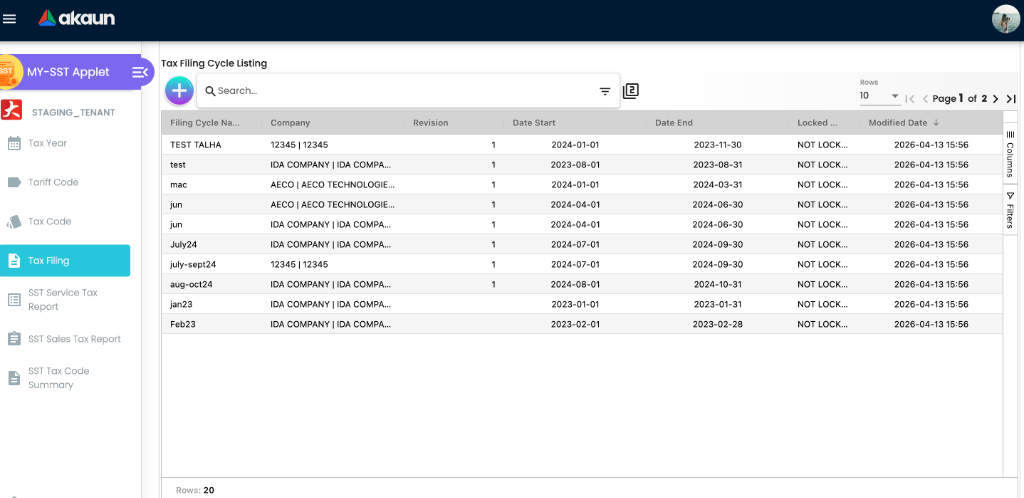
The Tax Filing & Submission workspace
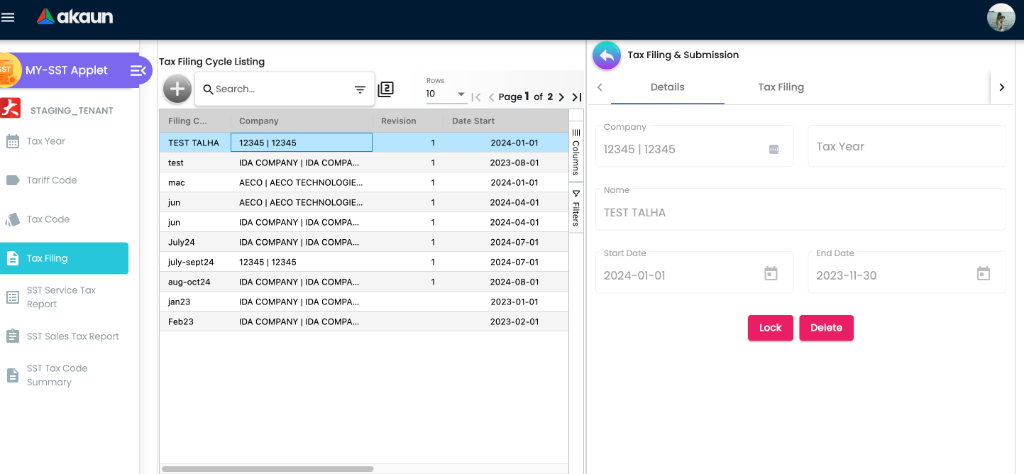
Opening a filing cycle gives a three-level tab structure. The nesting matters, because Service and Sales behave differently at every level below it.
Tax Filing & Submission
├── Details            (cycle metadata + Lock + Delete)
└── Tax Filing
    ├── Service
    │   ├── Filed Transactions
    │   ├── Unfiled Transactions
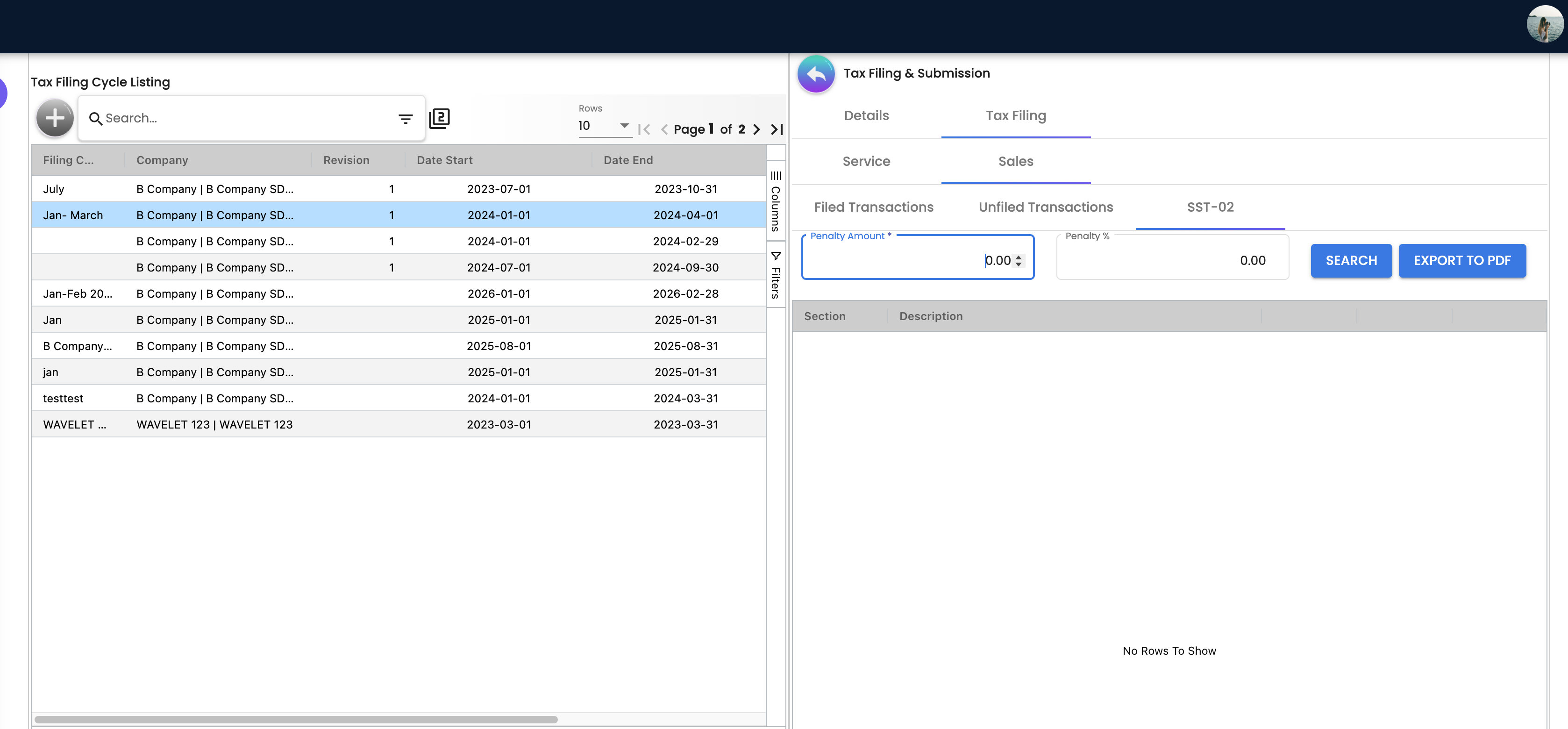
    │   ├── SST-02
    │   ├── SST-02 Version 2
    │   └── SST-02 Version 3
    └── Sales
        ├── Filed Transactions
        ├── Unfiled Transactions
        └── SST-02
The Service tab carries three SST-02 variants and the Sales tab carries one. The variants are not drafts of each other — each sums a different fixed set of service tax codes (see How each SST-02 box is computed).
Tariff Code screens
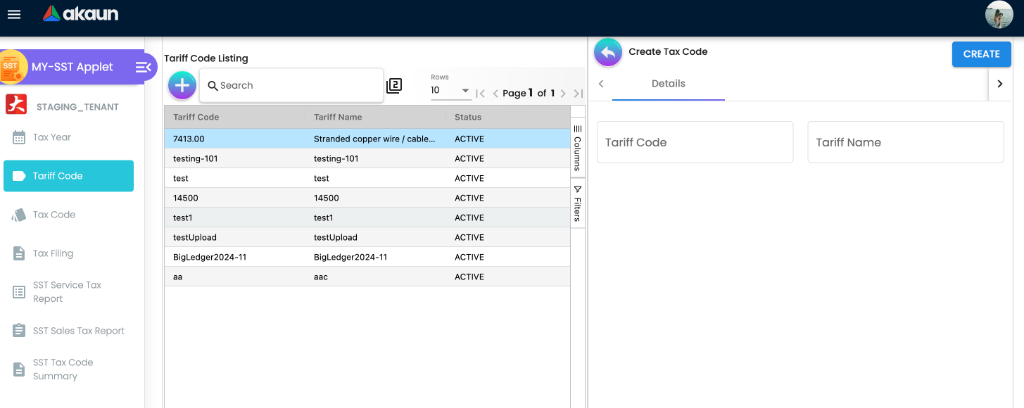
Configuration
Before you can use it
| Prerequisite | Where | Why it blocks you |
|---|---|---|
| Company with an SST registration number | Organization → Company | Part A of the SST-02 prints it. Blank here means blank on the return. |
| Fiscal year on that company | Organization → Company → Fiscal Year | The Tax Year form takes its start/end year and month from the selected fiscal year. Without one the tax year is created with null period bounds. |
The TARIFF_CODES label list | Seeded by the platform | The applet looks the list up and never creates it. The list is seeded as a system default, so it exists on a normally provisioned tenant. If it is missing, every tariff code you create is saved without a label list and Part B1 of the SST-02 comes back empty. |
| Tax codes named exactly as the SST-02 expects | This applet, or Tax Configuration | The SST-02 sums by hard-coded tax code literals. A correctly-taxed document whose tax code is not on the list is filed, appears in Part B1, and contributes nothing to Part B2. See the table in How each SST-02 box is computed. |
| Tax codes attached to items or entered on lines | Doc Item Maintenance | A line with no tax type is invisible to this applet at every stage. |
| Documents at the right posting status | Sales / purchase applets | Service tax only sees documents that are FINAL and have a settlement or contra. Sales tax sees anything not VOID. |
Applet settings
None of the settings screens work. The applet renders its own settings screens rather than the shared ones; they display, but they do not save.
| Screen | Menu entry | Verdict |
|---|---|---|
| Settings → Default Tax Settings | Yes | Two controls, Default Branch and Default Location. The first branch or location you pick throws an error, and SAVE saves nothing. |
| Settings → Field Settings | No | The eight-toggle stub (Unit Discount, SST/VAT/GST, WHT, Blanket Order, Segment, G/L Dimension, Profit Center, Project). Nothing is saved and SAVE does nothing. The same stub appears in Tax Configuration, Fixed Asset, Merchant Admin, Shipping Pricebook and Supplier. Reachable only by typing the URL. |
| Settings → Webhook, Client-Side Permission, Permission Set / User / Team / Role listings | Not in the menu | Shared screens, reachable but not linked. The Client-Side Permission listing is the first screen a user who clicks the gear sees. |
| Personalization → Default Selection | Yes | Same two controls, same defect, and stored values are never loaded back into the screen. |
| Personalization → Sidebar | No | Shared screen, reachable but not linked. |
No setting in this applet can be saved through its own screens.
The applet declares 30 setting keys. The one that changes what you see is the default branch (DEFAULT_BRANCH). Both Default Selection screens show it and neither can save it (the save fails before it writes). Default Location sits beside it on the same screens, cannot be saved either, and no screen in this applet reads it. The other 28 keys are neither shown nor read by the applet.
The default branch is the one to understand. It is read from your personal settings, not from the applet-wide settings that the Settings screen tries to write, and it pre-ticks the Branch filter on the four Filed / Unfiled Transactions tabs and on the SST Tax Code Summary. That matters, because File and File All refuse to run until a branch and a date range are chosen. The Personalization screen that would write the personal value cannot save, so today a personal default branch exists only where it was set through the API; otherwise you pick the branch on each tab. The SST-02 tabs have no Branch field at all — the return is per company and filing cycle.
Document behaviour settings
Not applicable in the usual sense: this applet creates no generic document, so there is no status flow, no posting toggle, no printable selection and no e-Invoice flag on its own records. The two behaviours that would normally be settings are fixed in the backend:
- Which documents are eligible is fixed in the product (tax type, posting status, settlement) — see Lifecycle and effects.
- Which tax codes each SST-02 box sums is fixed in the product — see the table below.
Settings in other applets that control this applet
| Setting | Where it is set | Effect here |
|---|---|---|
| Fiscal year start/end month and year | Organization → Company → Fiscal Year | Copied onto the tax year at creation and used to seed the first filing cycle’s start date. |
| Tax codes | This applet and Tax Configuration | Both applets write the same tax codes with different conventions. MY-SST stores the country as the alpha-3 code (MYS), stores the rate unrounded, and stores the tariff code where the SST-02 reads it. Tax Configuration stores the country name, rounds the rate (so 8.5% collapses to a whole percent), and stores the tariff code in a different place. A tax code created here cannot be opened in Tax Configuration’s edit screen. |
| Item-level tax code | Doc Item Maintenance | Determines the tax type, tax code, tax rate and tariff code on the document line, which are the only things this applet ever looks at. |
Company default OUTPUT_TAX / INPUT_TAX GL links | Chart of Account → Companies → the company → Default GL Codes | Used only by a carry-forward step on Lock that no screen triggers, and which posts fixed amounts rather than your figures. See Lock. |
Who can change what
No single “SST” permission family covers the applet: tax years, filing cycles, the filed tax transactions, the reports and the tariff and tax codes each sit under their own families. The SST Service and Sales Tax Reports also respect branch and company access — a branch or company you may not read gives an empty grid rather than an error.
The applet seeds no client-side permission definitions, so the Client-Side Permission listing — the first screen the gear opens — is empty.
Fields
Tax Year
| Field | Meaning | Required | Notes |
|---|---|---|---|
| Company | Company the tax year belongs to | Yes in practice | Not enforced; the create button does not check. |
| Fiscal Year | Fiscal year to inherit the period bounds from | Yes in practice | Selecting it copies the start and end year and month onto the tax year. Leaving it empty saves them blank. |
| Name | Free text | No | The only thing the Tax Year picker shows when you create a filing cycle, so name it by company and year, for example GS SST 2026. A tax year with no name is a blank line in that picker |
| Filing Cycle Duration | 1 Monthly, 3 Quarterly, -1 Custom Month, 0 Custom Duration | No | For Custom Month the value saved is the number typed into Specify Month, not -1. |
| Specify Month | Number of months per cycle | No | Shown only for Custom Month. The number replaces the duration itself, and it is the number of months added to the start date to fill in the first filing cycle’s End Date. Type 1 or 3 and the tax year afterwards reads as Monthly or Quarterly |
| Approval No | RMCD approval reference for a non-standard period | No | Shown for Custom Month and Custom Duration. Never saved — the screen drops the value on create, so the field is always blank. |
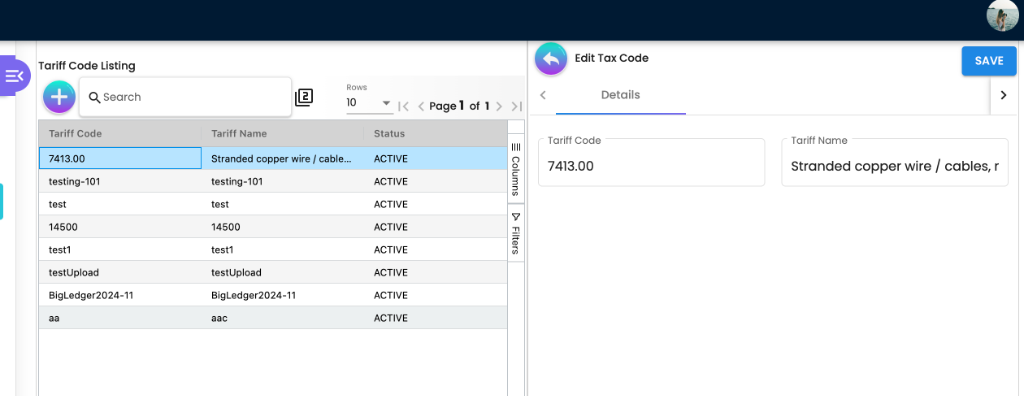
Tariff Code
| Field | Meaning | Required | Notes |
|---|---|---|---|
| Tariff Code | The RMCD tariff code | No validator | Nothing checks it against the RMCD list — a mistyped code is saved and only fails when the return is filed |
Every tariff code is attached to the TARIFF_CODES label list, looked up when the screen loads.
Tax Code
| Field | Meaning | Required | Notes |
|---|---|---|---|
| Tax Code | The code the document line will carry | No validator | This is the value the SST-02 matches against its hard-coded lists. |
| Tax Type | One of SST-SLS-INPUT, SST-SLS-OUTPUT, SST-SVC-INPUT, SST-SVC-OUTPUT | Marked required | A code whose type is outside these four is invisible to every query in this applet. |
| Tax Type Name | Read-only echo of the type’s label | Marked required on a read-only input | Display only. |
| Tariff Codes | Link to a tariff code | No validator | This is what Part B1 of the SST-02 groups by. |
The country is always MYS — the form offers only Malaysia. Whether a code is input or output tax follows from the Tax Type.
Filing Cycle
| Field | Meaning | Required | Notes |
|---|---|---|---|
| Tax Year | Tax year the cycle belongs to | Yes in practice | Selecting it fills Filing Duration and seeds Start Date from the fiscal year’s start month. |
| Name | Free text | No | The only text the Filing Cycle filter on the applet’s searches shows, and what its search box matches, so an unnamed cycle is a blank line. Name each cycle by its period, for example SST Jan–Feb 2026 |
| Filing Duration | Read-only echo of the tax year’s duration | — | Display only. |
| Start Date | First day of the taxable period | No validator | Opens at the first day of the tax year’s start month, which is right only for the year’s first cycle. It is Part A’s period start, and it orders locking: a cycle cannot be locked while any cycle of the same company with an earlier start date is unlocked, deleted cycles included |
| End Date | Last day of the taxable period | No validator | Seeded from the tax year’s duration. Changing Start Date afterwards always recomputes End Date as start + 3 months, regardless of whether the tax year is Monthly, Quarterly or Custom. |
A filing cycle is always created without a fiscal year link — the screen never sends one.
Saving a filing cycle checks that the company, branch, fiscal year and fiscal period it names exist. It does not validate that the end date is after the start date, and it does not check for overlapping cycles. Two cycles covering the same month are accepted, and the same document can be filed into both.
Lifecycle and effects
No screen in this applet posts a journal, creates a generic document or moves stock. The SST you owe is already in the ledger: each sales, purchase or POS document posted its own tax lines to the tax GL codes when it was finalised. This applet’s effect is on the filed tax transactions — the snapshot the SST-02 is computed from — and on one flag per document: its tax filing flag (shown as filed / not filed; it is the document’s tax posting status). That flag is a third field, separate from the document’s record status (active or deleted) and from its posting status (Draft, Final, Void); filing and unfiling change only the filing flag, never the other two.
What “Unfiled” means, and why Service and Sales differ
The Unfiled Transactions grid is a live query over the documents. The two tabs use different rules.
| Service | Sales | |
|---|---|---|
| Document status | FINAL only | anything not VOID — a DRAFT document qualifies |
| Settlement | The settled or contra’d amount must be non-zero, matched to the AR/AP contra documents | Not considered |
| Line qualifies when | tax type is SST-SVC-OUTPUT and (rate above zero or tax code ESS0) | tax type is SST-SLS-OUTPUT or SST-SLS-INPUT and rate above zero |
| Date range applies to | the contra (settlement) date | the document date |
| “Taxable Amount” column is | the service-taxed lines’ gross amounts added up, minus the whole document’s tax, with the document’s sign — so a document that also carries sales-tax or other taxed lines looks smaller than its service value | the tax itself |
| Deleted lines | excluded | not excluded |
The Service side is therefore a payment-basis view: an unpaid service invoice never appears, however final it is, and a service invoice paid in April appears in the April period even if it was raised in February. That is the Malaysian service-tax rule, and it is fixed rather than a setting. The Sales side is accrual-basis and does not even require the document to be final.
The Sales Filed Transactions tab is not limited to the cycle you opened: it lists filed sales documents by branch and date, whichever cycle they were filed into. UNFILE IT there unfiles a document from the cycle it is actually in. Before unfiling on the Sales side, confirm the document belongs to this cycle — the Service tab does limit itself to the open cycle.
File and File All
On the Service tab, FILE IT files the documents you selected and FILE ALL re-runs the eligibility query on the server with the current filter and files everything it returns. The Sales tab has only FILE ALL — its FILE IT button is switched off in the screen. Both buttons refuse to run until a branch and a date range are chosen (Please select the branch and date range first!).
The date range opens at the filing cycle’s own start and end dates, but you can change it, and nothing — on the screen or on the server — ties what is filed to the cycle’s period. Widen the range by mistake and FILE ALL files other periods’ documents into this cycle’s return. Check the range before you press it.
For each document, filing walks the document lines, keeps only lines whose type is PNS (the item / product-and-service line type), and writes one tax transaction row per kept line. Each row is a snapshot: document type, both document numbers, transaction date, header net / tax / txn / withholding amounts, the line’s net, tax and txn amounts multiplied by the line signum, tax code, tax rate, tariff code, currency, item code, description, quantity, and the entity’s name, GUID, customer-or-supplier flag and tax registration number.
Consequences worth knowing:
- Non-
PNSlines never reach the return. A taxed charge or freight line that the document carries as a different line type is taxed on the invoice and absent from the SST-02. - On success the document’s tax filing flag is set to filed (
POSTED); that is the only thing that moves a document from Unfiled to Filed. Its record status and its posting status (Draft / Final / Void) are untouched. FILE ITskips documents already filed.FILE ALLdoes not — it files whatever the eligibility query returns.- If the write fails, the document is left unfiled, and the screen still shows Document Filed Successfully. Check the Filed Transactions tab rather than the message.
Unfile
For each document, UNFILE IT removes the first matching tax transaction row only, then clears the document’s tax filing flag. It finds that row by document, not by filing cycle.
So on a document with more than one taxed line, Unfile removes one tax transaction row, leaves the rest attached to the filing cycle, and marks the document unfiled. Filing it again adds a second full set of rows. This is the mechanism behind the recurring duplicate-filing reports. The removal is a soft delete: the row stays in the table marked deleted, and the SST-02 ignores it — but the SST Tax Code Summary does not (see The three on-screen reports).
If no matching row exists, Unfile fails with an error — and when you unfiled several documents at once, the ones before it have already been unfiled.
Lock
- Any filing cycle for the same company with an earlier start date that is not yet locked blocks the lock — deleted cycles included. The applet shows PREVIOUS FILING CYCLE IS NOT LOCKED as an error toast.
- Otherwise the cycle is marked Locked, with when and by whom.
- The backend has a carry-forward journal (SST-02 Auto Transfer, described AUTO CREATED DURING LOCKING OF FILING CYCLE) that runs only when a lock request names a GL code. No screen sends one — carry-forward is a GST concept, not an SST one, and the dialog for it was removed — so you will not see that journal. Do not trigger it through the API: its amounts are fixed placeholders written into the product, not anything computed from your filing.
What Lock does on the screen: once a cycle is locked, its Unfiled tabs grey out FILE ALL and FILE IT and its Filed tabs grey out UNFILE IT, so nobody can change a closed return from the applet, and Lock and Delete disappear from the Details tab. That control lives in the screen; the filing endpoints themselves do not check the lock, so an integration that files through the API must respect a locked cycle on its own.
What Lock also does: Part A of the SST-02 is computed only for cycles that are not locked. Locking a cycle makes its own Part A — company name, SST number, period start and end, due date — come back empty on every later SST-02 render, and Export to PDF for that cycle then fails without a message. Export the PDF, and keep it, before you lock.
There is no unlock action in the applet.
Delete
Deleting a filing cycle first looks for any filed tax transaction against it. If one exists the delete is refused with Cannot delete this filing cycle: filed documents found. Please unfile all documents first., which the applet surfaces as an error toast. Otherwise the cycle is soft-deleted without firing a webhook.
VOID of a filed document
Voiding a filed document is followed by a separate void-tax job. When it runs against a document whose journal is posted and whose tax filing flag is not already VOID, it reads one of the document’s filed rows — the first live one — writes a copy of it with every amount negated, marked VOID, into the same filing cycle as the original, and sets the document’s tax filing flag to VOID. It does not delete the original row.
What that means for your return:
- Only one line is taken back. A voided invoice with one taxed line nets to zero in its cycle. A voided invoice with five taxed lines still has four of them in the return.
- The reversal lands in the original cycle, not the cycle you are filing now — and if that cycle is already locked and its return submitted, the correction is not in the return you send next.
- After voiding any filed document, open the Filed Transactions tab of the cycle it was filed in and confirm its lines net to zero. If they do not, decide with your tax agent how to correct the return; Unfile on a voided document removes one row at a time, as above.
- If the document was never filed, the job fails with No tax transaction found for this generic document!.
How each SST-02 box is computed
Everything below reads the filed tax transactions (deleted ones excluded) for the company and the filing cycle. Nothing reads the live documents.
| Box | Source | Filter |
|---|---|---|
| Part A (company, SST no., period, due date) | The filing cycle and the company record | Cycles that are not locked. Due date is computed as the last day of the month after the cycle’s end date. |
| Part B1, item 10 | Sum of line net amounts grouped by tariff code, matched to the Tariff Code list | Lines that carry a tariff code. A tariff code with no matching Tariff Code entry drops out of the total. |
| Part B2 §11a / §11a tax (5%, Sales) | Sum of line net / sum of line tax | tax code SRG5, SW-5 or SU-5 |
| Part B2 §11b / §11b tax (10%, Sales) | same | tax code SRG10, SW-10 or SU-10 |
| Part B2 §11c / §11c tax (Service) | same | SST-02: SRS6, SVU-6, IMS6 · SST-02 Version 2: SRS8, SVU-6, IMS6 · SST-02 Version 3: SRS6, SRS8, SVU-6, IMS6, IMS8 — so imported services taxed at 8% (IMS8) appear only on Version 3 |
| Part B2 §12 | Service: the §11c tax. Sales: §11a net + §11b net | The Sales branch adds the taxable amounts, not the tax amounts. |
| Part B2 §13 (all sub-items) | Never assigned — always zero | A filed credit note is not missing from the form: its filed lines carry negative amounts and are already netted into §11 and §12. Do not enter it in §13 as well. |
| Part B2 §14 | = §12 | §13 is not subtracted. |
| Part B2 §15 | Penalty Amount and Penalty % as typed on the tab | The percentage is carried to the form but not used in any arithmetic. |
| Part B2 §16 | §14 + Penalty Amount | |
| Part D §18a (Sales) | tax code ZREG0 or ZRLG0 | |
| Part D §18b1 / b2 / b3 (Sales) | ESA / ESB / ESC-A, ESC-B, ESC-C | |
| Part D §18c (Service) | ESS0 | |
| Part E §19 / §20 / §21 (Sales) | EPC-A / EPC-B / EPC-C |
The three Service variants exist because the Malaysian service tax rate changed. Pick the variant whose tax codes match the rate in force for the period you are filing: the original for a 6%-only period, Version 2 for an 8%-only period, Version 3 for a period that straddles the change.
Because the codes are fixed in the product, a tenant whose SST tax codes are not named exactly SRS6, SRS8, SVU-6, IMS6, IMS8, SRG5, SRG10, SW-5, SW-10, SU-5, SU-10, ESS0, ESA, ESB, ESC-A/B/C, EPC-A/B/C, ZREG0 or ZRLG0 will get a Part B1 that adds up and a Part B2 that is zero. There is no setting to change the mapping.
The three on-screen reports
| Report | Reads | Scope |
|---|---|---|
| SST Service Tax Report | Live documents, service rules | Company, filing status, period, tax codes. Shows the contra documents and the latest contra date per row. |
| SST Sales Tax Report | Live documents, sales rules | Company and filing status only. The Date field and tax codes are not applied — the report lists sales-taxed documents from every period. |
| SST Tax Code Summary | Today’s amounts on the document lines, counted once for every filed tax transaction row that points at the line | Needs Company and Filing Cycle; Branch is optional. Returns two blocks — by branch and by tax code — with output net, output tax, input net, input tax and net tax; the client appends a Total row computed from the by-branch block only. Unfiled (soft-deleted) rows are counted too, so a line unfiled and re-filed in the same cycle counts twice. |
The two tax reports read live documents. The SST-02 reads the frozen snapshot. The Tax Code Summary is a third figure: live amounts, multiplied by however many filed rows — live or unfiled — a line has. They are different numbers by design for the first two, and they diverge permanently as soon as a filed document is edited; a Tax Code Summary higher than the SST-02 usually means unfiled-and-re-filed lines, not missing tax.
Related applets
- Tax Configuration — the other maintenance screen for tax codes, with different write conventions.
- Organization — company SST registration number and fiscal years.
- Chart of Account — the GL codes the tax journals hit; not written by this applet.
- Doc Item Maintenance — where a tax code reaches a document line.
- Sales Invoice (Internal), Purchase Invoice (Internal), Sales Credit Note (Internal) — the documents that get filed.
- Ledger and Journal — where the tax GL balance actually lives.
- Financial Report — for reconciling the return against the tax GL accounts.
- MY E-Invoice Admin — a separate LHDN obligation on the same documents; it shares no data with SST filing.
Troubleshooting
| Symptom | Cause | Fix |
|---|---|---|
| SST-02 item 10 and item 11c do not tally | Item 10 sums every filed line that has a tariff code. Item 11c sums only filed lines whose tax code is one of the three or four literals for the chosen variant. Any line with a tariff code but a different tax code lands in 10 and not in 11c; any line with the right tax code but no tariff code lands in 11c and not in 10. | Align tax codes to the literals in the table above, and make sure every tax code used carries a tariff code. |
| The SST Report and the SST-02 do not tally | The reports read live document lines; the SST-02 reads the snapshot written at filing time. Editing, voiding or re-filing a document after it was filed changes one and not the other. | Unfile and re-file the affected documents, then re-run the SST-02. Read the next row before you do this for a credit note or a sales return: Unfile removes only the first tax row it finds for a document, so re-filing one with several rows adds a second set and the SST-02 counts it twice. Check the document’s rows on the Filed Transactions tab after re-filing. |
| Duplicate rows for credit notes and sales returns in the SST-02 | Unfile deletes only the first tax transaction row for a document and then marks the document unfiled, so re-filing adds a second full set of rows. A document with rows against two filing cycles also appears twice in the eligibility grid, because the grid counts a document once per filing cycle it has rows against. | Look for the same document in the Filed Transactions tab of more than one cycle before re-filing. |
| A credit note shows as not filed and cannot be filed | Either its lines are not PNS type, or its tax rate is zero (sales eligibility requires a rate above zero), or the file call failed silently. | Confirm the credit note’s lines carry an SST tax type with a non-zero rate. |
| Item 13 (deductions) is always zero, and you wonder where the credit notes went | Item 13 is never assigned by the report builder, and item 14 is set equal to item 12. The credit notes are not lost. Filing writes each taxed line multiplied by the line’s sign, so a sales credit note’s rows are negative, and §11 and §12 add up every filed row of the cycle for their tax codes, whatever the document type. A filed credit note has already reduced §11 and §12. | Do not also enter a filed credit note in item 13, or the tax is deducted twice. Confirm the credit note is on the cycle’s Filed Transactions tab; one that is not there has not reduced the return. Whether Customs wants it netted into §11 or shown in §13 is a question for your tax agent. |
| Part B1 is empty although documents are filed | Either the filed lines carry no tariff code, or the tariff codes were created while the TARIFF_CODES label list was missing. | Check that the TARIFF_CODES label list exists, then recreate the tariff codes and re-file. |
| Part A of the SST-02 is blank after locking, and Export to PDF does nothing | Part A excludes locked cycles, and the PDF cannot be built without Part A’s dates; the export also fails if you press it before SEARCH. The screen shows no error either way. | Press SEARCH, then Export to PDF, and keep the PDF before locking. The PDF uses the penalty values of your last SEARCH. There is no unlock action. |
| SST Tax Code Summary is higher than the SST-02 | The summary counts today’s line amounts once per filed row, unfiled rows included, so an unfiled-and-re-filed line counts twice. | Treat the SST-02 and the Filed Transactions tab as the filed figure; use the summary only to look for lines filed more than once. |
| A voided invoice is still in the return | The void-tax job takes back one filed line per document, into the cycle it was filed in. | Open that cycle’s Filed Transactions tab after every void and check the document nets to zero. |
| SST Sales Tax Report ignores the dates you chose | The Sales report does not apply its Date field or tax codes. | Use the Sales Unfiled / Filed Transactions tabs, which do filter by date, for a period view. |
| Sales Filed Transactions shows documents from other cycles | The Sales tab is not limited to the open cycle. | Check the document’s cycle before unfiling it there. |
| Lock is refused with PREVIOUS FILING CYCLE IS NOT LOCKED | An earlier-starting cycle for the same company is still unlocked. Deleted cycles are not excluded from that check. | Lock the earlier cycles first, in date order. |
| A filing cycle cannot be deleted — Cannot delete this filing cycle: filed documents found | At least one filed tax transaction still points at the cycle. | Unfile every document first — remembering that Unfile removes one row per call. |
| A service invoice never appears in Unfiled Transactions | Service eligibility requires FINAL and a non-zero settlement or contra amount, and the date filter is applied to the settlement date, not the invoice date. | File it in the period in which it was paid. An unpaid service invoice is correctly excluded. |
| A draft sales invoice appears in Unfiled Transactions | The Sales eligibility query only excludes VOID; it does not require FINAL. | Finalise or void the draft before running File All. |
| Taxed freight or charge lines are missing from the return | Filing keeps only PNS lines. | Carry the taxed amount on a PNS line. |
| The Branch filter on the Filed / Unfiled tabs starts empty, and setting a default in Settings throws | Both Default Selection screens fail on save; the default that pre-ticks Branch is a personal setting neither screen writes. (The SST-02 tabs have no Branch field — the return is per company and cycle.) | Pick the branch on each Filed / Unfiled tab before File or File All. |
| End Date jumps to three months after you change Start Date on a monthly cycle | The date handler hard-codes a three-month offset. | Set End Date manually after changing Start Date. |
| Approval No is not saved on a custom-duration tax year | The create handler reads a property name that does not match the form control. | Record the RMCD approval reference elsewhere. |
Related documentation
- Financial Accounting module — where SST filing sits in the period-end close.
- Reviewing a Set of Books › Step 2, tie every sub-ledger — the guide for tying output and input tax on the Trial Balance to the SST-02 and the Tax Code Summary.
- Tax Configuration applet — the tax-code reference, including the divergence between the two maintenance screens.
- Organization applet — company SST registration and fiscal-year setup.