Internal Receipt Voucher Applet
Purpose and Overview
The Internal Receipt Voucher Applet manages internal receipt voucher operations from start to finish. You can create and edit vouchers, maintain line items, add payment and contra details, perform settlement adjustments, and import vouchers in bulk. The applet helps finance teams standardize receipt processing, preserve audit traceability, and keep postings aligned with branch and accounting controls.
Video Walkthrough
Watch this video to see how to use the Internal Receipt Voucher Applet:
What the Video Demonstrates
Based on the walkthrough, the video explains these practical scenarios:
- Receipt against customer invoices
- Create receipt, select branch/customer, record settlement, then offset against sales invoice(s).
- You can offset manually (choose invoice) or use auto offset behavior.
- Receipt for other income (no invoice)
- Create receipt, choose the payer account, add revenue line with the correct income account, add settlement, then finalize.
- Sales Credit Note flow (extra discount/rebate)
- Create credit note after invoice issuance, add discount line, then offset against the related sales invoice.
- Sales Debit Note flow (extra charge such as delivery)
- Create debit note with account and line amount, then offset later together with receipt/invoice flows.
- E-Invoice options in credit/debit note flow
- Choose Individual or Consolidated mode, and fill related reference fields when available.
Primary Menus
The applet is organized into the following primary sections:
- Internal RCT Voucher
- The core interface for listing, creating, and editing internal receipt vouchers.
- Manage line items, payments, contras, and attachments.
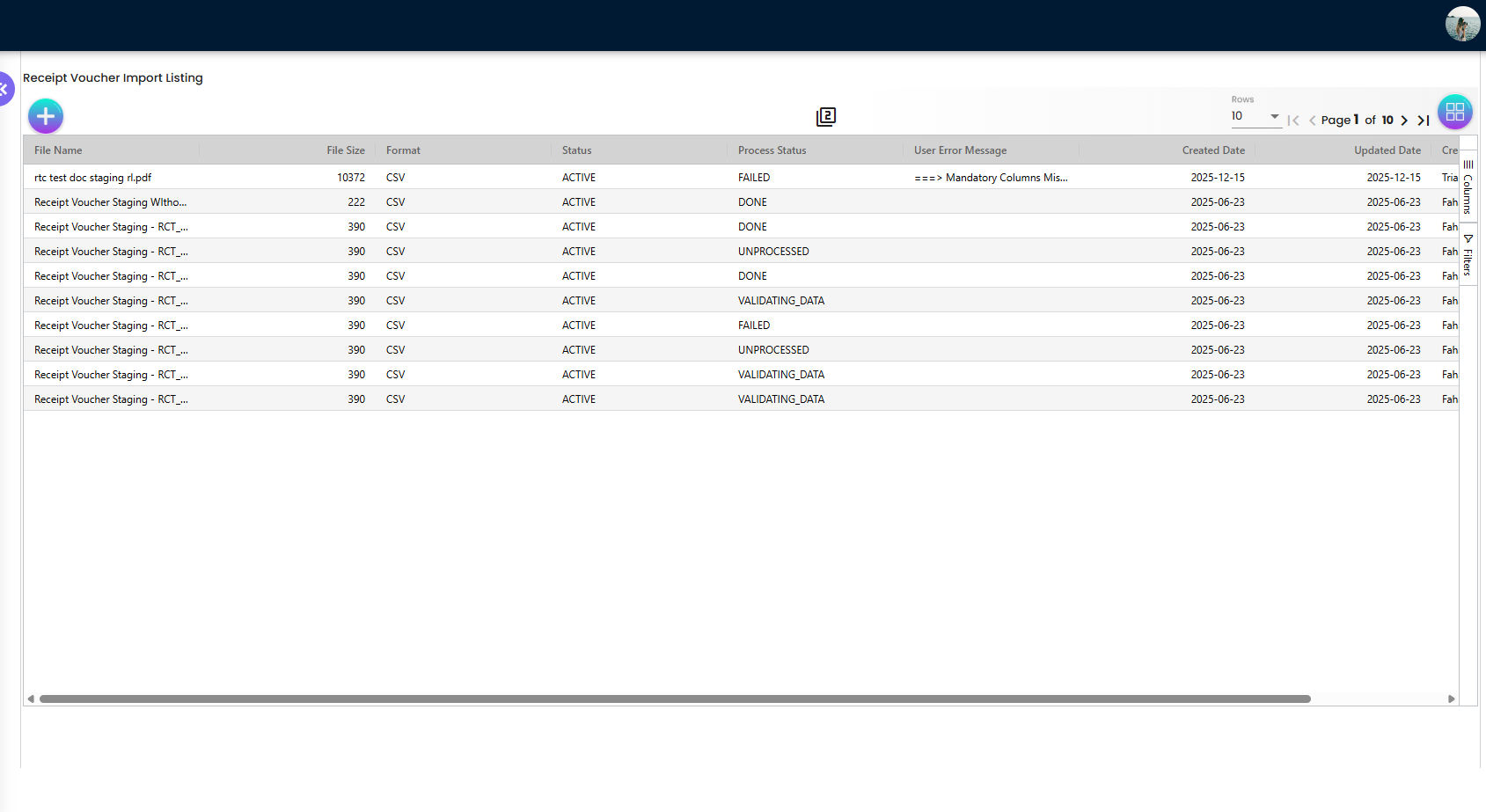
- Import Receipt Voucher
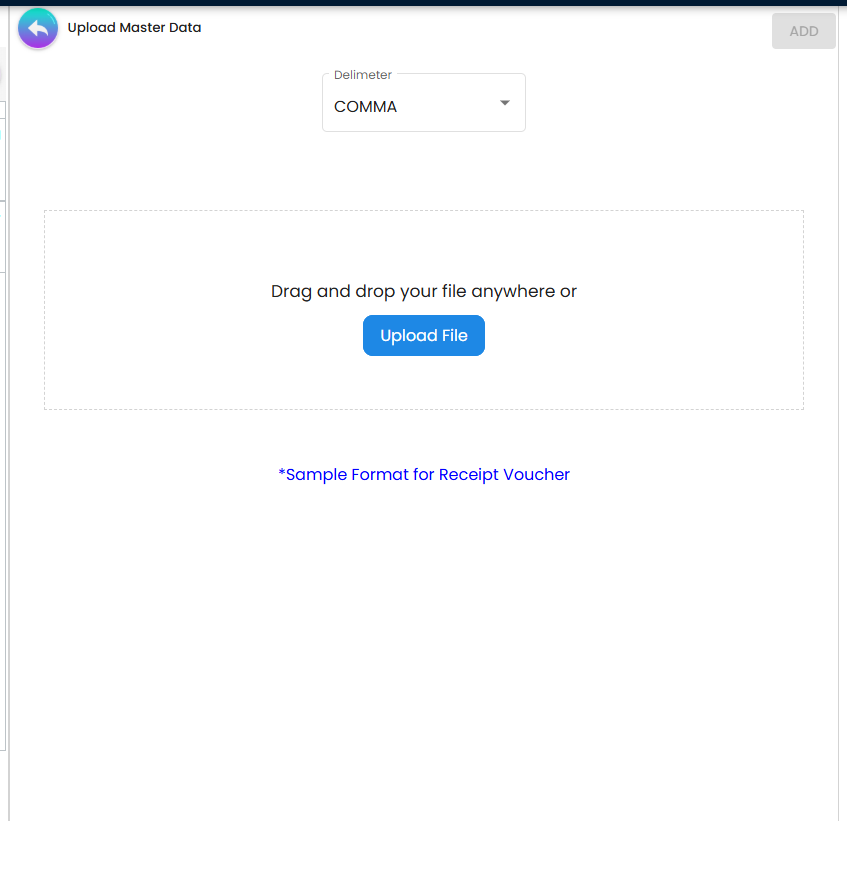
- A dedicated tool for bulk importing receipt vouchers from external files.
- Settlement Adjustment
- Manage and view settlement adjustments associated with receipt vouchers.
- Settings
- System Configuration: Configure application-wide settings, default selections, printable formats, and branch-specific settlement settings.
User Roles and Benefits
- Finance Executive / Accountant: creates vouchers, records receipts, and handles corrections.
- Finance Reviewer / Controller: validates settlement and posting readiness before period close.
- Auditor / Compliance Reviewer: reviews voucher history, adjustments, and linked references.
Key Behaviors and Business Rules
- Voucher Header and Core Details
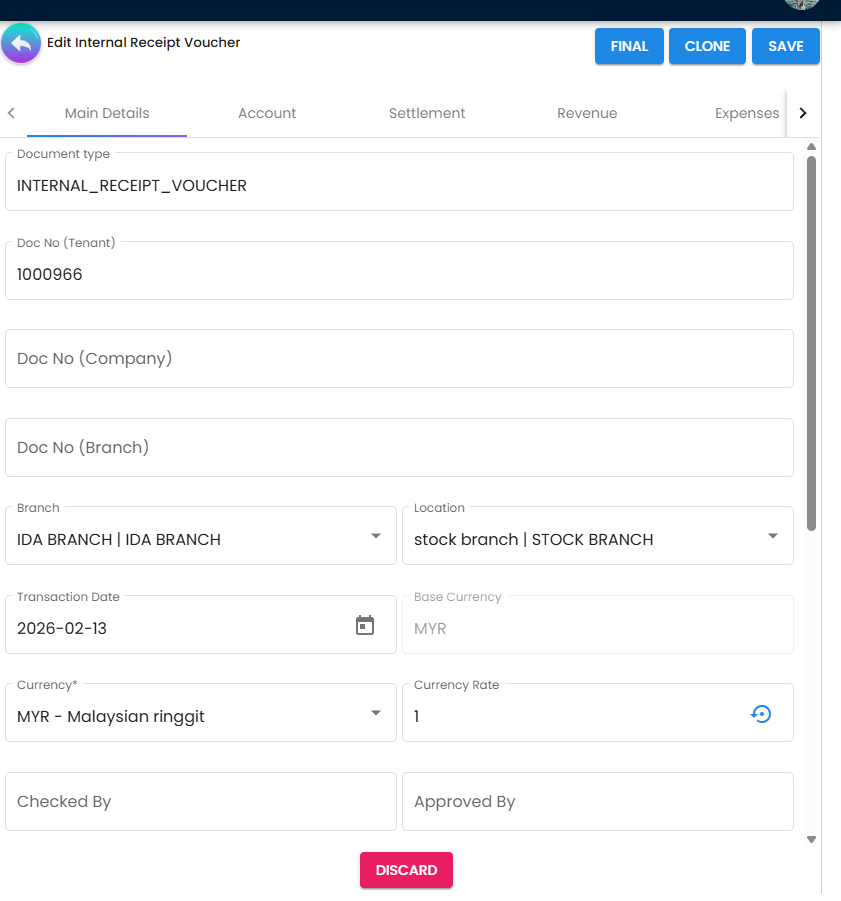
- Typical fields: branch, company, location, document number, reference, transaction date, currency, exchange rate.
- Optional operational fields may include shipping, tracking, permit number, and remarks.
- Approval flow support includes Checked By and Approved By.
- Line Item and Cost Coding
- Add/edit line items and assign dimensions such as segment, project, profit center, and dimension.
- Supports inventory-related controls such as bin and batch selections when applicable.
- Payment, Contra, and Settlement
- Add/edit payment lines for receipt allocation.
- Maintain contra entries for offset and balancing scenarios.
- Add/edit settlement adjustments when reconciliation corrections are needed.
- For receipt scenarios, contra/offset can be adjusted later if the initial allocation is incorrect.
- Import Flow
- Use Import Receipt Voucher for higher-volume voucher onboarding.
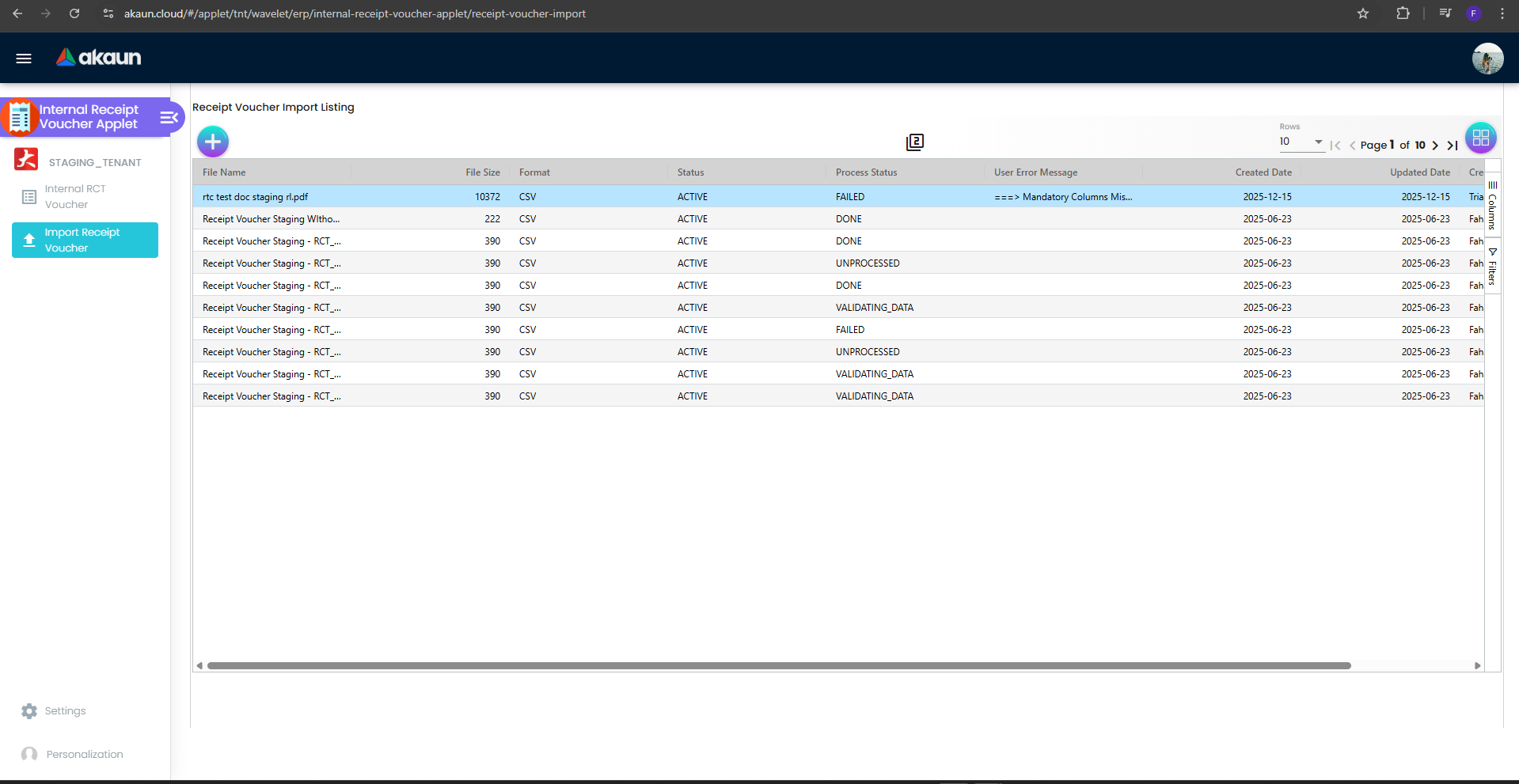
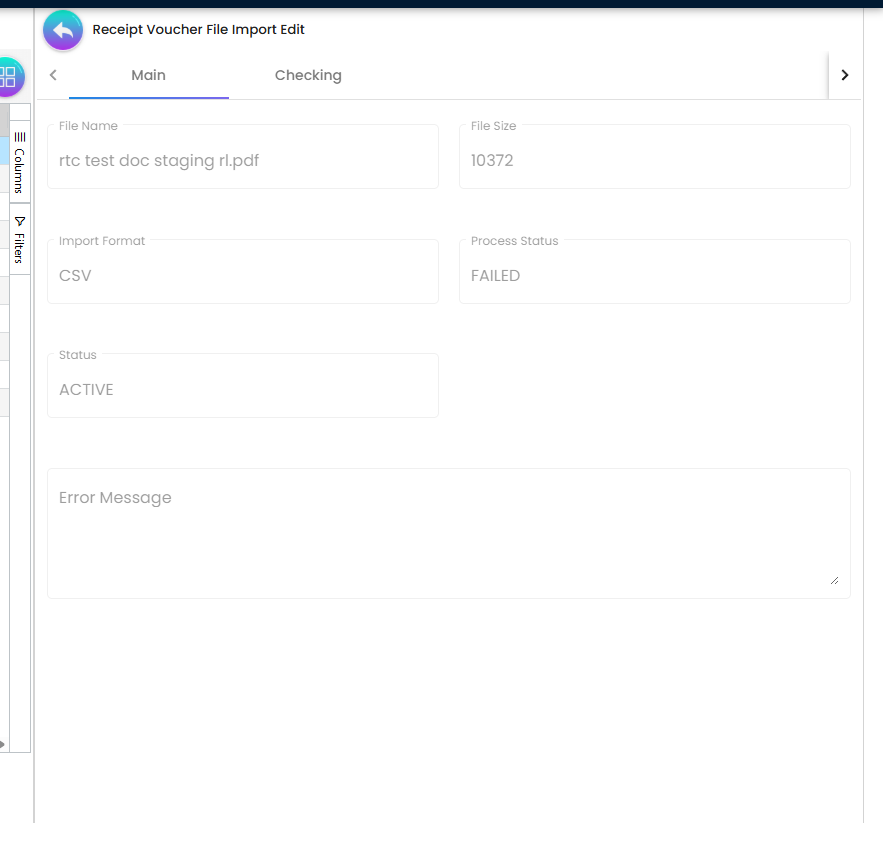
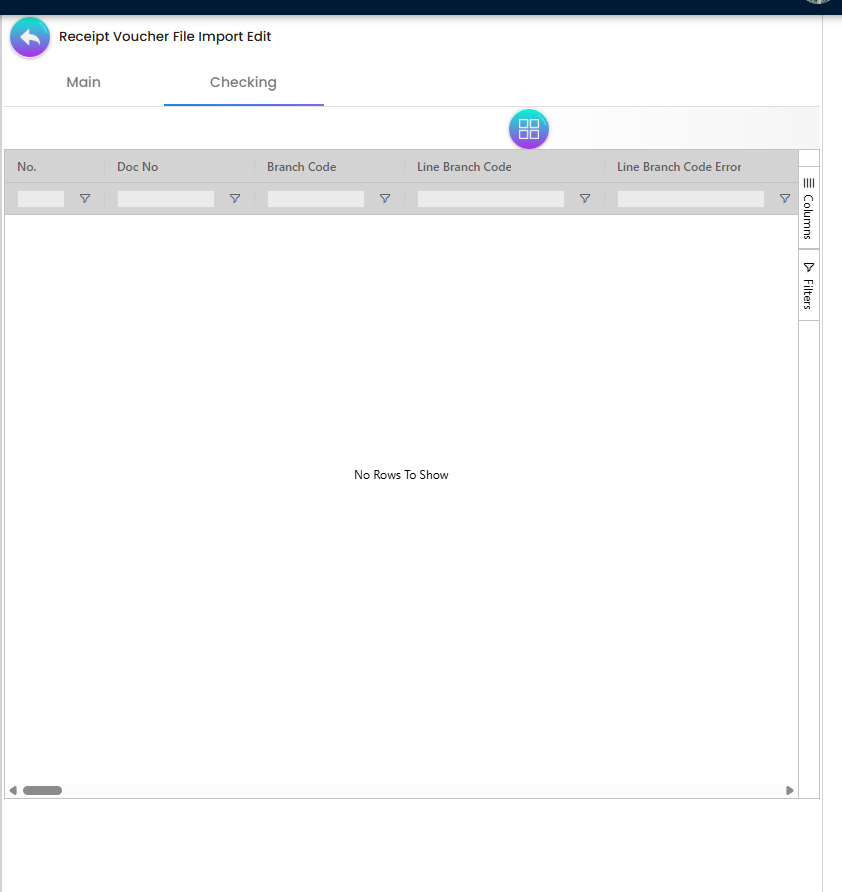
- Typical lifecycle includes upload/checking/review and final status handling.
- Shared Listing Behavior
- Grid-based listing with filtering and drill-down editing.
- Two-column workflow support for list/detail navigation.
Screens and Workflows
1. Internal Receipt Voucher Management
The primary workflow revolves around the Internal Receipt Voucher menu. Users can:
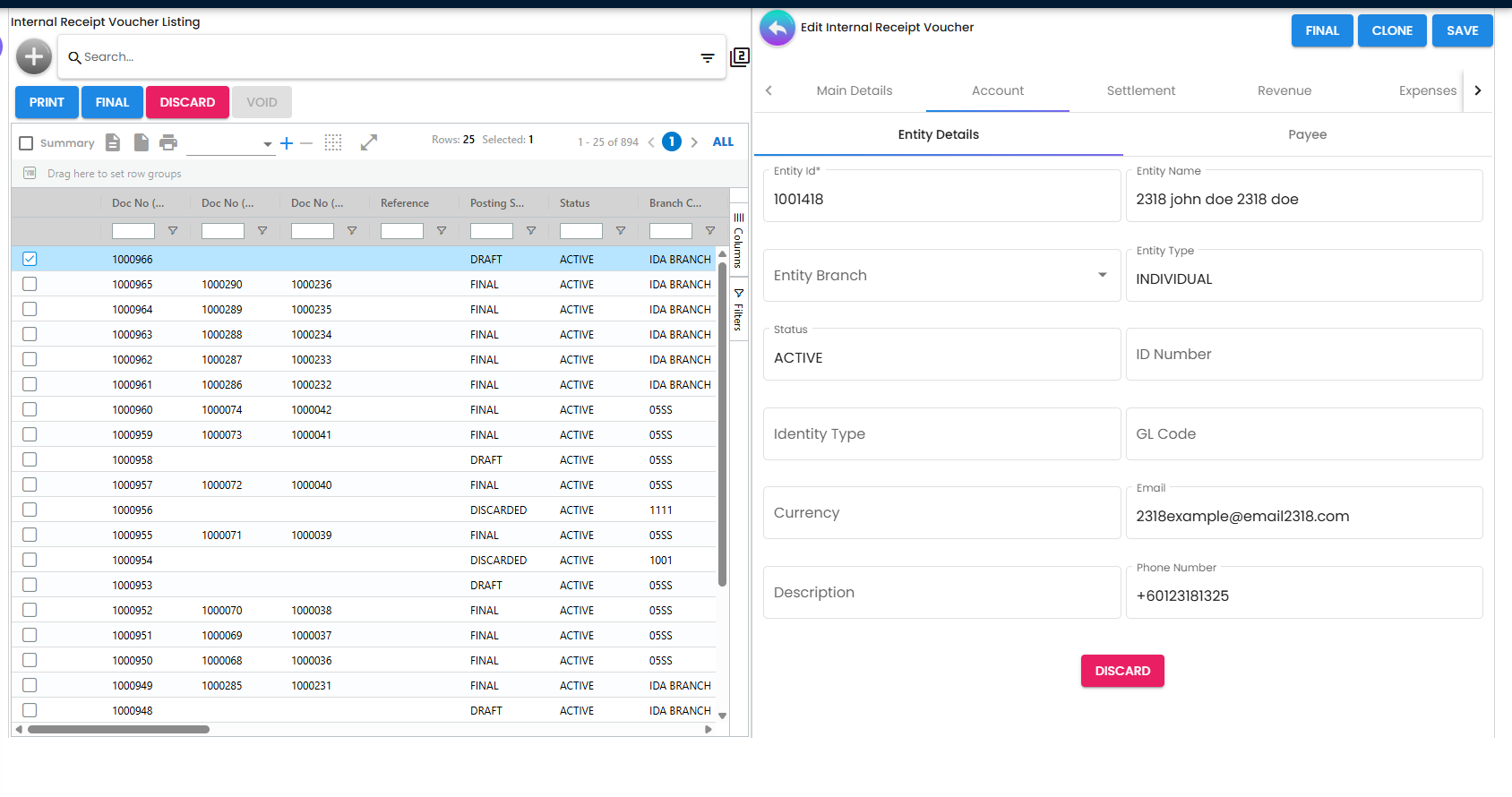
- List Vouchers: View a paginated list of existing vouchers with filtering capabilities.
- Create/Edit Vouchers: Enter header details such as Branch, Company, Location, Document Number, Reference, Transaction Date, and Currency.
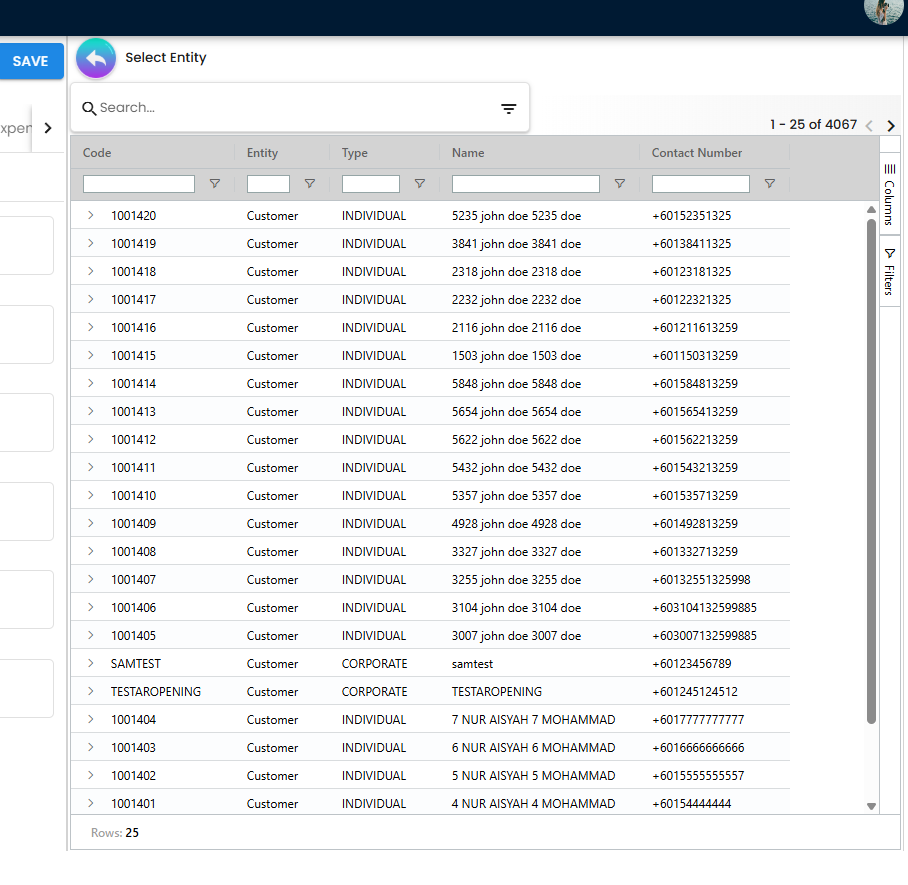
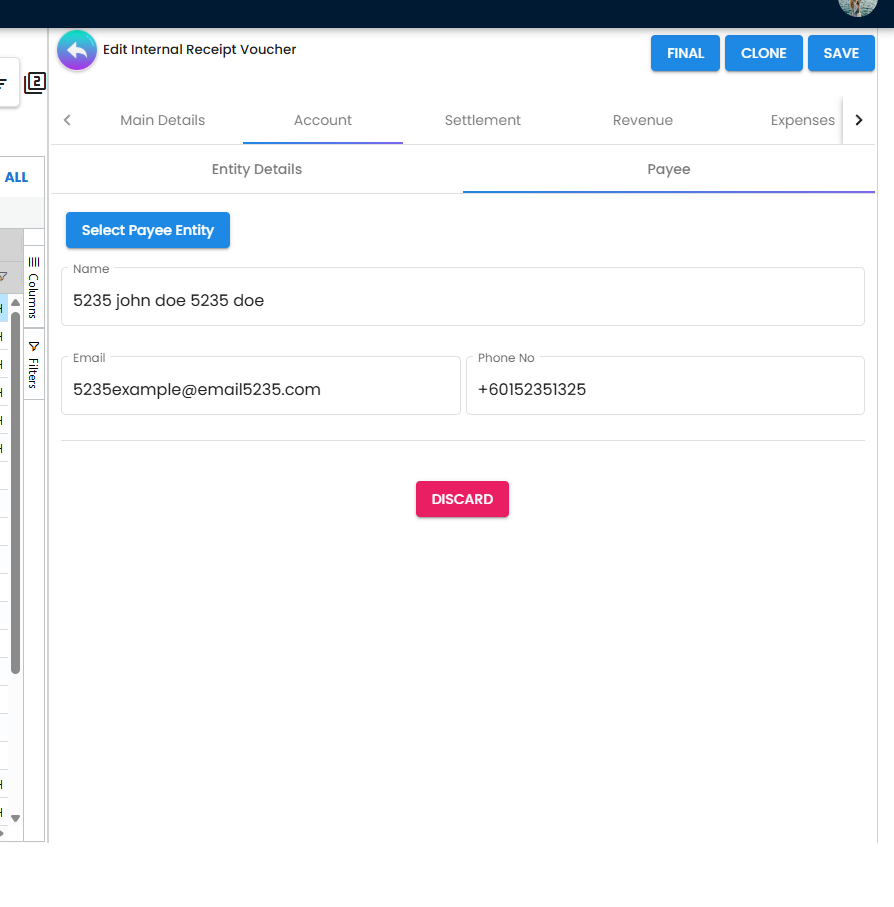
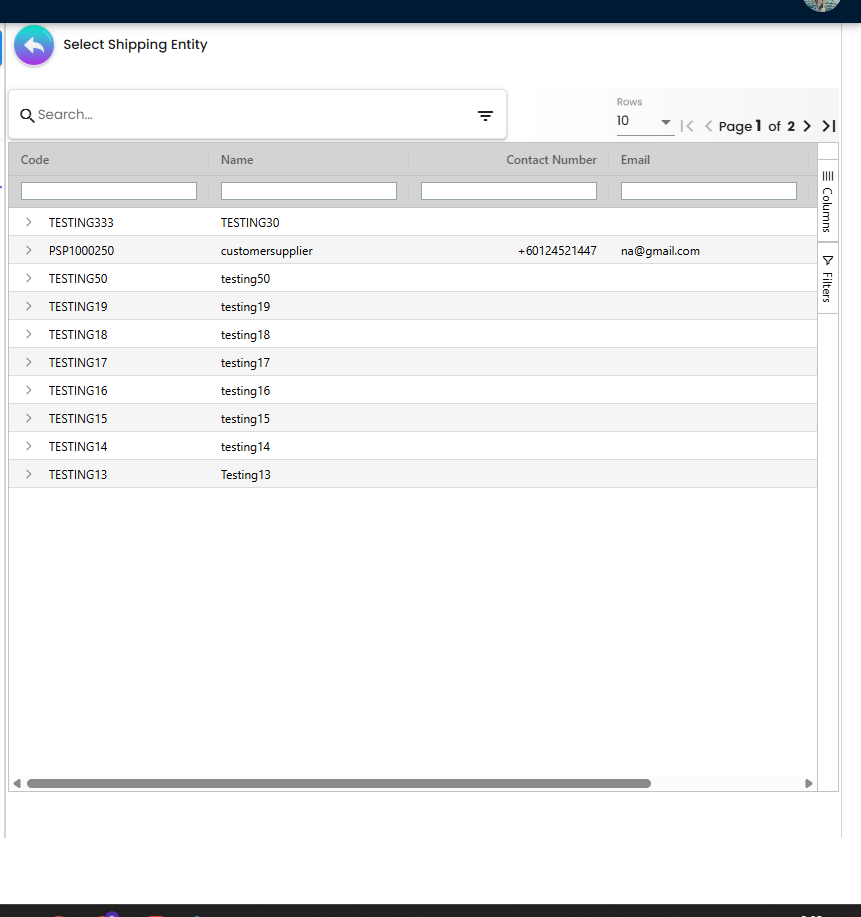
- Entity Linking: Link vouchers to specific Entities, Billing Addresses, Shipping Addresses, and Contacts.
2. Line Item Management
For each voucher, users can add detailed line items. This includes:
- Inventory Details: Specify items, quantities, and unit prices.
- Bin & Batch Tracking: Support for assigning bin numbers and batch numbers where required.
- Issue Links: Link line items to related issues or tickets, with support for activity/time logging.
- Cost Allocation: Allocate costs to Segments, Projects, Profit Centers, and Dimensions via tree selectors.
3. Financial Processing
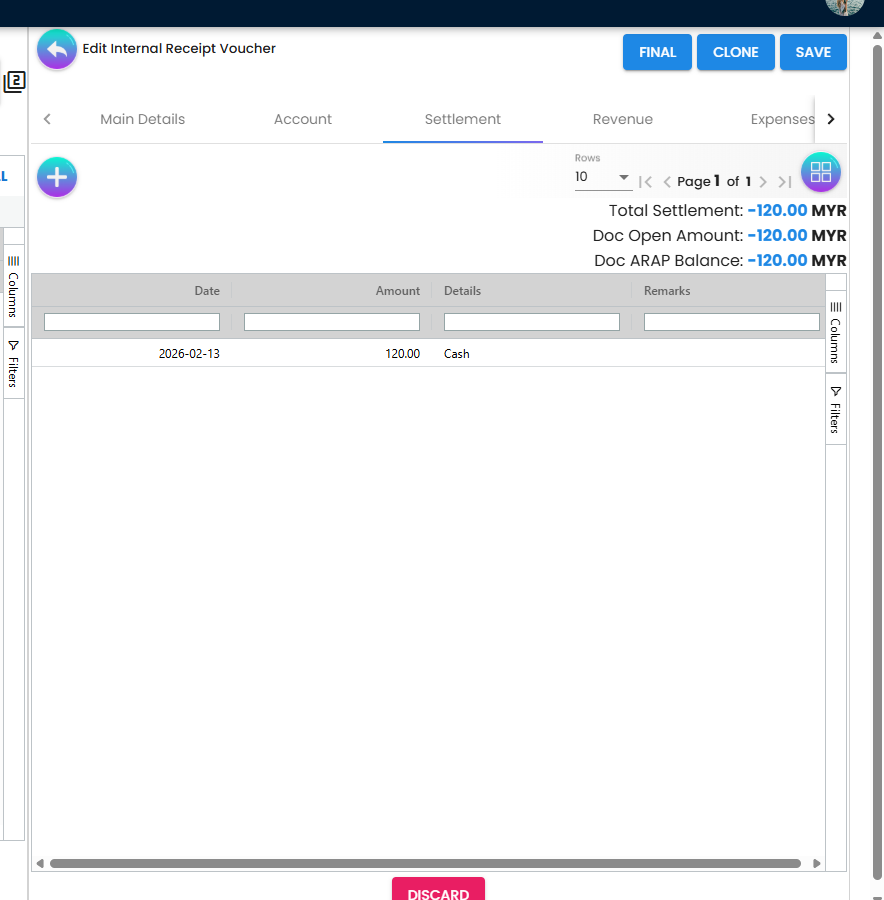
- Payments: Add and edit payment details directly within the voucher.
- Contras: Handle contra entries to offset balances against other accounts.
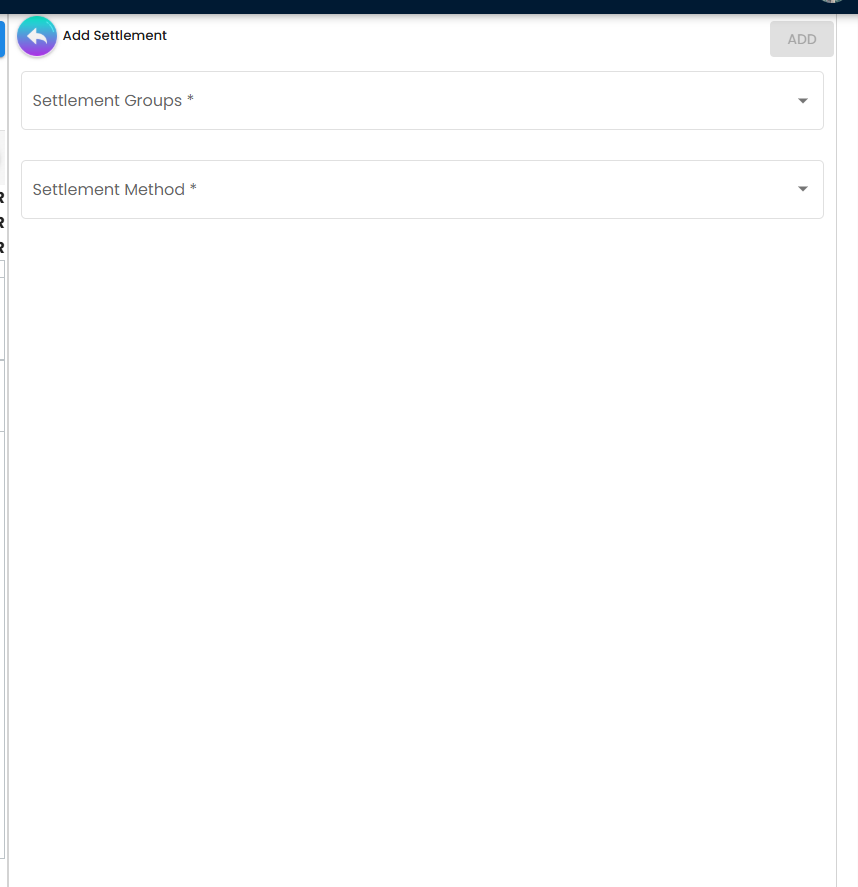
- Settlement Adjustments: Perform adjustments to settlements where necessary.
4. Workflow and Approvals
The applet supports a verification workflow:
- Checked By: Assign an employee to check the voucher details.
- Approved By: Assign an employee to give final approval.
5. File Import
The Import Receipt Voucher feature allows for bulk creation of vouchers from external files, streamlining high-volume data entry.
Settings and Configuration
The applet offers extensive configuration options under the Settings menu:
- Application Settings: Toggle visibility of specific fields and potential validation rules.
- Default Selection: Set default values for common fields to speed up data entry.
- Printable Format Settings: Configure how the receipt vouchers appear when printed.
- Branch Settings: Define specific settlement behaviors and rules per branch.
Data Model (Conceptual)
Receipt Voucher Header
- Core: Document No, Reference, Transaction Date, Branch, Company, Location.
- Financial: Currency, Exchange Rate, Group Discount, Credit Terms.
- Logistics: Ship Via, Tracking ID, Permit No.
- Commercial: Sales Agent, Sales Lead.
Department / Cost Coding
- Segment, Dimension, Profit Center, Project.
Posting Status
- Journal Status, Inventory Status, Membership Status, Cashbook Status, Tax Status.
Form Architecture
- Structured form flow for voucher header, line items, and settlement operations.
- Two-column user experience for faster list/detail navigation.
- Role-based access and action visibility based on user permissions.
Demo Script (Quick Walkthrough)
- Create Voucher
- Open Internal RCT Voucher and click add.
- Fill main details (branch/company/date/reference/currency).
- Select entity and save draft or final document.
- Add Financial Details
- Add line items and complete department coding.
- Add payment and contra lines if required.
- Enter settlement adjustment when applicable.
- Import (Optional)
- Open Import Receipt Voucher.
- Upload the source file and complete checking.
- Review main tab status and resolve any failed rows.
- Review and Approve
- Set Checked By and Approved By assignments.
- Re-open listing to verify status and traceability.
- Discount/Charge Adjustment Scenarios (From Video)
- Use Sales Credit Note when giving additional discount/rebate after invoice creation.
- Use Sales Debit Note when charging additional amount (for example delivery charges).
- Offset the related documents and confirm there is no remaining open balance.
Troubleshooting
- Cannot save voucher: verify required header fields (branch/company/date/reference/currency) are complete.
- Entity or account not selectable: check master data availability and user permissions.
- Import errors: inspect Checking tab details and validate source format mapping.
- Settlement mismatch: review contra/payment lines and settlement adjustment entries.
- Posting discrepancies: confirm Chart of Account mapping and downstream GL posting status.
Technical Architecture
The applet is designed for scalable enterprise operations:
- Supports a split-view interface for efficient listing and editing.
- Applies permission-based behavior for secure access to actions.
- Organizes voucher, import, settlement, and settings features in dedicated work areas.
Related Applets
The Internal Receipt Voucher Applet interacts with several other core modules:
- Customer Applet: For selecting entities and managing customer billing/shipping details.
- Chart of Account Applet: For defining the underlying GL accounts used in vouchers and contras.
- General Ledger Applet: Where the final financial postings and journals from receipt vouchers are recorded.
Summary
The Internal Receipt Voucher Applet provides a controlled, auditable workflow for internal receipt handling. It combines voucher entry, line-item and financial detail management, settlement correction tools, and bulk import support in one applet, with clear integration into customer, chart of account, and general ledger processes.