Consignment GIN Applet (Internal)
Issue consignment stock — stock a supplier has placed at your location and still owns — back out of that location. Finalising takes the quantity out at the document’s own amount rather than the running average, so a note keyed at another price shifts the item’s moving-average cost for everything left on the shelf, and where your company posts a journal for it the entry goes through the ordinary supplier-side accounts, not the consignment accounts its GRN and Return siblings use. There is no void: the only correction is a compensating Consignment GRN.
Overview
The Consignment GIN Applet (Internal) raises a goods issue note for consignment stock — stock a supplier (the consignor) has placed at one of your locations and still owns. Finalising a consignment GIN takes the quantity out of the location named on the document and, where your company posts journals for it, reduces the amount recorded against that consignor. It is the outbound mirror of the Consignment GRN, which brought the stock in: the GRN’s signums are quantity +1 / amount −1, the GIN’s are quantity −1 / amount +1.
Server document type INTERNAL_PURCHASE_CONSIGNMENT_GIN, short code CSGGIN. The applet does not say why stock is being issued — return to the consignor, transfer out, write-off — it only records the issue; your consignment process decides which cases use it and which use the Consignment Return document instead.
The applet is a single-document applet: one listing, a create/edit form, a cross-document line-item listing, and the standard settings pages. Nothing in the consignment family knocks a consignment GIN off into another document.
Where it fits
| Direction | Applet / document | Why |
|---|---|---|
| Upstream | Consignment GRN Applet (Internal) | Brings consignment stock into the location; the GIN can only issue what the location holds (the backend checks the balance on FINAL) |
| Upstream | Consignment Purchase Order | The agreement under which the stock arrived; not linked to the GIN by the applet |
| Upstream | Doc Item Maintenance | Only items with the Consignment Item flag appear in the GIN’s item search |
| Upstream | Supplier, Employee Maintenance | The consignor is a supplier entity; the Purchaser is an employee entity |
| Upstream | Organisation | Company, branch and location on the header; the company’s posting configuration decides whether FINAL creates a journal |
| Downstream | Stock Balance, Stock Report | Show the quantity leaving the location; the Stock Report’s document-type filter lists INTERNAL_PURCHASE_CONSIGNMENT_GIN |
| Downstream | Creditor Report, Debtor and Creditor Report | Treat the GIN as a supplier-side (AP) document: it can be selected for contra in the Creditor Report and is excluded from the debtor side |
| Sibling | Consignment Return (Internal), Consignment Billing, Consignor Purchase Billing | The other consignment documents; none of them reads the GIN |
Modules: Purchasing, Inventory.
Screens and menus
| Menu | Purpose |
|---|---|
| Internal Consignment GIN | Listing of consignment GINs with create, edit and a bulk FINAL button for the selected rows |
| Line Items | One row per active line across all consignment GINs; opening a row opens the parent document |
Gear (Settings) menu, group System Configuration: Application Settings, Default Selection, Printable Format Settings. The shared settings shell adds the platform pages (Webhook, Feature Visibility, permission listings, Release Notes, Audit Trail). Personalisation: Default Selection and Sidebar.
Listing
The listing shows a FINAL button that posts every selected DRAFT row. Columns: Consignment GIN No (server_doc_1), Posting Status, Branch, Supplier Name, Purchaser, Updated Date, Created Date, Transaction Date, Created by. Advanced search: Consignment GIN No, Branch Name, Supplier Name, Created Date (from/to), Transaction Date (from/to), Created by. The quick search box matches document number, branch name, supplier name and the creator.
Create / edit form
Tabs on create: Main Details, Account, Lines, Payment (unless HIDE_MAIN_PAYMENT_TAB), Department Hdr (unless HIDE_DEPARTMENT_HDR_TAB). Edit adds Contra, Doc Link, Attachments and Export (each hideable by the matching HIDE_*_TAB setting), plus SAVE, RESET, FINAL and — for non-final documents when SHOW_DOCUMENT_DELETE_BUTTON is on — DELETE (two clicks: the first arms a confirmation, the second deletes).
The Lines tab has one way to add a line: Search Item. Knock-off tabs for sales order, jobsheet, delivery order, purchase order, requisition, quotation, invoice and return exist in the source but are commented out, so a consignment GIN is always keyed in from the item master.
Line Items
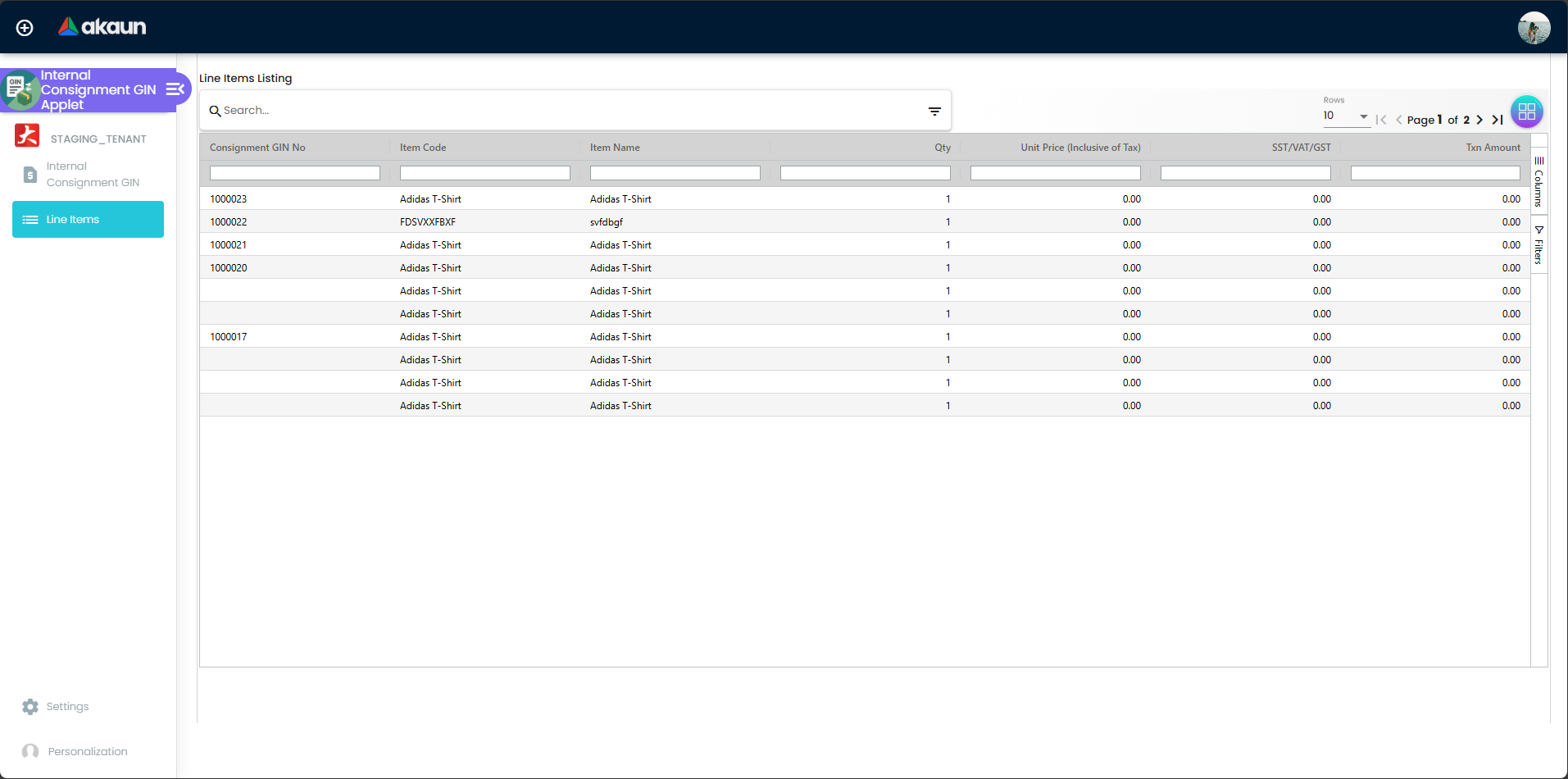
Advanced search: Consignment GIN No., Item Code, Item Name, Txn Amt (range). Only ACTIVE lines of INTERNAL_PURCHASE_CONSIGNMENT_GIN documents are listed.
Settings
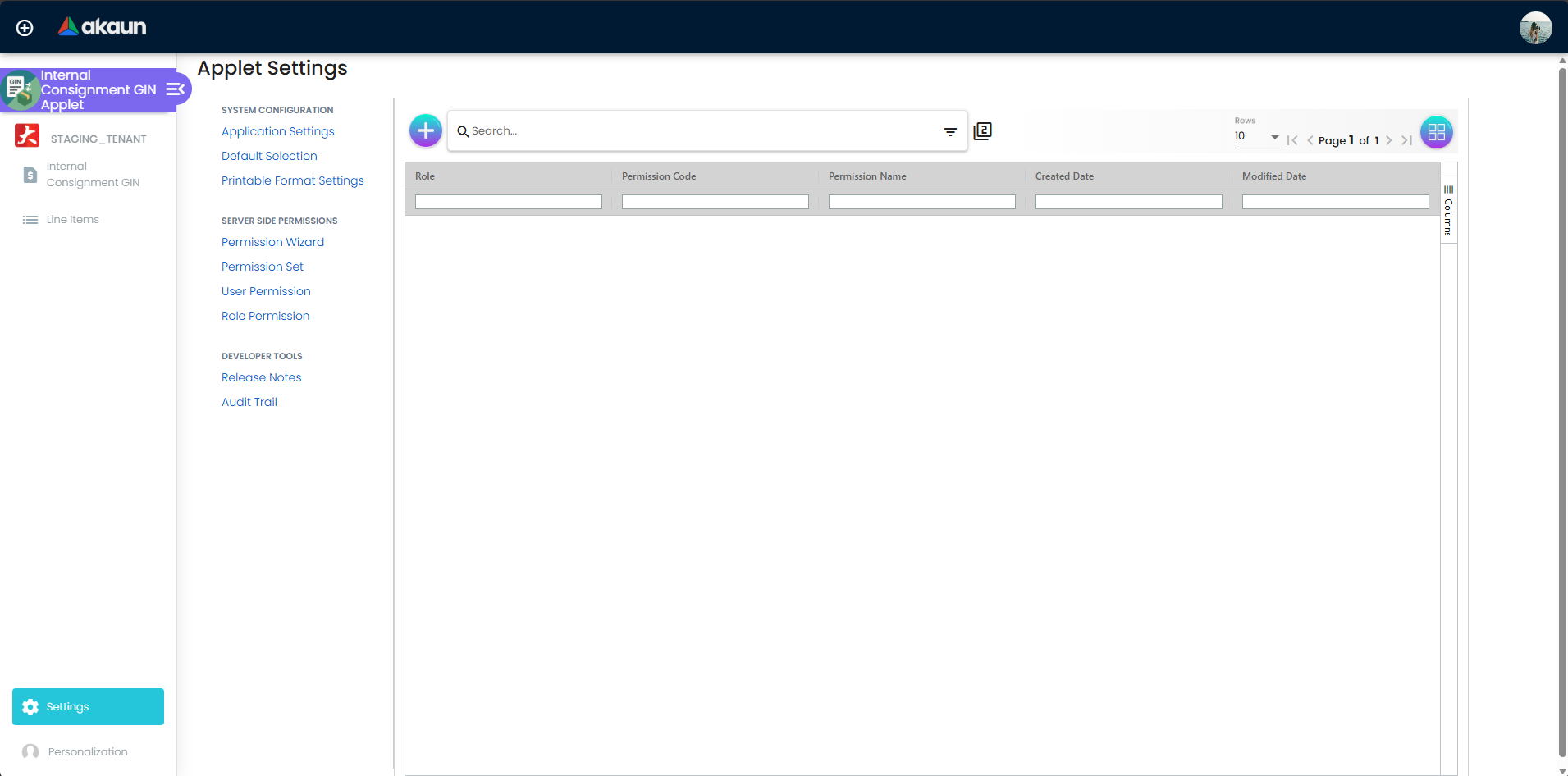
Configuration
Before you can use it
| Prerequisite | Where | Why |
|---|---|---|
| Items flagged Consignment Item | Doc Item Maintenance | The item search on the Lines tab sends consignment_flg = true; an unflagged item cannot be added |
| Consignment stock at the issuing location | Consignment GRN | FINAL validates the stock balance by default and rejects lines the location cannot cover |
| The consignor as a supplier entity, with its AR/AP type set | Supplier | The Account tab lists suppliers; if a journal is posted, AP_TRADE maps to the CREDITOR default GL code and AP_OTHER to CREDITOR_NON_TRADE |
| Employee entities | Employee Maintenance | The Purchaser picker lists employees |
| Company, branch and location | Organisation | Branch, company and location are required on the header |
Document numbering for CSGGIN | Organisation > document numbering | The running number shown as Consignment GIN No |
| Tax codes (optional) | Tax Configuration | The line’s SST/GST/VAT and WHT selectors |
Default GL codes CREDITOR / CREDITOR_NON_TRADE, PURCHASE, INPUT_TAX — only if the company posts journals for this document | Chart of Accounts | See Lifecycle and posting; a missing creditor mapping makes FINAL fail with MISSING_DEFAULT_GL_CODE |
| Printable formats (optional) | Settings > Printable Format Settings | Needed for the Export tab |
| API permissions | Settings > Permission Set / User / Team / Role | TNT_API_DOC_INTERNAL_PURCHASE_CONSIGNMENT_GIN_CREATE / READ / UPDATE / DELETE |
Applet settings
Settings > Application Settings is the shared settings screen. For this applet it shows every control that is not reserved to a named applet, but the Payment, Department Hdr, Doc Link and Export tab toggles never appear — the screen does not recognise this applet’s code as the one those sections are meant for. It saves the whole form as the applet’s settings. The settings below are shown on that screen and used by the applet. All are tenant-wide; only a user who can open the applet’s Settings can change them. Every setting defaults to off.
| Setting | What it controls | Effect when changed |
|---|---|---|
HIDE_MAIN_CONTRA_TAB, HIDE_ATTACHMENT_TAB | Contra and Attachments tabs on edit | Tab disappears |
HIDE_TRACKING_ID, HIDE_PERMIT_NO | Tracking ID and Permit No on Main Details | Field hidden |
HIDE_SERIAL_NUMBER, HIDE_BATCH_NUMBER, HIDE_BIN_NUMBER | The tracking sub-tab of a line (shown only for items of that sub-type) | Hiding the tab does not remove the backend’s serial / batch / bin quantity checks on FINAL |
HIDE_COSTING_DETAILS, HIDE_PRICING_DETAILS, HIDE_ISSUE_LINK | Costing Details, Pricing Details and Issue Link tabs of a line | HIDE_COSTING_DETAILS is overridden per user by the SHOW_COSTING_DETAILS permission |
HIDE_DELIVERY_INSTRUCTION, HIDE_DEPARTMENT, HIDE_DOC_LINK, HIDE_DELIVERY_DETAILS | Sub-tabs under a line’s Item Details | Doc Link and Delivery Details only exist in edit mode anyway |
HIDE_UNIT_PRICE_STD_PRICING_SCHEME, HIDE_UNIT_PRICE_STD_EXCL_TAX, HIDE_UNIT_PRICE_STD_INCL_TAX, HIDE_UNIT_DISCOUNT, HIDE_QTY_BASE, HIDE_QTY_UOM, HIDE_UOM_TO_BASE_RATIO, HIDE_UNIT_PRICE_STD_UOM_EXCL_TAX, HIDE_UNIT_PRICE_STD_UOM_INCL_TAX, HIDE_UNIT_DISCOUNT_UOM_EXCL_TAX, HIDE_UNIT_PRICE_NET_UOM_EXCL_TAX, HIDE_UNIT_PRICE_TXN_UOM_INCL_TAX, HIDE_UNIT_PRICE_NET_EXCL_TAX, HIDE_AMOUNT_STD_EXCL_TAX, HIDE_DISCOUNT_AMOUNT_EXCL_TAX, HIDE_AMOUNT_NET_EXCL_TAX, HIDE_UNIT_PRICE_TXN, HIDE_AMOUNT_TXN | One price, quantity or amount field each on the line’s Main Details | Each is reopened per user by the matching SHOW_* client-side permission (see below) |
HIDE_TAX_CONFIG_SELECTION, HIDE_WHT_CONFIG_SELECTION | The tax-code selector with its rate and amount; the WHT selector with its rate and amount | Reopened by SHOW_TAX_CONFIG_SELECTION / SHOW_WHT_CONFIG_SELECTION |
PRINTABLE | The printable format pre-selected on the Export tab | Set by choosing a default under Settings > Printable Format Settings |
Settings the applet uses with no control on the shared screen (they can only be set another way, such as the API): HIDE_MAIN_PAYMENT_TAB and HIDE_DEPARTMENT_HDR_TAB (Payment and Department Hdr tabs on create and edit), HIDE_DOC_LINK_TAB and HIDE_EXPORT_TAB (Doc Link and Export tabs on edit; HIDE_EXPORT_TAB would remove the only print path), and HIDE_CURRENCY (read on Main Details). SHOW_DOCUMENT_DELETE_BUTTON is on the shared screen, and shows DELETE on documents that are not final.
Present but not usable: HIDE_LAST_PURCHASE_PRICE has a shared control but does nothing in this applet; the INCLUDE_* / ENABLE_* segment, dimension, profit-centre, project, SST and WHT settings, the ENABLE_CUSTOM_STATUS_* settings and DEFAULT_BRANCH / DEFAULT_LOCATION do nothing here.
Settings > Default Selection and Personalisation > Default Selection show a Default Branch and Default Location, but neither saves, and changing either drop-down raises an error in the browser console. New documents therefore always start with an empty Branch and Location.
Document behaviour settings
| Setting | Effect |
|---|---|
SHOW_DOCUMENT_DELETE_BUTTON | Adds DELETE to the edit form of a draft. DELETE is not a status: it removes the header, every line (including the settlement lines on the Payment tab), the document links and the attachments from the database, and writes an audit-trail entry. A draft has posted nothing, so there is no stock or journal to undo. Use it for a note keyed in error; once a note is FINAL the button is gone |
HIDE_EXPORT_TAB (no control for this applet, see above), PRINTABLE | EXPORT AS PDF prints the format picked on the Export tab, pre-selected from PRINTABLE. With no format picked the button does nothing and shows no message. Nothing in this applet stops a draft being printed, so unless your format prints the posting status, a draft PDF looks like a finished note. Whoever sends the PDF to the consignor checks the Posting Status column on the listing first |
HIDE_SERIAL_NUMBER, HIDE_BATCH_NUMBER, HIDE_BIN_NUMBER | Whether users can enter tracking details; the backend still validates them on FINAL |
There is no setting that hides or forces FINAL, no auto-final, no VOID button, no approval workflow, no stock-validation toggle (the backend validates by default) and no e-Invoice submission for this document.
Settings in other applets that control this applet
| Setting | Where it is set | Effect here |
|---|---|---|
Consignment Item flag (consignment_flg) | Doc Item Maintenance, item header | Only flagged items are listed by the Lines tab’s Search Item |
Supplier AR/AP type (AP_TRADE / AP_OTHER) | Supplier | Picks CREDITOR or CREDITOR_NON_TRADE as the entity side of the journal, when one is posted |
Company posting_final_json include / exclude list and job-template subscriptions | Organisation / platform | Decide which processors (stock, journal, webhook…) run on FINAL for this company |
Fiscal period status LOCK_TXN / LOCK_ALL | Organisation > fiscal years | FINAL is rejected when the transaction date falls in a locked period; consignment GINs are not exempt |
| Company default GL codes | Chart of Accounts | Used by the fallback purchase journal (see below) |
Feature visibility / permissions
No client-side permissions are defined for this applet, so nothing can be reopened per role. The screens nevertheless check these client-side codes on the line’s Main Details, each overriding the matching HIDE_* setting when granted: SHOW_UNIT_PRICE_STD_PRICING_SCHEME, SHOW_UNIT_PRICE_STD_EXCL_TAX, SHOW_UNIT_PRICE_STD_INCL_TAX, SHOW_UNIT_DISCOUNT, SHOW_QTY_BASE, SHOW_QTY_UOM, SHOW_UOM_TO_BASE_RATIO, SHOW_UNIT_PRICE_STD_UOM_EXCL_TAX, SHOW_UNIT_PRICE_STD_UOM_INCL_TAX, SHOW_UNIT_DISCOUNT_UOM_EXCL_TAX, SHOW_UNIT_PRICE_NET_UOM_EXCL_TAX, SHOW_UNIT_PRICE_TXN_UOM_INCL_TAX, SHOW_UNIT_PRICE_NET_EXCL_TAX, SHOW_AMOUNT_STD_EXCL_TAX, SHOW_DISCOUNT_AMOUNT_EXCL_TAX, SHOW_AMOUNT_NET_EXCL_TAX, SHOW_TAX_CONFIG_SELECTION, SHOW_WHT_CONFIG_SELECTION, SHOW_UNIT_PRICE_TXN, SHOW_AMOUNT_TXN, and SHOW_COSTING_DETAILS on the line tabs. They take effect only once defined for this applet.
Server-side, create / read / update / delete of the document are governed by TNT_API_DOC_INTERNAL_PURCHASE_CONSIGNMENT_GIN_CREATE_TGT_GUID, _READ_TGT_GUID, _UPDATE_TGT_GUID and _DELETE_TGT_GUID, assigned through the Permission Set / User / Team / Role pages; the permission resolver offers Company, Branch, Location, Entity, Item and the other standard targets.
Fields
Main Details
| Field | Meaning | Required | Notes / validation |
|---|---|---|---|
| Branch | Issuing branch | Yes | Sets Company; locked once the document is FINAL |
| Location | Location the stock leaves | Yes | Stock and serial / batch / bin checks run against this location |
| Purchaser | Employee responsible | No | Lists employees, narrowed to the employee categories saved in the applet’s Sales Man setting, if any. It is stored on the header and used for search, filters, reports and prints; no posting or stock step reads it. The listing looks the purchaser’s name up afresh each time it loads, so a renamed employee shows the new name on old notes |
| Transaction Date | Business date | No (defaults to today) | Checked against the fiscal-period lock on FINAL; locked once FINAL |
| Credit Terms | One of the supplier’s credit terms | Only if the supplier has some | The list offers the credit terms saved on the chosen supplier. A supplier with none leaves the box greyed out, and then it does not block CREATE, whatever the hint says. The chosen term is stored as text on the note and does not produce a due date |
| Due Date | Not on this form | — | The input is switched off in the applet, so the note is saved with no due date and the server does not derive one from Credit Terms. If the consignor has agreed a date by which the goods must be collected, record it in Reference or Remarks and follow it up yourself; nothing in BigLedger will remind you |
| Reference, Remarks | Free text | No | Remarks become the journal description of the entity line, if one is posted |
| Permit No, Tracking ID | Free text | No | Hidden by HIDE_PERMIT_NO / HIDE_TRACKING_ID. Trap: Permit No is saved only while a Credit Terms value is chosen. For a supplier with no credit terms, a typed Permit No is discarded on save without a message. Tracking ID is saved either way. If a permit number matters for controlled goods, reopen the note after saving and check it is still there |
| Currency | Document currency | Yes | Defaults to the company base currency; hidden by HIDE_CURRENCY; locked once FINAL |
Account
| Field | Meaning | Required | Notes / validation |
|---|---|---|---|
| Entity Id | The consignor (supplier entity) | Yes | Picker lists supplier entities; the rest of the tab (Status, Identity Type, Currency, Description, Phone Number, Entity Name, Entity Type, ID Number, GL Code, Email) is read-only from the entity |
| Bill To, Ship To | Billing and shipping addresses of the supplier | No | Chosen from the entity’s address list |
Lines
Add a line with Search Item (consignment items only; the grid shows Item Code, Item Name and a System Stock Balance column), then complete the line’s tabs.
| Field (Item Details > Main Details) | Meaning | Required | Notes / validation |
|---|---|---|---|
| Item Name | Copied from the item | — | Item Code is read-only, but Item Name is editable. The line keeps its own copy of the name, so an edit here does not touch the item master. On a FINAL note both line forms (the note’s own and the Line Items editor) lock every field except Item Name and Remarks |
| Pricing scheme / UOM | Scheme and unit of measure | No | HIDE_UNIT_PRICE_STD_PRICING_SCHEME |
| Unit Price STD (excl. / incl. tax), by UOM variants | Standard prices | — | Read-only, from the pricing scheme |
| Unit Discount, Unit Discount by UOM | Discount per base unit and per selected UOM | No | Only Discount Amount (quantity × Unit Discount) and Unit Discount by UOM (Unit Discount × UOM ratio) are stored. Unit Discount is recomputed as Discount Amount ÷ quantity, to 2 decimals, whenever the line is reopened. Neither box refuses a negative value, and a negative discount raises the Txn Amount, which is the cost this note takes out of the pool |
| Quantity Base | Quantity issued in base UOM | Yes | Must match the serial / batch / bin quantities entered |
| Quantity by UOM, UOM to Base Ratio | Quantity in the selected UOM | No | Ratio is read-only |
| STD Amount, Discount Amount, Amount Net | Unit price × quantity, the discount, and what is left | Amount Net: yes | Only STD Amount is read-only. Discount Amount and Amount Net accept typing, and the rest of the line is recalculated from what you typed. An Amount Net above STD Amount leaves a negative Discount Amount, which nothing refuses. Amount Net and Txn Amount cannot go below 0, and ADD stays disabled until they are valid |
| SST/GST/VAT code, rate, Tax Amount | Tax on the line | No | HIDE_TAX_CONFIG_SELECTION; from Tax Configuration |
| WHT code, rate, WHT Amount | Withholding tax | No | HIDE_WHT_CONFIG_SELECTION |
| Unit Price Transaction (incl. tax), Txn Amount | Transaction price and amount | Yes (Txn Amount) | The Txn Amount is what leaves the company’s cost pool (see Lifecycle and posting) |
| Remarks | Line remarks | No | Becomes the journal line description, if posted |
Other line tabs: Serial Number (list, import, scan), Batch Number (batch no, quantity ≥ 1, issue date and expiry date all required), Bin Number (bin code, container measure, container quantity, quantity ≥ 1 all required) — one of the three appears according to the item’s sub-type; Costing Details; Pricing Details (sales and purchase min / max / unit prices, all required when edited); Issue Link (link the line to an Issue Tracker issue). Item Details sub-tabs: Delivery Instruction, Department, Doc Link and Delivery Details (the last two in edit mode only).
Payment, Contra, Department Hdr
Payment records settlement lines against the document (date and amount ≥ 0.01 required; card, voucher, transfer, cheque and points methods ask for their reference fields). Settlement lines are saved as lines of the same document. Contra (edit only) offsets the document against another ACTIVE document of the same entity; the contra amount must not exceed that document’s AR/AP balance. Department Hdr tags the header with a department.
Lifecycle and effects
Status (posting_status) | Meaning | Allowed next |
|---|---|---|
DRAFT | Saved; editable; deletable when SHOW_DOCUMENT_DELETE_BUTTON is on | FINAL |
FINAL | Posted; header and lines locked | — (the applet has no VOID button) |
FINAL is sent from the edit form’s FINAL button or from the listing’s bulk FINAL (every selected row that is not already FINAL). Because neither asks the server to skip it, the stock check always runs. A finalised consignment GIN cannot be reversed from this applet: there is no VOID, so the only correction path is a compensating Consignment GRN.
What posting does:
| Item | Value |
|---|---|
| Document type | INTERNAL_PURCHASE_CONSIGNMENT_GIN (short code CSGGIN) |
| Direction | Stock out, and a reduction of what you owe the consignor |
| Create / update checks | The document type must match and the direction must be the GIN’s, or the save is refused; the lines are set by the server |
| FINAL checks | Stock at the location for every basic-item line, serial / batch / bin quantities, fiscal-period lock (no exemption for this type) |
| Stock | The quantity leaves the header location; the line’s Txn Amount is taken out of the company’s moving-average cost pool and counts in the weighted average |
| Journal | Only if journal posting is switched on for this document in your tenant. It has no journal mapping of its own and uses the ordinary purchase one |
| The journal (when posted) | Credit the purchase side (PURCHASE; tax lines → INPUT_TAX); the balancing supplier line is a debit to CREDITOR (AP_TRADE) or CREDITOR_NON_TRADE (AP_OTHER) — a reduction of what you owe the consignor |
| Which GL code | line GL → header GL → the item’s company default → company default; an unmapped creditor default fails with MISSING_DEFAULT_GL_CODE: CREDITOR |
| What VOID reverses | Not reachable from this applet (there is no VOID) |
Two consequences worth knowing. First, the cost pool moves by the document’s Txn Amount, not by the running moving-average cost: a consignment GIN keyed at a price other than the current moving-average price shifts the item’s moving-average price for everything left in stock. Second, unlike its GRN and Return siblings — which post to CONSIGNMENT_LIABILITY / CONSIGNMENT_STOCK — the GIN posts through the ordinary purchase mapping, so a posted GIN hits the ordinary creditor and purchase accounts.
Related applets
- Consignment GRN Applet (Internal) — the inbound half; brings the consignment stock the GIN issues.
- Consignment Return (Internal) — the other outbound consignment document; it posts to the consignment liability and stock accounts, the GIN does not.
- Consignment Purchase Order — the agreement the stock arrived under.
- Consignment Billing and Consignor Purchase Billing — the billing documents of the consignment family; neither reads a consignment GIN.
- Doc Item Maintenance — the Consignment Item flag that gates the item search.
- Supplier and Employee Maintenance — the consignor and the purchaser.
- Organisation — branch, location, document numbering, fiscal periods and the posting configuration.
- Tax Configuration and Chart of Accounts — line tax codes and the default GL codes used if a journal is posted.
- Stock Balance and Stock Report — where the issued quantity shows up.
- Creditor Report and Debtor and Creditor Report — list the GIN among supplier-side documents.
Troubleshooting
| Symptom | Cause | Fix |
|---|---|---|
| FINAL fails with Unable to post the document to FINAL: There’s not enough stock for item … | The header Location holds less than the line quantity | Check Stock Balance for that item and location; receive the stock with a Consignment GRN first, or change the Location |
| FINAL fails with The selected date falls within a locked fiscal period | The date is in a locked period; consignment GINs are not exempt from LOCK_TXN / LOCK_ALL | Move the Transaction Date into an open period or reopen the period in Organisation |
| FINAL fails with a serial-number message | A serial number is not at the location, the serial count does not match the quantity, or a serial number is listed twice | Enter exactly as many serial numbers as Quantity Base, each present at the Location and listed once |
Document is FINAL and Trace Document → Journal Txn is empty; the reason BigLedger support reads is MISSING_DEFAULT_GL_CODE: CREDITOR (or CREDITOR_NON_TRADE). No screen shows it | Journal posting runs for this document in your tenant and the company has no default GL code mapped for the supplier’s AR/AP type. FINAL itself succeeded — the job runs after the status change and fails afterwards | Map the code in Chart of Accounts, then ask BigLedger support to re-post the journal (financial Report’s Trace Document and the Missing Journal screens do not accept this document type, so the journal cannot be re-posted from your side), or ask BigLedger to exclude journal posting for this document at your company if a consignment GIN should not post |
| The item you want is not in Search Item | The item search offers consignment items only | Tick Consignment Item on the item in Doc Item Maintenance |
| CREATE stays disabled | Entity Id on the Account tab is required, and so are Branch, Location and at least one line. Credit Terms is required only when the chosen supplier has credit terms to pick from | Select the Entity Id first, then pick a Credit Terms value if the list offers any |
| No switch to hide the Payment, Department Hdr, Doc Link or Export tab under Application Settings | The shared settings screen does not recognise this applet’s code for those sections, so they never show | Set the setting through the API, or ask BigLedger to correct it; the Contra and Attachments toggles do work |
| No DELETE button on a draft | SHOW_DOCUMENT_DELETE_BUTTON is off, or the document is already FINAL | Switch the setting on under Application Settings; a FINAL document cannot be deleted |
| No VOID button on a finalised GIN | The applet has no VOID action | Post a compensating Consignment GRN |
| Default Branch / Location chosen under Settings > Default Selection never appear on new documents | The Default Selection screens do not save | Choose Branch and Location on each document; report the screen if you rely on it |
| Moving-average cost of the item jumped after a GIN | The GIN’s Txn Amount, not the running average, left the cost pool | Key consignment GINs at the agreed consignment price consistently; check with Stock Report cost columns before month-end |
| This document has been posted toast on FINAL | Either the document was already FINAL, or — more often — the FINAL you just pressed worked: the button’s handler stays attached and runs again when the document reloads as FINAL, and that second run shows this toast (read, not run) | Nothing to do: refresh the listing and read the posting status. Do not press FINAL again |
Related documentation
- Consignment Purchasing guide — the end-to-end process the GIN belongs to.
- Purchasing module and Inventory module.