Non Stock and Trade In Applet
The register of units that sit outside the inventory ledger: trade-in units taken from customers at the till, and non-stock items you still want to track one serial at a time, each with a running balance per location. Most records are not typed in here — they are created when a document with a trade-in line is finalised and reduced again when the unit is sold — and a unit typed in by hand without a serial number can never be matched by a document. Manual transaction lines are a record only; they never move the balance.
Your job, and the screen for it
| The job | Screen or tab | Read |
|---|---|---|
| Look up a trade-in or non-stock unit and its history | NSTI Stock listing › row › Details and Txn Line tabs | NSTI Stock listing |
| Take a used unit in against a sale — trade-in units are created by the document, not typed in here | A trade-in line on an NSTI-type item, with its serial, on a ringgit POS cash bill in POS General; cashiers need this applet’s read permission | Lifecycle and effects; Feature visibility / permissions |
| Change a unit’s stock balance — a manual transaction line is a record only and never moves it | A document carrying the serial: a trade-in line adds, a sale removes, a sales credit note brings it back | Txn Line — Add Transaction |
| Load existing units from a spreadsheet — they arrive as DRAFT with no balance, and after a failure you re-upload only the failed rows | Import NSTI; each row’s result on the Checking tab | Import NSTI |
| Stop units with real value being deleted — Delete shows even on a FINAL unit still in stock | Settings › Field Settings: STOCK_HIDE_DELETE_BUTTON | Applet settings |
Set up an NSTI-type item and each company’s default NSTI GL code, and have support subscribe the two NSTI runs | Doc Item Maintenance; the company’s default GL codes; support | Before you can use it |
Overview
The Non Stock and Trade In applet (NSTI) is the register of items that sit outside the normal inventory ledger: trade-in units taken from customers (a used phone accepted against a new one at the POS) and non-stock items you still want to track one unit at a time. Each record in the listing is one unit — one serial number at one location — with its purchase and sale prices, category, GL code and a running quantity balance. The applet also maintains the NSTI categories and offers a CSV import.
It is opened by the store or inventory team that receives and resells trade-ins, and by finance for the GL side. Most NSTI records are not typed in here: they are created by BigLedger when a POS cash bill or sales document with a trade-in line is finalised, and they are reduced again when the unit is sold. This applet is where you look them up, correct their values and details (though not their Financial Item, which the edit panel never saves), finalise them and attach documents.
COGS_NSTI / STOCK_BALANCE_NSTI default GL codes. The item itself is an ordinary doc item whose Transaction Type is NSTI (Doc Item Maintenance).Where it fits
| Direction | Applet / document | Why |
|---|---|---|
| Upstream | Doc Item Maintenance | The Financial Item on every NSTI record; only items with transaction type NSTI are picked up when documents are finalised |
| Upstream | Organisation | Company, branch and location on each record; the balance is kept per location |
| Upstream | Chart of Account | The company default GL code NSTI (filled in automatically if missing — see Before you can use it for why to set it yourself), COGS_NSTI and STOCK_BALANCE_NSTI for month-end closing |
| Upstream | Tax Configuration | SST/GST and WHT codes on manually added transaction lines |
| Upstream | Employee Maintenance | The optional Employee (person in charge) on a record |
| Upstream | POS General, Sales Invoice, Sales Credit Note and any other generic document | FINAL documents with serialised NSTI item lines create the transaction lines that create or move NSTI units (trade-in lines add, sales lines remove, credit notes add back) |
| Downstream | Stock Availability | Shows NSTI balances alongside inventory balances |
| Downstream | Month-end closing in Chart of Account / Financial Report | Posts the NSTI closing-stock journal from the closing-stock record |
| Downstream | Sales documents | BigLedger refuses to sell an NSTI serial that has no balance at the line’s location |
Modules: Inventory, Sales, Financial Accounting.
Screens and menus
Left menu:
| Menu | What it is for |
|---|---|
| NSTI Stock | Listing, create and edit of NSTI units with their transaction lines and attachments |
| NSTI Category | Flat list of categories — code, name, description, status |
| Import NSTI | CSV upload into a staging list, with a listing of past uploads |
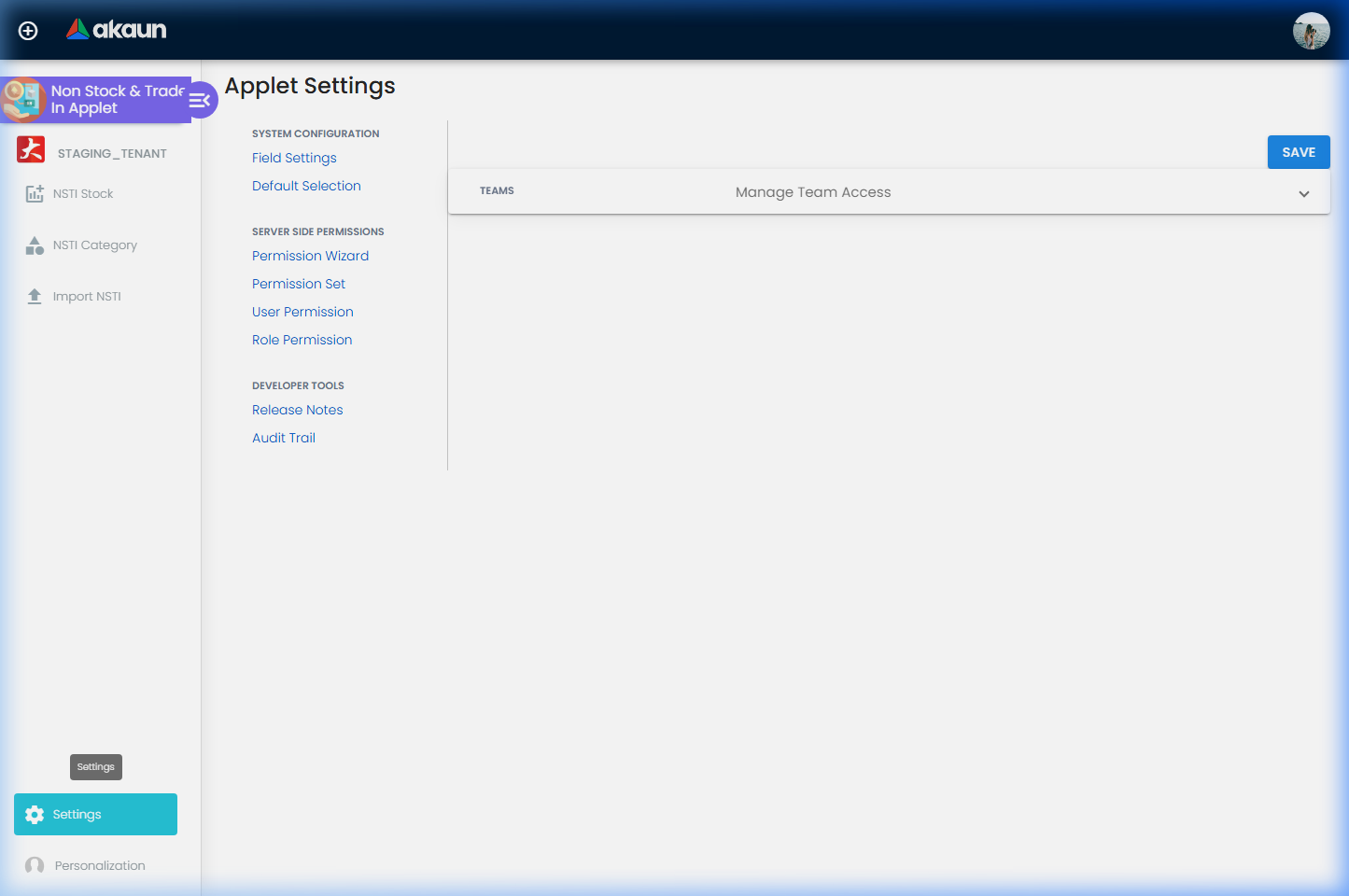
Gear (Settings) menu: System Configuration › Field Settings, Default Selection; the shared frame adds Server Side Permissions (Permission Wizard, Permission Set, User Permission, Role Permission), Integration › Triggers (webhooks) and Developer Tools. Feature Visibility exists but has no menu entry. Personalization lists Field Settings (the link does nothing) and Default Selection.
NSTI Stock listing
Columns: NSTI Code, NSTI Name, Type (TRADE_IN / NON_STOCK), Serial Number, Category, Branch, Location, Amount (purchase price incl. tax), Stock Balance, Posting Status (DRAFT / FINAL), Status, Created Date (the purchase date), Updated Date. Keyword search plus column filters. + opens the create panel; clicking a row opens the edit panel.
Create panel
One Details tab (see Fields). Pressing + first creates a temporary record so that the unit already has an identity; SAVE then makes it active. A SCAN button next to Serial Number opens the camera barcode reader.
Edit panel
Tabs Details, Txn Line, Attachment (or three stacked panels when Vertical Orientation is on). Header buttons SAVE and FINAL; a Delete button below the tabs (two clicks — the first arms it, the second sends the delete). Delete is not covered by the FINAL lock: it shows on a FINAL unit that is still in stock, and removing that unit takes it out of the balance lookup and Stock Availability with no journal behind it. The only control is STOCK_HIDE_DELETE_BUTTON; switch it on where units carry real value.
- Details — the create fields, plus read-only Purchase Date, Purchase Price, Sales Date, Sales Price (filled from documents) and editable Current Value and Current For Sale Price. Financial Item can be re-picked here, but SAVE and FINAL do not send the new choice, so the unit keeps the item it was created with.
- Txn Line — the unit’s transaction history: Txn Doc No, Txn Date, Doc Short Code, Txn Type (
ACQUISITION/DISPOSAL/ADJUSTMENT), Qty, Unit Price, SST/VAT/GST, WHT, Txn Amount; filter by keyword and document type. Add Transaction creates a manual line; lines that came from a document are read-only. - Attachment — files attached to the unit: Attachment Name, Details, file.
NSTI Category
Listing: Category Code, Category Name, Creation Date, Updated Date, Status. Create: Code, Name, Description, Status. Edit adds Delete (two-click). There is no parent category — the list is flat.
Import NSTI
Listing: File Name, File Size, Format, Status, Process Status (PROCESSING / DONE / FAILED), User Error Message, Created Date, Updated Date, Created by. Create: drag-and-drop or Upload File, ADD, and a Sample Format link that downloads MasterData_Upload_Nsti_Stock.csv. Opening a row shows the parsed staging rows (Code, Name, Type, Category Code …) and a Delete.
NON_STOCK or TRADE_IN), the financial item, company, branch, location, currency, PURCHASE_DATE and PURCHASE_PRICE_INCL_TAX are required, the codes must exist, and a CODE already used by a unit that is not deleted is refused. A unit is created from every valid row, as DRAFT with no stock balance. If any row is bad, the file ends FAILED with Import failed: N row(s) have errors. See Checking tab for details. in the listing’s User Error Message column, and the Checking tab shows each row as Validated / Processed with its own Error Message — but the valid rows were created anyway, so re-uploading the corrected file fails those as duplicate codes. Upload only the rows that failed.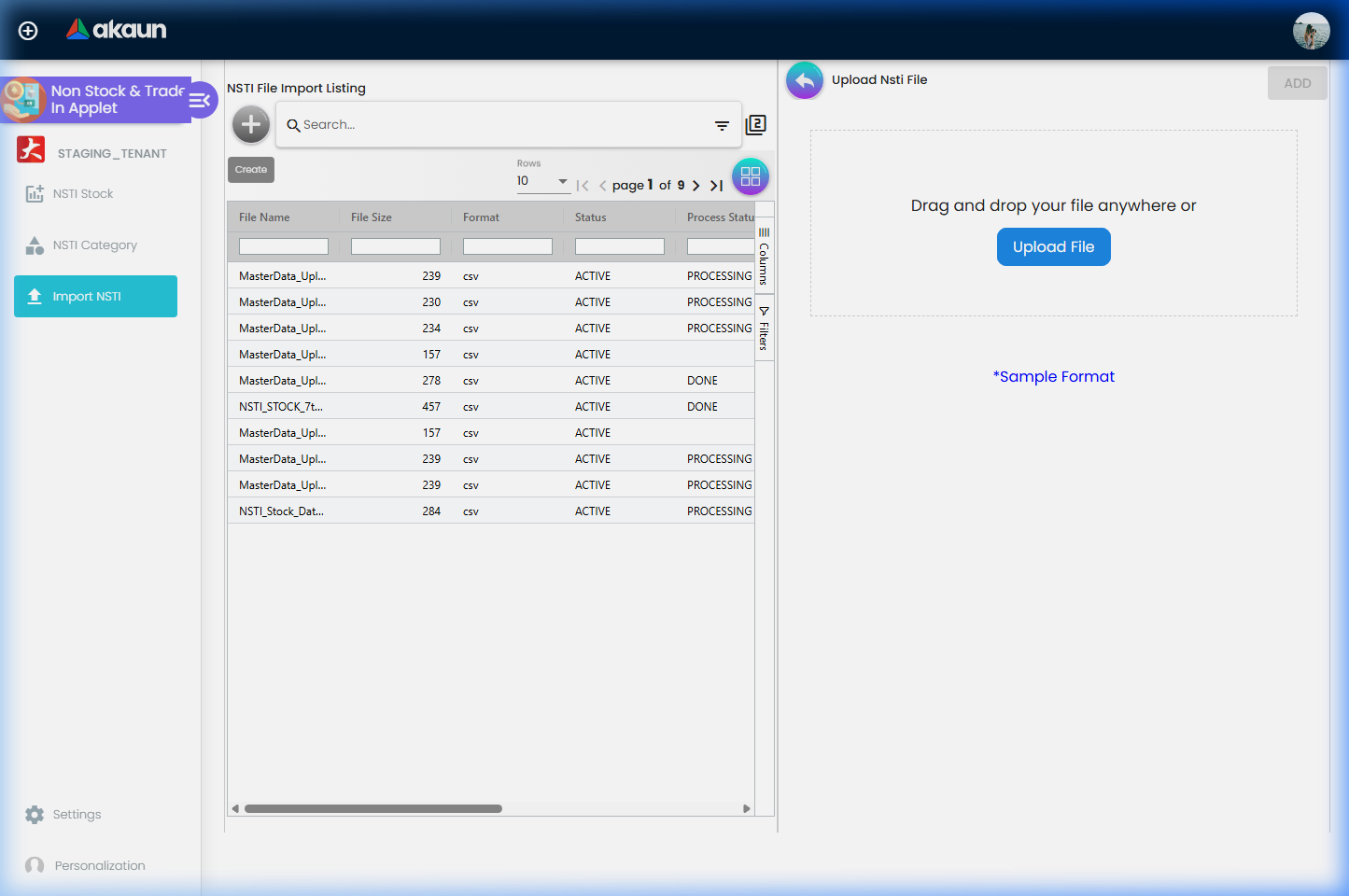
Configuration
Before you can use it
- A doc item of transaction type
NSTIin Doc Item Maintenance. The Financial Item picker on the NSTI record lists every ACTIVE doc item, but documents only act on lines whose item is of typeNSTI. Pick a non-NSTI item and documents never move the unit. - Company, branch and location in Organisation — all three are mandatory on the record, and each must be a real one.
- Company default GL code
NSTIin Chart of Account › Companies › Default GL Codes — optional, but set it deliberately for every company. If a company has noNSTIlink when a document creates or updates a unit, BigLedger first looks for any GL code whose code isTrade-In— in any chart of accounts, belonging to any company — and links that one; only if there is none does it create a GL code named “Non-Stock and Trade-In” and link it. That search never finds the code it creates, so in a group each company without a link gets a new one, or all of them end up on another company’sTrade-Inaccount.COGS_NSTIandSTOCK_BALANCE_NSTIare needed only for the month-end closing-stock journal. - Background runs. Documents create NSTI transaction lines, and those lines move unit balances, only if the two NSTI runs are subscribed to the document-finalise chain on your tenant. Neither is an applet setting; ask support when FINAL documents leave no trace here.
- Server-side permissions —
TNT_API_NON_STOCK_TRADE_IN_HDR_{CREATE,READ,UPDATE,DELETE}(or_OWNER/_ADMIN), the same set with_TXN_LINE_,_CATEGORY_,_ATTACHMENT_and for the import files.
Applet settings
Settings are applet-local: Field Settings is this applet’s own screen (four panels: Stock Settings, Category Settings, Import File Settings, Vertical UI Setting), not the shared document-applet one. Every control starts unset, so all hides are off, records lock at FINAL and the layout is horizontal until someone saves the screen. Anyone with access to the Settings menu can change them; they apply tenant-wide.
| Setting | What it controls | Default | Effect when changed |
|---|---|---|---|
STOCK_HIDE_NSTI_CODE, STOCK_HIDE_NSTI_NAME, STOCK_HIDE_CATEGORY, STOCK_HIDE_LOCATION, STOCK_HIDE_STOCK_BALANCE, STOCK_HIDE_POSTING_STATUS, STOCK_HIDE_STATUS | Hide the matching column of the NSTI Stock listing | Off | On: the column disappears and cannot be re-enabled from the Columns panel |
STOCK_HIDE_DELETE_BUTTON | Hides the Delete button on the edit panel | Off | On: units cannot be deleted from the UI |
ALLOW_EDIT_TXN_LINE_AFTER_FINAL | Whether a FINAL record can still be saved, re-finalised, and have transaction lines added, edited or deleted | Off — FINAL locks the record, except for the unit’s own Delete (see Edit panel) | On: SAVE, FINAL, Add Transaction and line Save / Delete stay enabled after FINAL. Lines created by documents stay read-only regardless |
CATEGORY_HIDE_CATEGORY_CODE, CATEGORY_HIDE_CATEGORY_NAME, CATEGORY_HIDE_CREATION_DATE, CATEGORY_HIDE_UPDATED_DATE, CATEGORY_HIDE_STATUS | Hide the matching column of the NSTI Category listing | Off | As above |
IMPORT_FILE_HIDE_FILE_NAME, …_FILE_SIZE, …_FORMAT, …_STATUS, …_PROCESS_STATUS, …_USER_ERROR_MESSAGE, …_CREATED_DATE, …_UPDATED_DATE, …_CREATED_BY | Hide the matching column of the Import NSTI listing | Off | As above |
VERTICAL_ORIENTATION (labelled ENABLE VERTICAL ORIENTATION) | Stacks listing and detail panels vertically instead of side by side | Off | On: every container switches to the stacked layout; the edit form shows expansion panels instead of tabs |
EXPAND_MAIN_DETAILS, EXPAND_TXN_LINE, EXPAND_ATTACHMENT | Which panels of the edit form open expanded in the stacked layout | Off | On: that panel starts expanded. No effect in the tabbed layout |
Those 27 keys are declared, rendered, saved and read. Also on the screen or in the model, but short of it:
- The hide company listing switch — rendered and saved, but the listing has no Company column and nothing reads the key.
- The API upload switch — declared and saved but has no toggle here and no reader.
- Read without a control:
STOCK_HIDE_TYPE,STOCK_HIDE_BRANCH,STOCK_HIDE_SN,STOCK_HIDE_AMOUNT,STOCK_HIDE_PURCHASE_DATE,STOCK_HIDE_UPDATED_DATE(listing columns Type, Branch, Serial Number, Amount, Created Date, Updated Date) andDEFAULT_TOGGLE_COLUMN/DEFAULT_ORIENTATION. They can be set only by support writing the applet’s settings directly. - Default Selection (Default Branch, Default Location): the screen is not wired up, so choosing a value throws an error; nothing in this applet reads
DEFAULT_BRANCH/DEFAULT_LOCATION. Personalization › Default Selection is the same screen.PRINTABLEis declared only.
Document behaviour settings
Not applicable in the document sense — this is master data with its own posting status. What FINAL does is described under Lifecycle and effects: it is a field that the applet’s own buttons honour; BigLedger does not post anything on it.
Settings in other applets that control this applet
| Setting | Where it is set | Effect here |
|---|---|---|
Company default GL codes NSTI, COGS_NSTI, STOCK_BALANCE_NSTI | Chart of Account › Companies › Default GL Codes | GL code stamped on units created by documents (auto-created if missing); accounts for the month-end NSTI closing-stock journal |
SHOW_NSTI_STOCK_VALUE and the closing-stock record’s NSTI values (manual / system, “select NSTI manual”) | Chart of Account › Settings › General Settings, Closing Stock Balance | Whether the NSTI tab appears on the closing-stock record and which value the month-end journal uses |
SHOW_TRADE_IN, TRADE_IN_BASIC_ITEM | POS General Field Settings | Whether cashiers can add trade-in lines — the main source of TRADE_IN units |
| Subscription of the two NSTI runs to the document-finalise chain | Tenant job configuration (support) | Whether FINAL documents create and post NSTI transaction lines at all |
Feature visibility / permissions
- Client-side permissions: none are defined for this applet, and the applet checks no
SHOW_*codes. Feature Visibility is the shared Manage Team Access screen only; theHIDE_*settings cannot be reopened per role. - Server-side permissions: the Permission Set / User / Role routes are the shared containers; each NSTI screen checks its own
TNT_API_NON_STOCK_TRADE_IN_*code with the tenant owner / admin roles as fallback. The POS till’s trade-in list is served by this applet’s read permission too: a cashier role without it sees an empty trade-in list at the counter, with no error, as if no units existed — grant the read code to every cashier role that takes trade-ins.
Fields
NSTI Stock — Details
NSTI Name (mandatory, up to 255 characters) is free text; a unit created by a document takes the document line’s item name. The unit also has a Description field (optional, up to 255), but neither panel shows it: the create form sends it empty and the edit panel has no box for it, and the import file has no column for it. The rows below are the fields that do something you cannot see from the form.
| Field | Required | Notes / validation |
|---|---|---|
| NSTI Status | — | Read-only. DRAFT on create; the edit form shows DRAFT / FINAL but the control is disabled — use the FINAL button |
| NSTI Code | No | Max 255. Blank → a random code (upper-cased) generated in the browser and checked against the codes already loaded; BigLedger has no uniqueness check on the code |
| Type | Yes | Non Stock (NON_STOCK) / Trade In (TRADE_IN). Trade In is saved as FINAL at once and every later Save re-sends FINAL; Non Stock is saved as DRAFT |
| Financial Item | Yes | Any ACTIVE doc item; must exist. Should be an NSTI-type item (see above). Choose it right the first time: the edit panel lets you re-pick it, but the change is never sent, so a unit on the wrong item has to be deleted and made again |
| Category | Yes | The picker lists ACTIVE NSTI categories only, shown as code | name. The unit points at the category itself, not at its code, so renaming a category’s code later carries every unit with it |
| Employee | No | The person in charge, kept as a note — nothing in BigLedger routes or restricts a unit by it. The drop-down opens listing financial items rather than employees until you type part of a name in its search box, so type before you pick; on the edit panel an already-chosen employee can look blank for the same reason |
| Currency | Yes | Filled with the company’s own currency the moment you choose the company; the list offers every currency. Documents in a foreign currency create and move no units at all (see Lifecycle), so a unit you give a foreign currency here will never be matched by a document |
| GL Code | No | Must exist if set; documents overwrite it with the company NSTI code when they update the unit. It is a label on the unit: the journal never reads it, and NSTI lines post to the line, header, item-company or company-default NSTI code (see Journal) |
| Warranty Expiry | No | A date kept on the record and nothing more: no reminder fires, and neither a sale nor a return checks it. Whoever accepts a warranty claim on a resold unit looks the date up here before agreeing |
| Serial Number | No on the form | Camera SCAN available. Units created by documents always have one, and the balance key is item + serial + location — a unit without a serial can never be matched by a document. The box shows capitals but stores exactly what you typed, and the match is exact, so type the serial the way the sales document will carry it |
| Purchase Date / Purchase Price / Sales Date / Sales Price | — | Read-only on the edit form; the create form sets the purchase date to now and every price to 0 |
| Current Value / Current For Sale Price | No | Edit form only, and read by nothing else: the till does not price a resale from Current For Sale Price, and Stock Availability values units from their purchase price. Setting a resale price is the person pricing the shelf; record it here if you want it on file, and put it on the item’s price list if you want the till to use it |
Txn Line — Add Transaction
| Field | Required | Notes |
|---|---|---|
| Transactions Type | Yes | Acquisition / Disposal / Adjustment — a label on the line and nothing more. A manual Disposal does not take the unit out of stock and a manual Acquisition does not add one (see below); on a document line the type is set from the document’s quantity sign instead |
| Quantity Base | Yes | Default 1 |
| Unit Price Net (Exclusive of tax) | Yes | ≥ 0, two decimals; the form recomputes net amount from quantity × price |
| SST / WHT | Yes, both | The SST list offers only input (purchase-side) tax codes. Both boxes must hold a real code before Add lights up — the blank first entry in the SST list does not count, and the WHT list has no blank entry at all — so a company with no withholding-tax code set up in Tax Configuration cannot add a manual line |
| Txn Amount | Yes | ≥ 0, two decimals. Worked out for you as net amount + SST − WHT whenever you change quantity, price or a tax code; type a Txn Amount yourself and the form works backwards to the unit price and both tax amounts instead |
A manual line is stored against the unit with no document; BigLedger validates that anything it references exists and does not change the unit’s Stock Balance — only the balance run does that, and it runs for document-generated lines only (see below).
Attachment
Attachment Name, Details, one file.
NSTI Category
Category Name (mandatory) is what the unit form’s Category picker shows after the code; Description (optional) stays on the category’s own form and appears in no listing.
| Field | Required | Notes |
|---|---|---|
| Category Code | Yes | Upper-cased when saved, on create and on edit; no uniqueness check. It can be changed later without touching a single unit, because units point at the category rather than at its code |
Import NSTI — CSV columns
CODE, NAME, TYPE, FINANCIAL_ITEM_CODE, CATEGORY_CODE, COMPANY_CODE, BRANCH_CODE, LOCATION_CODE, EMPLOYEE_NAME, CURRENCY, GL_CODE, WARRANTY_EXPIRY, SERIAL_NUMBER, PURCHASE_DATE, PURCHASE_PRICE_INCL_TAX, SALES_DATE, SALES_PRICE_INCL_TAX, CURRENT_VALUE_INCL_TAX, CURRENT_FOR_SALES_PRICE_INCL_TAX. The first row is the header and its names are what the import reads: the columns may be in any order, and a header missing any of the nineteen fails the whole file with a message naming the missing ones (builds before 2026-10-05 read by position and ignored the names). Values are trimmed; UTF-8 with or without BOM. Dates must look like 2026-03-14 10:30:00.000 +0800; a date or a number that does not parse fails its row, with the reason written on the row for the Checking tab — it is no longer stored empty.
Lifecycle and effects
This is a master-data applet with its own register — no server document type, no amount or quantity sign of its own, no journal from this applet, no open-queue rows. The posting status on a unit is set by the applet’s FINAL / SAVE buttons through an ordinary update; BigLedger validates the record and stores it — it posts nothing and does not lock anything on the server. The lock is enforced only by the applet’s buttons and reopened by ALLOW_EDIT_TXN_LINE_AFTER_FINAL.
What the applet writes
| What | How |
|---|---|
| Unit | Temporary record on +, updated on Save / Final; Delete removes the unit record only — its transaction lines and attachments are left behind |
| Manual transaction line | Created, edited and deleted from the Txn Line tab — no balance update |
| Attachment | Created and deleted from the Attachment tab |
| Category | Created, edited and deleted from the NSTI Category menu; delete is refused while any unit uses the category |
| Import | The upload queues an import run that writes one staging row per CSV line, then a second run that validates each row and creates a DRAFT unit with no stock balance from every valid row. Process Status ends DONE when every row passed, otherwise FAILED with the failed-row count in User Error Message and each failed row’s reason on the Checking tab — the valid rows are created either way |
How documents create and move units (the real lifecycle)
- A generic document is finalised. The finalise chain fans out to the tenant’s subscribed runs; the NSTI transaction-line run picks the document up. It does nothing when the document has already been processed for trade-in, or when the document is in a foreign currency.
- For every stock line with a non-zero quantity whose item is of type
NSTIand which carries serial numbers, it writes one transaction line per serial with quantity 1, the document’s quantity sign (forced to +1 for a Sales Credit Note) and the line’s amounts, prices and taxes; the transaction type isACQUISITIONfor +1,DISPOSALfor −1,ADJUSTMENTfor 0. On a Stock Adjustment the quantity is instead +1 or −1 with the direction of the line, and that sets the type. Lines without serial numbers create nothing. Stock-in-transit counter-lines are added for transfer-type documents. - Each new line is handed to the balance run: the unit is looked up by item + serial number + location (all three mandatory). If it exists, its Stock Balance moves by the line quantity in the sign’s direction and an invalid GL link is repaired; if not, a unit is created with type
TRADE_IN, posting status FINAL, a code from the running number, the line’s item name, currency, company / branch / location, purchase date and price (line amount ÷ quantity), the serial, a balance of 1, and the companyNSTIGL code (filled in if missing — see Before you can use it) plus subledger. The balance is 1 whatever the line’s sign: a disposal line for a serial that has no unit at that location creates one at +1 instead of failing. A Stock Adjustment is the exception: a minus adjustment of such a serial creates the unit at −1. That happens when the sale skipped the stock check, which ignores a line with neither a delivery location nor a store, while the transaction line falls back to the header’s store or the branch’s default location. Give every sales line of an NSTI item its location. - Support can re-run steps 1-3 for one sale or receipt through a developer endpoint. It skips anything already marked as processed for trade-in, so it repairs only what the first run never touched (see Troubleshooting).
Signs of the trade-in document types: Purchase Trade In — quantity +1, amount −1 (the POS trade-in line: the unit comes in, the customer’s bill goes down); Sales Trade In — quantity −1, amount +1. A normal sales line (Cash Bill, Sales Invoice, quantity −1) on an NSTI serial disposes of the unit; a sales credit note brings it back.
Journal. NSTI lines are posted by the document’s own posting, not by this applet: a stock line whose item is NSTI (or whose document type is either trade-in type) posts under transaction code NSTI, and the GL is resolved as line GL → header GL → the item’s company link with code NSTI → company default NSTI. Month end: the closing-stock run posts the NSTI closing-stock value between COGS_NSTI and STOCK_BALANCE_NSTI.
Stock check on sale. When BigLedger validates stock for a document, every NSTI serial on a line must have a balance of at least 1 at the line’s location (delivery location, else the line’s store), otherwise the document is rejected with “There’s not enough stock for NSTI item <code>, serial number <sn>”. A line with neither a delivery location nor a store is skipped by this check.
Server-side validation that stops a save: on a unit, the company, branch, location, category, GL code, subledger, item and any linked purchase / sales document must exist if set, and the audit fields must be present. Transaction lines and categories are checked the same way. There is no uniqueness check on unit code, serial number or category code.
What it only reads. Stock Availability shows NSTI units (grouped by company, location and item; the cost it shows is the group’s total purchase price incl. tax divided by the group’s total balance, and units already sold stay in that total at balance 0, so once some units of a group are sold and some remain, the figure is higher than the price paid for the units still on hand) alongside inventory balances for items of type NSTI. The historical stock balance report does not include NSTI units.
Related applets
- Doc Item Maintenance — creates the
NSTI-type items that the record’s Financial Item should point at; only those are recognised when documents are finalised. - POS General — trade-in lines on a cash bill are the main way
TRADE_INunits are created; selling the unit later disposes of it. - Sales Invoice, Sales Credit Note — dispose of and restore NSTI serials; the credit note’s quantity sign is forced to +1 for NSTI lines.
- Stock Availability — the only stock report that shows NSTI balances; Stock Balance and Stock Report show inventory only.
- Chart of Account — company default GL codes
NSTI,COGS_NSTI,STOCK_BALANCE_NSTIand the closing-stock record’s NSTI value; Financial Report — where the month-end NSTI closing journal lands. - Organisation — company, branch and location; the location is part of the unit’s identity.
- Tax Configuration — tax and WHT codes on manual transaction lines.
- Employee Maintenance — the optional person in charge on a unit.
Troubleshooting
| Symptom | Cause | Fix |
|---|---|---|
| SAVE stays grey on the create panel | A mandatory field is empty — Name, Type, Financial Item, Category, Company, Branch, Location, Currency | Fill them; Code, Employee, GL Code, Warranty Expiry and Serial Number are optional |
| SAVE / FINAL grey on the edit panel although every field is filled | The unit is FINAL and ALLOW_EDIT_TXN_LINE_AFTER_FINAL is off. Trade-in units are FINAL from creation | Turn the setting on in Settings › Field Settings, or leave the unit as it is |
| Add Transaction / line Save / Delete disabled | Same lock; lines that came from a document are always read-only | As above; document lines are corrected by correcting the document |
| “Auto-generated NSTI Code already exists! Click save again!” | The random code collided with an existing one | Press SAVE again, or type a code |
| A FINAL POS bill with a trade-in line created no NSTI unit | (a) the item is not of transaction type NSTI; (b) the line has no serial number — nothing is created without serials; (c) the document is in a foreign currency; (d) the NSTI runs are not subscribed for the tenant; (e) the document was already processed for trade-in (a clone or an earlier run) | Check the item type and serial; ask support to subscribe the two runs and to re-post the document. They are two separate subscriptions: if only the first runs, the lines appear on the unit’s Txn Line tab but no balance moves, the bill is marked processed, and a re-post then skips it — that case needs support to repair the units by hand |
| Sale rejected with There’s not enough stock for NSTI item …, serial number … | The serial has no unit with a balance of at least 1 at the line’s location — it was never received, was received at another location, or has already been sold | Sell from the location that holds it, or receive the unit through a document with a trade-in line at that location. A unit created on this screen does not help: the create form has no quantity, so the unit starts with no balance and the sale is still refused |
| A unit shows Stock Balance 0 although a manual Acquisition line was added | Manual transaction lines never update the balance; only document-generated lines do | Set the quantity through a document (trade-in line) or accept that manual lines are a record only |
| Two units for the same serial | The balance key is item + serial + location; the same serial received at two locations is two units, and units typed in by hand without a serial never match | Keep one location per serial; always fill Serial Number on hand-made units |
Import shows DONE and the new units carry Stock Balance 0 | Expected: the import creates the units as DRAFT with no balance; only a document gives a unit a quantity | Receive the units through a document (a trade-in line), or keep them as a record only |
Import shows FAILED — Import failed: N row(s) have errors — and some of the units were still created | Rows are validated one by one, and a valid row becomes a unit even when another row fails; the file’s status reports the failures | Open the file and read the Checking tab: each row shows Validated, Processed and its Error Message — a missing mandatory field, a code that does not exist, or a CODE already in use. Re-upload a file containing only the failed rows; re-uploading the whole file refuses the created ones as duplicate codes |
| Sample Format does nothing | Builds before May 2026 had the download stubbed; current builds download the template and report an error if the template file is missing on the server | Update the applet; if the error persists, the server-side template file is missing — ask support |
| Changed a unit’s Financial Item, pressed SAVE, and it is back to the old item | The edit panel does not send a changed Financial Item — the unit keeps the item it was created with | Create a new unit on the right item with the same serial and location, then delete the wrong one (delete its lines and attachments first; the unit’s delete leaves them behind) |
| Posting Status blank in the listing after SAVE on a Non Stock unit | As read in the applet’s source, SAVE on the edit panel sends a Non Stock unit without its posting status, and the update replaces the whole record; Trade In units are unaffected because SAVE re-sends FINAL for them | Press FINAL when the unit is ready rather than relying on SAVE to keep DRAFT; a blank status is not treated as FINAL, so the unit stays editable |
| Add stays grey on a new transaction line although the amounts are filled | SST and WHT both need a real code, and there is no blank WHT choice | Pick an input SST code and a WHT code; if the WHT list is empty, set one up in Tax Configuration first |
| The Employee drop-down lists item codes and names | The list is filled with financial items until you type in its search box | Type part of the employee’s name, then pick |
| SAVE or FINAL on a unit fails with a race-condition error | A sale or receipt moved the unit after you opened it; the update is refused rather than overwriting the newer balance | Close the unit, open it again and repeat the change |
| Category Delete fails | Units still reference the category | Re-categorise the units first, or set the category INACTIVE |
| Category Update enabled without changes | Cosmetic | — |
| Trade-in units missing from Stock Balance / historical stock reports | They are not inventory; only Stock Availability shows the NSTI register | Use Stock Availability or this listing |
| Default Selection does nothing / console error on choosing a branch | The screen is not wired up and nothing in this applet reads DEFAULT_BRANCH / DEFAULT_LOCATION | Nothing to configure; see Applet settings |
| Deleted unit’s lines still show in searches / API queries | Delete removes the unit record only | Delete the lines and attachments from their own tabs first, or leave them |
Related documentation
- Inventory Workflow applets
- Doc Item Maintenance — where the
NSTIitem type is set - POS General — trade-in lines at the till
- Inventory module