Sales Report
See sales, cost and gross profit by item, document, salesman, hour, period, branch or customer category, and tie sales to the money collected. Only finalised documents count, returns and credit notes reduce the figures, and the profit is only as good as the cost basis you choose: an item with no cost on that basis shows 100% GP.
Overview
The Sales Report applet is a set of read-only grid reports over finalised sales documents — cash bills, sales invoices, sales returns, trade-ins and (for the collection reports) receipt and payment vouchers. Sales managers use it to see sales, cost, gross profit and delta margins by item, document, salesman, hour, day / week / month, branch or customer category; finance uses the collection, credit-card receipt and cashflow views to tie sales to money received. Every report has the same shape: an advanced search on top, an ag-grid listing with totals, and export from the grid’s status bar. Which reports, which cost columns and which cost basis a user sees is decided by applet settings paired with client-side permissions.
Where it fits
| Direction | Document / applet | How it connects |
|---|---|---|
| Upstream | POS General, Sales Invoice (Internal), Sales Return (Internal) | INTERNAL_SALES_CASHBILL, INTERNAL_SALES_INVOICE, INTERNAL_SALES_RETURN in FINAL are the rows of most reports |
| Upstream | Sales Credit Note (Internal), Sales Debit Note (Internal) | Included in SR By Salesman (the CM column) |
| Upstream | Non Stock and Trade In | INTERNAL_SALES_TRADE_IN / INTERNAL_PURCHASE_TRADE_IN lines in item, salesman, GP and multi-branch reports |
| Upstream | Receipt Voucher (Internal), Payment Voucher (Internal) | Daily Cashflow Analysis, Daily Summary, Receipt with Credit Card, Collection Invoice Detail, Multi Branch Sales |
| Upstream | Inv Item Maintenance, Pricebook, Customer, Cashbook, Organisation | Item categories 1–20, item types, cost and reference prices; pricing scheme; customer category and state; cashbook; branch / company |
| Upstream | Voucher Management, Membership Admin | Voucher Redemption report; member points (reward redemption route) |
| Sibling | Daily Cashier Report | Z Report and Cashier Collection (same backend service family) |
| Sibling | Sales Report Supplier Access | The supplier-facing subset of SR By Item Code |
Screens and menus
Each menu item can be removed with its HIDE_<MENU>_MENU setting unless the user holds the matching SHOW_<MENU>_MENU permission (see Configuration). All reports read FINAL documents only, with one exception: Daily Cashflow Analysis also runs a query over VOID receipt vouchers and returns them as a section of their own, so a voided receipt appears there and in no other report of this applet.
| Menu item | Documents | Main columns |
|---|---|---|
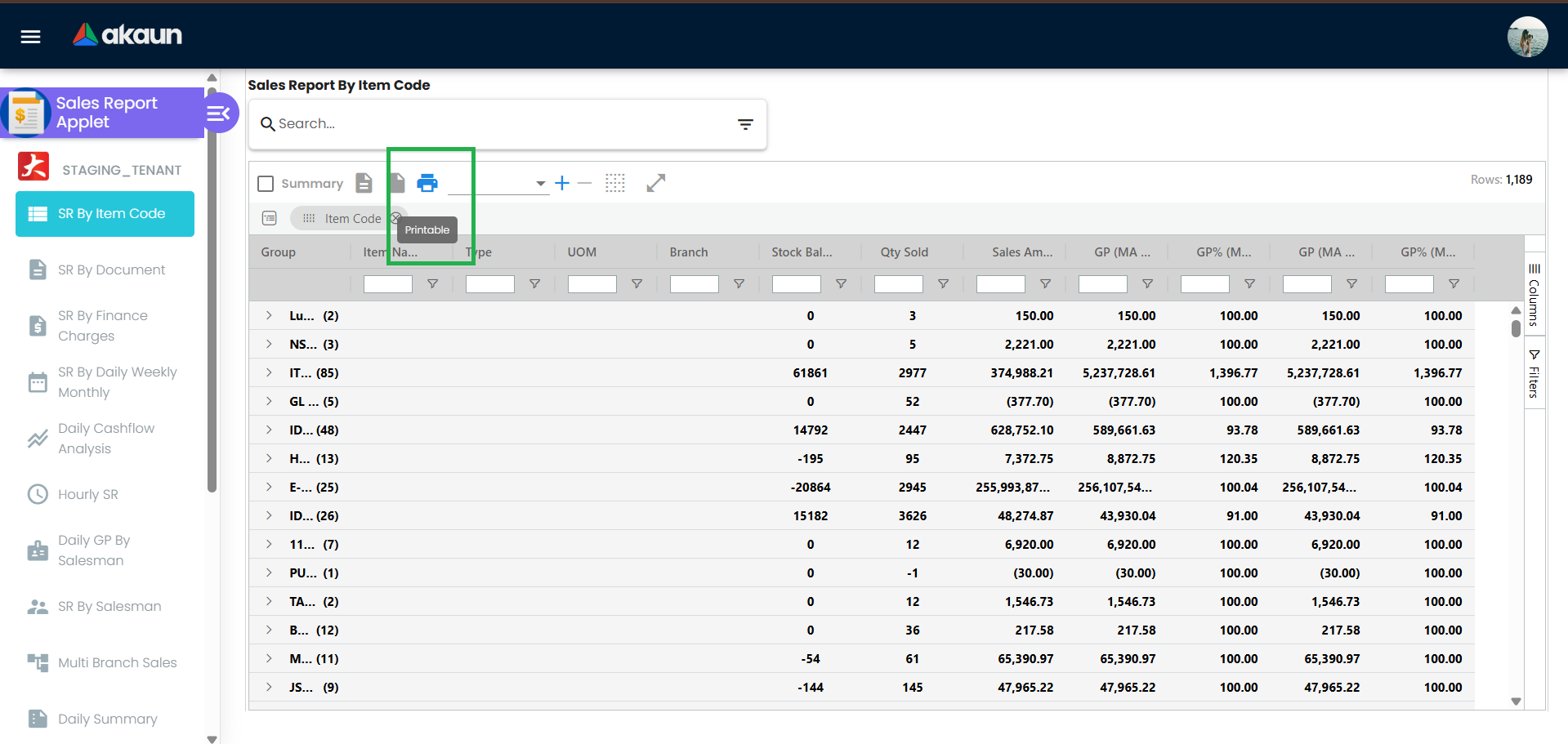
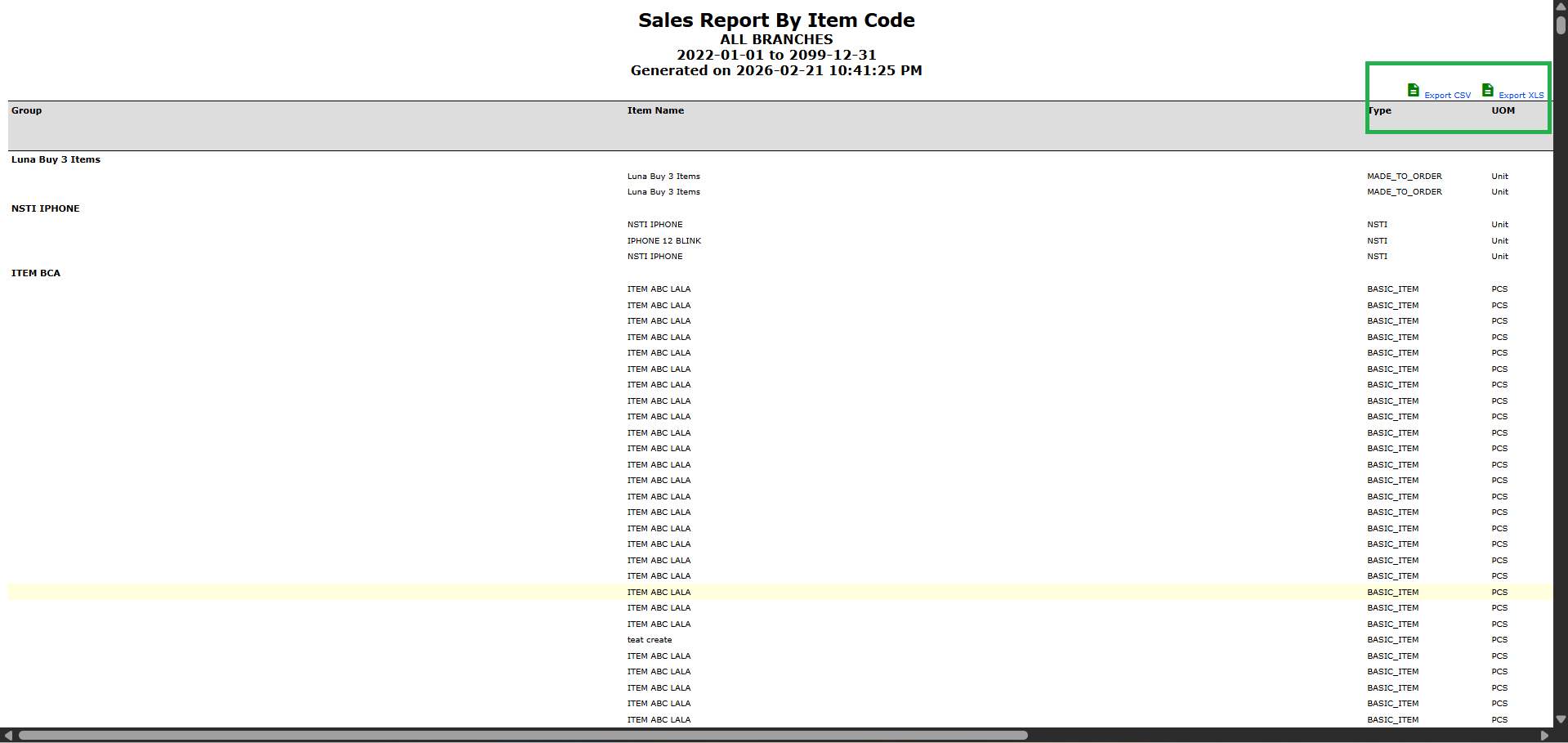
| SR By Item Code | Cash bill, invoice, return, sales trade-in | Item, type, UOM, branch, location, location / company stock balance, qty sold, sales amount, sales cost, landed cost, GP and GP% (MA cost, MA + landed), categories 1–20 |
| SR By Document | Document types you select | Branch, location, delivery location, customer code / name / state, ref 1–2, salesman, created by, shipping entity, pricing scheme, item, date / time, doc type / no, doc and line remarks, qty, unit price, unit cost, delta unit cost, gross amount, discount, net, tax, txn amount, GP |
| SR By Finance Charges | Cash bill, invoice, return | Item, qty sold / returned, standard price, discount, net price, net amount, finance rate and charge, sales cost, GP |
| SR By Daily Weekly Monthly | Cash bill, invoice, return | Period, salesman, customer, item, qty, amount, sales cost, GP |
| Daily Cashflow Analysis | Cash bill, invoice, return, refund note, receipt voucher; payment vouchers and returns in a separate section; voided receipt vouchers in a section of their own | Section, branch, customer, doc, remarks, client docs 1–5, doc links, payment info, amount, then cash / card / cheque / PD cheque / coupon / bank transfer / e-wallet / other |
| Hourly SR | Cash bill, invoice, return | Branch, item, one column per hour, total row |
| Daily GP By Salesman | Cash bill, invoice, return, sales trade-in | Salesman, date, sales, return, invoice and return counts, average per invoice, units, net sales, cost, GP, GP%, delta cost / GP / GP% |
| SR By Salesman | Cash bill, invoice, return, credit note, debit note, sales trade-in | Salesman, sales, returns, CM, net sales, cost, GP, GP%, delta cost / GP / GP%, net margin; optional group by salesman |
| Multi Branch Sales | Cash bill, invoice, return, GRN, purchase trade-in, receipt and payment vouchers | Date, branch, sales before / after tax, returns, GP, GRN before / after tax, trade-in, collection, payment |
| Daily Summary | Receipt and payment vouchers | Date, collection, payment voucher, receipts by cash / cheque / PD cheque / card / coupon / e-wallet / other, open balance |
| Receipt with Credit Card | Receipt vouchers settled by card | Cashbook, payment method, doc, payer, card no / name, approval code, batch, amount, card charges, net |
| Collection Invoice Detail | Receipts with the invoices they settle | Receipt doc, amount before / after tax, balance, invoice item, contra doc, settlement method, salesman, customer |
| SR By Serial Number | Serialised sales lines | Branch, customer, salesman, item, doc, serial number, qty, prices, discount, apportioned discount, net |
| Sales Item and Collection Invoice | Invoices with sales order, receipt and points | Invoice, SO, item, sold / returned, net price, tax, finance cost and rate, MA unit / total cost, margin, item points, receipt and receipt mode |
| SR By Item Salesman Customer Category | Cash bill, invoice, return | Two configurable group-by levels (item category level 1–20), salesman, customer, state, total, cost, GP |
| Voucher Redemption | Redeemed vouchers, by redemption date | Redemption date, voucher code / name / type, serial, amount (the redeeming document line’s amount), validity / assignment / redemption / cancellation status, company, branch, doc, entity. The Location Code column shows the document date, and the company and branch you choose blank the document columns of other companies’ redemptions rather than leaving them out (a known issue, reported to engineering) |
One further report exists but is not in the menu: a general purchase / sales / inventory report. A member reward redemption route also exists in the build, but it is not a report: the screen calls no endpoint and shows the Item-Salesman-Customer-Category report’s rows under its own column headings, and the backend’s member-points reward-redemption endpoint has no caller in this applet.
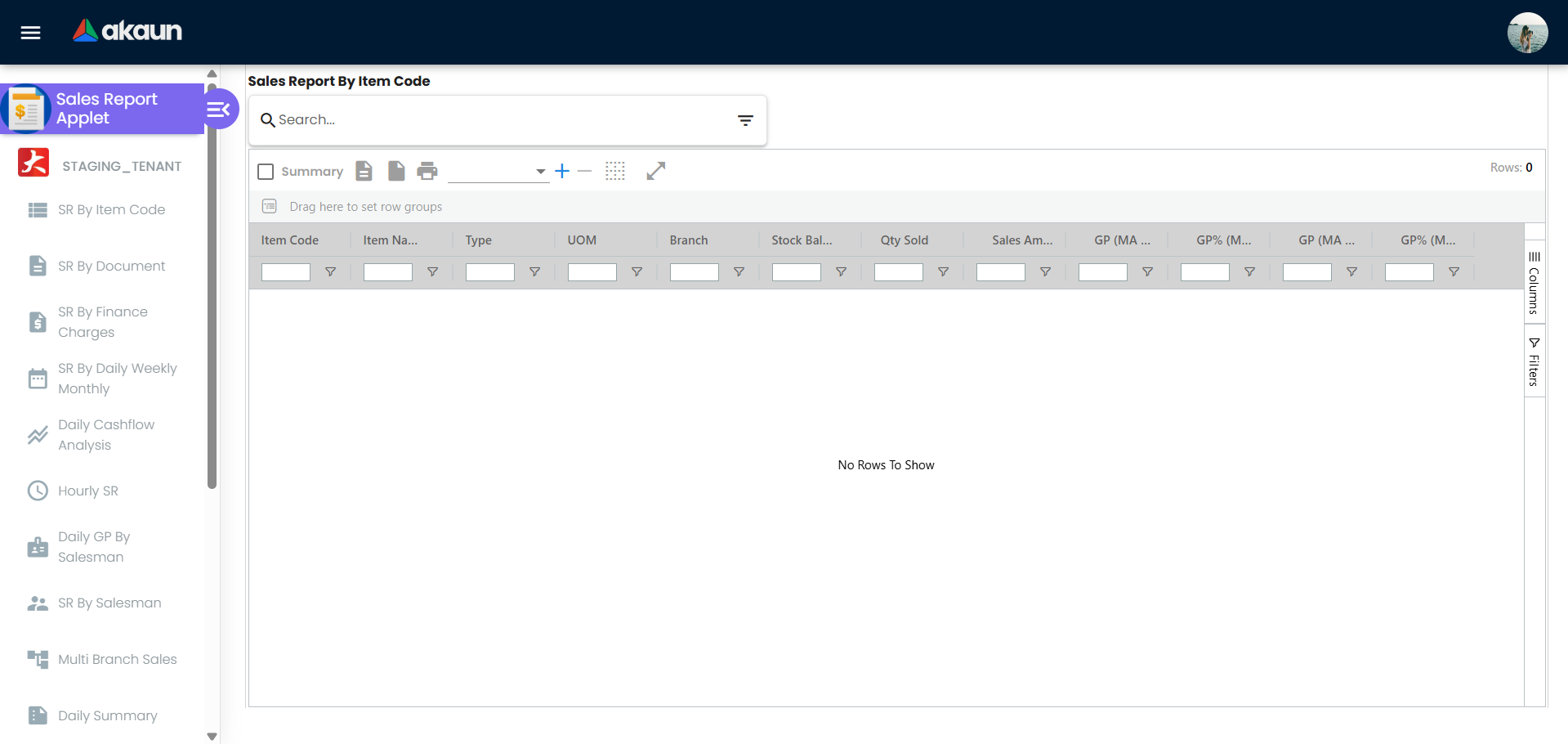
Screenshot withdrawn; a recapture from a demo tenant is on the list.
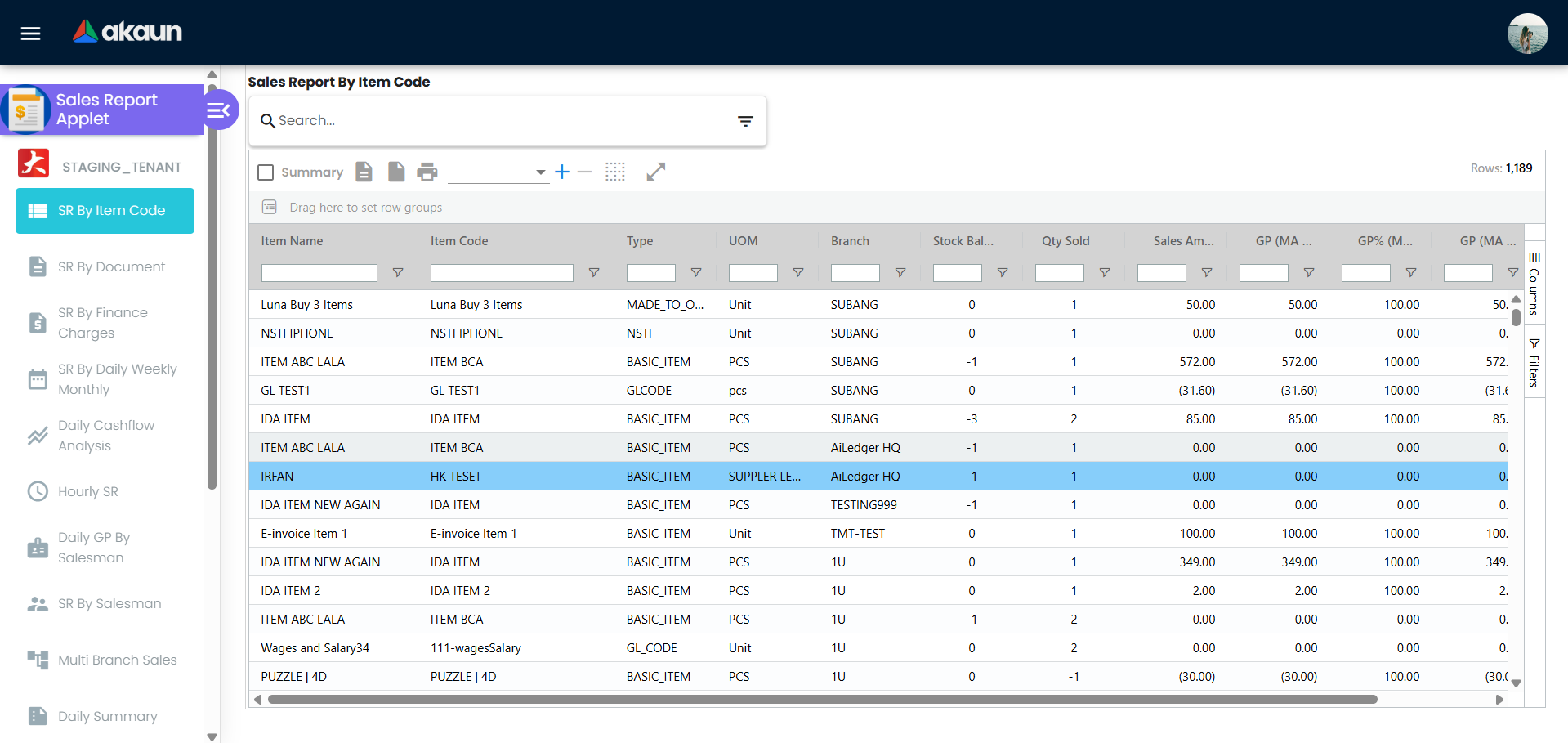
Screenshot withdrawn; a recapture from a demo tenant is on the list.
Screenshot withdrawn; a recapture from a demo tenant is on the list.
Screenshot withdrawn; a recapture from a demo tenant is on the list.
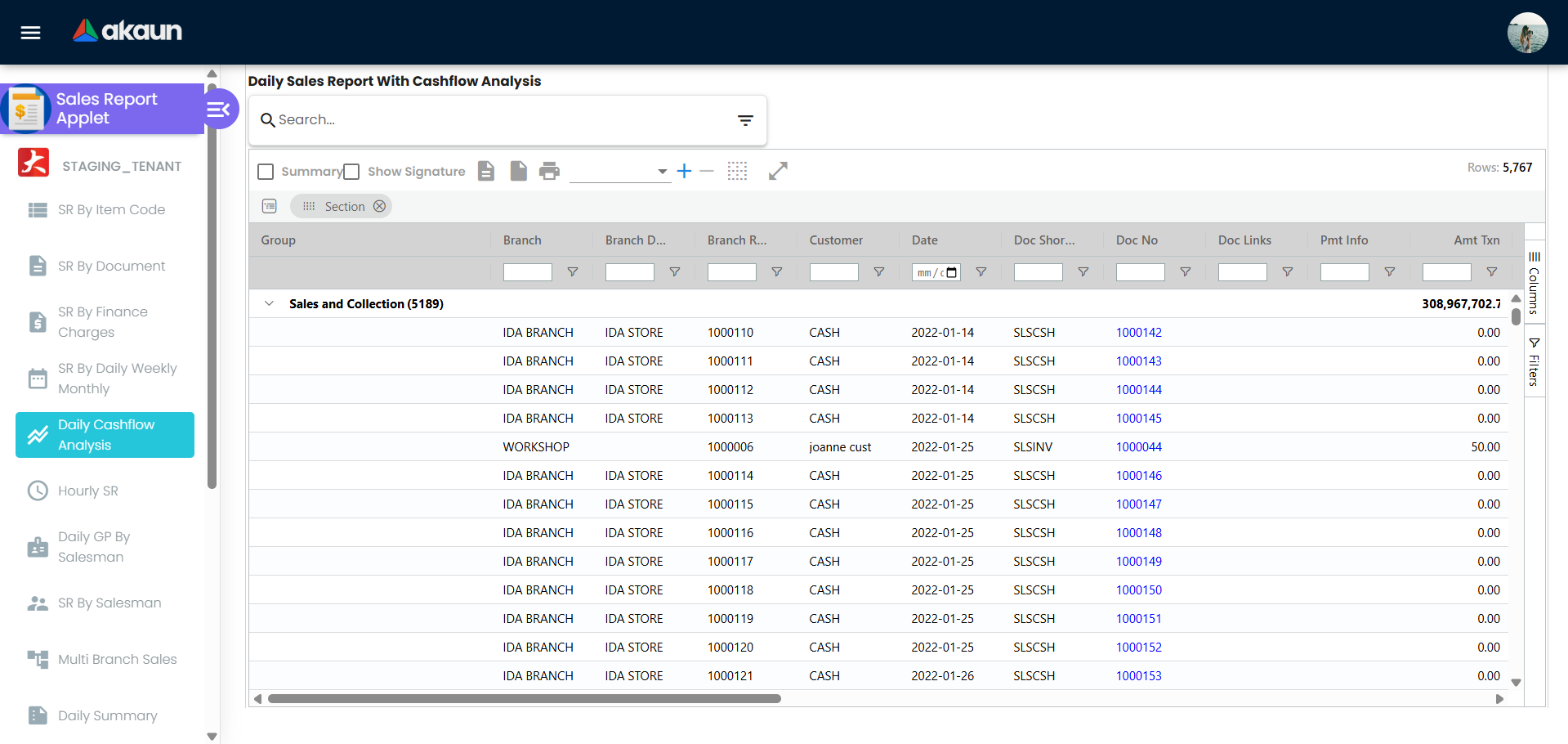
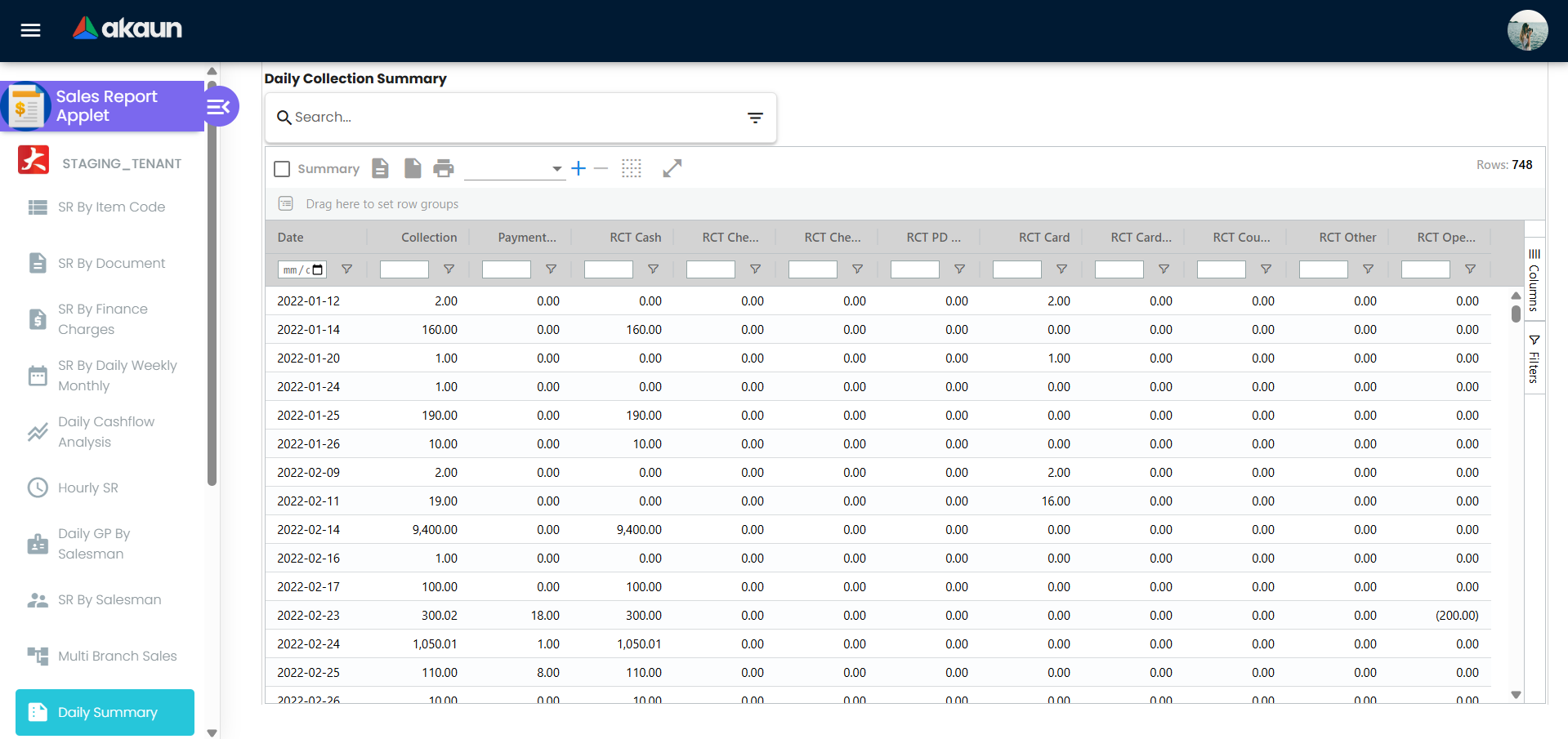
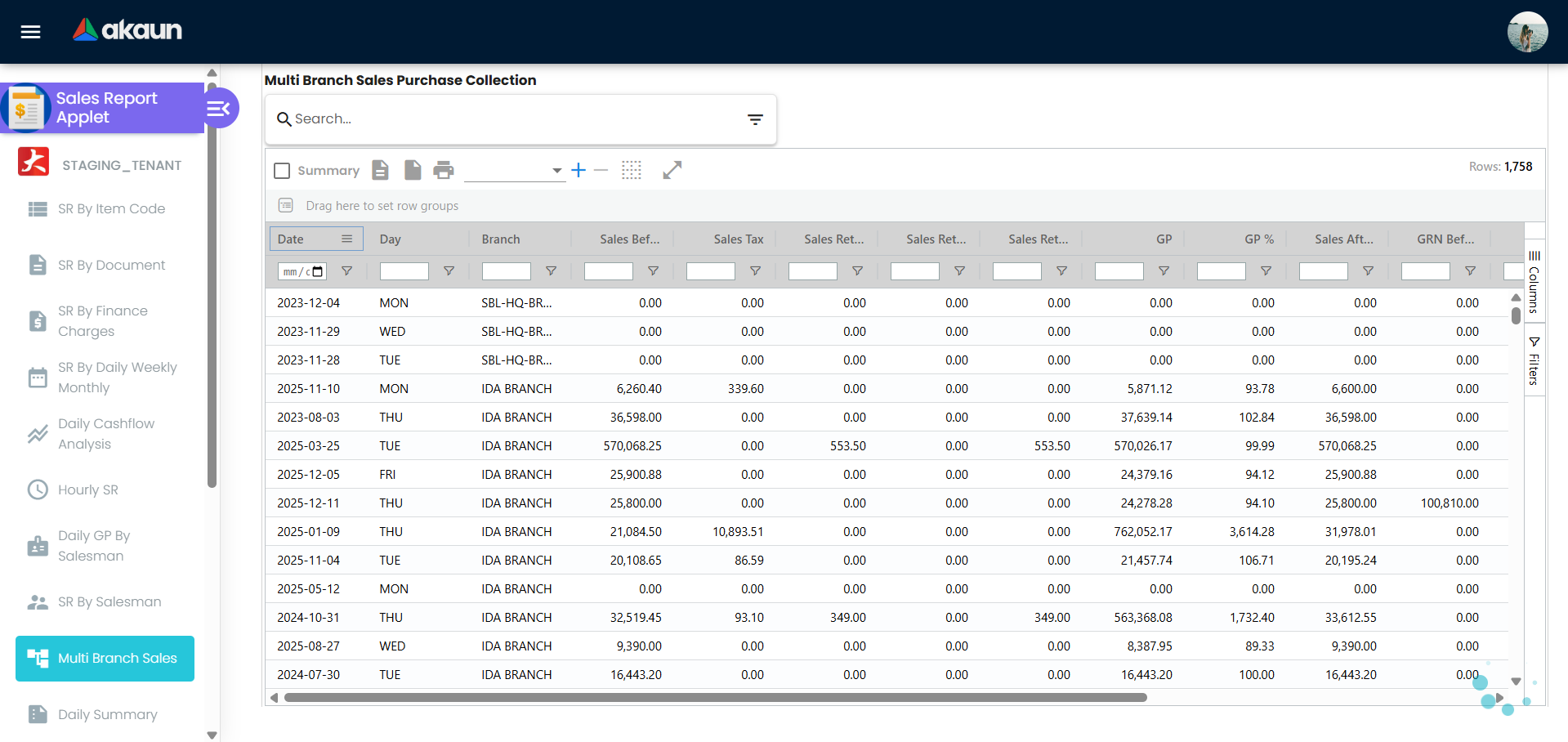
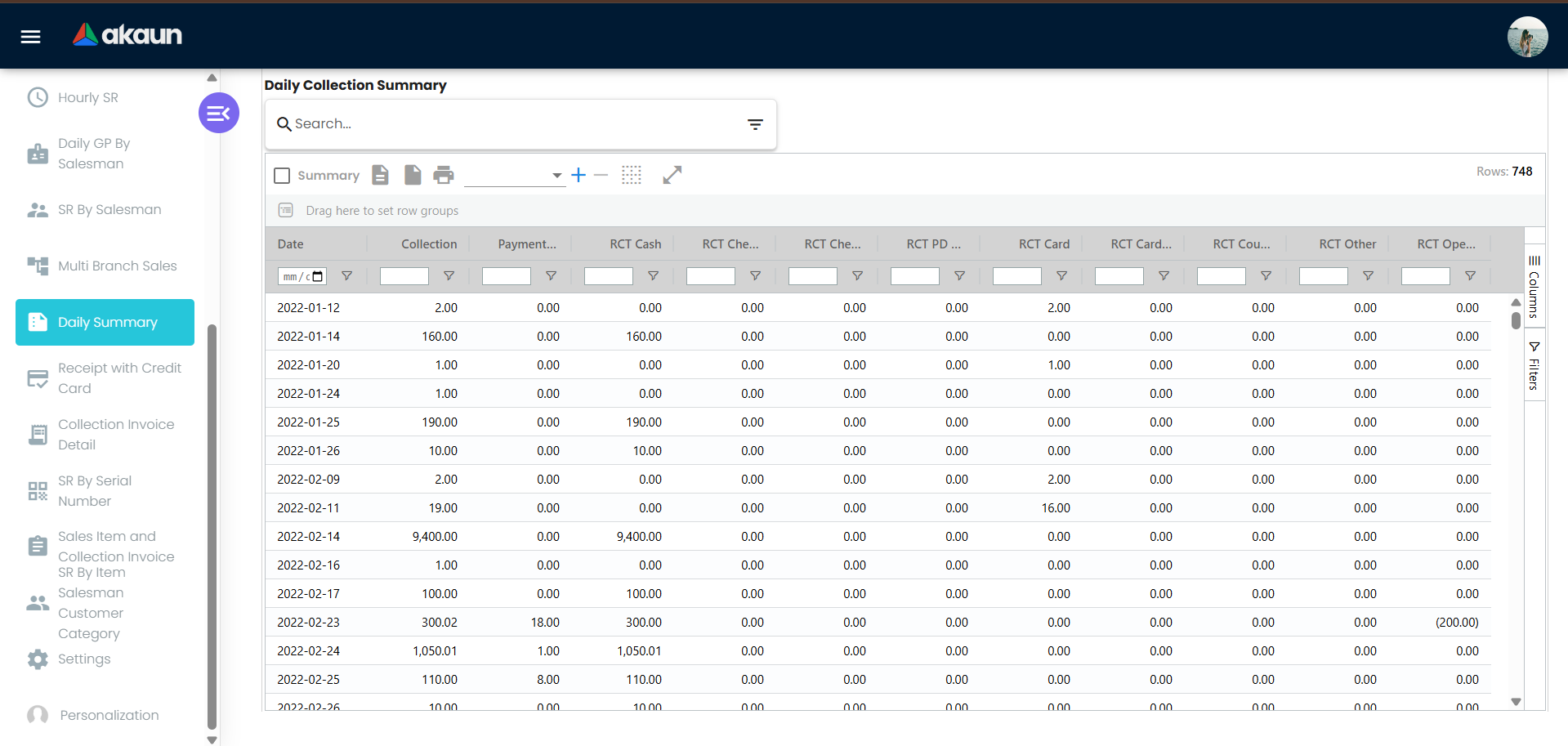
Screenshot withdrawn; a recapture from a demo tenant is on the list.
Screenshot withdrawn; a recapture from a demo tenant is on the list.
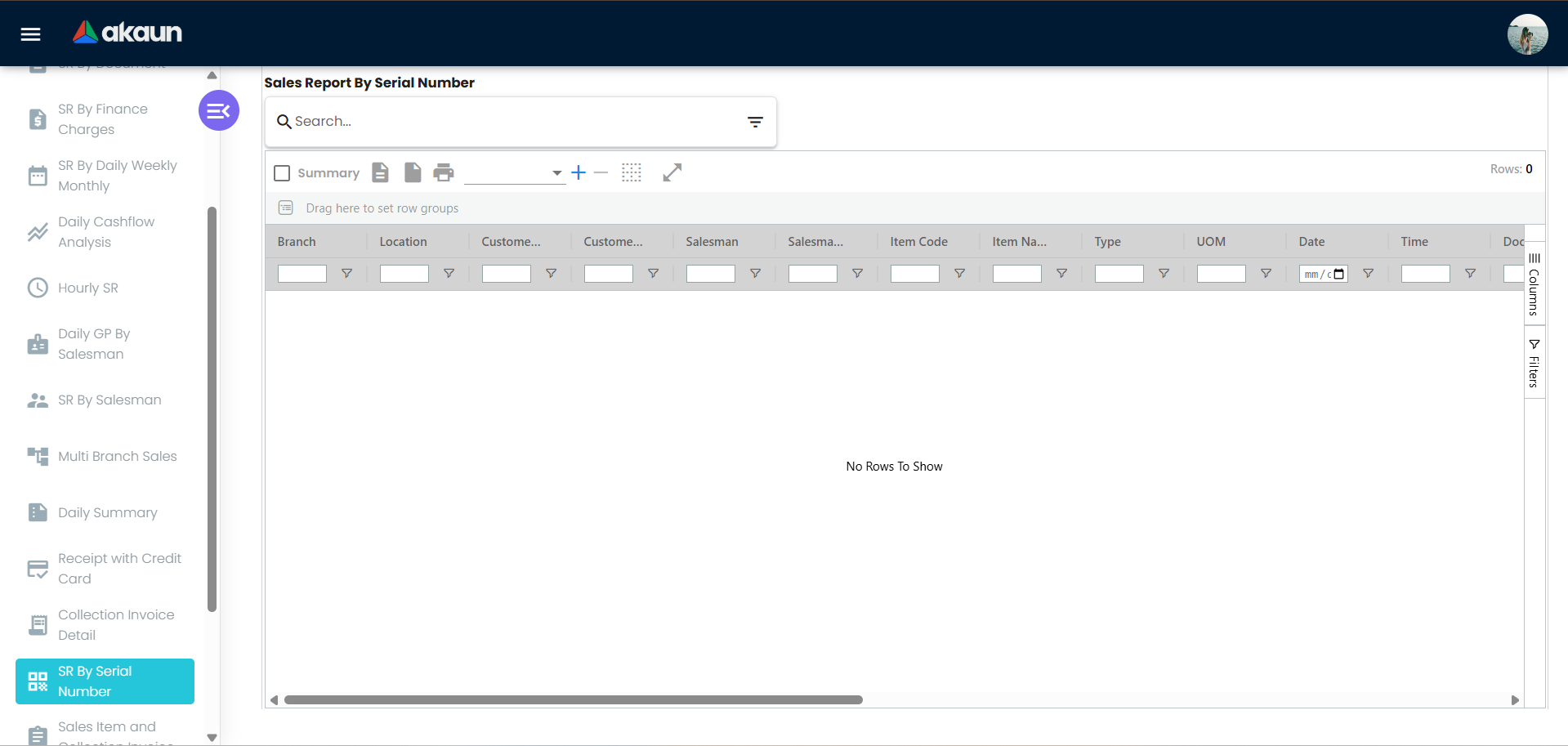
Screenshot withdrawn; a recapture from a demo tenant is on the list.
Advanced search
Fields vary per report; the common ones are Branch (multi-select, grouped by company, limited to the branches the user’s API permission targets), Date range (or Date Option for Multi Branch Sales), Customer, Customer Category, Salesman, Shipping Entity, Item Code, Item Type (basic, grouped, NSTI, bundle, coupon, service, warranty, GL code, header adjustment …), Item Status, Item Category Level 1–20, Calculate Base On (cost basis, see below), Sales Lead (sales-lead type / label), Optional (HIDE_GL_CODE_TYPE — leave GL-code lines out), Invoice No (SR By Document), Cashbook and Credit Card item (Receipt with Credit Card), Group By 1 / 2 (SR By Item Salesman Customer Category), Company / Voucher Code / Date Redeem (Voucher Redemption).
Calculate Base On chooses the cost or price used for cost, GP and delta columns: cost_ma (default), cost_wa, cost_fifo, cost_lifo, cost_replacement, cost_manual, ref_price1–3, delta_price1–3, rebate_price1–3, sales_min_price, sales_max_price, purchase_min_price, purchase_max_price, report_unit_replacement_cost, report_unit_manual_cost, report_unit_commission, report_unit_rebate. Replacement cost falls back to MA cost when zero; SR By Document uses delta price and falls back to the delta-price percentage amount when empty.
The four report_unit_… choices are not item costs. They are figures written onto each document line when the document is saved, by a rule on the item’s category — the Report Item Price tab of a category in Doc Item Maintenance. A line whose item has no such rule carries none. The report adds them up as they are, without multiplying by the quantity as it does for every other cost choice, so each one is already a figure for the whole line.
Grid and export
Each grid supports column grouping, a totals footer row, a document popup from a row (cost amount and GP in the popup are hideable), and export of the current grid — title, filename and date-range subtitle are set per report — from the status bar (PDF and Excel).
Hourly SR and a landlord’s hourly sales feed are two different counts
Some shopping-centre landlords ask each shop to send its takings hour by hour. BigLedger can do this for a branch with two scheduled jobs, and neither of them is the Hourly SR. If GadgetSphere’s branch GS-KV-03 sits in a mall that collects hourly sales, the figure the landlord receives for 14:00 yesterday and the figure Hourly SR shows for the same hour are built differently, and they will not always agree.
What happens behind the scene. Neither job has a screen of its own; both run from the Scheduler:
- The populate job works out the 24 hours of the day before it runs, in Malaysian time. For each hour it counts the branch’s cash bills and adds up their transaction amount and their discount, then stores one row per hour with the machine ID it was given. Leave the branch out and it counts every branch’s cash bills together.
- The send job runs afterwards. It takes the last seven days, sends every day that has exactly 24 hourly rows to the landlord’s system, and records the landlord’s answer as
SYNCEDorFAILEDwith its message. A failure is e-mailed to the addresses on the job. A day without exactly 24 rows is not sent, and its date is e-mailed as missing.
Where the landlord’s number comes from, and why it differs from Hourly SR:
| Landlord’s hourly feed | Hourly SR | |
|---|---|---|
| Documents | Cash bills only | Cash bills, sales invoices and sales returns |
| Posting status | Every cash bill, whatever its posting status, so draft, void and discarded ones are included | FINAL only |
| Returns | Not deducted | Deducted |
| Amount | The cash bill’s transaction amount, tax included | Each line’s net amount |
| When it is worked out | Once, the day after, and stored | Live, every time you run the report |
Cautions, and how you will notice:
- Everything goes in as cash. The feed has columns for card schemes, e-wallets and vouchers, but the job fills only the receipt count, the total (as cash and as gross turnover) and the discount. A landlord who reads the split will see 100% cash.
- A missed day is never filled in. The job only ever works out the day before it runs. If it did not run one day, that day stays empty, and the missing-dates e-mail repeats for a week.
- A second run on the same day blocks that day. A second run adds another 24 rows instead of replacing the first 24, and a day with 48 rows is never sent. You find out from the missing-dates e-mail, not from the landlord.
- A stored hour is never recalculated. The hour is worked out once, when the job runs. A cash bill changed after that is not counted again.
The job that remains yours. Your lease decides what counts as turnover, and it may leave out returns or tax. The feed leaves out neither. Before you sign the landlord’s monthly turnover statement, compare its monthly total with Hourly SR for the same branch and month. Explain any gap by the rows above: voided or draft cash bills, returns, invoices, or a day that never went. A day that did not go is reported only by e-mail, and only to the addresses on the job, so one of those addresses has to belong to someone who reads it every day.
What it will not do. It does not send sales invoices or returns. Each run sends the last seven complete days again exactly as they were stored, so nothing it resends is corrected. Nothing in BigLedger shows you what it sent.
Settings and Personalization menus
| Entry | Purpose |
|---|---|
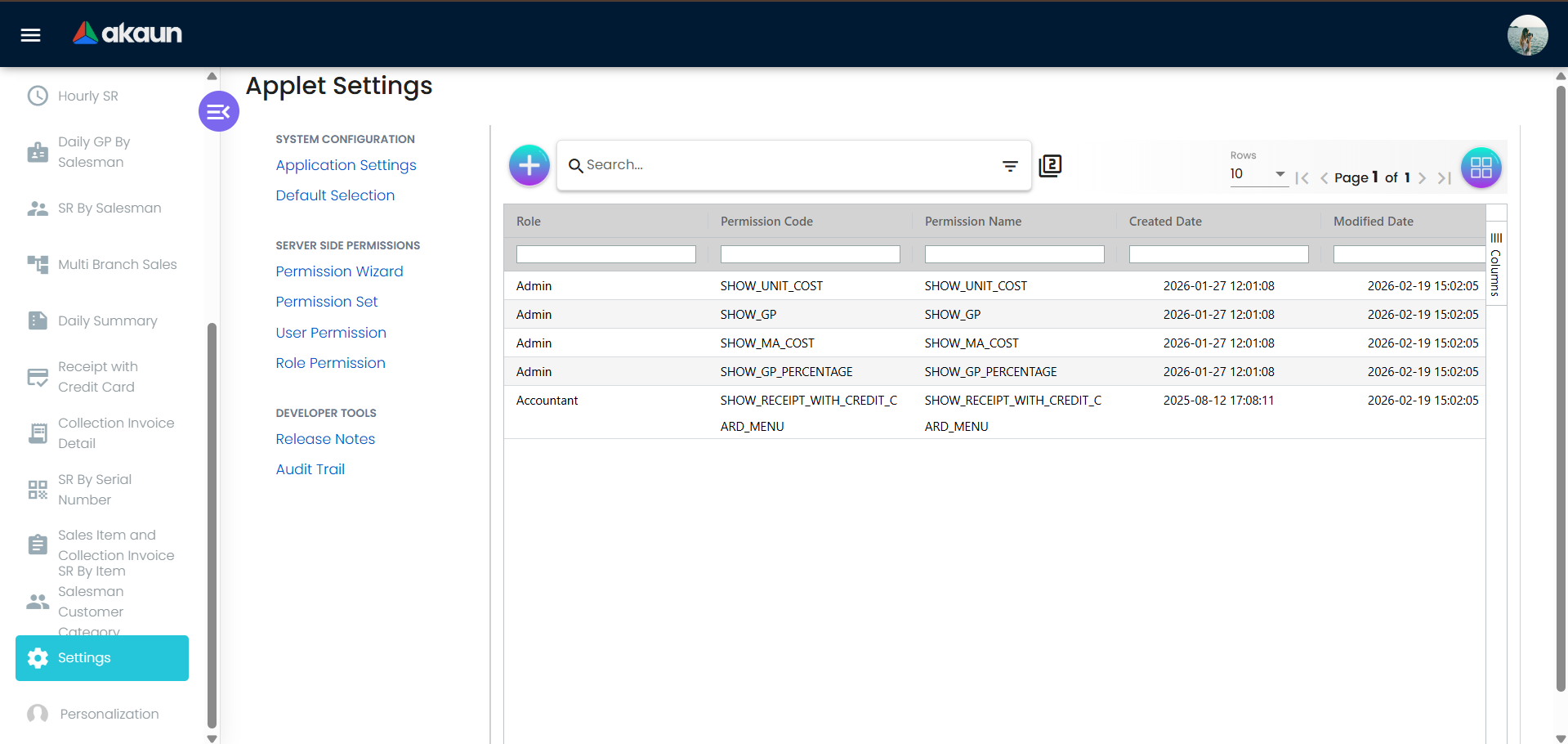
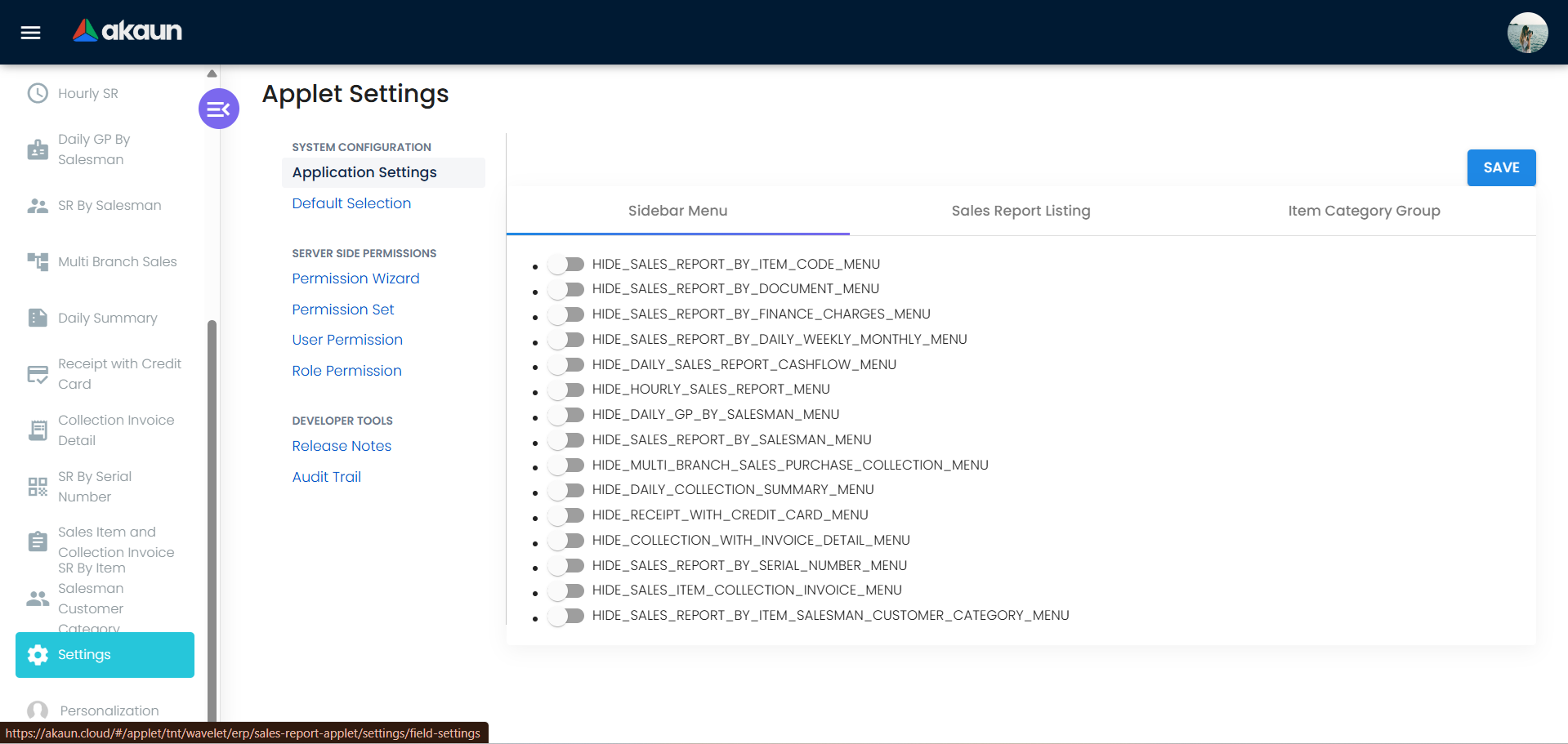
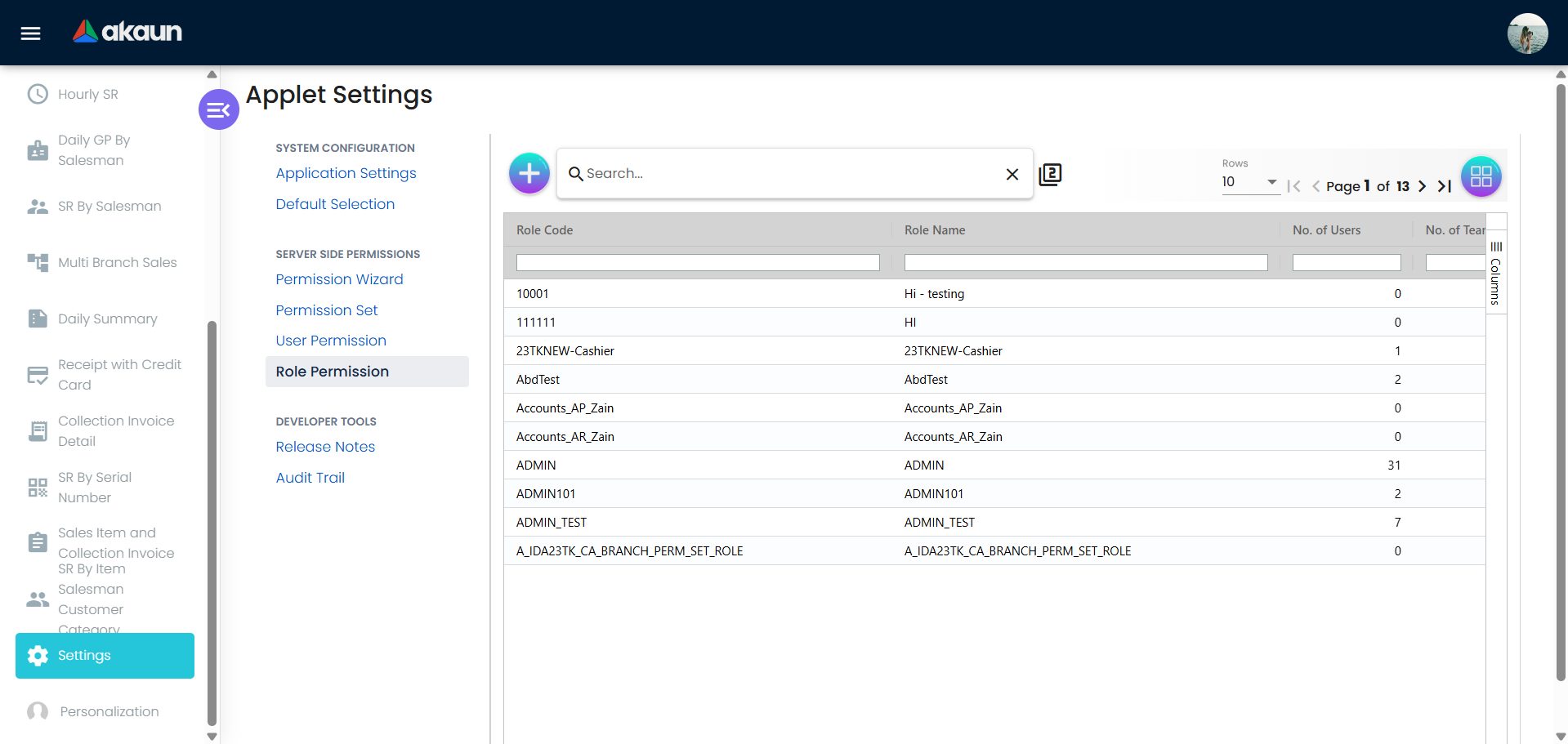
| Application Settings | The applet’s own settings screen (not the shared Field Configuration): menu visibility, Calculate Base On options, cost / GP column visibility, category-group visibility, own-transactions-only |
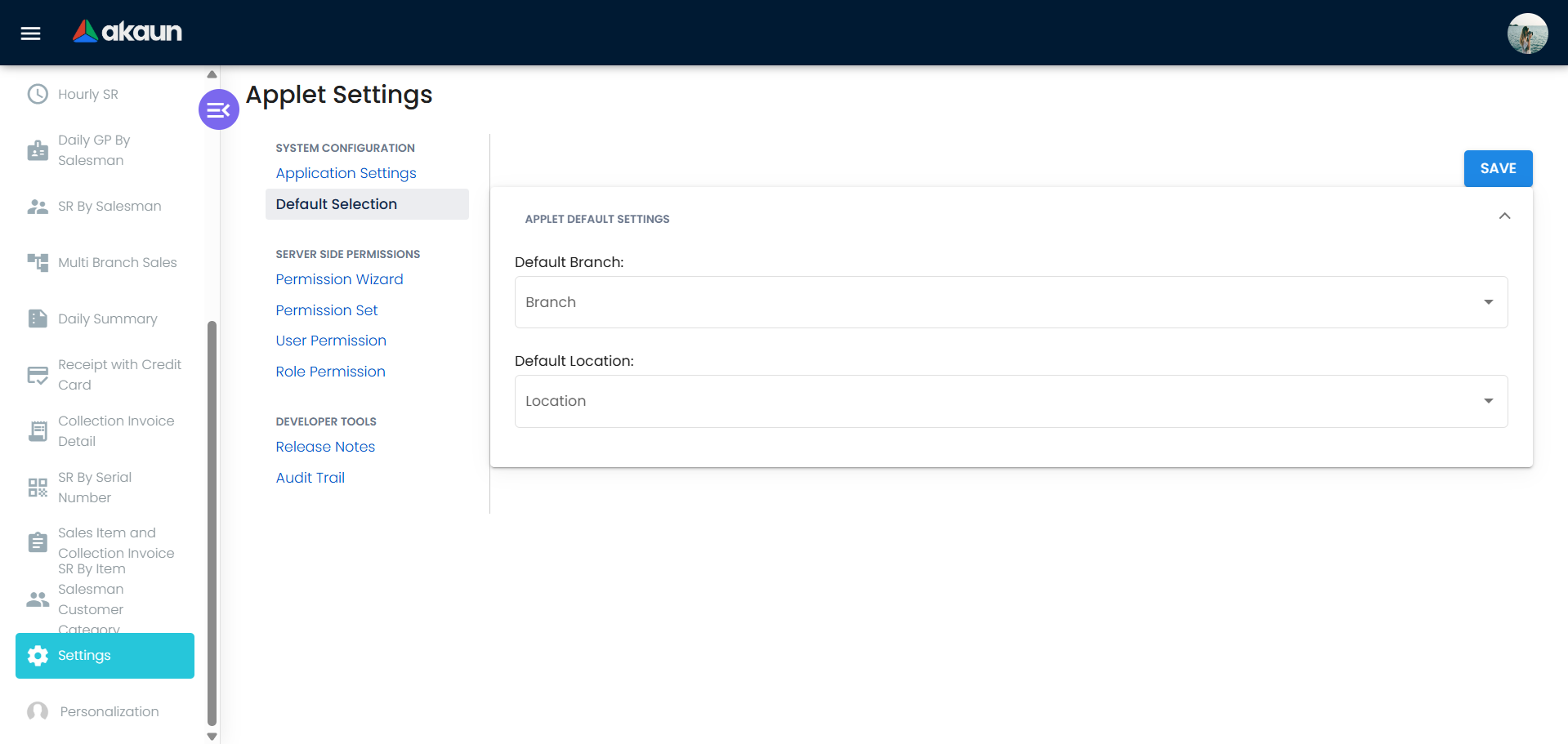
| Default Selection | Default Branch, Default Location |
| Webhook, Release Notes, permission listings | Standard |
| Personalization → Default Selection | Per-user Default Branch and Default Location |
Configuration
Before you can use it
| Prerequisite | Where | Why |
|---|---|---|
| FINAL sales documents | POS General, Sales Invoice (Internal), Sales Return (Internal) | Every report reads FINAL documents only; drafts never appear |
| Item costs and reference prices maintained | Inv Item Maintenance | MA / WA / FIFO / LIFO cost come from costing; replacement, manual, reference, delta and rebate prices and report unit costs are item fields — an empty basis gives zero cost and 100% GP |
| Item categories 1–20 | Inv Item Maintenance | Category columns and category-level filters |
| Customer category and state | Customer | Filters and the State column |
| Cashbooks and settlement methods | Cashbook | Collection and card-receipt reports group by cashbook / method |
| API read permission per report, with branch targets | Settings → permission listings | API_TNT_DM_ERP_SALES_REPORT_BY_ITEM_CODE_READ, …_BY_DOCUMENT_READ, …_BY_FINANCE_CHARGES_READ, …_CASHFLOW_ANALYSIS_READ, …_BY_SALESMAN_READ, API_TNT_DM_ERP_DAILY_GP_BY_SALESMAN_READ, …_HOURLY_SALES_REPORT_READ, …_MULTI_BRANCH_DAILY_SALES_PURCHASE_COLLECTION_READ, …_DAILY_COLLECTION_SUMMARY_READ, …_OFFICIAL_RECEIPT_BY_CREDIT_CARD_READ, …_COLLECTION_INVOICE_DETAILS_READ. The branch picker is built in the browser from the targets granted; whether a report also applies those targets on the server differs from report to report, so do not read the picker as the only control |
Applet settings
Default Selection: DEFAULT_BRANCH, DEFAULT_LOCATION. Personalization → Default Selection holds the same two keys per user.
Application Settings — this applet renders its own screen with four groups:
| Group | Keys | Effect when on |
|---|---|---|
| Menu | HIDE_<MENU>_MENU for every sidebar item, e.g. HIDE_SALES_REPORT_BY_ITEM_CODE_MENU, HIDE_SALES_REPORT_BY_DOCUMENT_MENU, HIDE_SALES_REPORT_BY_FINANCE_CHARGES_MENU, HIDE_SALES_REPORT_BY_DAILY_WEEKLY_MONTHLY_MENU, HIDE_DAILY_SALES_REPORT_CASHFLOW_MENU, HIDE_HOURLY_SALES_REPORT_MENU, HIDE_DAILY_GP_BY_SALESMAN_MENU, HIDE_SALES_REPORT_BY_SALESMAN_MENU, HIDE_MULTI_BRANCH_SALES_PURCHASE_COLLECTION_MENU, HIDE_DAILY_COLLECTION_SUMMARY_MENU, HIDE_RECEIPT_WITH_CREDIT_CARD_MENU, HIDE_COLLECTION_WITH_INVOICE_DETAIL_MENU, HIDE_SALES_REPORT_BY_SERIAL_NUMBER_MENU, HIDE_SALES_ITEM_COLLECTION_INVOICE_MENU, HIDE_SALES_REPORT_BY_ITEM_SALESMAN_CUSTOMER_CATEGORY_MENU, HIDE_VOUCHER_REDEMPTION_MENU | Removes the item from the sidebar for everyone except users holding the matching SHOW_<MENU>_MENU permission |
| Advanced search | ADVANCED_SEARCH_SHOW_<OPTION> for each Calculate Base On option: ADVANCED_SEARCH_SHOW_COST_MA, …_COST_WA, …_COST_FIFO, …_COST_LIFO, …_COST_REPLACEMENT, …_COST_MANUAL, …_REF_PRICE1/2/3, …_DELTA_PRICE1/2/3, …_REBATE_PRICE1/2/3, …_SALES_MIN_PRICE, …_SALES_MAX_PRICE, …_PURCHASE_MIN_PRICE, …_PURCHASE_MAX_PRICE, …_REPORT_UNIT_REPLACEMENT_COST, …_REPORT_UNIT_MANUAL_COST, …_REPORT_UNIT_COMMISSION, …_REPORT_UNIT_REBATE | Only options switched on appear in the Calculate Base On list (all off = empty list) |
| Columns | HIDE_COST, HIDE_MA_COST, HIDE_UNIT_COST, HIDE_GP, HIDE_GP_PERCENTAGE, HIDE_NET_MARGIN, HIDE_DELTA_COST, HIDE_DELTA_UNIT_COST, HIDE_DELTA_GP, HIDE_DELTA_GP_PERCENTAGE, HIDE_DOC_POPUP_COST_AMOUNT, HIDE_DOC_POPUP_GP | Hides the cost / margin column (or popup value) in every report that has it, unless the user holds the paired SHOW_* permission |
| Scope | VIEW_OWN_CREATED_TRANSACTIONS_ONLY (labelled VIEW_SALESMAN_OWN_TRANSACTION_ONLY) | Despite its name, a salesman scope, not a creator scope, and not confined to one report: twelve reports (item code, document, finance charges, daily/weekly/monthly, cashflow, hourly, daily GP by salesman, salesman, receipt with credit card, collection invoice detail, serial number, item-salesman-customer-category) force the Salesman filter to the employee records linked to your login, and the server then filters on the document’s salesman — never on who created it. A login with no employee link gets Account Not Linked and no report. ALLOW_VIEW_ALL_SALESMAN_TRANSACTION lifts the scope |
| Category groups | HIDE_ITEM_CATEGORY_GROUP_1 … HIDE_ITEM_CATEGORY_GROUP_20 | Hides that category column in the grids and its level filter in advanced search |
Document behaviour settings
Not applicable — the applet creates no documents. Cost basis defaults to cost_ma when nothing is chosen; the document popup opens the source document read-only.
Feature visibility / permissions
Client-side permissions registered for this applet (49):
| Group | Codes | Pairs with |
|---|---|---|
| Menus | SHOW_SALES_REPORT_BY_ITEM_CODE_MENU, SHOW_SALES_REPORT_BY_DOCUMENT_MENU, SHOW_SALES_REPORT_BY_FINANCE_CHARGES_MENU, SHOW_SALES_REPORT_BY_DAILY_WEEKLY_MONTHLY_MENU, SHOW_DAILY_SALES_REPORT_CASHFLOW_MENU, SHOW_HOURLY_SALES_REPORT_MENU, SHOW_DAILY_GP_BY_SALESMAN_MENU, SHOW_SALES_REPORT_BY_SALESMAN_MENU, SHOW_MULTI_BRANCH_SALES_MENU, SHOW_MULTI_BRANCH_SALES_PURCHASE_COLLECTION_MENU, SHOW_DAILY_COLLECTION_SUMMARY_MENU, SHOW_RECEIPT_WITH_CREDIT_CARD_MENU, SHOW_COLLECTION_WITH_INVOICE_DETAIL_MENU, SHOW_SALES_REPORT_BY_SERIAL_NUMBER_MENU, SHOW_SALES_ITEM_COLLECTION_INVOICE_MENU, SHOW_SALES_REPORT_BY_ITEM_SALESMAN_CUSTOMER_CATEGORY_MENU | HIDE_<MENU>_MENU settings (no SHOW_VOUCHER_REDEMPTION_MENU is registered). SHOW_MULTI_BRANCH_SALES_MENU pairs with nothing: the sidebar filter builds both names from the route, so only SHOW_MULTI_BRANCH_SALES_PURCHASE_COLLECTION_MENU reopens that item |
| Columns | SHOW_COST, SHOW_MA_COST, SHOW_UNIT_COST, SHOW_GP, SHOW_GP_PERCENTAGE, SHOW_DOC_POPUP_COST_AMOUNT, SHOW_DOC_POPUP_GP | HIDE_* column settings (no SHOW_NET_MARGIN / SHOW_DELTA_* are registered, so those hides cannot be reopened per role) |
| Scope | ALLOW_VIEW_ALL_SALESMAN_TRANSACTION (read by the twelve reports that apply the salesman scope), ALLOW_VIEW_TRANSACTION_ALL_USER_CREATE (registered but not read) | VIEW_OWN_CREATED_TRANSACTIONS_ONLY |
| Cost basis (legacy) | SHOW_ADVANCED_SEARCH_COST_MA / _WA / _FIFO / _LIFO / _MANUAL / _REPLACEMENT, …_REF_PRICE1–3, …_DELTA_PRICE1–3, …_REBATE_PRICE1–3, …_SALES_MIN/MAX_PRICE, …_PURCHASE_MIN/MAX_PRICE, …_REPORT_UNIT_* | Registered but no longer read: the shared advanced search gates Calculate Base On on the ADVANCED_SEARCH_SHOW_* settings only |
Fields
Read-only applet; the only inputs are the advanced-search fields above and the two default-selection keys.
Lifecycle and effects
Not applicable. Reports never change documents, stock or the ledger. Amounts are multiplied by each line’s amount signum, so returns, credit notes and trade-ins reduce sales, and posting status must be FINAL.
Related applets
- POS General, Sales Invoice (Internal), Sales Return (Internal), Sales Credit Note (Internal), Sales Debit Note (Internal) — the documents reported.
- Receipt Voucher (Internal), Payment Voucher (Internal) — collection reports.
- Daily Cashier Report — Z Report and Cashier Collection.
- Sales Report Supplier Access — supplier-facing sales by item.
- Non Stock and Trade In, Voucher Management, Membership Admin — trade-in, voucher and points rows.
- Inv Item Maintenance, Pricebook, Customer, Cashbook, Organisation — master data the filters and columns come from.
Troubleshooting
| Symptom | Cause | Fix |
|---|---|---|
| A report is missing from the sidebar for one user | HIDE_<MENU>_MENU on and the user lacks SHOW_<MENU>_MENU | Turn the hide off or grant the permission |
| Calculate Base On list is empty or lacks an option | No ADVANCED_SEARCH_SHOW_<OPTION> setting switched on | Application Settings → advanced search group |
| Cost, GP, GP%, delta or net-margin column missing | HIDE_* column setting on; user lacks the paired SHOW_* (net margin and delta columns have no permission) | Turn the hide off, or grant SHOW_COST / SHOW_GP / … |
| Branch picker shows only some branches | The report’s API read permission is granted without that branch target | Add the branch to the permission target |
| A report shows only documents where I am the salesman, or opens with Account Not Linked | VIEW_OWN_CREATED_TRANSACTIONS_ONLY on — it scopes by the employee linked to your login, not by who created the document | Grant ALLOW_VIEW_ALL_SALESMAN_TRANSACTION, link the login to its employee record, or turn the setting off |
| GP is 100% or cost is zero | The chosen cost basis is empty on the item (manual / replacement / reference price not maintained) | Maintain the item field or choose cost_ma |
A report_unit_… basis shows nothing for some lines | Those lines were saved before their category had a Report Item Price rule, or their item is in no category with one | See the Report Item Price tab; a line gets the figure only the next time its document is saved |
| The landlord’s hourly turnover for a branch differs from Hourly SR | The landlord’s feed counts cash bills only, of every posting status, before returns and with tax; Hourly SR counts FINAL cash bills, invoices and returns at net | See Hourly SR and a landlord’s hourly sales feed |
| Filtering SR By Document by Sales Lead returned only cash bills | Older build ignored the selected document types when a sales lead was chosen | Fixed; upgrade |
| Receipt with Credit Card net amount wrong; wrong settlement total when the header is a receipt voucher; GP / net margin miscalculated; return totals missing in Daily GP By Salesman; hour columns missing in Hourly SR | Older build bugs | Fixed; upgrade |
| Export fails with more than two group columns | Older build | Fixed; upgrade |
| Category 1–20 column or filter not shown | HIDE_ITEM_CATEGORY_GROUP_n on | Application Settings → category groups |
| Cannot find a document by its remarks | Remarks filter added recently to SR By Document and SR By Item Code | Upgrade, then use the Remarks field |