Configuration
Configuring the Digital CRM Module follows a strict 5-phase dependency chain. Customer profiles and communication channels must be established before automated campaign triggers or AI analytics models are enabled.
Implementation Pipeline & Workflow
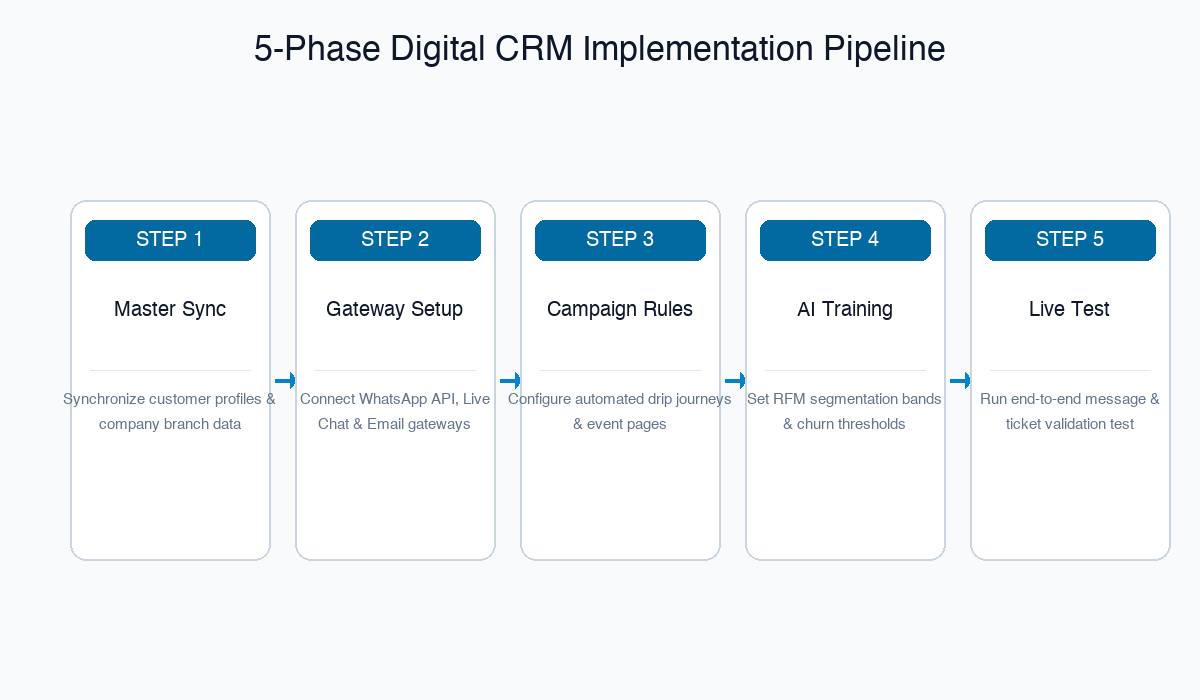
Phase 1: Master Foundations
What you are doing: Verifying customer master profiles, contact information, and support agent teams.
| Setup Task | Required Applet |
|---|---|
| Branch & Contact Center Settings | Organisation Applet |
| Customer Profiles & Contact Details | Customer Maintenance Applet |
| Support Team & Agent Permissions | Unified Contact Center UCC Applet |
Phase 2: Channel Messaging Gateways
What you are doing: Connecting WhatsApp Business API, live chat web widgets, email SMTP servers, and telephony gateways.
| Setup Task | Required Applet |
|---|---|
| WhatsApp & Social Channel Integration | Unified Contact Center UCC Applet |
| Website Live Chat Widget Deployment | Unified Contact Center UCC Applet |
Phase 3: Engagement & Event Setup
What you are doing: Building automated customer drip journeys, message templates, and event registration pages.
| Setup Task | Required Applet |
|---|---|
| Broadcast Campaign & Drip Sequences | Engagement Applet |
| Event Registration Pages & Ticketing | Events Management Applet |
Phase 4: AI Model Configuration
What you are doing: Training AI sentiment analysis models, setting RFM threshold bands, and configuring churn alert triggers.
| Setup Task | Required Applet |
|---|---|
| RFM Segmentation Band Rules | AI Customer Analytics Applet |
| Predictive Churn Threshold Alerts | AI Customer Analytics Applet |
Phase 5: Test & Validate (Smoke Test)
Before going live, complete these mandatory verification tests:
- Omnichannel Message Test: Send a test WhatsApp or Live Chat message and verify real-time ticket creation in Unified Contact Center UCC Applet.
- Campaign Broadcast Test: Send a test engagement email/SMS and verify open/click tracking logs.
- Event QR Check-In Test: Generate a test event ticket QR code and verify successful check-in scanning.