Configuration
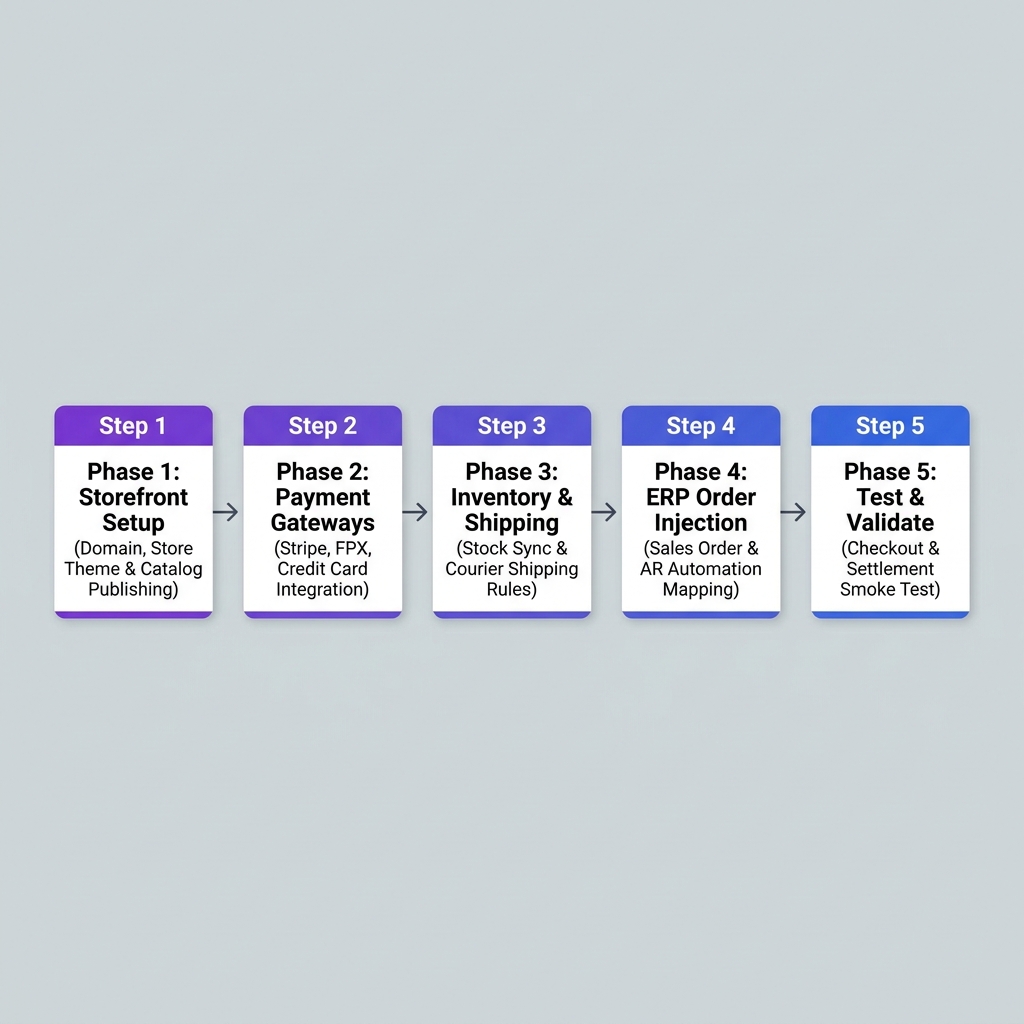
Configuring the E-Commerce Module follows a strict 5-phase dependency chain. Product catalogs and item master data must be established before payment gateways or automated order injection rules are enabled.
Configuration Dependency Chain
Warning
Product SKUs and inventory warehouses must exist in Core and Inventory before publishing digital webstore catalogs or connecting payment gateways. Always complete setup phases in order.
Phase 1: Storefront Setup
What you are doing: Configuring custom web domains, publishing digital product catalogs, and setting public web pricing.
| Setup Task | Required Applet |
|---|---|
| Item Master SKUs & Public Descriptions | Doc Item Maintenance Applet |
| Webstore Domain & Theme Configuration | CP-Commerce Admin Applet |
| Digital Catalog Publishing & Pricing | CP-Commerce Admin Applet / Pricebook Applet |
Phase 2: Payment Gateways
What you are doing: Connecting online payment processors (Stripe, FPX, Credit Card, PayPal) and mapping transaction fees.
| Setup Task | Required Applet |
|---|---|
| Online Shopping Cart & Checkout Interface | Shopping Cart Applet |
| Payment Gateway Merchant Credentials | CP-Commerce Admin Applet / Finance Setup |
Phase 3: Inventory & Shipping Rules
What you are doing: Setting real-time stock allocation warehouses, safety stock buffers, and courier shipping matrices.
| Setup Task | Required Applet |
|---|---|
| Fulfillment Warehouse Allocation | Warehouse Management Applet |
| Multi-Channel Marketplace Inventory Sync | Seller Admin Applet |
Phase 4: ERP Order Injection Automation
What you are doing: Mapping online customer checkout profiles into ERP Sales Orders and automated Accounts Receivable ledgers.
| Setup Task | Required Applet |
|---|---|
| Automated Sales Order Generation | Sales Order Applet |
| Customer Account & Guest Checkout Mapping | Customer Maintenance Applet |
Phase 5: Test & Validate (Smoke Test)
Before going live, complete these mandatory verification tests:
- End-to-End Checkout Test: Place a test order on the live storefront using a test credit card and verify payment authorization.
- Order Injection Test: Confirm the test web checkout automatically creates a confirmed Sales Order in BigLedger.
- Stock Deduction Test: Verify available inventory decreases immediately by the ordered quantity.