Core Concepts
Understanding core e-commerce concepts is essential before launching online storefronts or configuring payment gateways. These concepts explain how digital customer checkouts convert into physical warehouse orders and how online funds settle into financial ledgers.
The E-Commerce Online Order Lifecycle
Digital commerce transactions follow a structured 5-step lifecycle. Each step represents an automated transition across customer-facing portals and backend ERP ledgers.
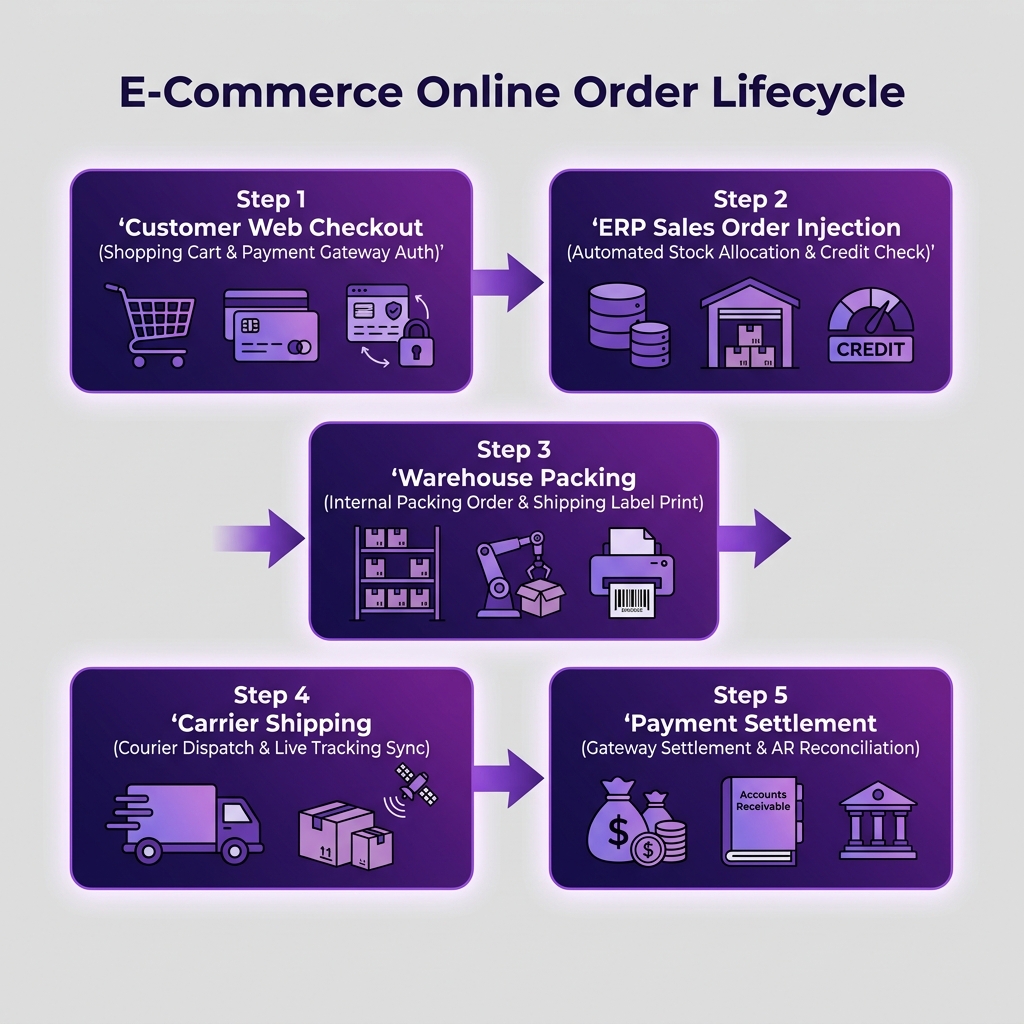
| Step | Milestone | Business Purpose | Applet Used |
|---|---|---|---|
| 1 | Web Checkout | Online buyer selects products, inputs shipping address, and pays via gateway | Shopping Cart Applet |
| 2 | ERP Order Injection | Automated conversion of web checkout into an official ERP Sales Order | CP-Commerce Admin Applet / Sales Order Applet |
| 3 | Warehouse Packing | Warehouse receives digital picking list and generates courier packing slips | Internal Packing Order Applet |
| 4 | Carrier Shipping | Goods dispatched via shipping courier; tracking number synced to buyer | Logistics / Delivery Integrations |
| 5 | Gateway Settlement | Payment gateway transfers net funds to bank account after deducting merchant fees | Financial Accounting Gateway Reconciliation |
Real-Time Omnichannel Inventory Sync
To prevent overselling across multiple online channels (e.g., selling the same item unit simultaneously on your webstore and Shopee), BigLedger enforces Real-Time Buffer Allocation:
- Safety Stock Buffer: Reserves a configurable safety buffer (e.g., 5 units) that is hidden from public online catalogs to absorb concurrent checkouts.
- Bi-Directional Sync: When an item is sold at a physical retail POS counter, available online quantities update across all digital channels instantly via background API webhooks.
What to Read Next
- Configuration — Set up digital storefront themes, payment gateways, and shipping carrier rules.
- Use Cases — Review reference architectures for B2C webstores, B2B wholesale portals, and marketplace sync.