Configuration
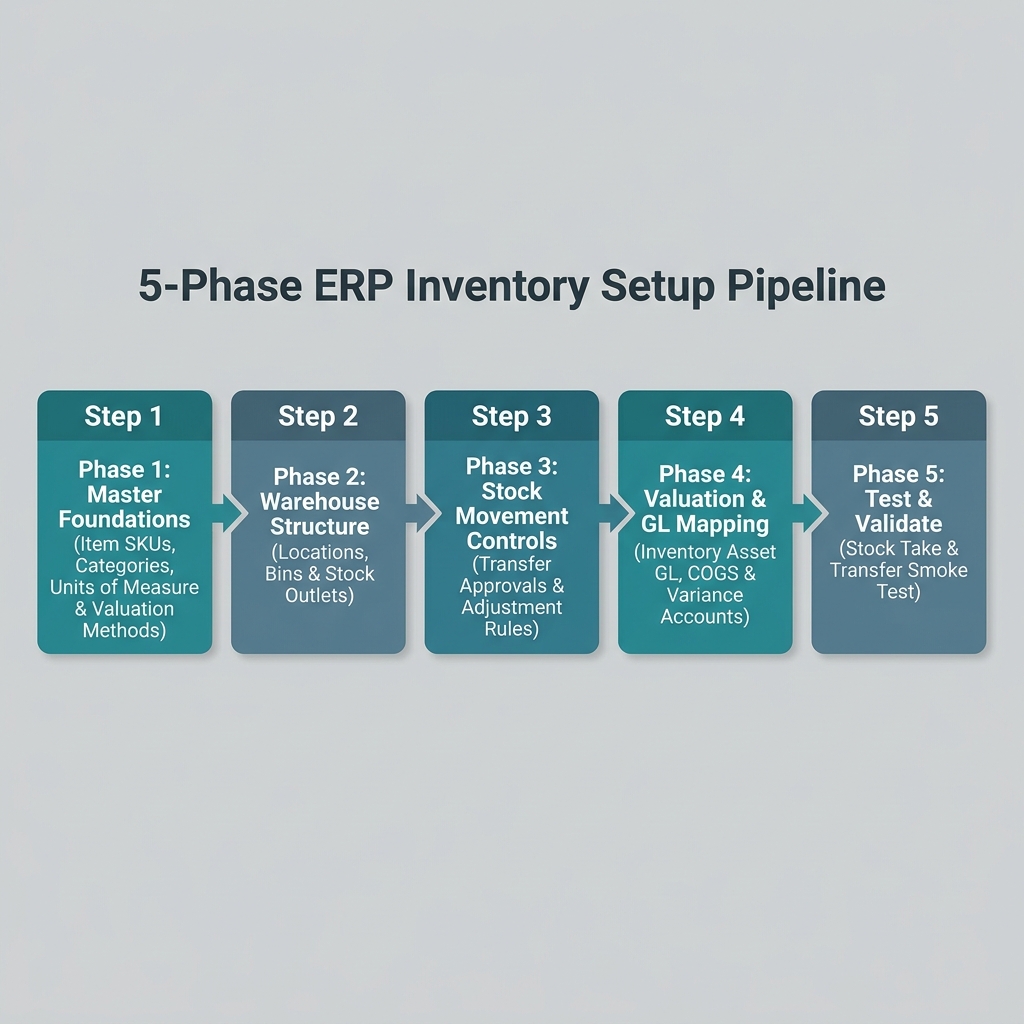
Configuring the Inventory Module follows a strict 5-phase dependency chain. Master data foundations and item SKUs must be set up before warehouse storage structures or stock movement rules are enabled.
Configuration Dependency Chain
Warning
Item SKUs and units of measure (UOM) must exist in Core before establishing warehouse bin locations or uploading opening balances. Always complete setup phases in order.
Phase 1: Master Foundations
What you are doing: Verifying item master SKUs, product categories, purchasing units of measure (UOM), and valuation methods.
| Setup Task | Required Applet |
|---|---|
| Branch & Store Location Setup | Organisation Applet |
| Item Master SKUs & Purchasing UOMs | Doc Item Maintenance Applet |
| Inventory Item Attributes & Categories | Inventory Item Maintenance Applet |
Phase 2: Warehouse Structure
What you are doing: Defining physical warehouses, store outlets, staging areas, and bin storage locations.
| Setup Task | Required Applet |
|---|---|
| Warehouse & Outlet Definition | Organisation Applet |
| Aisle, Shelf & Bin Storage Locations | Warehouse Management Applet |
Phase 3: Stock Movement Controls
What you are doing: Establishing approval rules for inter-warehouse transfers, stock adjustments, and physical stock takes.
| Setup Task | Required Applet |
|---|---|
| Inter-Warehouse Stock Transfer Rules | Stock Transfer Applet |
| Stock Write-Off & Adjustment Approvals | Stock Adjustment Applet |
| Physical Cycle Count Audits | Stock Take Applet |
Phase 4: Valuation & GL Mapping
What you are doing: Mapping perpetual inventory asset GL accounts, Cost of Goods Sold (COGS), and inventory variance GLs.
| Setup Task | Required Applet |
|---|---|
| Inventory Asset GL Mapping | Financial Accounting Configuration |
| COGS & Inventory Variance Accounts | Financial Accounting Configuration |
Phase 5: Test & Validate (Smoke Test)
Before going live, complete these mandatory verification tests:
- Stock Transfer Test: Execute an inter-branch stock transfer and confirm source stock decreases while target stock increases.
- Stock Take Test: Perform a simulated physical stock audit and verify variance write-offs post accurately to GL asset accounts.
- Stock Availability Test: Check real-time stock balances in Stock Availability Applet to verify reserved vs. available quantities.