Core Concepts
Understanding core inventory concepts is essential before configuring warehouse locations or executing physical stock takes. These concepts explain how inventory movements flow through the ERP and how stock allocations interact with financial ledgers.
The Stock Movement Lifecycle
Inventory operations follow a structured 5-step movement lifecycle. Each step represents a physical movement or stock balance modification.
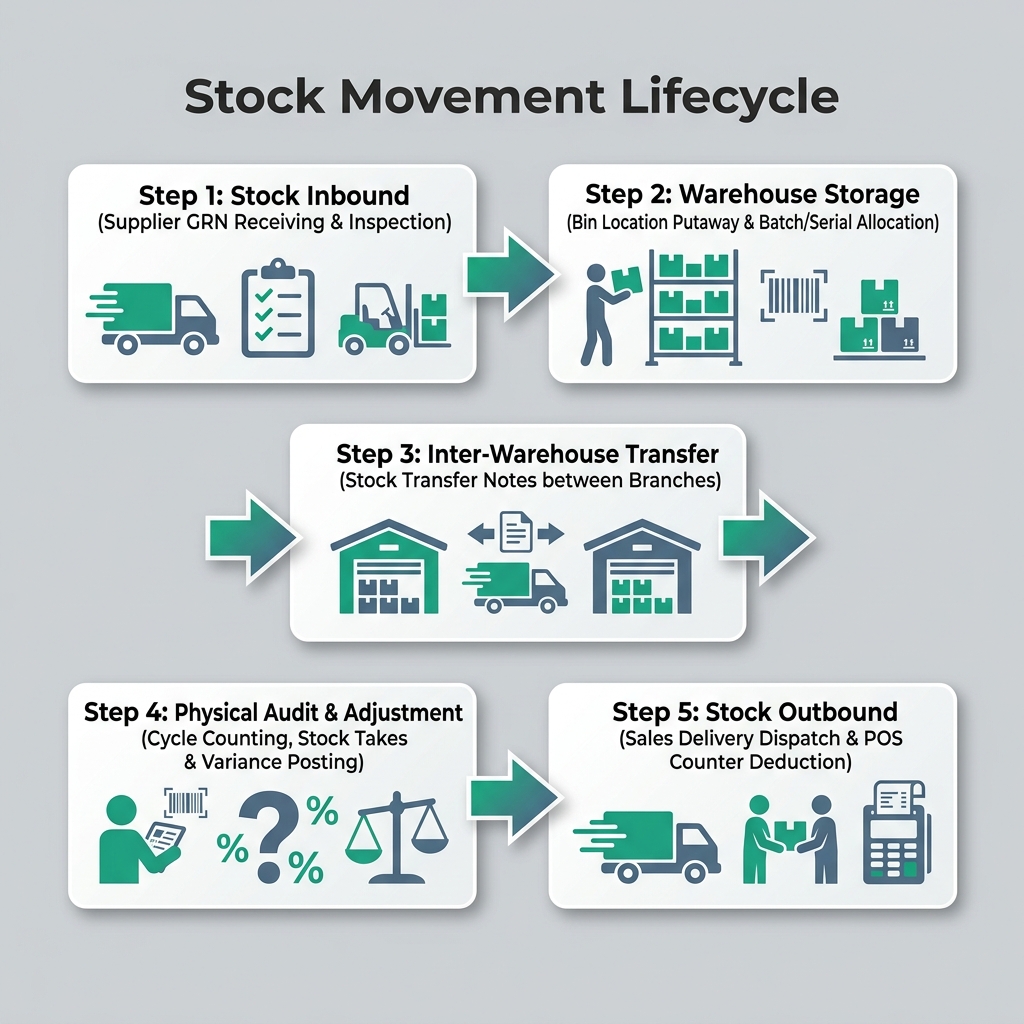
| Step | Movement Stage | Business Purpose | Applet Used |
|---|---|---|---|
| 1 | Stock Inbound | Receiving supplier goods via GRN or production assembly stock-in | Goods Received Note GRN Applet |
| 2 | Warehouse Storage | Bin location putaway, batch/lot tracking, and stock reservation | Warehouse Management Applet |
| 3 | Inter-Warehouse Transfer | Moving stock between internal branches or retail stores | Stock Transfer Applet |
| 4 | Physical Audit & Adjustment | Cycle counting, physical stock takes, and variance write-offs | Stock Take Applet / Stock Adjustment Applet |
| 5 | Stock Outbound | Fulfilling commercial sales delivery orders or retail POS checkouts | POS General Applet / Delivery Orders |
Perpetual Inventory Valuation Methods
BigLedger maintains perpetual real-time inventory valuation. Every stock movement updates your balance sheet asset value automatically using one of two supported costing methods:
- FIFO (First-In, First-Out): Assumes the oldest inventory items are sold or consumed first. Ideal for perishable goods or businesses with shifting vendor purchase costs.
- Moving Average Cost (MAC): Re-calculates the weighted average cost per unit every time new inventory is received via GRN. Ideal for standard retail trading items.
Batch & Serial Lot Tracking
For regulated industries (pharmaceuticals, F&B) or high-value electronics, BigLedger provides granular tracking:
- Batch / Lot Control: Tracks manufactured batches with manufacturing dates, supplier lot numbers, and expiration dates.
- Serial Number Tracking: Assigns a unique individual identifier to every single item unit for warranty enforcement and trace analysis.
What to Read Next
- Configuration — Set up warehouse bin structures, stock movement rules, and GL account mappings.
- Use Cases — Review reference architectures for multi-warehouse distribution, batch tracking, and kitting.