Core Concepts
Understanding core sales concepts is essential before configuring pricing or running cashier transactions. These concepts explain how documents flow through the ERP and how stock allocations interact with financial ledgers.
The Commercial Sales Document Lifecycle
Commercial sales transactions follow a structured 5-step lifecycle. Each step represents a distinct legal, inventory, and financial milestone.
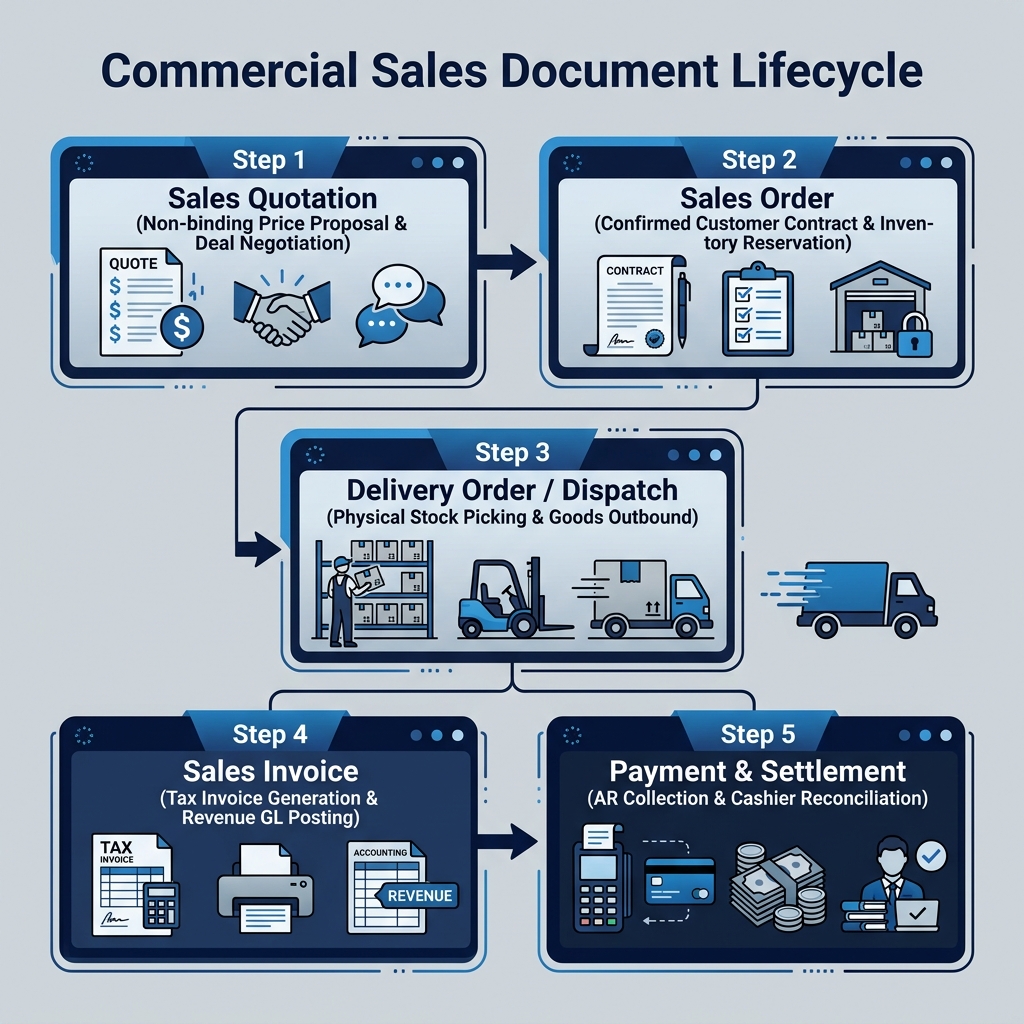
| Step | Document | Business Purpose | Inventory Impact | Accounting Impact |
|---|---|---|---|---|
| 1 | Sales Quotation | Non-binding price proposal sent to potential buyer | None | None |
| 2 | Sales Order | Confirmed customer contract / binding order | Stock Allocated / Reserved | None |
| 3 | Delivery Order | Physical goods dispatch & warehouse picking | Physical Stock Released | None (COGS accrual optional) |
| 4 | Sales Invoice | Commercial billing demanding customer payment | Stock Reduced (if unlinked to DO) | Revenue Recognized, AR Debited |
| 5 | Settlement | AR collection receipt or POS cash settlement | None | Bank Debited, AR Cleared |
Retail Counter vs. B2B Sales Workflows
BigLedger separates revenue operations into two primary channels based on transaction speed and fulfillment type:
1. Retail POS Counter (Instant Settlement)
Designed for high-speed, direct-to-consumer store counter transactions.
- Applet: POS General Applet
- Workflow: Cashier scans barcodes → system calculates tax & tier price → payment collected immediately → receipt issued → stock reduced instantly upon sale finalization.
2. B2B Commercial Sales Workflow (Contractual Fulfillment)
Designed for account sales, corporate client orders, and wholesale dispatch requiring credit terms.
- Applets: Sales Quotation → Sales Order → Sales Invoice
- Workflow: Proposal negotiated → contract confirmed & stock allocated → goods dispatched → tax invoice billed according to agreed payment terms (e.g., Net 30).
Stock Reservation Mechanics (Hard vs. Soft Allocation)
When a customer places a Sales Order, BigLedger protects your fulfillment commitments using two levels of inventory allocation:
- Soft Allocation: The ordered quantity is flagged in the system to warn sales teams of pending demand, but physical stock remains available for other urgent orders until approved.
- Hard Allocation (Reservation): Specific warehouse batch or lot numbers are locked exclusively to the Sales Order. Other users cannot select or ship these reserved units.
What to Read Next
- Configuration — Set up commercial pricebooks, POS cashier terminals, and sales workflows.
- Use Cases — Review reference architectures for retail chains, B2B distributors, and consignment stock.