CP-Commerce Module
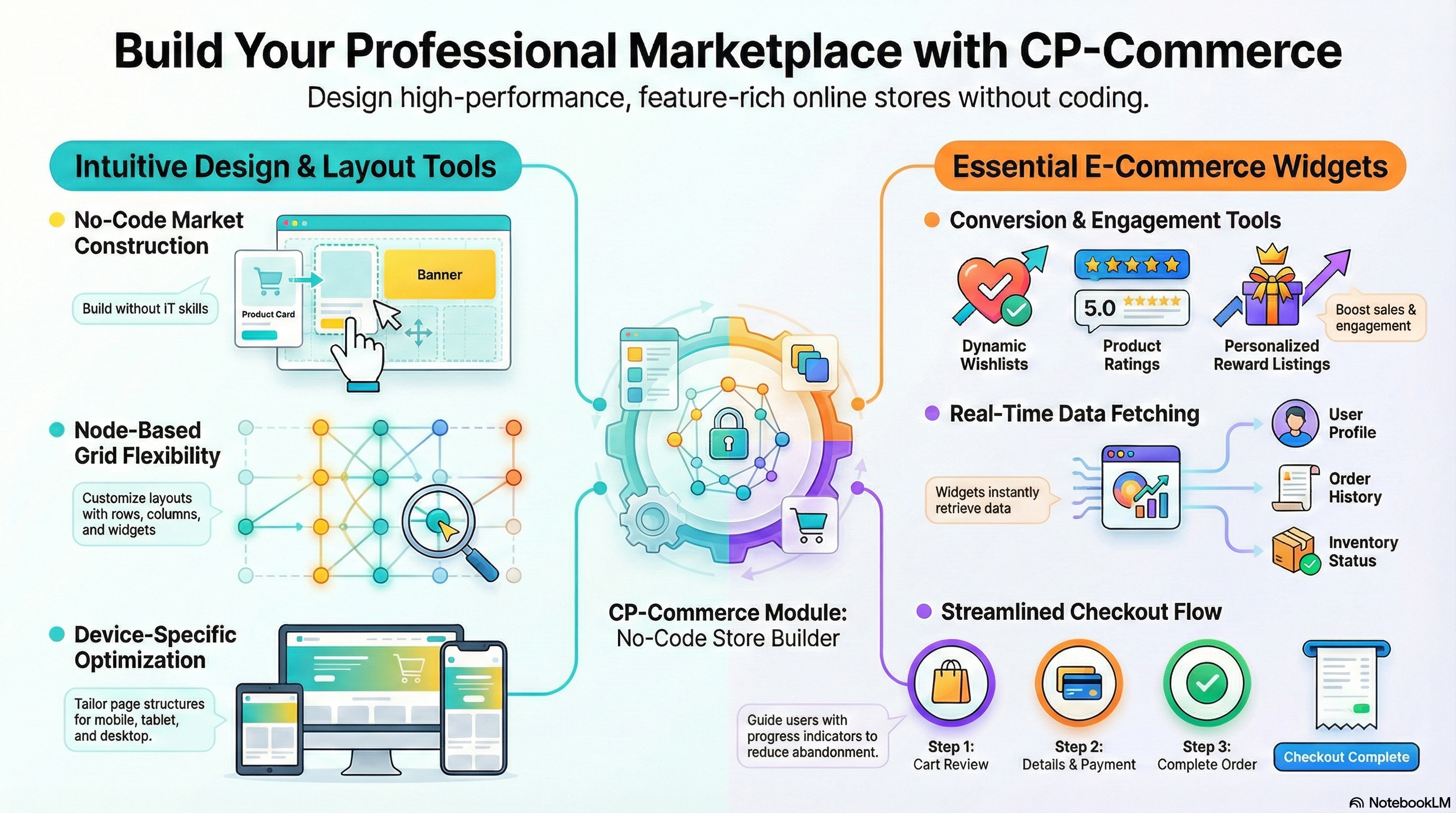
The CP-Commerce Module provides a complete e-commerce solution that combines all Core Module capabilities with specialized commerce-focused applets. This module is designed for businesses that need both foundational ERP capabilities and advanced e-commerce functionality.
Purpose and Overview
The CP-Commerce Module is where you define how your online business operates. It serves as the bridge between your back-office operations (Inventory, Sales, CRM) and your customer-facing digital storefront.
Think of it as your digital command center: managing product catalogs, customizing store layouts, processing online orders, and engaging customers—all integrated seamlessly with your core ERP data.
Who Uses This Applet
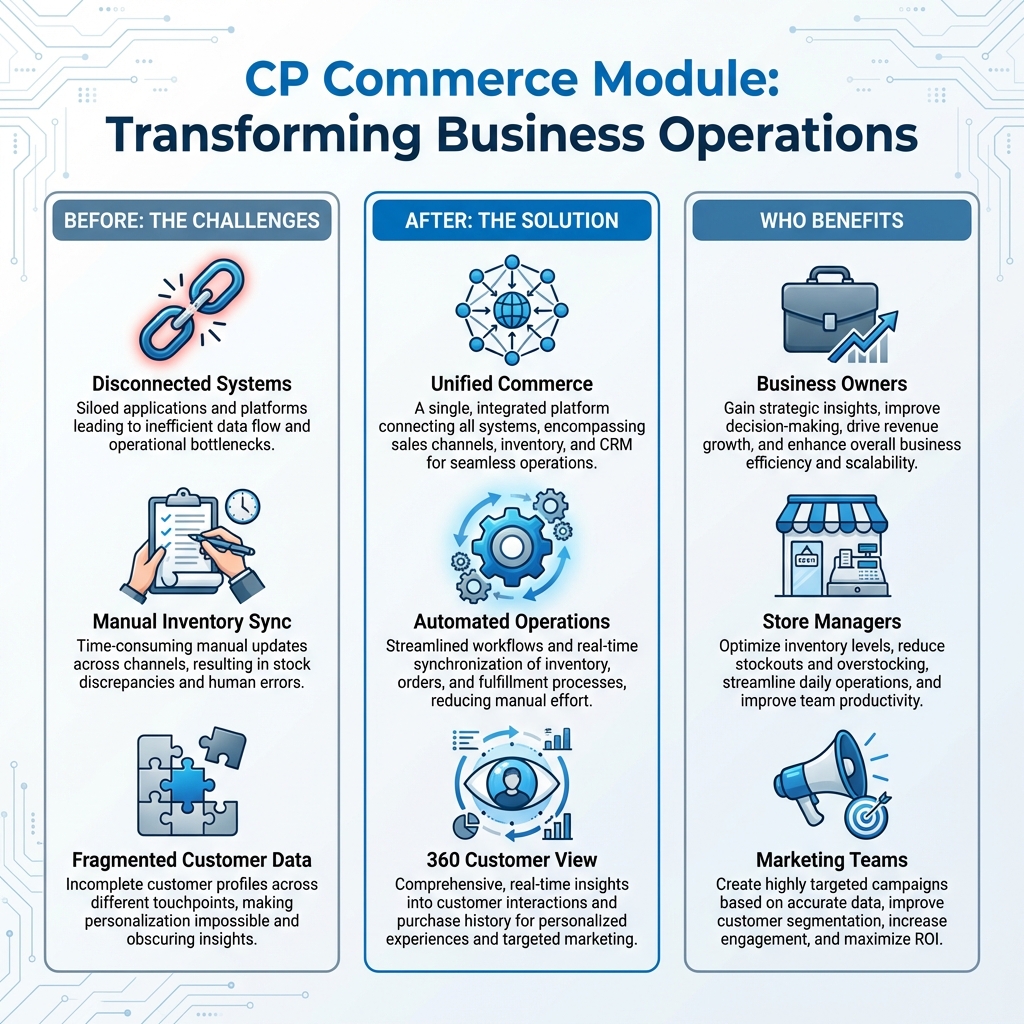
Business Owners:
- Gain strategic insights and improve decision-making
- Drive revenue growth
- Enhance overall business efficiency and scalability
Store Managers:
- Optimize inventory levels (reduce stockouts and overstocking)
- Streamline daily operations
- Improve team productivity
Marketing Teams:
- Create highly targeted campaigns based on accurate data
- Improve customer segmentation
- Increase engagement and maximize ROI
A short introduction to the CP-Commerce Module:
How to Manage the Structure and Design of Your Store
Designing your CP-Commerce marketplace is now easier than ever. With our CP-Commerce Admin Applet, you can create a stunning online store in a short time, without needing any IT background or programming skills. Our applet offers an intuitive interface that allows you to effortlessly customize your marketplace. Whether you’re adding products, managing promotions, or optimizing your store for search engines, our user-friendly tools make the process seamless. Join the ranks of successful online entrepreneurs and bring your marketplace vision to life with CP-Commerce Admin Applet.
This comprehensive guide will empower you to build your e-commerce website or online marketplace with ease.
Key Features:
- Layout Instances for Device-Specific Optimization: Design web page structures tailored to different devices for optimal viewing experiences.
- Node-Based Structure: Construct layouts with rows, columns, and widgets for flexible content organization.
- Versatile Widgets: Add a wide range of customizable components, extending functionality from headers and image displays to product listings and sales order management.
- Advanced Configuration Options: Tailor each widget to meet your specific needs.
Additional Tips:
- Experiment with Node Combinations: Try different combinations of rows, columns, and widgets to achieve unique and effective layouts across devices.
- Refer to Widget Documentation: Consult the widget documentation for detailed instructions on configuring individual widgets and their settings. Widgets add essential content and functionality to your website. Each widget offers unique customization options to match your design and content need.
- Utilize Grid-Based Structure: Create visually appealing and organized layouts using a grid-based approach.
- Ensure Responsive Design: Optimize your website for optimal viewing across various devices.
Widgets
1. Profile Widget
Purpose
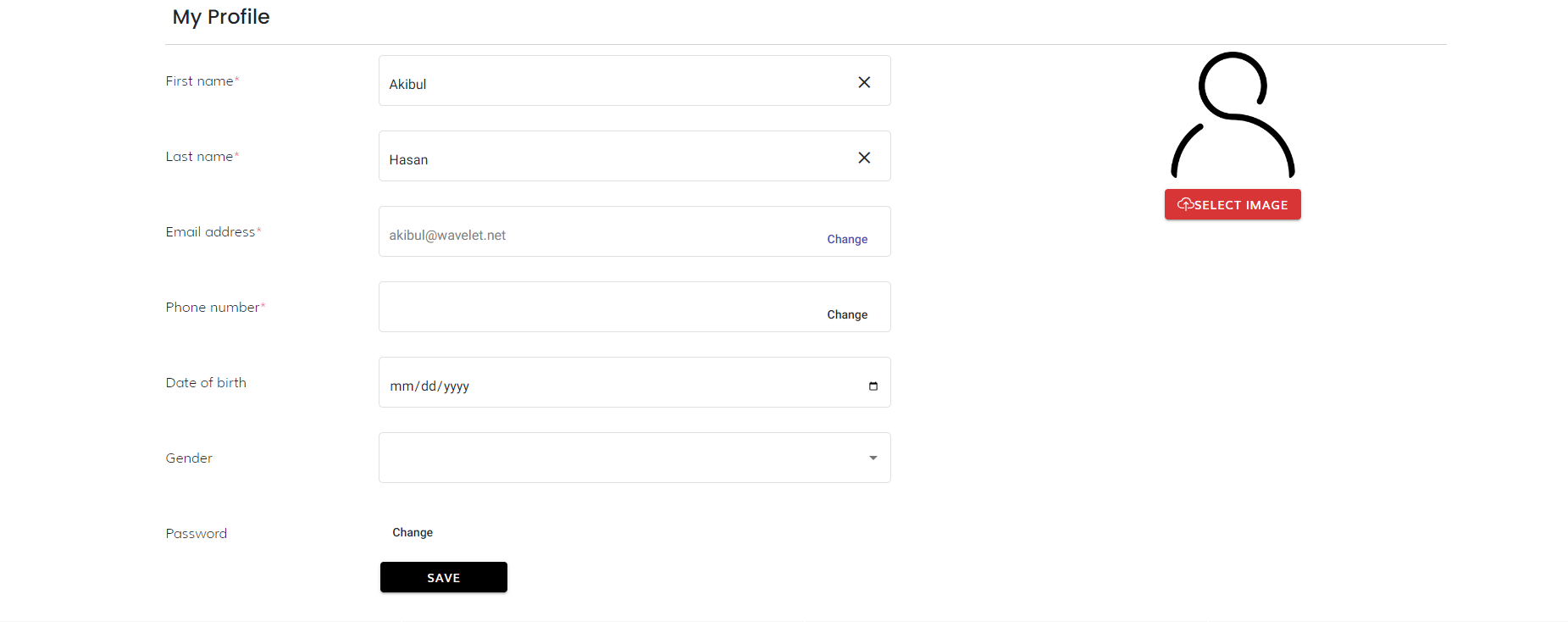
Seamlessly display essential user information, including details such as name, email, order history, and more. Create personalized experiences and enhance user engagement.
Configuration Options
- Mandatory Fields: Select which user information to make mandatory, ensuring the collection of crucial details.
- Appearance Customization:
- Colors: Adjust the widget’s background, text, and accent colors to match your website’s design.
- Fonts: Choose appropriate fonts for optimal readability and brand consistency.
- Spacing: Control the spacing between elements for a visually pleasing layout.
Key Features
- Dynamic Data Fetching: Automatically retrieves user information from their profiles, ensuring real-time accuracy.
Example Use Cases
- Account Dashboard: Integrate the Profile Widget into a user’s account dashboard to provide a personalized overview of their information and order history.
- Customer Profile Page: Display key user details on a dedicated profile page to enhance customer engagement and transparency.
2. My Wishlist
Purpose
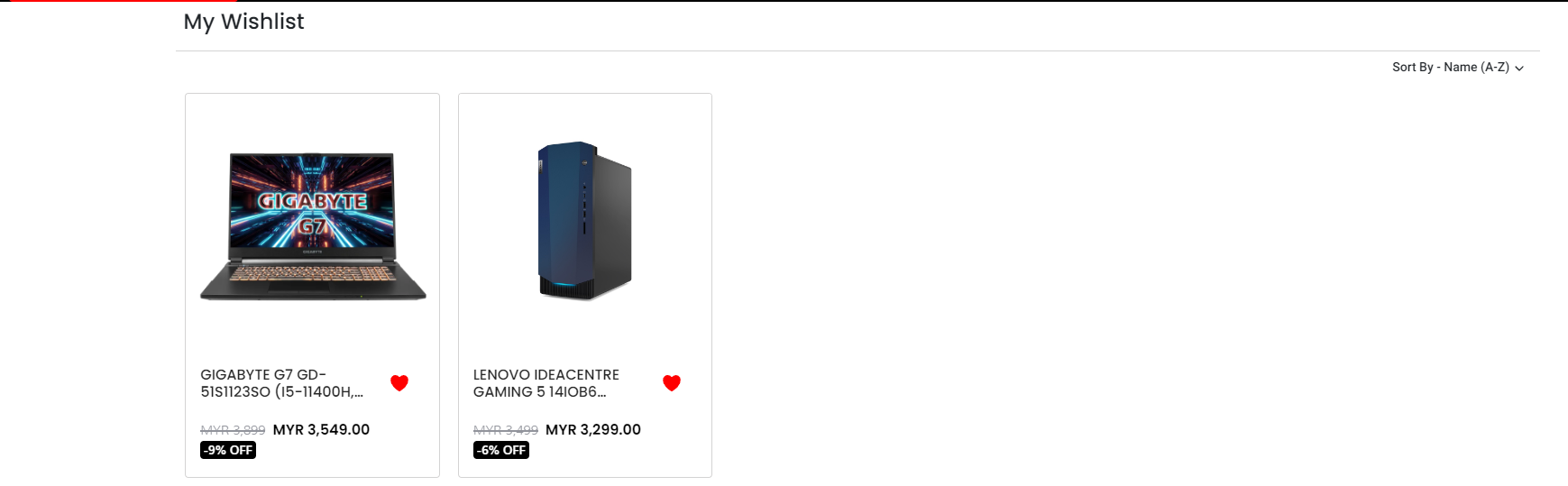
Provide a dedicated space for users to save and manage their favorite items, fostering product engagement and potential conversions. Create a personalized shopping experience that encourages revisits and repeat purchases.
Key Features
- Dynamic Item Display: Automatically retrieves and displays items added to a user’s wishlist, ensuring real-time accuracy.
- Item Details: Showcases essential product information, such as name, images, price, and brief descriptions.
- Wishlist Management: Empowers users to add and remove their favorite items within the widget.
Example Use Cases
- Product Pages: Integrate the My Wishlist Widget directly onto product pages to encourage wishlisting and facilitate easy saving of favorite items.
- Account Dashboard: Include the widget within a user’s account dashboard to provide a centralized view of their wishlisted items, accessible from any device.
- Personalized Recommendations: Utilize wishlist data to recommend similar or complementary products to users, fostering further engagement and potential upselling.
3. Sales Order Details
Purpose
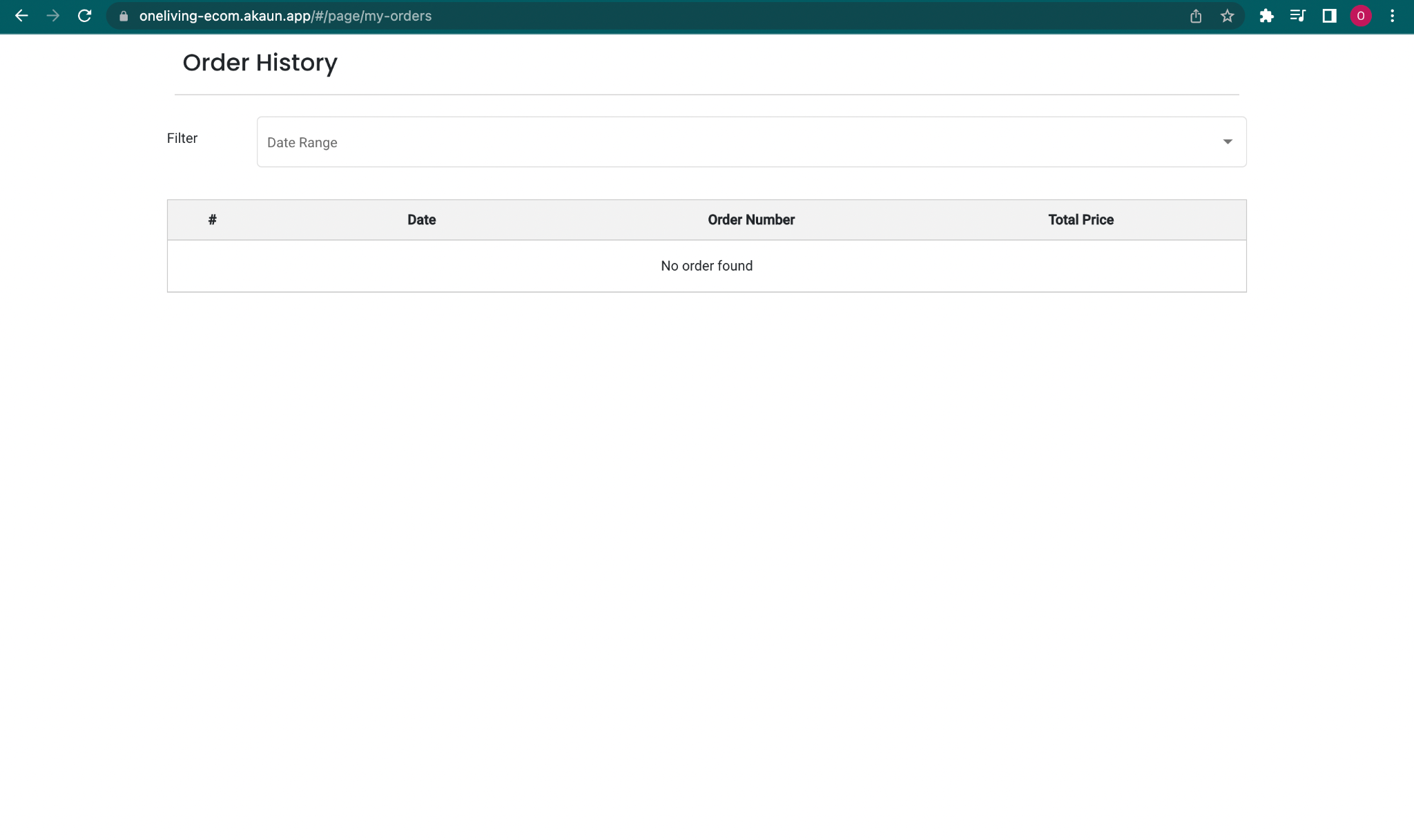
Provide users with a comprehensive overview of their past purchases, enhancing transparency and building trust. Facilitate easy access to order details for reference and potential reordering. Encourage repeat purchases and boost customer loyalty.
Key Features
- Dynamic Order Retrieval: Automatically fetches and displays a user’s order history, ensuring real-time accuracy.
- Order List: Showcases essential information for each order, including:
- Order date
- Order number
- Total order amount
- Search and Filtering: Enables users to quickly locate specific orders using search functionality and filters based on date.
Example Use Cases
- Account Dashboard: Integrate the Order History Widget prominently within a user’s account dashboard for easy access and management of past purchases.
- Personalized Recommendations: Analyze order history data to recommend relevant or complementary products to users, potentially increasing cross-selling and upselling opportunities.
4. External Product Details
Purpose
Showcase product information and details from external marketplaces and directly redirect to their website.
Key Features
- Marketplace Redirection: Includes a “Buy Now” or similar button that redirects users to the product page on the chosen external marketplace, enabling seamless purchasing opportunities.
Example Use Cases
- Out-of-Stock Situations: When a product is out of stock on your website, use the widget to showcase the same product from an external marketplace, potentially fulfilling customer needs and avoiding lost sales.
5. Menu Button Widget
Purpose
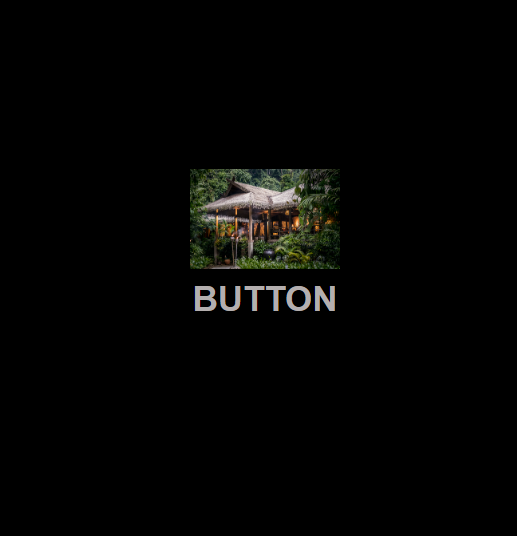
Create visually appealing and engaging buttons to guide users to specific pages or actions within your website or any external webpage. Enhance user experience and navigation by providing clear calls to action. Customize button appearance to align with your website’s design and branding.
Configuration Options
- Button Text: Set the text label that appears on the button to clearly convey its purpose.
- Background Color: Choose the desired background color to complement your website’s palette and make the button stand out.
- Text Color: Select the text color to ensure optimal readability and contrast against the background.
- Border Radius: Adjust the button’s corners for a more rounded or squared aesthetic, matching your design preferences.
- Redirect URL: Specify the web page users will be directed to when clicking the button, guiding them to relevant content or actions.
- Image (optional): Incorporate an image within the button to further enhance visual appeal and attract attention.
Key Features
- Customizable Appearance: Tailor the button’s look and feel to match your website’s design and branding through various configuration options.
- Versatile Functionality: Use the button to link to internal pages, external websites, trigger specific actions, or launch pop-ups, providing diverse navigation and interaction possibilities.
- Responsive Design: Ensures the button adapts seamlessly to different screen sizes and devices, providing optimal user experience across various platforms.
Example Use Cases
- Call to Action Buttons: Create prominent buttons for primary actions such as “Contact Us” guiding users towards desired conversions.
- Navigation Links: Integrate buttons as part of your website’s main navigation menu for clear and engaging page links.
- Featured Content: Highlight specific products, services, or promotions using eye-catching buttons that capture attention and drive traffic.
6. Product Rating
Purpose
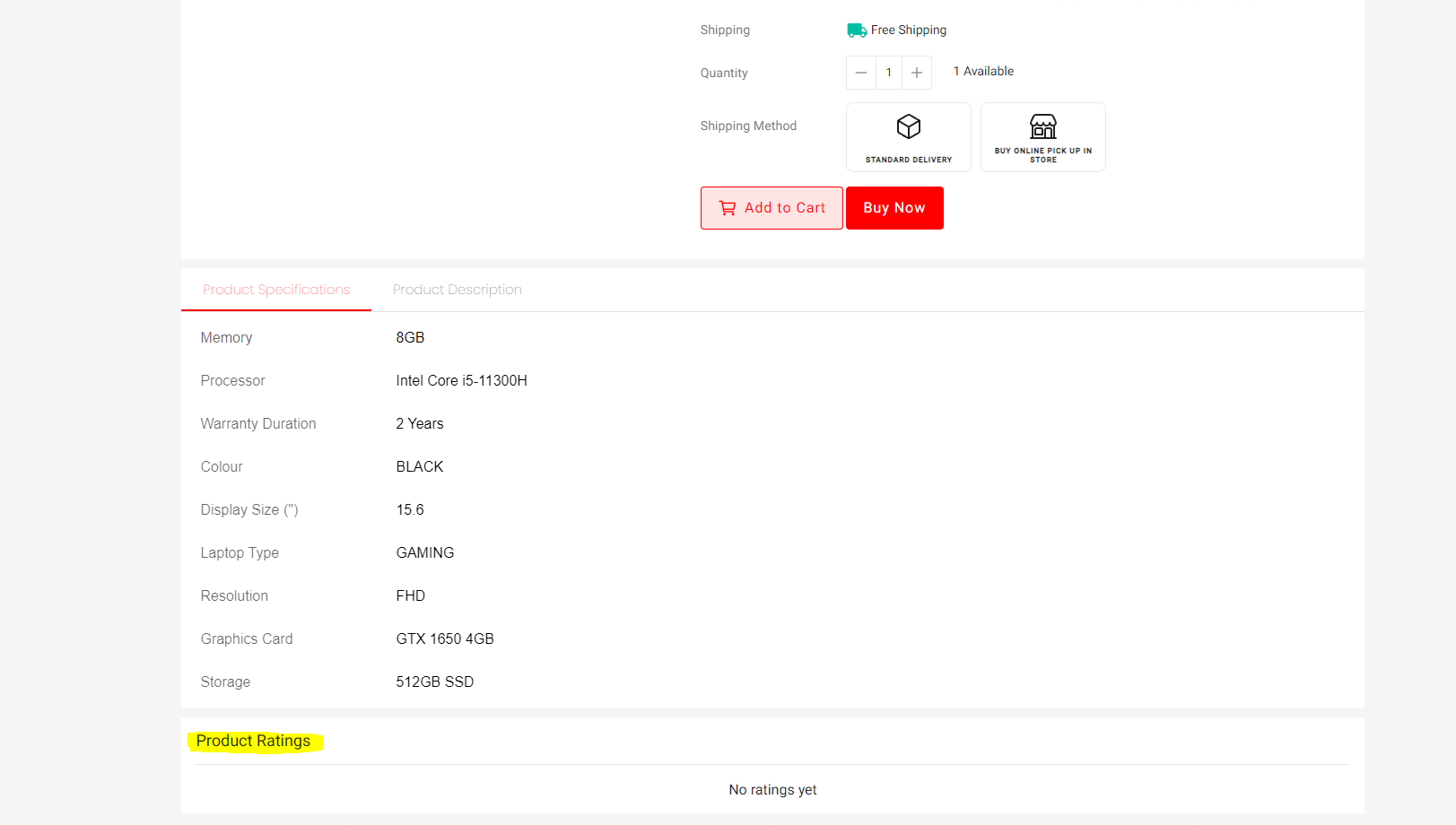
Foster trust and transparency by displaying authentic product feedback from customers. Influence purchase decisions by showcasing product ratings and reviews prominently. Gather valuable insights about product performance and customer opinions.
Key Features
- Dynamic Rating Display: Automatically fetches and displays product ratings and reviews from your database, ensuring accuracy and relevance.
- Rating Visualization: Showcases ratings using a visual system, such as stars, bars, or numerical averages, for quick understanding.
- Review Integration: Includes options to display individual customer reviews alongside ratings, providing more detailed insights.
- User Interaction: Enables users to submit their own ratings and reviews, contributing to the collective feedback and fostering engagement.
Example Use Cases
- Product Pages: Integrate the Product Rating Widget directly on individual product pages to provide instant feedback and influence purchase decisions.
7. Slider V2 (Promotion Slider)
Purpose
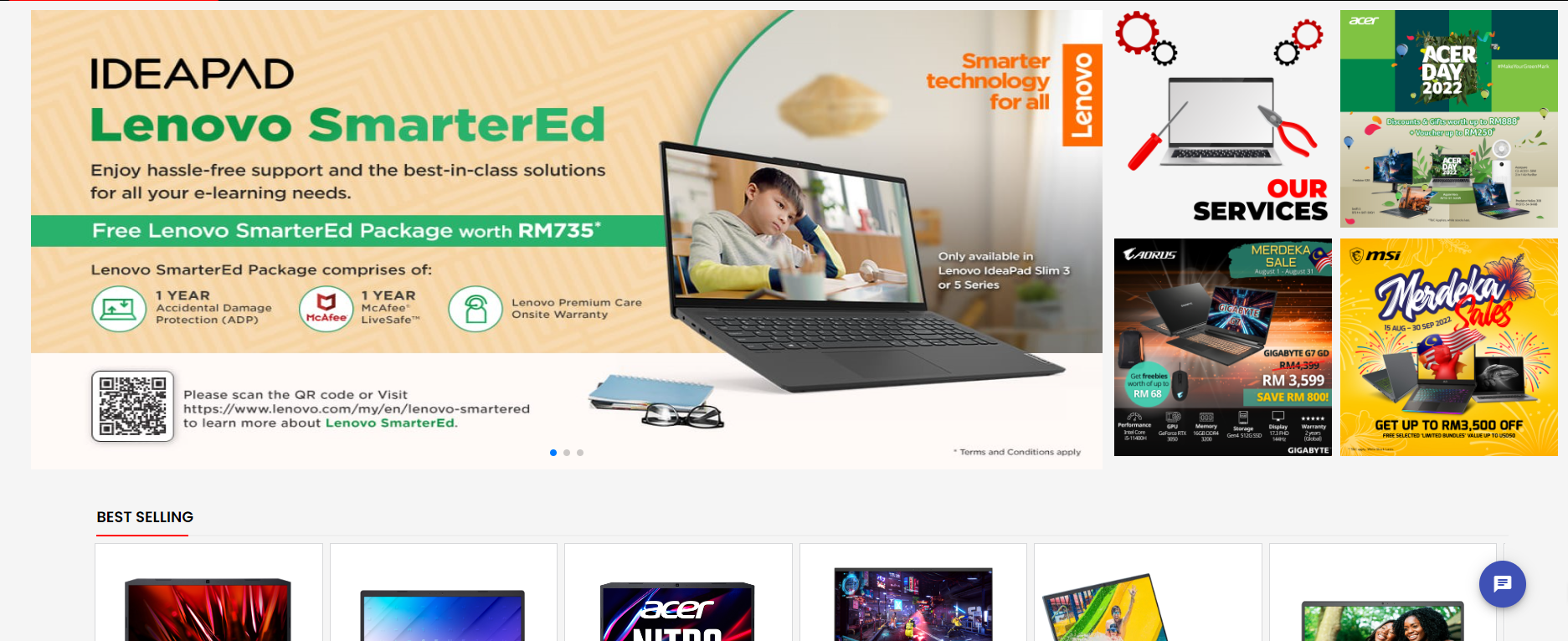
Capture attention and highlight key content or promotions through visually engaging slideshows. Showcase multiple images or messages in a dynamic and attention-grabbing format. Drive traffic to specific pages or actions within your website.
Configuration Options
- Image Upload: Allow users to add multiple images to the slider, creating a visually diverse presentation.
- Redirect URLs: Set individual URLs for each image, enabling users to click and navigate to specific pages or sections of your website.
- Padding and Margin: Adjust the spacing around images to create a visually appealing layout and ensure optimal readability.
Key Features
- Dynamic Image Display: Showcases multiple images in a slideshow format, engaging users with varied content.
- Clickable Navigation: Allows users to manually navigate between slides using arrows or dots, providing control over viewing experience.
- Customizable Appearance: Offers options to adjust padding, margin, transition effects, and speed to match your website’s design and preferences.
Example Use Cases
- Homepage Hero Banners: Create visually striking slideshows to highlight key products, promotions, or brand messages on your homepage.
- Product Feature Showcases: Highlight multiple product features or benefits in an engaging slideshow format.
- Featured Content Rotation: Display a variety of articles, blog posts, or other content in a dynamic slider to attract attention and drive engagement.
- Testimonial Showcases: Feature multiple customer testimonials or reviews in a slideshow to build trust and credibility.
8. Reward Listing
Purpose
Motivate and incentivize users by showcasing available rewards they can claim and redeem for discounts or benefits at checkout. Enhance user engagement and loyalty by providing valuable rewards for their activities and purchases. Drive repeat purchases and increase order value by encouraging users to utilize their earned rewards.
Key Features
- Dynamic Reward Display: Automatically retrieves and displays a personalized list of rewards available to each user based on their account status, activity, or purchase history.
- Reward Details: Showcases essential information for each reward, such as:
- Reward name and description
- Reward value (e.g., discount percentage, free shipping, Cash Settlement)
- Eligibility criteria (e.g., minimum purchase amount, specific product categories)
- Expiration date (if applicable)
- Claim and Redemption: Enables users to easily claim available rewards directly within the widget and apply them at checkout.
Configuration Options
- Reward Types: Choose the types of rewards to offer, such as discounts, settlement, free shipping.
- Eligibility Rules: Define the criteria for users to qualify for specific rewards based on actions, purchases, or account levels.
- Reward Limits: Set limits on how many times a user can claim or redeem a particular reward.
Example Use Cases
- Account Dashboards: Integrate the Reward Listing Widget prominently within user account dashboards for easy access and management of available rewards.
- Product Pages: Highlight relevant rewards alongside products to incentivize purchases and encourage reward utilization.
- Cart and Checkout Pages: Display claimed rewards and provide a clear option to apply them during the checkout process.
- Loyalty Programs: Enhance your loyalty program by showcasing reward options within the widget to drive engagement and encourage repeat purchases.
User Experience Considerations
- Ensure clear communication of reward details, eligibility criteria, and expiration dates to avoid confusion.
- Provide a seamless claiming and redemption process within the widget for a positive user experience.
- Consider integrating progress tracking visuals to motivate users and encourage them to earn more rewards.
Additional Notes
- Tailor the selection and design of rewards to align with your overall marketing strategy and target audience.
- Monitor reward usage and analyze its impact on user engagement, loyalty, and purchase behavior to optimize your program and maximize its effectiveness.
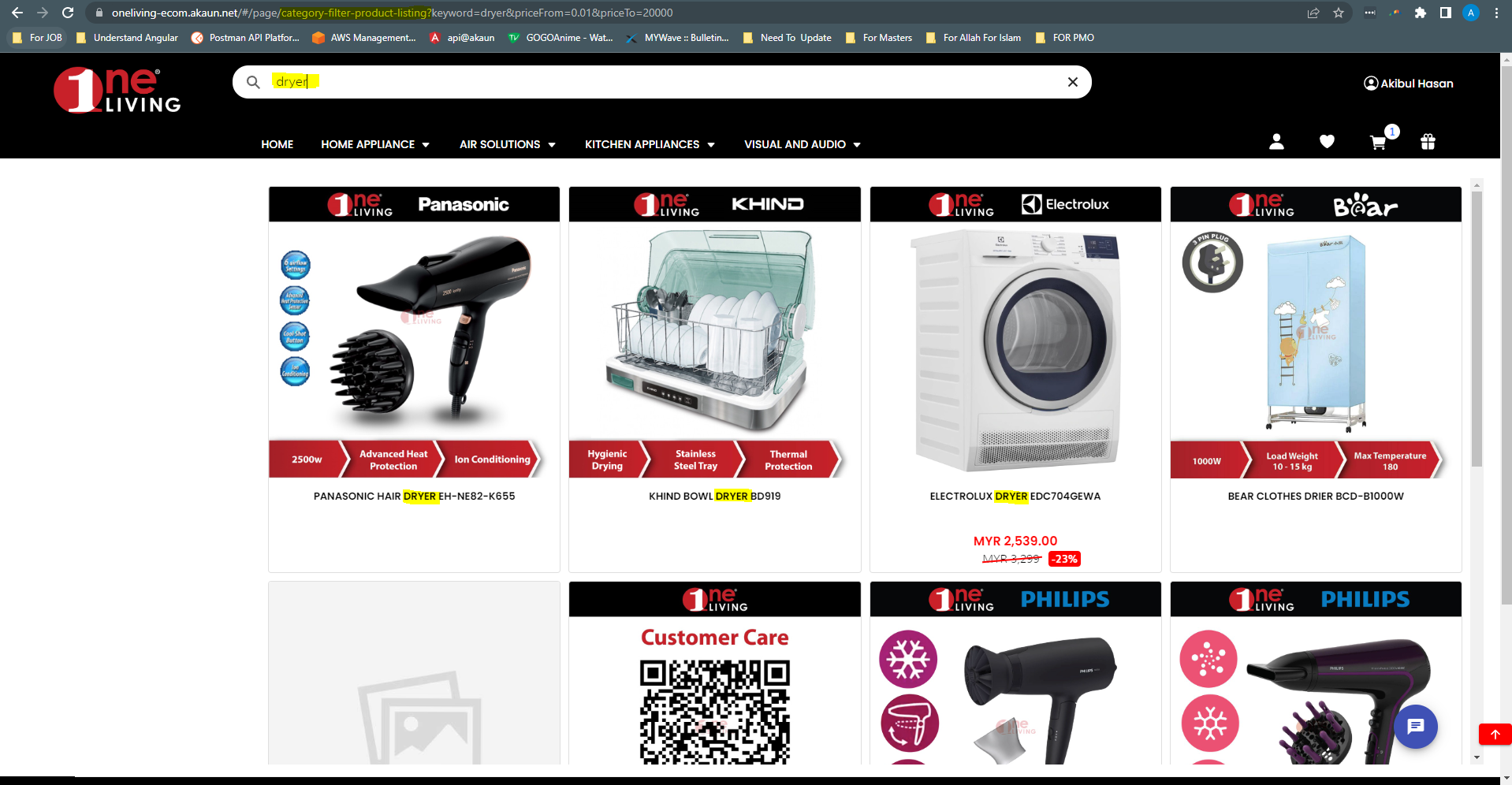
9. Power Search Filter
Purpose
Empower users to quickly and efficiently find specific content or products within a large dataset or catalog. Enhance user experience and navigation by providing advanced search and filtering capabilities. Streamline product discovery and decision-making, leading to increased conversions and customer satisfaction.
Key Features
- Dynamic Search Functionality: Processes user queries in real-time and instantly updates results based on selected filters, providing a seamless search experience.
- Comprehensive Filtering Options: Offers a wide range of filter categories and types to help users narrow down results and find exactly what they’re looking for.
- User-Friendly Interface: Presents search and filtering options in an intuitive and accessible manner, ensuring ease of use for all users.
- Responsive Design: Adapts seamlessly to different screen sizes and devices, providing optimal search experience across various platforms.
Example Use Cases
- E-commerce Product Search: Enable users to filter products by category, brand, name and more, streamlining product discovery and purchase decisions.
10. Store Locator Details
Purpose
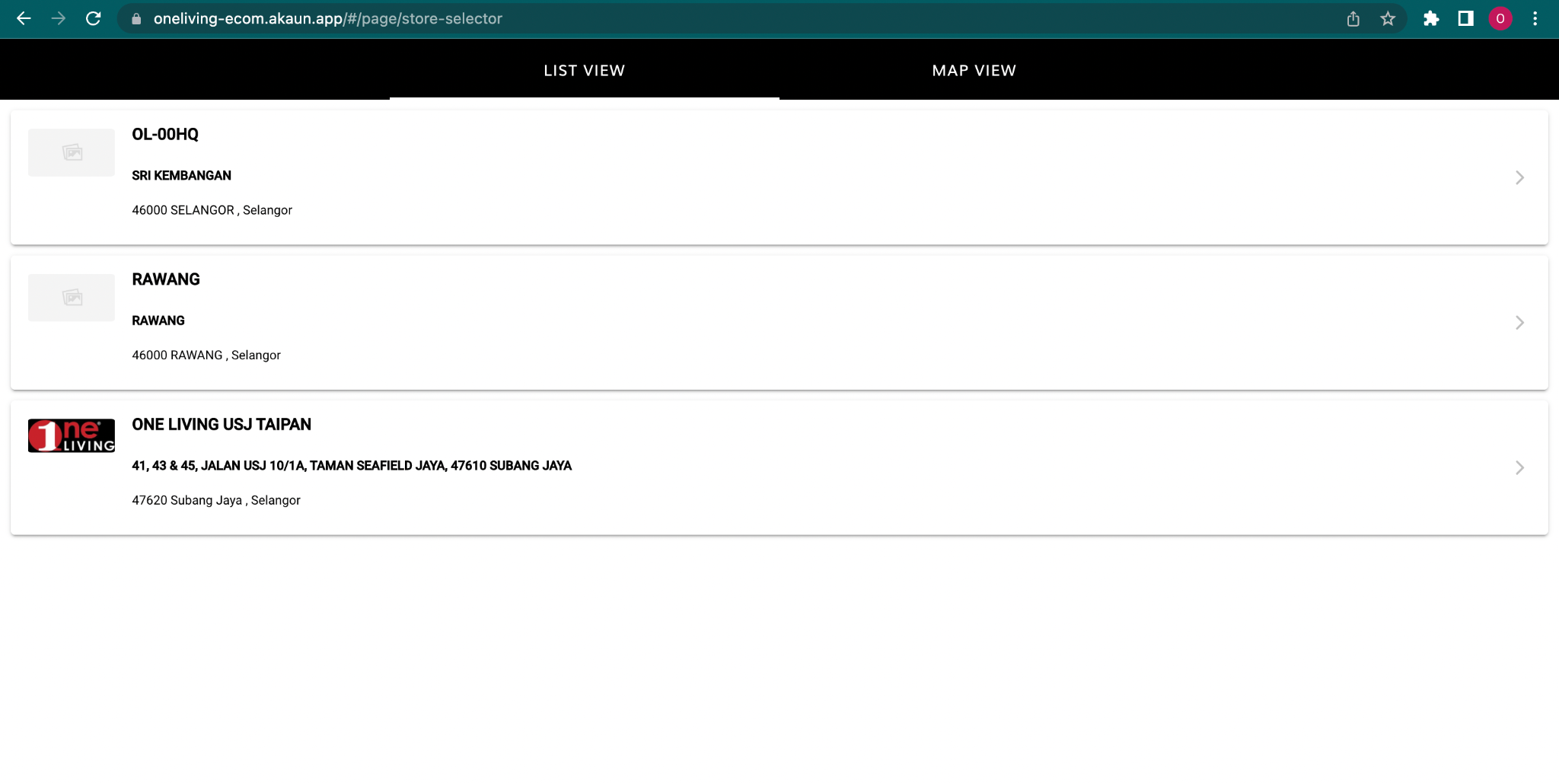
Provide users with detailed information about specific stores within a broader store locator system, enhancing convenience and aiding informed decision-making.
Key Features
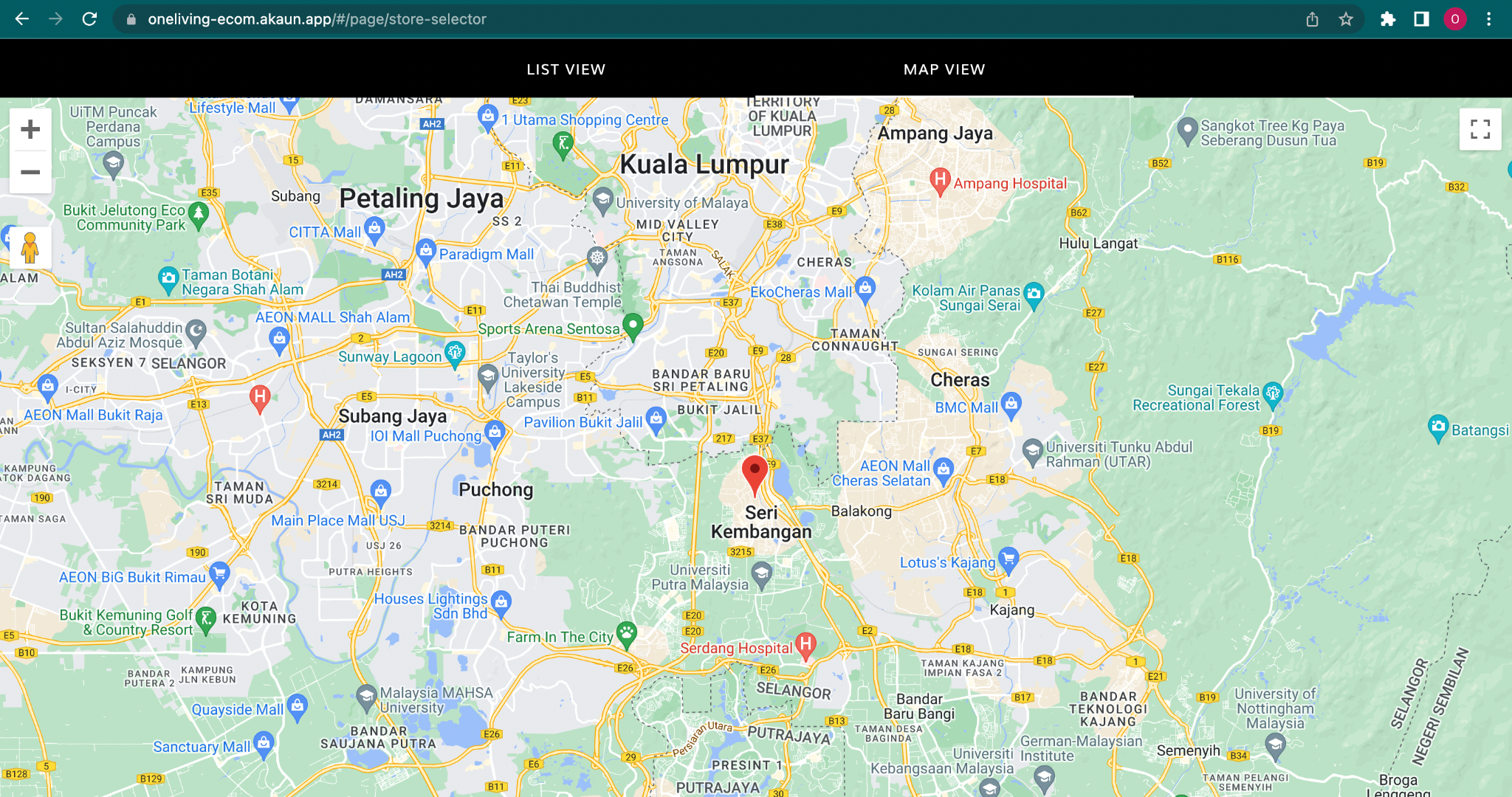
- Dynamic Information Display: Automatically pulls and displays relevant stores in list and map view in store locator.
- Essential Details: Showcases information such as:
- Store address
- Store Image
Configuration Options
- Data Selection: Choose which specific details to display within the widget, ensuring relevance and information overload avoidance.
- Image and Media Integration: Define how to integrate store images, virtual tours, and other media assets for an engaging presentation.
Example Use Cases
- Store Locator Results Pages: Directly integrate the Store Locator Details Widget within the main store locator’s results page, allowing users to access detailed information about each store without navigating away.
User Experience Considerations
- Design the widget for clarity and easy information access, avoiding clutter and overwhelming users.
- Ensure consistency in layout and styling with the main store locator for a seamless user experience.
- Optimize mobile responsiveness for smooth information access on various devices.
Additional Notes
- Regularly update store information and promotions within the widget to maintain accuracy and ensure a positive user experience.
11. Category Slider
Purpose
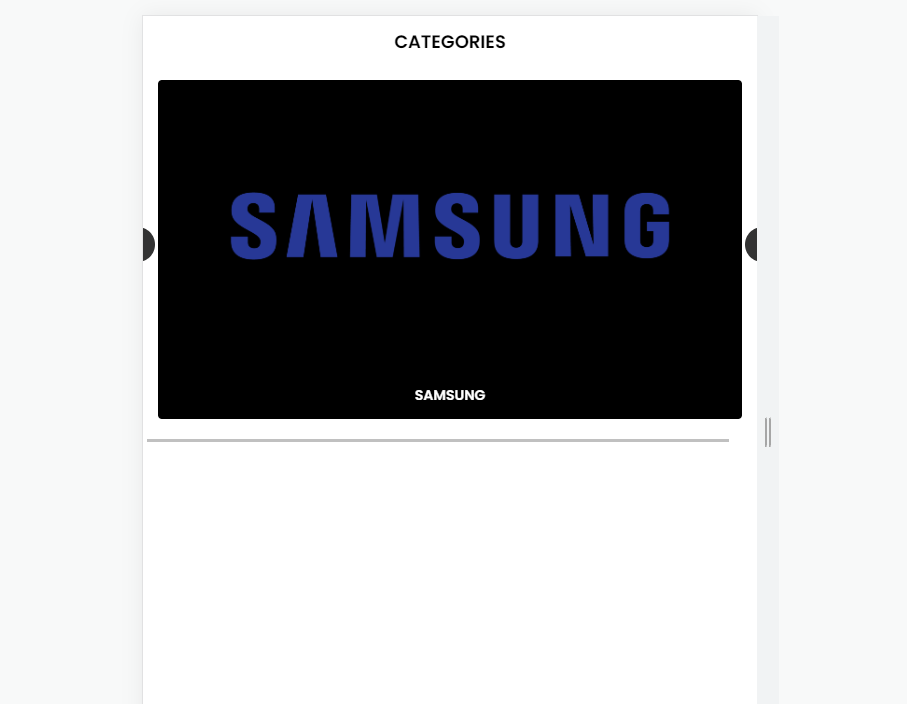
Visually showcase and promote key product categories on your website, capturing user attention and driving traffic to category pages. Enhance navigation and product discovery by offering an interactive and engaging way to explore different categories. Increase click-through rates and potentially boost sales by highlighting popular or featured categories.
Key Features
- Dynamic Category Display: Retrieves and displays information about selected product categories in a visually appealing slider format.
- Customizable Slides: Allows you to configure each slide with:
- Category name and description
- Eye-catching category image
- Call to action button, linking to the corresponding category page
- Navigation Controls: Provides users with intuitive controls to navigate through the slider, such as arrows, dots, or automatic rotation.
- Responsive Design: Adapts seamlessly to different screen sizes and devices, ensuring optimal viewing experience across platforms.
Configuration Options
- Category Selection: Choose which product categories to display in the slider, considering popularity, featured items, or strategic promotional goals.
- Slide Design: Customize the layout and appearance of each slide, including image/icon selection, text formatting, and call to action button styles.
- Slider Behavior: Set navigation options (manual, automatic), transition effects, and slider speed to match your website’s design and user preferences.
Example Use Cases
- Homepage Hero Banner: Feature key product categories prominently on your homepage using an eye-catching category slider to capture attention and guide users to explore your product offerings.
- Landing Pages: Integrate the Category Slider within relevant landing pages to promote specific categories related to the page’s theme or offer.
- Category Navigation Menu: Enhance your website’s menu structure by including a visually appealing category slider alongside traditional text-based links.
- Featured Product Promotions: Highlight specific categories with ongoing promotions or new arrivals using the slider to drive targeted traffic and interest.
Additional Notes
- Analyze user interaction with the Category Slider to understand which categories receive the most engagement and optimize the selection accordingly.
- Consider integrating the slider with product recommendations or targeted promotions based on user-clicked categories to further personalize the shopping experience.
- Ensure the slider visually complements your website’s overall design and branding for a seamless user experience.
12. iFrame Display
Purpose
Embed external content seamlessly within your website, expanding content offerings and potentially increasing user engagement. Enhance website functionality by integrating external tools, applications, or media players without requiring users to navigate away from your site. Facilitate collaboration with external content creators by showcasing their work within your website.
Key Features
- Dynamic Content Embedding: Integrates external content from another website using the
<iframe>HTML element, ensuring a smooth visual transition. - Customizable Appearance: Allows adjustments to the iframe’s size, position, scrolling behavior, and borders to match your website’s design.
- Responsive Design (Optional): Adapts the iframe’s dimensions to different screen sizes and devices, maintaining optimal viewing experience across platforms.
Configuration Options
- Source URL: Specify the web address of the content you want to embed within the iframe.
- Dimensions: Define the width and height of the iframe to control the size of the embedded content.
- Scrolling: Choose whether to display scrollbars within the iframe, allowing users to navigate lengthy content within the embed.
- Security: Implement robust security measures to ensure only authorized websites are embedded and prevent malicious code injection.
Example Use Cases
- Video Embeds: Showcase video content from platforms like YouTube or Vimeo directly within your website pages without requiring users to navigate away.
- Interactive Widgets: Integrate interactive elements like polls, quizzes, or calculators from external providers to enhance user engagement.
- Social Media Feeds: Display live social media feeds (e.g., Twitter, Instagram) within your website to connect with your audience and showcase real-time content.
- Maps and Location Embeds: Embed interactive maps from Google Maps or other providers to showcase your physical location or provide directions to your visitors.
- Custom Applications: Integrate custom applications or tools developed by other parties within your website for specific functionalities.
Additional Notes
- Ensure the embedded content complements your website’s overall design and user experience.
- Be mindful of potential performance impacts and optimize iframe usage to avoid website loading delays.
- Consider accessibility aspects by providing alternative text descriptions for iframes and ensuring they function properly with assistive technologies.
- Respect the terms of service of the websites you are embedding content from.
13. Product Category
Purpose
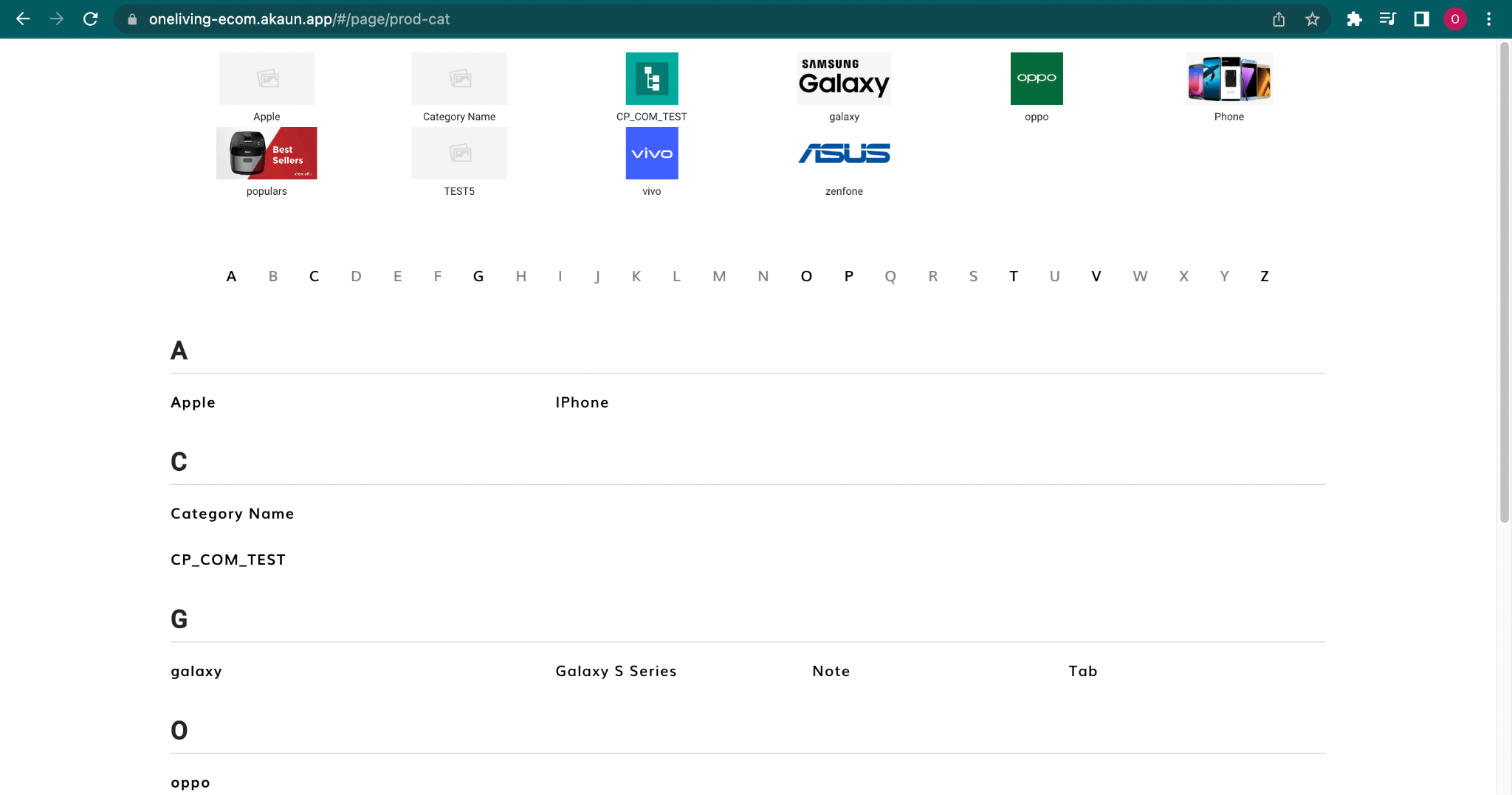
Guide users towards specific product selections within your website’s catalog, streamlining the browsing and discovery process. Showcase a curated range of products within a particular category, facilitating efficient product filtering and search. Enhance user experience by providing a clear and organized presentation of products belonging to the same category.
Key Features
- Category Navigation: Offers intuitive navigation elements like breadcrumbs or category hierarchies to help users understand their location within the website’s product structure.
- Product Listings: Displays a visually appealing and informative list of products belonging to the chosen category. Product listings typically include:
- Product Images (high-quality and relevant)
- Product Names
- Brief Product Descriptions
- Prices or Starting Prices (if applicable)
- Ratings and Reviews (optional)
- Filtering and Sorting Options: Enables users to refine their product selection based on Category.
- Pagination (Optional): Allows users to navigate through large product listings across multiple pages for easier browsing.
Additional Features
- Promotional Banners or Offers: Highlight ongoing promotions or special offers relevant to the category to drive targeted sales.
- Category-Specific Information: Include informative content like buying guides, size charts, or care instructions relevant to the category’s products.
Example Use Cases
- E-commerce websites: Typically utilize product category pages to organize their vast product selections and guide users towards specific browsing areas (e.g., clothing categories, electronics categories, etc.).
14. Order Listing
Purpose
Provide users with a clear and concise overview of their past orders within a dedicated widget, enhancing transparency and facilitating order management. Streamline the process of reviewing order details and tracking shipment status. Improve customer experience by offering convenient access to historical order information within their account dashboard.
Key Features
- Dynamic Order Data Display: Automatically retrieves and displays a list of user’s past orders, ensuring real-time accuracy.
- Essential Order Details: Showcases key information for each order, typically including:
- Order ID (unique identifier)
- Order Date and Time
- Order Status (e.g., “Processing,” “Shipped,” “Delivered”)
- Total Order Amount
- Order Details and Tracking Links: Provides options to access more detailed information about each order, including product breakdown, shipping information, and potential tracking links for delivery services.
- Search and Filter Options (Optional): Allows users to filter their order history based on specific criteria, such as date range.
Additional Notes
- Ensure data privacy and security by restricting access to order details to authorized users.
- Design the widget for clarity and easy navigation, allowing users to find relevant information quickly.
15. Membership Card
Purpose
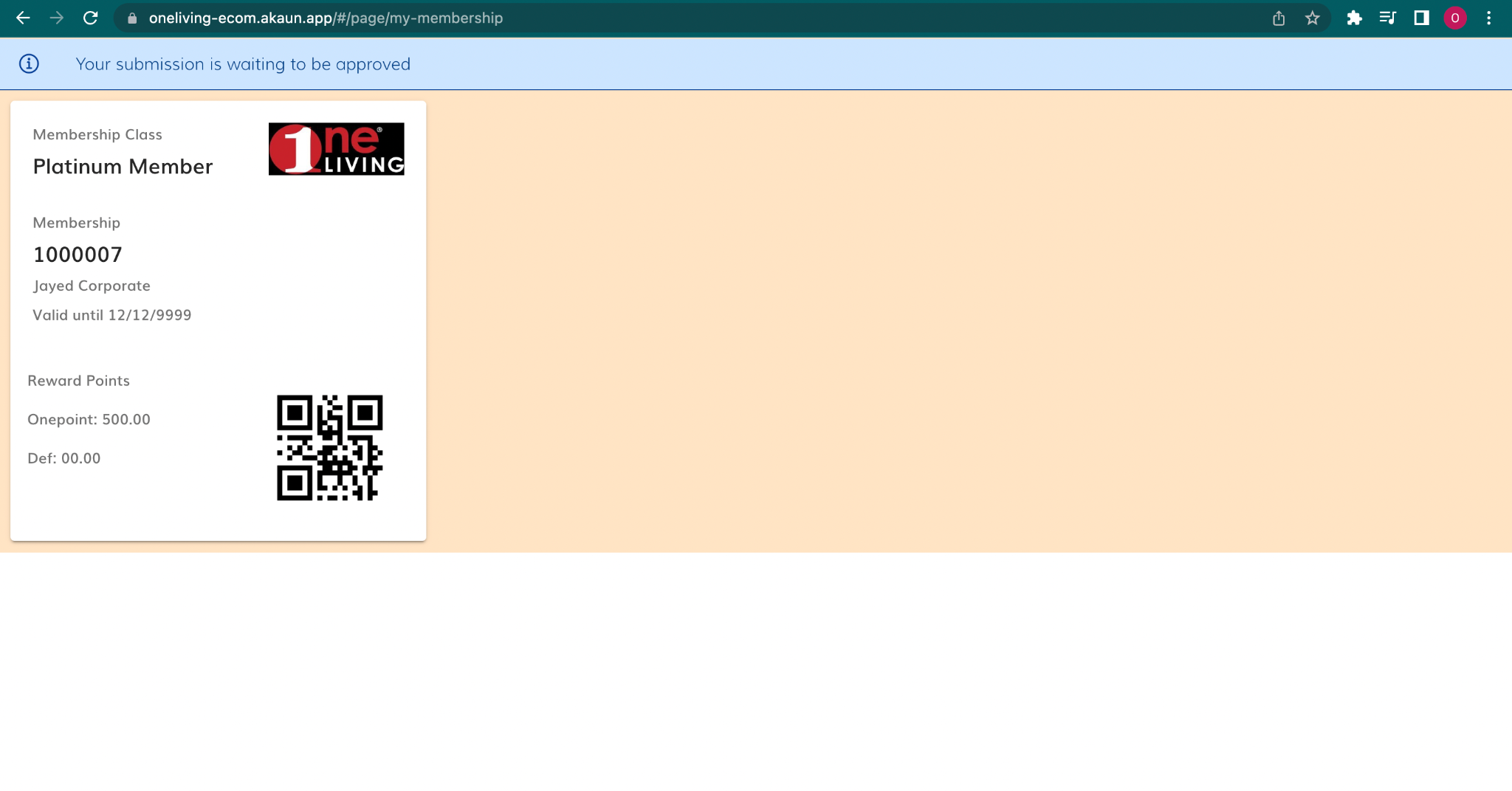
Provide users with a dedicated and easily accessible space to view essential membership information, enhancing engagement and loyalty. Foster a sense of belonging and exclusivity by prominently displaying membership details. Encourage members to utilize their benefits and participate in loyalty programs.
Key Features
- Dynamic Data Display: Automatically retrieves and displays key membership information for each user, ensuring real-time accuracy.
- Essential Details: Showcases:
- Member ID (unique identifier)
- Member Class (tier or level within the program)
- Member Name
- Membership Expiry Date (if applicable)
- Current Points Balance
- Visual Appeal: Utilizes color coding and design elements based on member class to create a visually engaging and personalized experience.
Configuration Options
- Text Color and Background: Define color palettes for different member classes, creating easily identifiable tiers and fostering a sense of exclusivity for higher levels.
Example Use Cases
- Account Dashboards: Integrate the Membership Card Widget prominently within user account dashboards for easy access and management of membership information.
- Mobile Apps: Include the widget within a dedicated section of your mobile app for convenient on-the-go access to membership details.
- Physical Stores: Allow members to display their digital membership card on their mobile devices for in-store identification and potential point redemption.
Additional Notes
- Maintain data privacy and security by ensuring that only authorized users can access their membership information within the widget.
- Consider integrating the widget with other parts of your loyalty program, such as point redemption options.
16. Product Details
Purpose
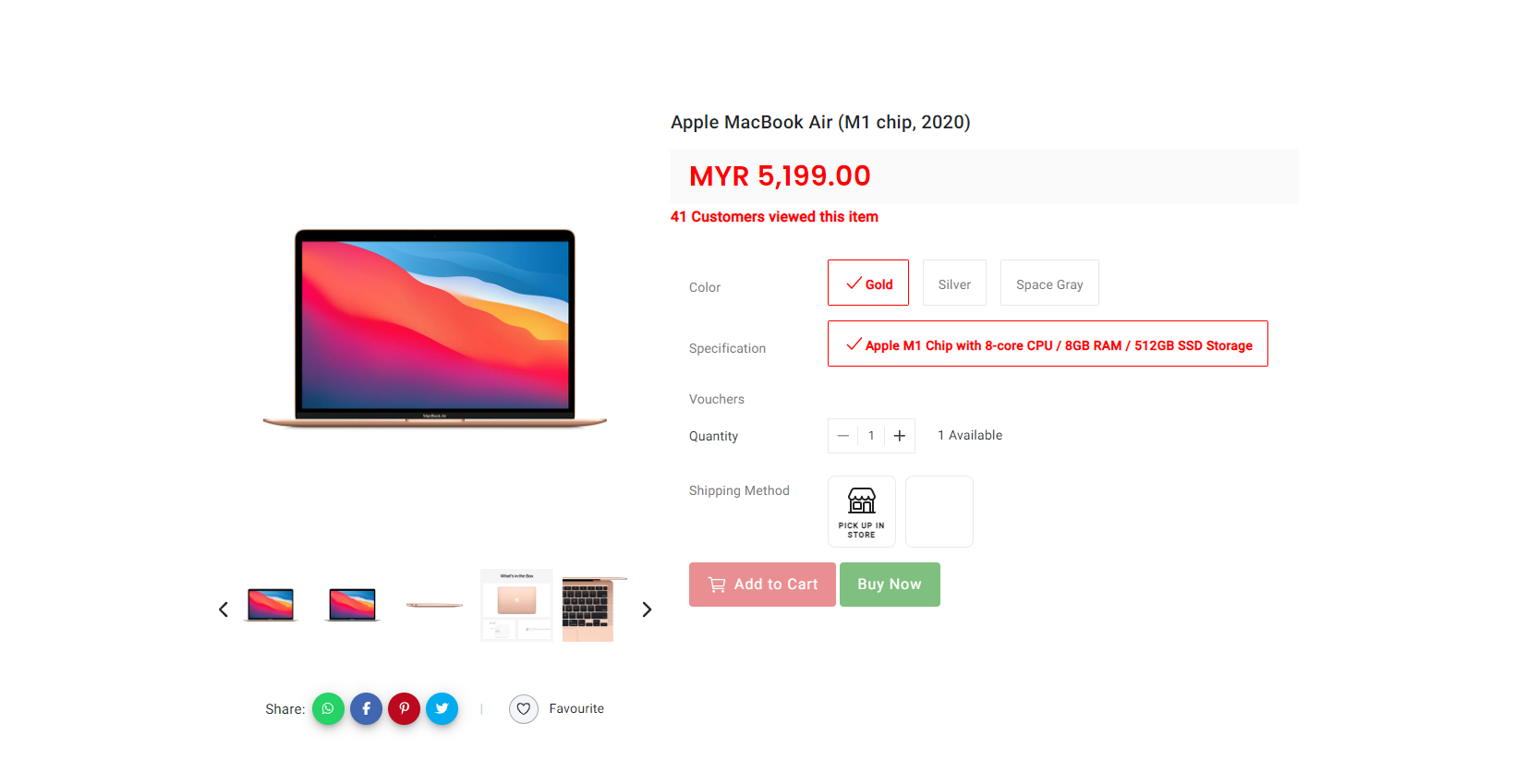
Provide comprehensive and visually appealing information about individual products, facilitating informed purchase decisions and driving conversions. Enhance the product browsing experience by showcasing key details and essential images in a convenient format. Integrate seamlessly with your website design and branding, creating a consistent and engaging user experience.
Key Features
- Dynamic Product Data Display: Automatically retrieves and displays essential product information from your product catalog, ensuring real-time accuracy.
- Essential Details: Showcases:
- Product Name and Description
- High-quality Product Images
- Key Product Features and Specifications
- Price and Availability Information
- Variations and Options (e.g., size, color If any)
- Responsive Design: Adapts seamlessly to different screen sizes and devices, ensuring an optimal viewing experience across platforms.
Configuration Options
- Data Selection: Choose which specific product details to display based on relevance and information overload avoidance.
- Image Management: Define the number and quality of images to showcase, utilizing zoom functionality and alternative product views (optional).
- Customization: Adjust widget layout, colors, fonts, and branding elements to match your website’s design and user interface.
Example Use Cases
- Product Pages: Product Details Widget directly onto product pages to provide all essential information in one convenient page.
- Search Results: Include condensed product details within search results.
Additional Notes
- Regularly update product information and images to ensure accuracy and prevent misleading users.
17. My Vouchers/ Coupons
Purpose
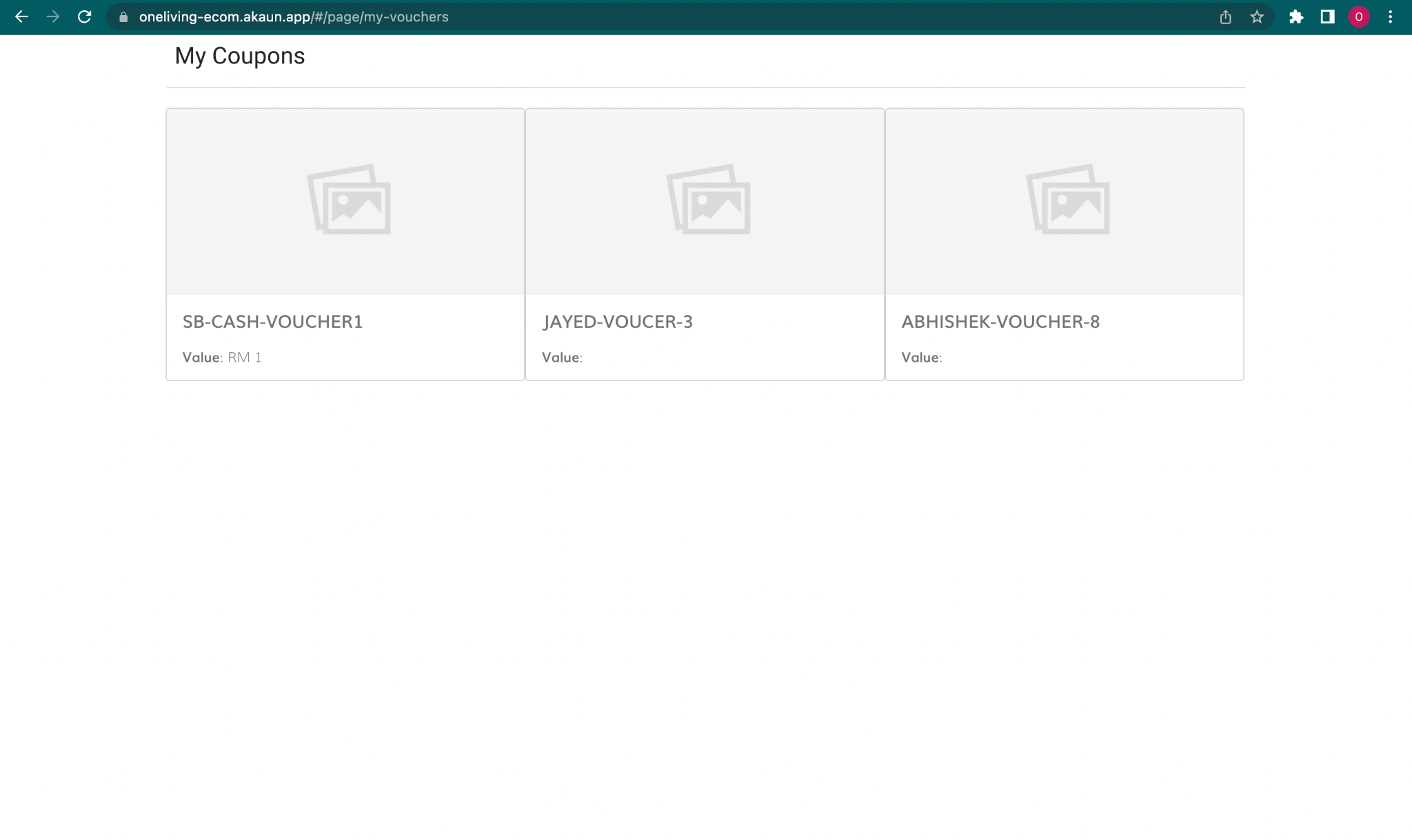
Provide a dedicated space for users to easily view and manage all their claimed vouchers, enhancing transparency and accessibility. Encourage voucher utilization by showcasing active and upcoming expiry dates, driving redemption before expiration.
Key Features
- Dynamic Voucher Display: Automatically retrieves and displays a personalized list of all vouchers claimed by the user, ensuring real-time accuracy.
Example Use Cases
- Account Dashboards: Integrate the My Voucher Widget prominently within user account dashboards for centralized management and easy access to all claimed vouchers.
- Checkout Prompts: During checkout, showcase relevant and active vouchers to encourage immediate redemption and incentivize purchase completion.
Additional Notes
- Ensure clear communication of voucher terms and conditions within the widget to avoid confusion and misunderstandings using My Voucher Details.
- Design the widget for clarity and easy navigation, allowing users to quickly find and understand their available vouchers.
- Consider integrating the widget with your voucher management system to ensure synchronized data and seamless user experience.
- Monitor user interaction with the widget to understand voucher usage patterns and optimize your voucher program for increased engagement and redemption.
18. My Voucher Details
Purpose
Provide a comprehensive overview of an individual claimed voucher, offering detailed information beyond the basic list view and promoting informed redemption. Improve user experience by allowing easy access to specific voucher details and redemption instructions. Reduce customer support inquiries by providing clear and readily available information within the widget.
Key Features
- Dynamic Voucher Data Display: Automatically retrieves and displays detailed information specific to the selected claimed voucher, ensuring accuracy.
Example Use Cases
- Detailed View: Clicking on individual vouchers within the “My Voucher” widget to access detailed information for informed redemption decisions.
- Checkout Verification: Viewing voucher details directly from checkout pages to confirm eligibility and usage instructions before applying.
- Quick Reference: Accessing details for frequently used vouchers for quick reference and convenient redemption tracking.
Additional Notes
- Ensure consistent design and information hierarchy across the “My Voucher” widget and the “My Voucher Details” widget for a seamless user experience.
- Maintain data accuracy and timeliness by keeping voucher details and redemption instructions up-to-date.
19. My Invoice History
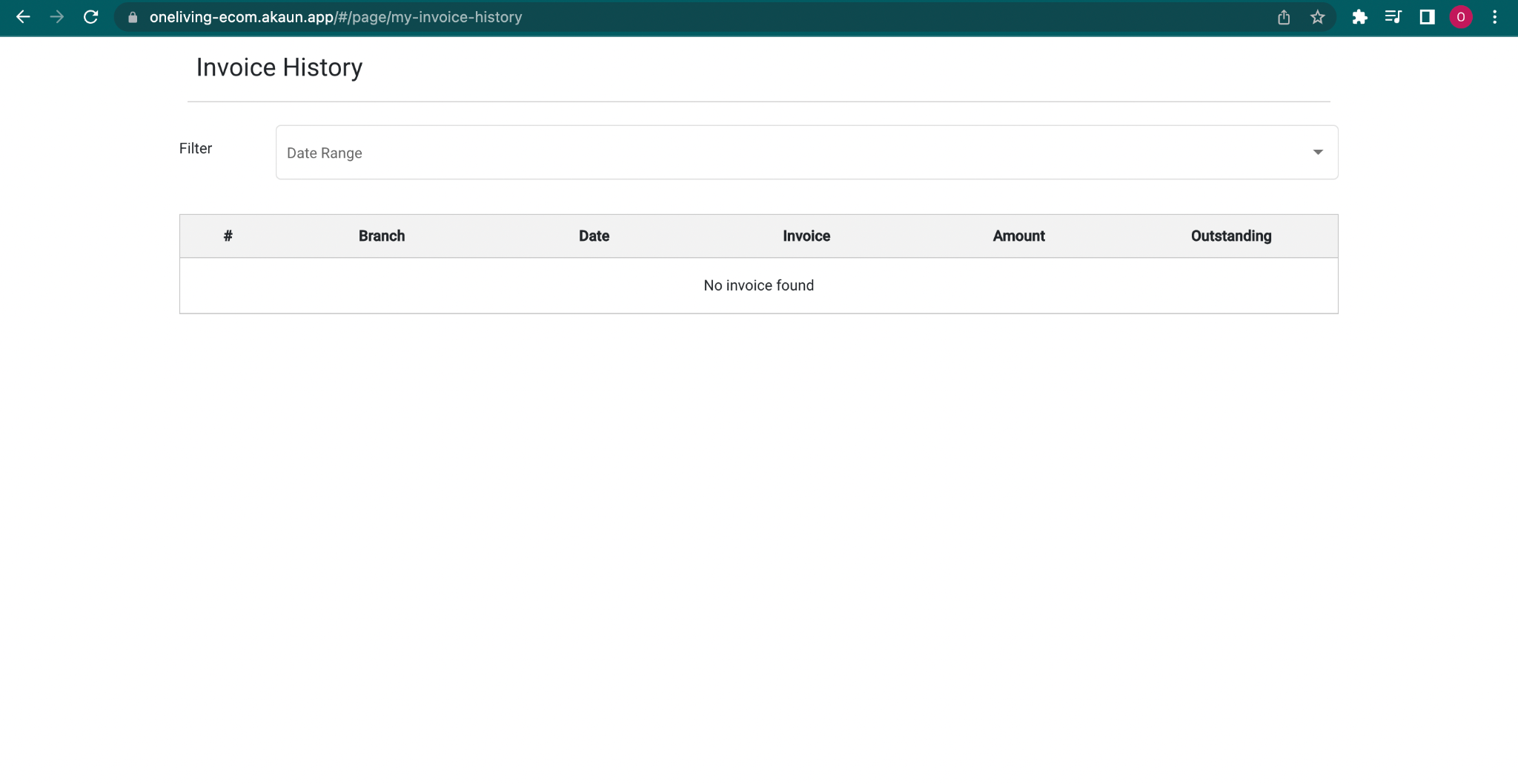
Purpose
Provide users with a centralized and easily accessible record of their past invoices within their account, promoting transparency and facilitating financial management.
Key Features
- Dynamic Invoice Display: Automatically retrieves and displays a chronological list of a user’s past invoices, ensuring real-time accuracy.
- Essential Invoice Details: Showcases key information for each invoice, including:
- Invoice Number (unique identifier)
- Invoice Date
- Total Invoice Amount and more
Optional Features
- Search and Filter Options: Allow users to filter their invoice history based on specific criteria, such as date range.
20. Checkout Step v2
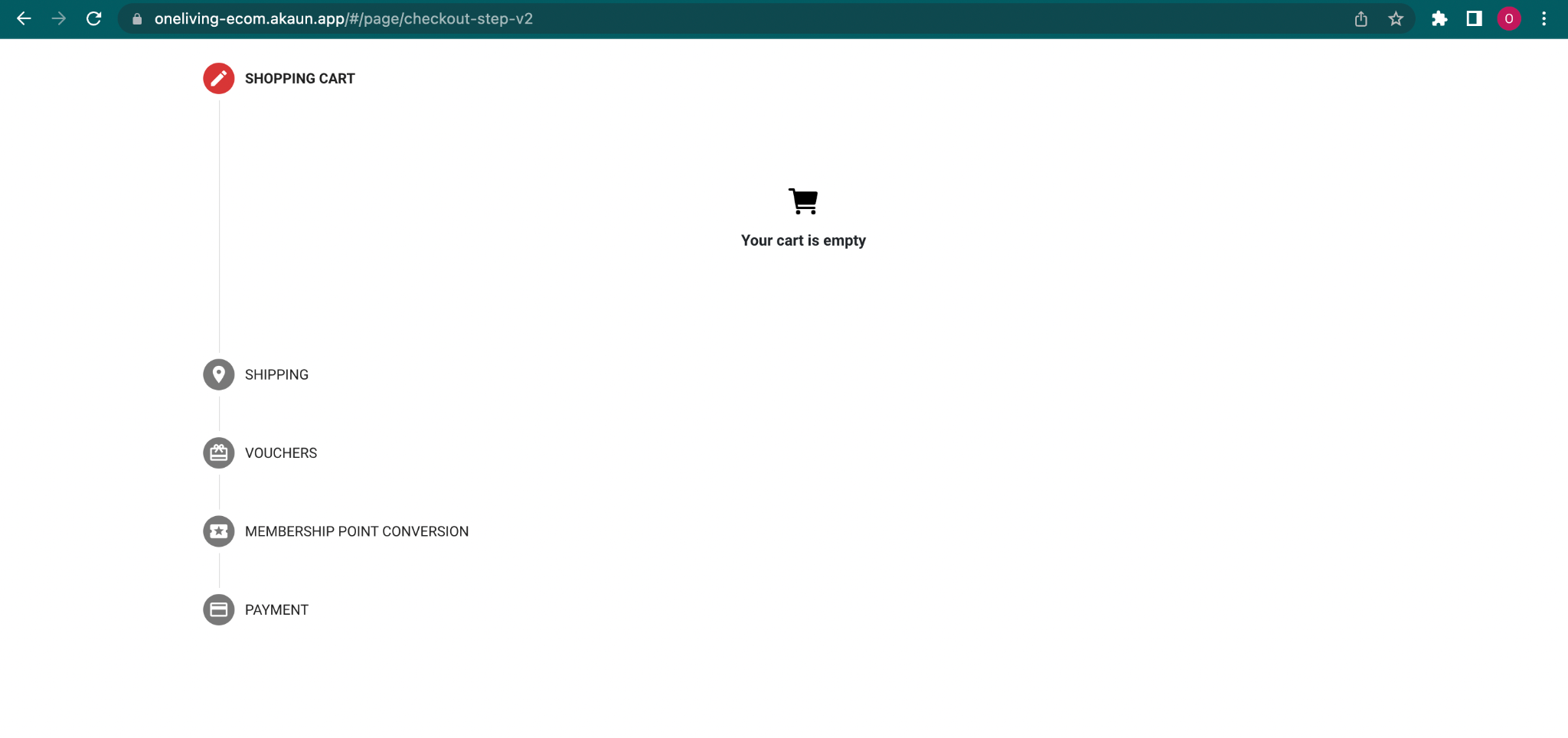
Purpose
Guide users through a clear and streamlined checkout process, minimizing confusion and maximizing conversion rates. Break down the checkout process into logical and manageable steps, enhancing user experience and reducing cart abandonment. Allow users to easily review and edit their order details at each stage of checkout.
Key Features
- Visual Progress Indicator: Provides a clear visual representation of the checkout progress, showcasing which steps have been completed and which remain.
- Step Navigation: Enables users to navigate between different checkout steps using intuitive controls like buttons or progress bar clicks.
- Shopping Cart Summary: Displays a summary of the user’s shopping cart contents throughout the checkout process, including:
- Product Images (thumbnails)
- Product Names
- Quantities
- Prices
- Subtotal
Optional Features
- Shipping Information: Collects and displays shipping address information within a dedicated step, allowing users to review and edit if necessary.
- Shipping Method Selection: Presents users with available shipping options and associated costs, enabling them to choose the most suitable delivery method.
- Member Point Conversion: (if applicable) Includes a dedicated step where users can redeem their loyalty points towards the purchase, potentially reducing the total order amount. Users can typically:
- View their available points
- Choose the amount of points or voucher value to convert.
- See the updated order total reflecting the point/voucher conversion.
- Payment Information: Collects secure payment information (e.g., credit card details) within a dedicated step, ensuring user privacy and data security.
- Order Summary and Confirmation: Provides a final overview of the order details, including shipping address, chosen shipping method, applied points/vouchers (if applicable), and final payment amount. Users can typically review and confirm the order at this stage.
Additional Considerations
- Order Editing Capabilities: Allow users to edit their cart contents, shipping information, or payment details within each relevant step.
- Clear Error Messages: Display clear and actionable error messages if users encounter any issues during checkout to guide them towards resolution.
21. Product Slider V2
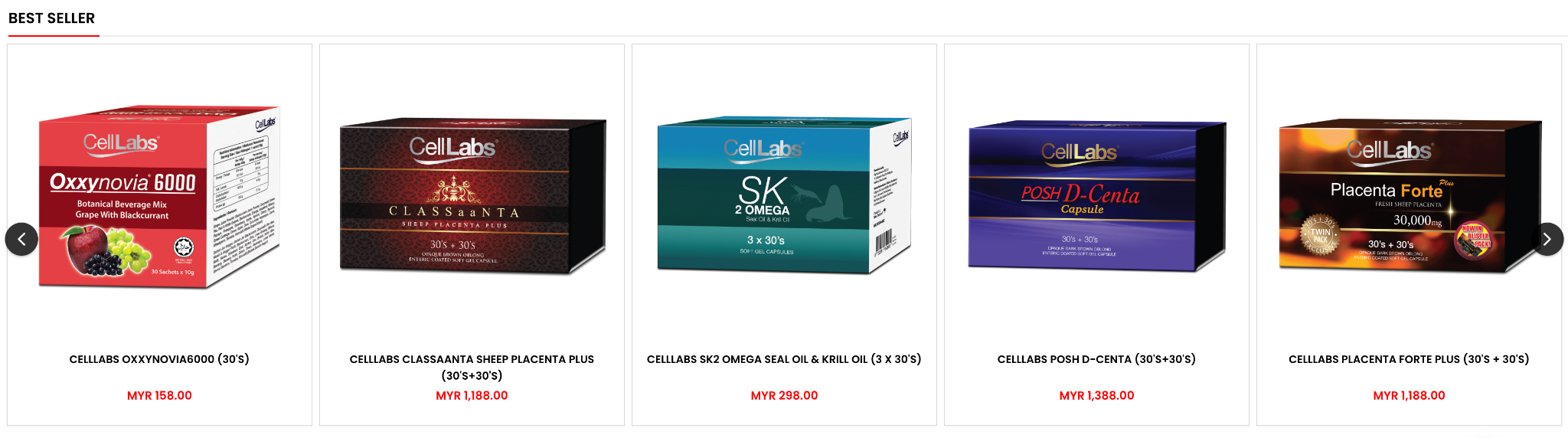
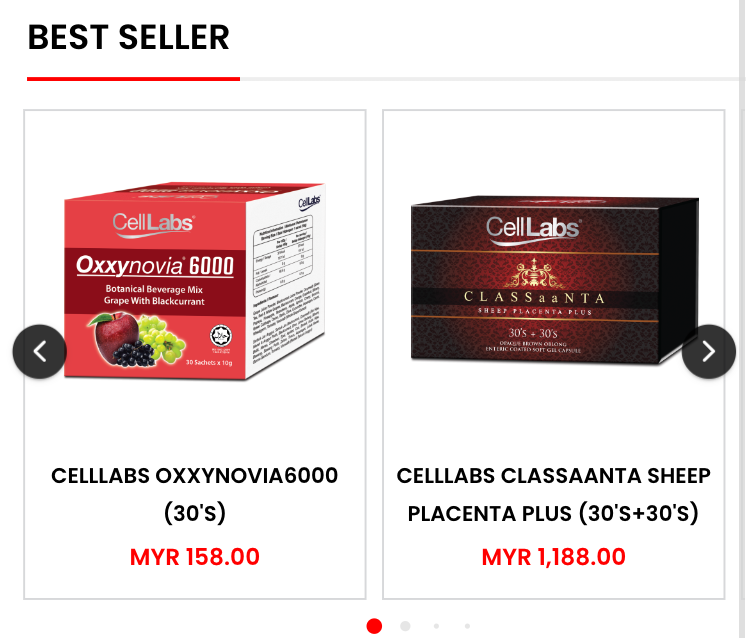
Purpose
Showcase a curated selection of products on your website in a visually appealing and dynamic format, grabbing user attention and driving product discovery. Enhance website design and user engagement by presenting products in a visually stimulating way. Promote featured products, new arrivals, or special offers by highlighting them within the product slider.
Key Features
- Automatic Image Slideshow: Displays a sequence of product images that rotate automatically at a customizable interval.
- Product Information Overlays (Optional): Superimpose essential product information on top of the slider images, typically including:
- Product Name
- Price
- Call to Action Button (e.g., “Buy Now,” “Add to Cart”)
- Navigation Controls: Provides users with intuitive controls to navigate through the slider, such as:
- Previous/Next Buttons
- Pagination Dots
Configuration Options
- Product Selection: Choose which products to display within the slider, considering factors like popularity, promotions, or theme relevance.
- Image Management: Define the size, quality, and aspect ratio of the product images used within the slider.
Example Use Cases
- Homepage: Integrate the Product Slider Widget prominently on your homepage to showcase featured products, new arrivals, or special offers, enticing users to explore further.
- Category Pages: Feature relevant product sliders within category pages to highlight popular products within that category or showcase recently added items.
- Product Detail Pages: Include a product slider displaying related or complementary products within product detail pages to encourage cross-selling and upselling opportunities.
- Landing Pages: Utilize product sliders within landing pages to visually represent the featured products relevant to the landing page’s theme or campaign.
Additional Features
- Touch Swipe Navigation (Optional): For mobile devices, incorporate touch swipe gestures to navigate through the slider for an intuitive user experience.
22. My Shipping Address
Purpose
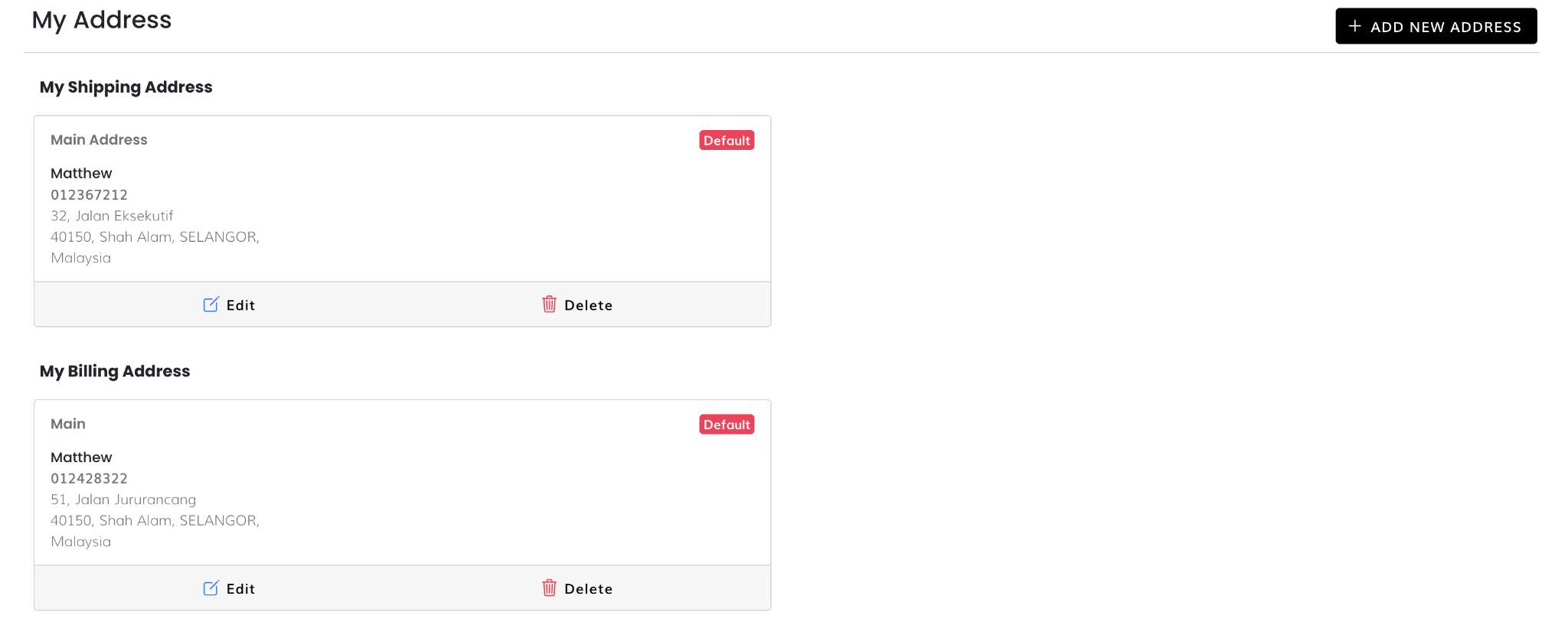
Provide users with a dedicated space to view, manage, and edit their saved shipping addresses within their account dashboard, streamlining the checkout process. Enhance user experience by offering convenient access to pre-saved shipping information, reducing the need for manual entry during checkout. Promote faster and more efficient checkouts by allowing users to select their preferred shipping address from a readily available list.
Key Features
- Dynamic Address Display: Automatically retrieves and displays a list of user’s saved shipping addresses.
- Essential Address Information: Showcases key details for each saved address, typically including:
- Full Name
- Shipping Address (street address, city, state, zip code)
- Phone Number (optional)
- Management and Editing Capabilities:
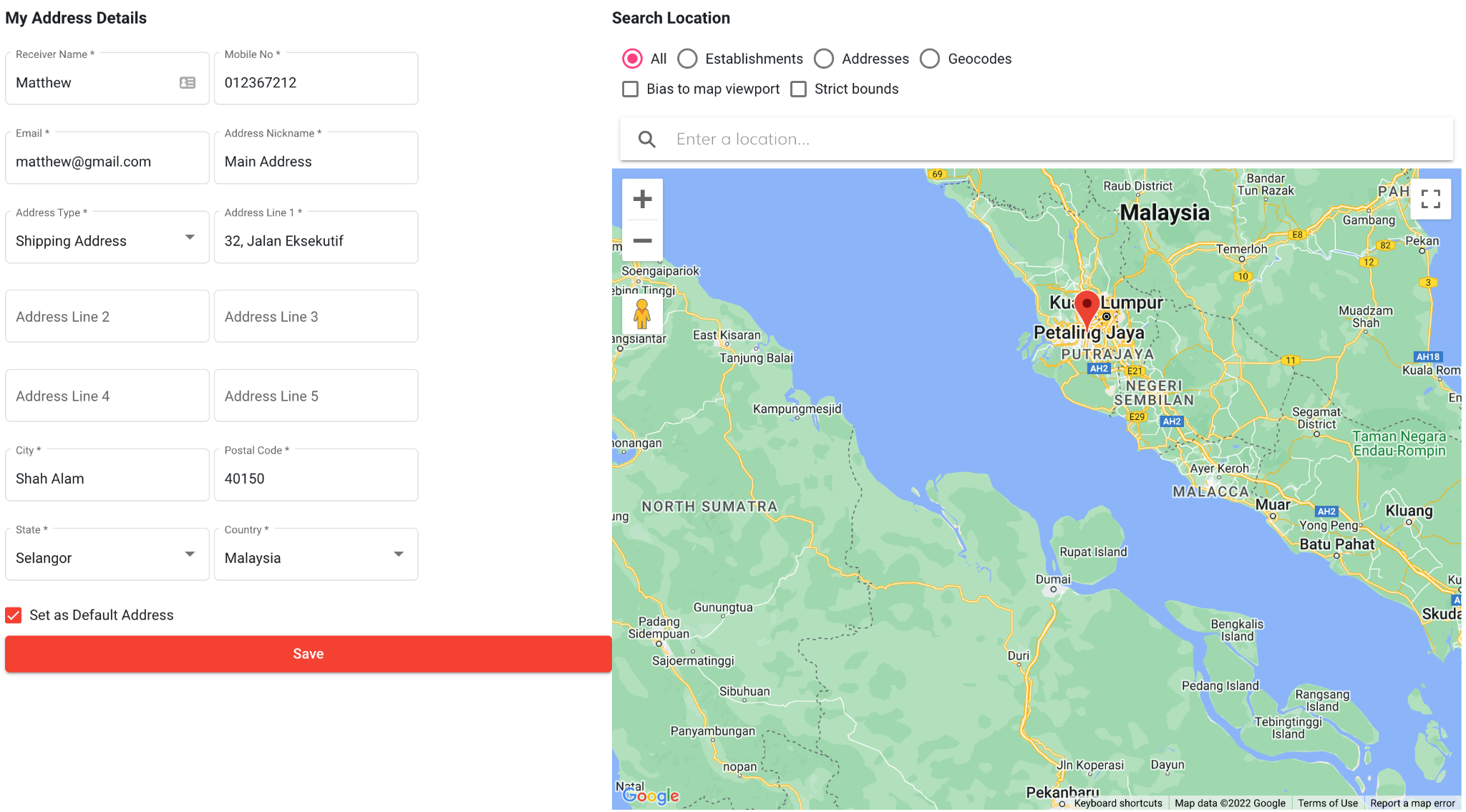
- Edit Address: Allows users to modify existing shipping addresses within the widget.
- Set Default Address (Optional): Enables users to designate a preferred shipping address for future purchases, pre-populating the shipping information during checkout.
- Delete Address: Provides the option to remove saved addresses that are no longer needed.
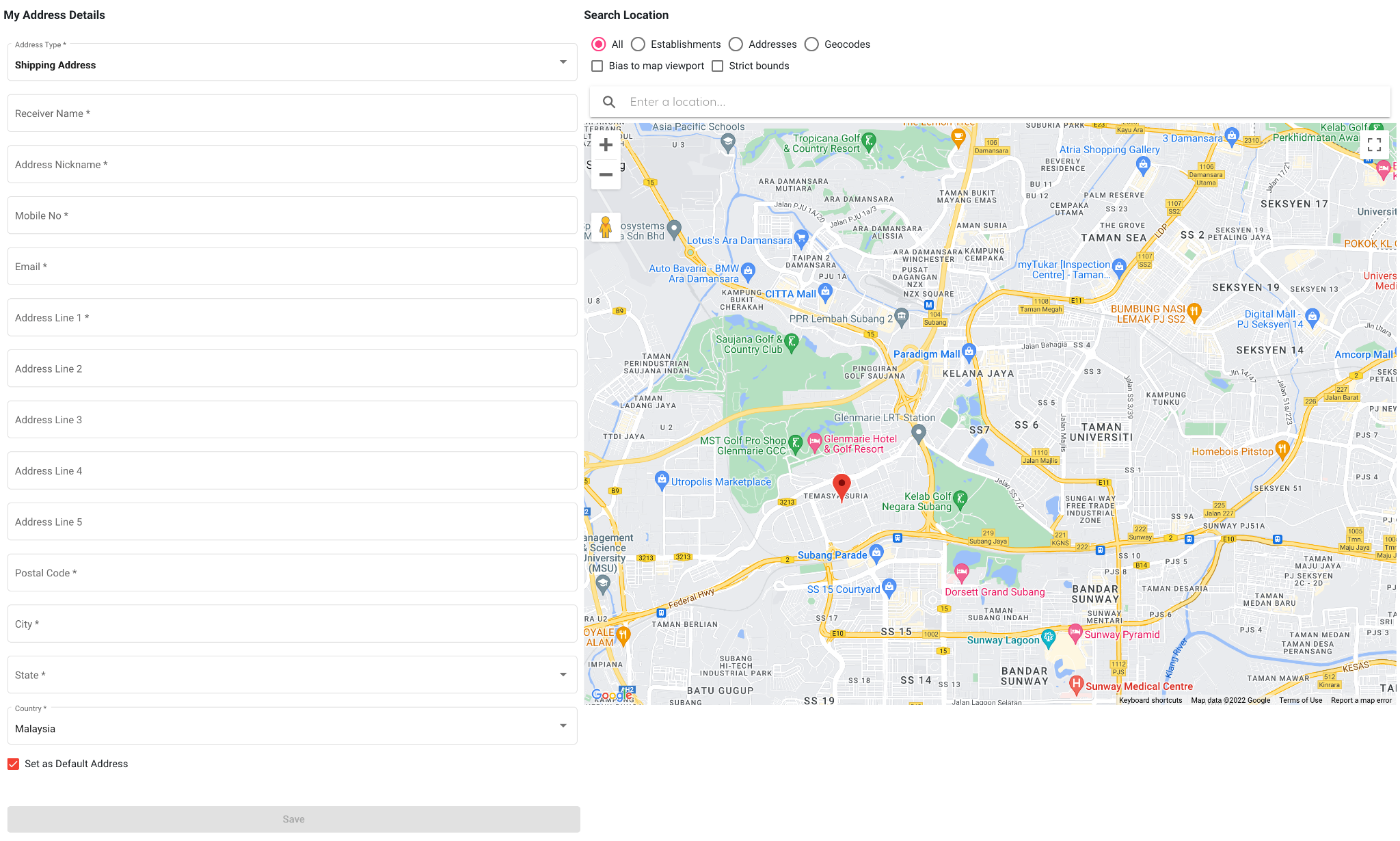
- Add New Address: Users can create new shipping addresses directly within the My Shipping Address Widget.
Example Use Cases
- Account Dashboards: Integrate the My Shipping Address Widget prominently within user account dashboards for easy access and management of saved shipping information.
- Checkout Pages: During checkout, offer users the option to select their preferred shipping address from their saved list within the widget, optimizing the checkout experience.
Additional Notes
- Ensure data security and privacy by restricting access to saved addresses to authorized users.
- Design the widget for clarity and easy navigation, allowing users to find and manage their addresses efficiently.
- Consider integrating the widget with your order management system to ensure synchronized data and address availability.
23. Vertical Menu
Purpose
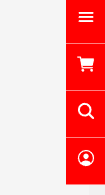
Provide users with a persistent and easily accessible navigation menu on the left or right side of the website, facilitating efficient browsing and exploration of website content. Enhance user experience by keeping essential navigation options readily available throughout their website journey.
Key Features
- Persistent Menu Bar: The menu remains visible on the screen regardless of the user’s scrolling position, ensuring constant navigation access.
- Vertical Layout: The menu items are displayed vertically, typically in a list format, maximizing space utilization on smaller screens.
- Clear and Concise Labeling: Each menu item utilizes clear and concise labels to accurately represent the linked content or section.
Configuration Options
- Menu Content: Define the specific links and functionalities included within the vertical menu, prioritizing essential website sections.
- Menu Item Hierarchy (Optional): Organize menu items using a hierarchical structure with parent and sub-categories for complex websites.
- Customization Options: Adjust the appearance of the menu, including background color, text styles, and hover effects to match your website’s design.
Additional Features
- Search Bar Integration (Optional): Include a search bar within the vertical menu to allow users to search for specific content or pages directly.
- Highlighted Current Section: Visually indicate the user’s current location within the website structure by highlighting the corresponding menu item.
Example Use Cases
- Websites with Extensive Content: For websites with a large number of pages or complex navigation structures, a vertical menu widget provides a user-friendly way to access all sections efficiently.
- E-commerce Websites: Vertical menus are commonly used in e-commerce websites to categorize product categories and subcategories, facilitating product browsing and discovery.
24. Image Gallery

Purpose
Showcase a collection of images in a visually appealing and organized manner, enhancing website design and user engagement. Provide users with a convenient way to browse through multiple images related to a specific theme or event.
Key Features
- Image Grid or Carousel Display: Presents images in a grid layout or a carousel format, allowing users to navigate through the collection.
- High-Quality Images: Utilizes high-resolution images to ensure a visually pleasing experience for users.
- Interaction and Navigation:
- Image Enlargement (Optional): Allows users to click on individual images to view them in a larger format, providing a closer look at details.
- Navigation Controls: Offers users intuitive controls to navigate through the image gallery, including:
- Previous/Next Buttons (for carousel displays)
- Pagination Dots (for grid layouts)
- Thumbnails (for easier selection within a grid)
- Lightbox Functionality (optional): Clicking an image opens a lightbox overlay showcasing the image in full-screen mode with navigation options.
Example Use Cases
- Portfolio Websites: Utilize the Image Gallery Widget to showcase creative work, photography, or design projects.
- Blog Posts: Enhance blog posts by including an image gallery to visually represent the content or tell a story.
- Event Pages: Display event photos within an image gallery to provide a visual overview of the event’s atmosphere or activities.
25. Product Post
Purpose
Provide users with a concview overview of a product, including its key features, benefits, and specifications, within a dedicated widget format. Enhance website design and user experience by presenting product information in a clear and visually appealing way. Encourage user engagement by sparking interest in the product and prompting further exploration.
Key Features
- Product Description: Provides a brief but compelling description highlighting the product’s benefits, functionalities, and target audience.
- Product Specifications (Optional): Presents a list of key technical details and attributes of the product, typically including:
- Size and dimensions
- Material composition
- Technical specifications (e.g., battery life, screen size, etc., depending on the product category)
- Additional features
Configuration Options
- Description Length: Define the ideal length for the product description to ensure it is concise yet informative.
- Specification Selection: Choose which product specifications are most relevant and valuable to showcase within the widget.
26. Video Gallery
Purpose
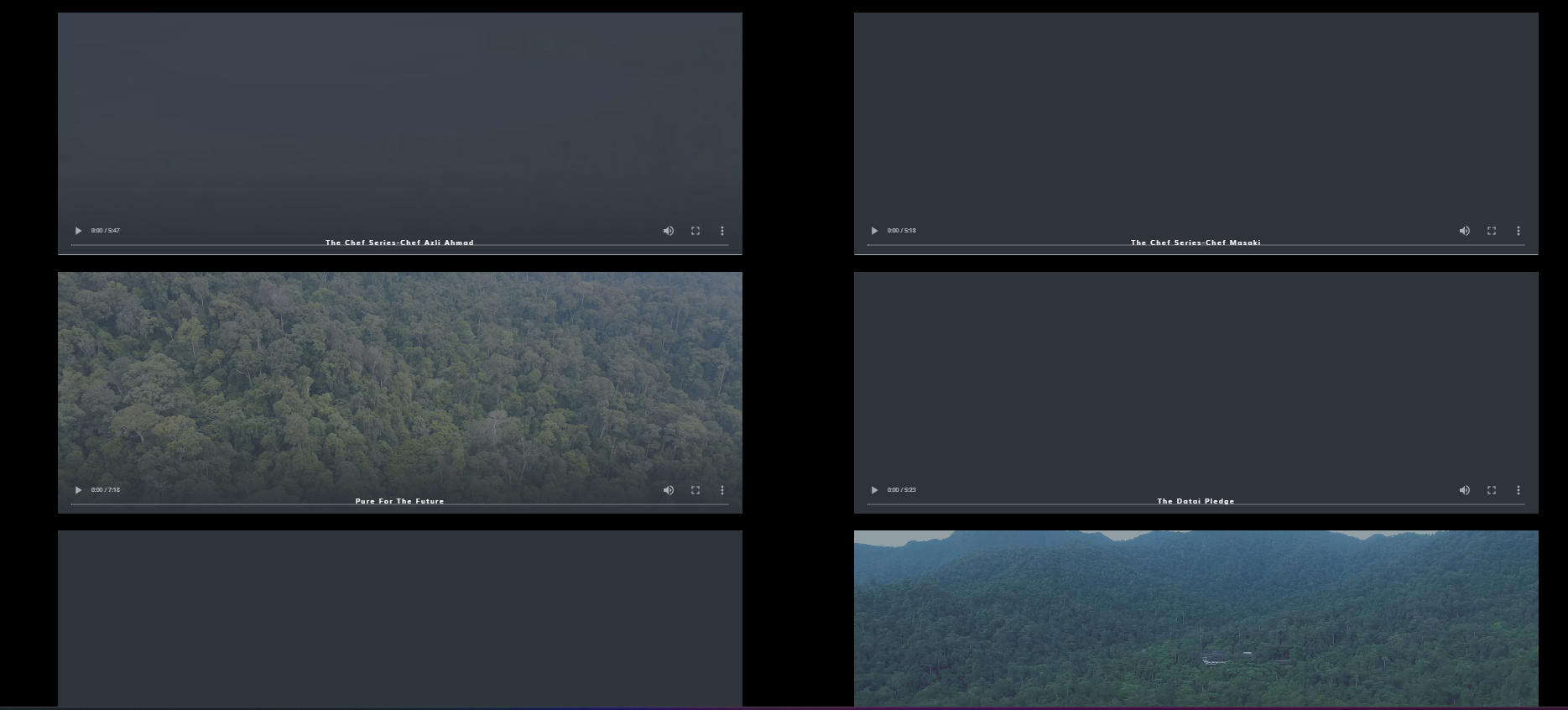
Captivate website visitors and enhance user engagement by showcasing a collection of videos in an organized and visually appealing format. Provide users with a convenient way to discover and watch videos relevant to your website’s content or brand message.
Key Features
- Video Grid or Carousel Display: Presents videos in a grid layout or a carousel format, allowing users to browse through the collection.
- Video Thumbnails: Utilizes high-quality video thumbnails that accurately represent the video content and entice viewers to click play.
- Optional Video Overlays: Integrate overlays on top of video thumbnails, displaying essential information like:
- Video Title
- Play Button Icon
- Interaction and Navigation:
- Video Playback: Users can click on video thumbnails or play buttons to initiate video playback within the widget or navigate to a dedicated video player page.
- Navigation Controls (Optional): For carousel layouts, include navigation controls such as:
- Previous/Next Buttons
- Pagination Dots
- Autoplay Functionality (Optional): Enable autoplay functionality with user controls to allow automatic video playback within the widget.
Configuration Options
- Thumbnail Customization (Optional): Define the style and appearance of video thumbnails, including size, aspect ratio, and hover effects.
Example Use Cases
- Homepage: Integrate the Video Gallery Widget prominently on your homepage to showcase engaging video content and capture user attention.
- Portfolio Websites: Utilize the Video Gallery Widget to showcase creative work, motion graphics, or video projects.
- Blog Posts or Articles: Enhance blog posts by including a video gallery related to the content, potentially increasing user engagement and dwell time.
27. Audio Gallery
Purpose
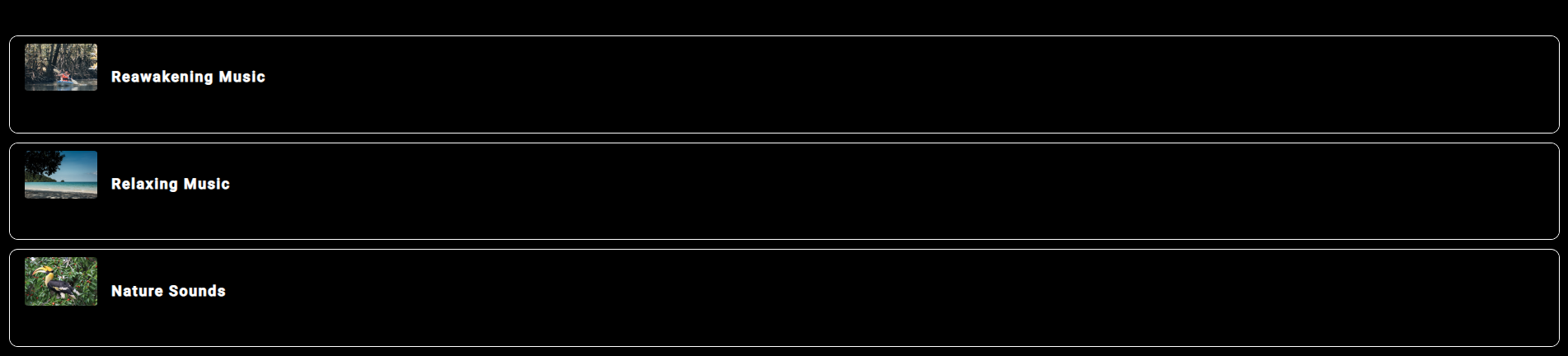
Provide users with a convenient and intuitive way to listen to audio content directly on your website, enhancing user engagement and content accessibility. Integrate audio elements seamlessly into your website’s design, allowing users to play, pause, and control playback within the widget. Offer an alternative way to consume content, catering to users who prefer audio formats or want a hands-free listening experience.
Key Features
- Audio Source: Integrates seamlessly with various audio sources, such as:
- Self-hosted audio files
- Audio streaming services (through API integration)
- Audio Playback Controls: Provides essential controls for users to manage audio playback, including:
- Play/Pause Button
- Progress Bar for scrubbing through the audio content
- Volume Control
Additional Features
- Playlist Functionality (Optional): For showcasing multiple audio files, incorporate playlist functionality allowing users to queue and navigate through a list of songs or audio clips.
- Repeat and Shuffle Functionality (Optional): Include buttons to enable repeat playback of the current audio or shuffle playback for a randomized listening experience.
- Full-Screen Mode (Optional): Offer an optional full-screen mode for the audio player, providing a more immersive listening experience.
Example Use Cases
- Music Websites and Podcasts: Integrate the Audio Player Widget prominently to allow users to stream music or listen to podcasts directly on your website.
- Blog Posts and Articles: Enhance blog posts or articles with embedded audio clips or interviews, offering an alternative way to consume the content.
- E-commerce Websites: Utilize the widget to showcase product demonstrations or audio descriptions alongside product listings.
- Educational Websites: Incorporate audio lectures, presentations, or language learning materials within the widget to provide an interactive learning experience.
28. Scroll Button

Purpose
Provide users with a convenient way to navigate back to the top of a webpage, improving website usability and user experience, especially on long pages. Offer an easily accessible solution for users who don’t want to scroll all the way back to the top manually. Enhance user experience by streamlining website navigation and promoting content discoverability.
Configuration Options
- Positioning: Strategically place the scroll button for optimal visibility and user accessibility. Common placements include:
- Bottom right corner of the webpage
- Bottom left corner of the webpage
- Fixed position on the right or left side of the webpage that remains visible as the user scrolls
- Visibility and Behavior:
- Smooth Scrolling Animation: Clicking the button should initiate a smooth and visually pleasing animation that scrolls the user back to the top.